






Not on the Chrome Web Store yet
ProRealCode Studio is on its way. As soon as it is published, this button will take you straight to its Chrome Web Store page.
What stays in your browser, and what leaves it.
Without an account, everything you write stays in this browser. Each thing that leaves it does so because you clicked something, and the screen says so at that moment.
| When | What leaves, and where it goes |
|---|---|
| Always | Nothing of your work. Your codes, chart templates, preferences, open tabs and the codes on the chart are kept in this browser. Uninstalling Studio removes them. |
| You connect a prorealcode.com account | Your codes with their names, dates and folders, your chart templates, your favourites, your saved dashboards with the instruments they show, and what you deleted, so a deletion is not undone elsewhere. All of it goes to your own account, to find it on another computer. |
| You share a code privately | A private copy to your prorealcode.com account, “Encrypted on our servers.” The members you add use it without ever receiving its source. |
| You set a webhook | Your alert signals, to the address you typed in Preferences, Alert, and nowhere else. |
| Anonymous usage data is on | Counters and durations, tied to a random device number. Next sheet. |
One switch, and a list of what it can never carry.
What is sent
- A random device number made on your computer, never your account.
- Counters: the editor opened, a code run, a template applied.
- Durations: how long a calculation or a drawing took.
- The Studio and platform versions, the browser, the window size, the chart's timeframe and bar count.
- The kind of an error, never its message.
What has no field to travel in
Your code, instrument names, chart values and prices, alert texts, library searches. The list of what may be sent is fixed, and none of these is on it.
Your IP address is not stored. Raw statistics are deleted after 90 days.
- To switch it off: ⚙ Preferences, Privacy, “Anonymous usage data”.Nothing more is sent, and what was waiting to be sent is discarded.
Your data, in your hands
| Keep a copy | Codes window, My codes, “⬇ Export”: your whole library in one file. |
| Cut the link to your account | “Account”, “Disconnect”. The connection is revoked; your codes keep working in this browser. |
| Delete a code everywhere | Delete it in Studio while connected: the deletion reaches your account. |
| Read the full policy | www.prorealcode.com/probuilder-extension-privacy/ |
| Ask a question, or for erasure | privacy@prorealcode.com. The answer comes within one month. |
The About panel is the way out.
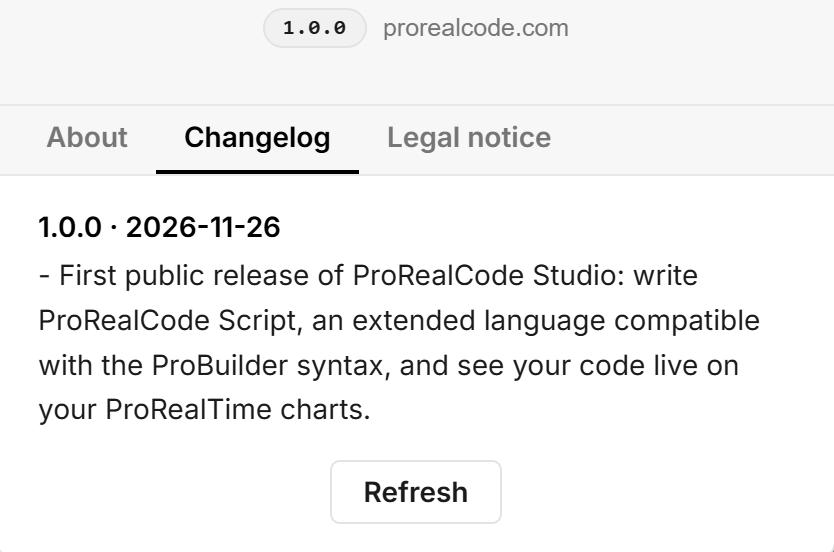
Open it from the book icon of the rail or the “About” row of the ƒ launcher. It shows the version you run, the news of each version, the licence, and four doors.
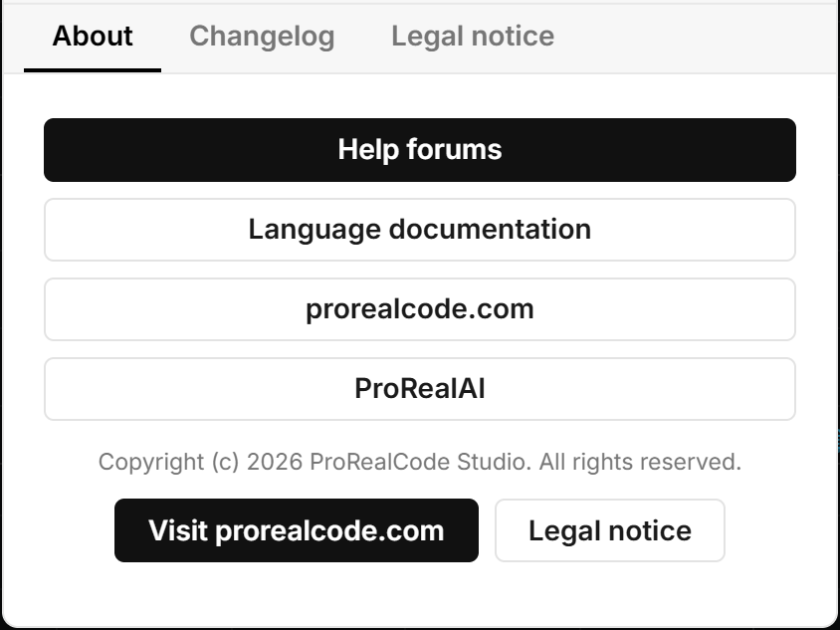
| Help forums | Ask a question on the prorealcode.com forums. prorealcode.com/forums/ |
| Language documentation | The instructions shared with the ProBuilder syntax. prorealcode.com/documentation/ |
| prorealcode.com | Indicators, screeners and trading systems published by members. |
| ProRealAI | The code assistant: questions and examples. ai.prorealcode.com |
| Legal notice | The licence, word for word: personal, non-commercial use of the unmodified extension on prorealtime.com. |
Write it, run it, read it on your own chart.
ProRealCode Studio is a code editor and live indicator overlay for the ProRealTime web platform. Questions, and what you would like to see next, go to the forums.
No financial advice. ProRealCode Studio is a programming and analysis tool for educational and exploratory use. Its indicators, alerts and backtest results describe data; none of them is investment advice or a signal service.
ProRealTime™ is a trademark of ProRealTime SAS. ProRealCode Studio is published by ProRealCode, a subsidiary of IT-Finance, and is part of the ProRealCode environment. ProRealCode Script is an extended language compatible with the ProBuilder syntax.
Copyright (c) 2026 ProRealCode Studio. All rights reserved. Privacy questions: privacy@prorealcode.com.