






Not on the Chrome Web Store yet
ProRealCode Studio is on its way. As soon as it is published, this button will take you straight to its Chrome Web Store page.
Your own code, live on the ProRealTime chart.
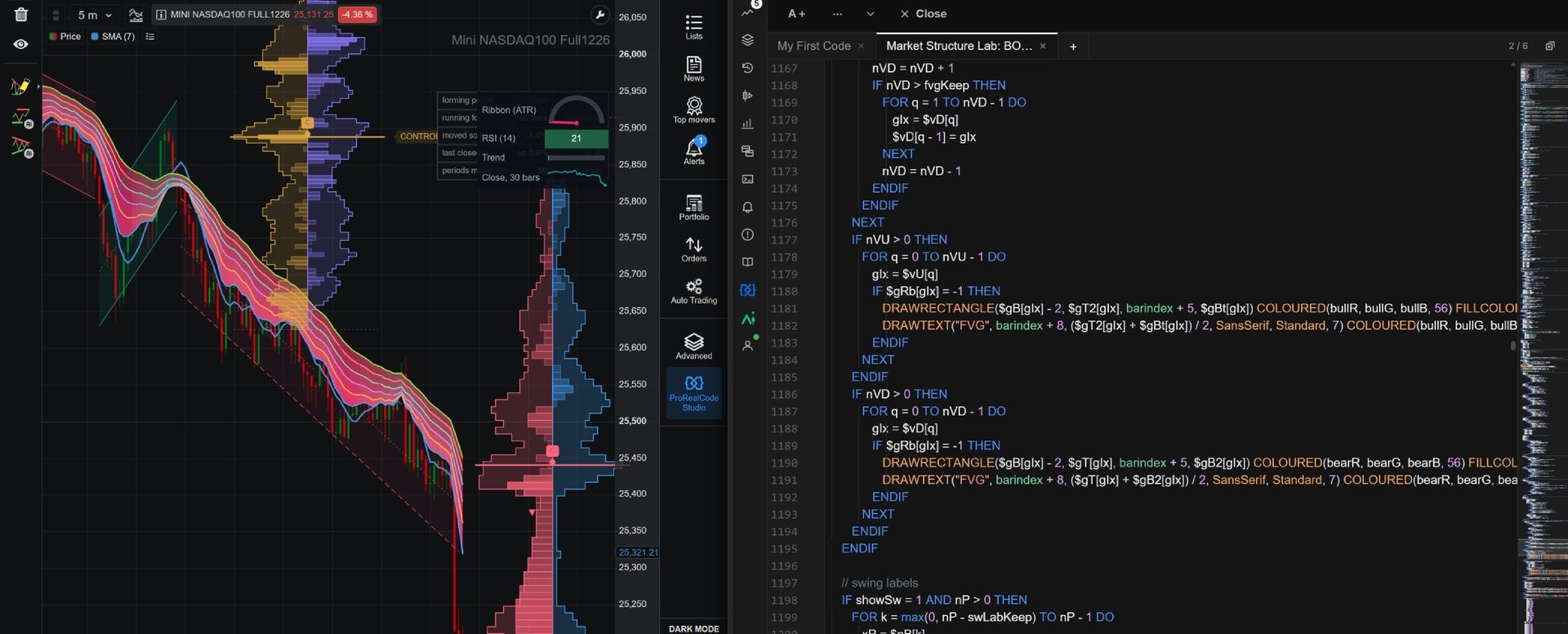
ProRealCode Studio is a browser extension that adds a code editor and a live indicator overlay to the ProRealTime web platform.
ProRealTime™ is a trademark of ProRealTime SAS.
Three things to have, and one we recommend.
ProRealCode Studio is a code editor and live indicator overlay for the ProRealTime web platform. It works inside the platform page, on your own charts. You write in ProRealCode Script, an extended language compatible with the ProBuilder syntax.
| You need | Why | See |
|---|---|---|
| Google Chrome, on a computer | Or another browser built on Chromium: Microsoft Edge, Brave, Opera, Vivaldi. Firefox and Safari are not supported. This guide was made with Chrome. | Chapter 01 |
| A ProRealTime account | You log in to the ProRealTime web platform as usual. Studio only runs on prorealtime.com pages, and only draws on a chart you have open. | Chapter 04 |
| ProRealCode Studio, installed | Your version is shown in the About window, the book icon of the editor's rail. | Chapters 01, 03 |
| A prorealcode.com account Recommended | Optional, and worth it: your codes, favourites, chart templates and dashboards follow you from one browser to another. Private sharing needs one. | Chapter 05 |
Without an account
The editor works exactly the same: the examples, your codes, the chart. But your codes are saved in this browser and only there: clearing the browser's data clears them, and another computer does not see them. Connect with your prorealcode.com account to keep a copy and sync it (chapter 05).
Where to start
New to Studio: read chapters 01 and 02 in order, with the platform open. Chapter 02 puts a first indicator on your chart without writing a line. The other chapters stand on their own.
Stay with the ProBuilder syntax, and your code runs on ProRealTime too.
The ProBuilder syntax
The language of the ProRealTime platform, the one its own code editor reads. If you have already written code on ProRealTime, you know it.
ProRealCode Script
The language of Studio: an extended language compatible with the ProBuilder syntax. Same way of writing, plus instructions of its own, such as settings with input(), signals with alert(), functions and tables.
The rule
A code with no addition is in ProBuilder Compatibility Mode. It runs in Studio and on the ProRealTime platform, and there is nothing to declare. Use an addition and “Studio Only” appears beside the code's name.
So you choose, code by code. The badge tells you when a code stops being compatible (chapter 06), and every addition is listed with an example in chapter 23. One limit: the badge reads instruction names. A rare difference that is not a name, such as two RETURN lines in one code, runs in Studio without a badge and is refused by the platform's editor.
ProRealTime™ is a trademark of ProRealTime SAS.
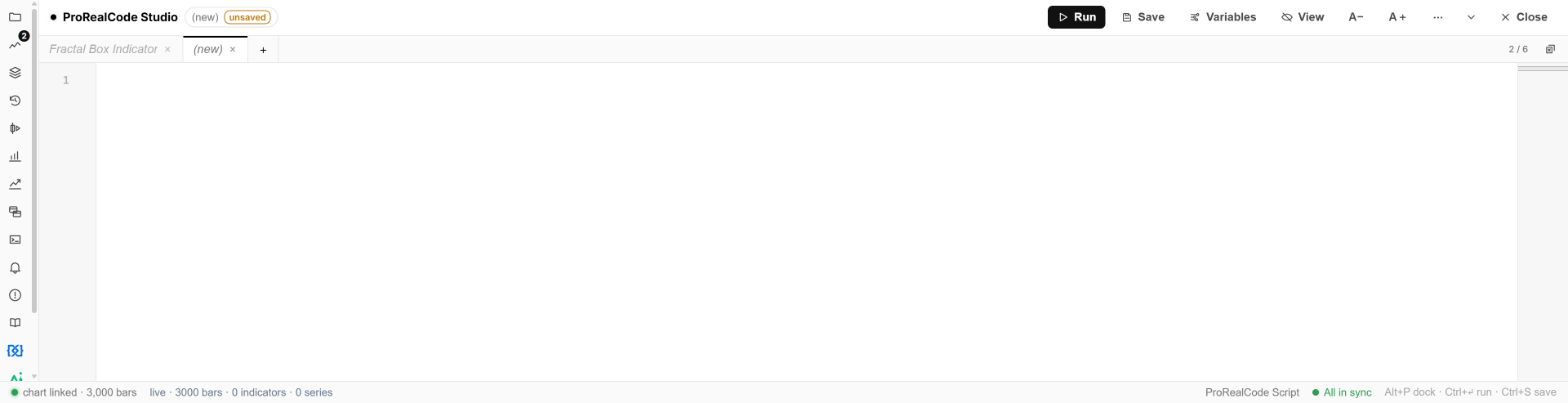
Labels as on screen, keys as keys, numbers on the pictures.
 1
2
- “Run”. A label is quoted exactly as Studio writes it, in English, with its capitals.
- The status bar. When the guide says “the status bar reads ‘chart linked’”, this is where to look.
| In this guide | Means |
|---|---|
| Ctrl + Enter | Press the keys together. On a Mac, ⌘ Cmd also works for Run and Save. |
| 01 Click “Run”. The curve appears. | A step: one action, then in grey what you should see once it is done. |
| Illustration | A drawing, not a screenshot. It shows the idea with fewer details than the screen. |
| screenshot to come | A grey frame stands where a screenshot will go in a later edition. Its caption says what it will show. |
Chapter 01 · Install and open Studio