Hull moving average

Hull moving average

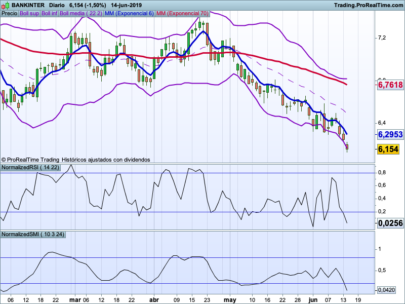
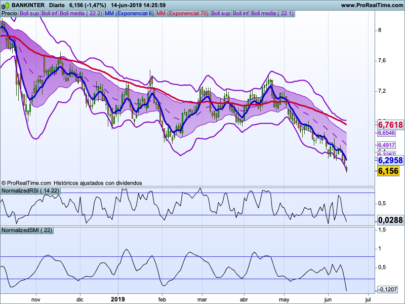
The HMA (Hull Moving Average) is an extemely fast Moving Average, originally developed by Australian Technical Analyst Alan Hull.

The Hull Moving Average solves the age old dilemma of making a moving average more responsive to current price activity whilst maintaining curve smoothness. In fact the HMA almost eliminates lag altogether and manages to improve smoothing at the same time.

Share this

Risk disclosure:

No information on this site is investment advice or a solicitation to buy or sell any financial instrument. Past performance is not indicative of future results. Trading may expose you to risk of loss greater than your deposits and is only suitable for experienced investors who have sufficient financial means to bear such risk.

ProRealTime ITF files and other attachments : How to import ITF files into ProRealTime platform?

PRC is also on YouTube, subscribe to our channel for exclusive content and tutorials

  1. Kevin • 10/12/2015 #

    Is it possible to amend this code so that when the HMA changes direction the colour can be changed ie:- Green uptrend, Red downtrend. TIA

    • Nicolas • 10/12/2015 #

      Change the last line with

      return MMHULL as”Moyenne de Hull”
      and change the color setting directly in the indicator window (uptrend and downtrend colors)

    • Kevin • 10/12/2015 #

      As always……………Thank you once again Nicolas. So simple when you know how……………Much appreciated

  2. lowbat • 10/12/2015 #

    Ciao Nicolas, sarebbe possibile avere sullo stesso grafico la media Hull ma in multi time frames? come Heikin Hashi multi time frames da te creato? grazie

    • Nicolas • 10/12/2015 #

      La struttura multidirezionale per gli indicatori non è ancora disponibile, ma potremmo simularli con una strategia di trading automatica, per favore apri una nuova discussione per questo scopo nel forum di ProBuilder.

  3. Hynesjp • 10/12/2015 #

    Hi Nicolas, I followed your suggestion to be able to change the colour but I cannot get the program to work. It does not provide the option to change the colour in the indicator window. I am using prorealtime V10. If you could advise I would be very grateful. Kind regards

    • Nicolas • 10/12/2015 #

      Remove the COLOURED instruction from the last line of the code.

  4. Jozo • 10/12/2015 #

    Hi Guys, could you help? When I attach this Hull MA it goes to subwindow! It should attach onto the chart. How do I do this correctly – i.e. attach it onto the chart? Thanks

avatar
Register or

Likes

avatar avatar avatar avatar avatar avatar avatar avatar
Related users ' posts
ggolfet Thanks Nicolas, I imported the itf file and solved the problem.
Hasardeur Hallo Nicolas, i tried to code the multi period heat map in combination with the Ehler’s ...
Nicolas Please open a new topic with the code in forum.
redactv7 On my charts, the indicator doesnt go on the upper pannel, on prices, but under like an osci...
Nicolas apply in on the chart, look at this how-to video: https://www.prorealcode.com/blog/video-tut...
jonpt88 interesting code thanks!
Bard I've also just noticed that changing the "Bands Deviation" setting from 1.25 to eg 3 doesn't...
bartekz Hi @Nicolas, Really impressed by your work. I am trying to replicate the Wave-PM indicator t...
Nicolas You don't have to replicate it, download the file and import it into your platform.
JOKAMAURICE Thank you but I don't really understand. The values don't fit with what I see on my chart. I...
LucioleLucide Clean view, thanks for sharing
dertopen hi where i can found the window for candle configuration?
paolosab69 Ciao! . I have seen the pictures that explain this metod but i don't understand when is mome...
Thomas
7 years ago
Thomas Como? no intiendo. Can you write in english . It works! Download the itf file.
Thomas New Version comin soon...
CHARLESRACHELLE OLA NAO SERVE PARA MT4?
ed65 hi great indicator how can i adjust time frame for opening rge ie to first 5 min , thanks in...
Thomas The you must use the timeframe 1min and change the code from endtime = 090000 // 09h00 to ...
killerplatuze Dont work anymore with the current version?
Marie-Eve Vergoz lorsque je copie les codes, le système me signale des erreurs à la ligne 12 et suivantes
Marie-Eve Vergoz sorry - tout est ok -
AlgoAlex
7 years ago
Marcot18 Alex ti sei superato
AlexF Esagerato!
Vinks_o_7 Apirine also offers a very interesting update of the OBV...
Wolf I don't know why the indicator does not work for me. It gives me an error about RETURN... ...
sergibilbo Great job thanks!!!
druby I was glancing through the code and noticed that the variable name, Middle' has been used. I...
winnie37 yes. "No ground breaking math here, but I am finding very useful and some algo based on it i...
Jan Wind Also interesting to know what does not work, which set up you use, saves me investigating ! ...
winnie37 i just set the proorder like this: buy when 50/100/200 phase >0 and sell when under 0, go...
Dari when I put the indicator does not put it on the price, sn in a new box like many indicators....
Nicolas by adding it on price instead. Use the wrench on the left upper side of your price chart.
robertogozzi It surely CHANGES even when currently outside time range, as the lookback periods change as ...
SkippyTrader Thanks Roberto, but shouldnt the values in the outside time range not be different? As it sh...
robertogozzi Actually it is a constant (I tested them on a 1-hour TF, 9am to 5pm) and outside that time r...
Vonasi Discussion regarding this indicator can be found here: https://www.prorealcode.com/topic/dis...
robert123 hi there, how do you get the images of the knights etc into your code....and is there anywhe...
swapping hello robert123, on this site -> https://fr.piliapp.com/symbol/
marcosamo Hello and thank you for this indicator, I have a small problem, it only shows the pawn at th...
marcosamo in fact I just saw a rider, so everything works sorry for my previous question
swapping perfect marcosamo, coupled with ichimoku-price-pattern this is better ;)

Top