Nicolas

BykovTrend_NRTR

Category: Indicators By: Nicolas Created: May 6, 2021, 8:49 AM
May 6, 2021, 8:49 AM
Indicators
15 Comments
BykovTrend_NRTR

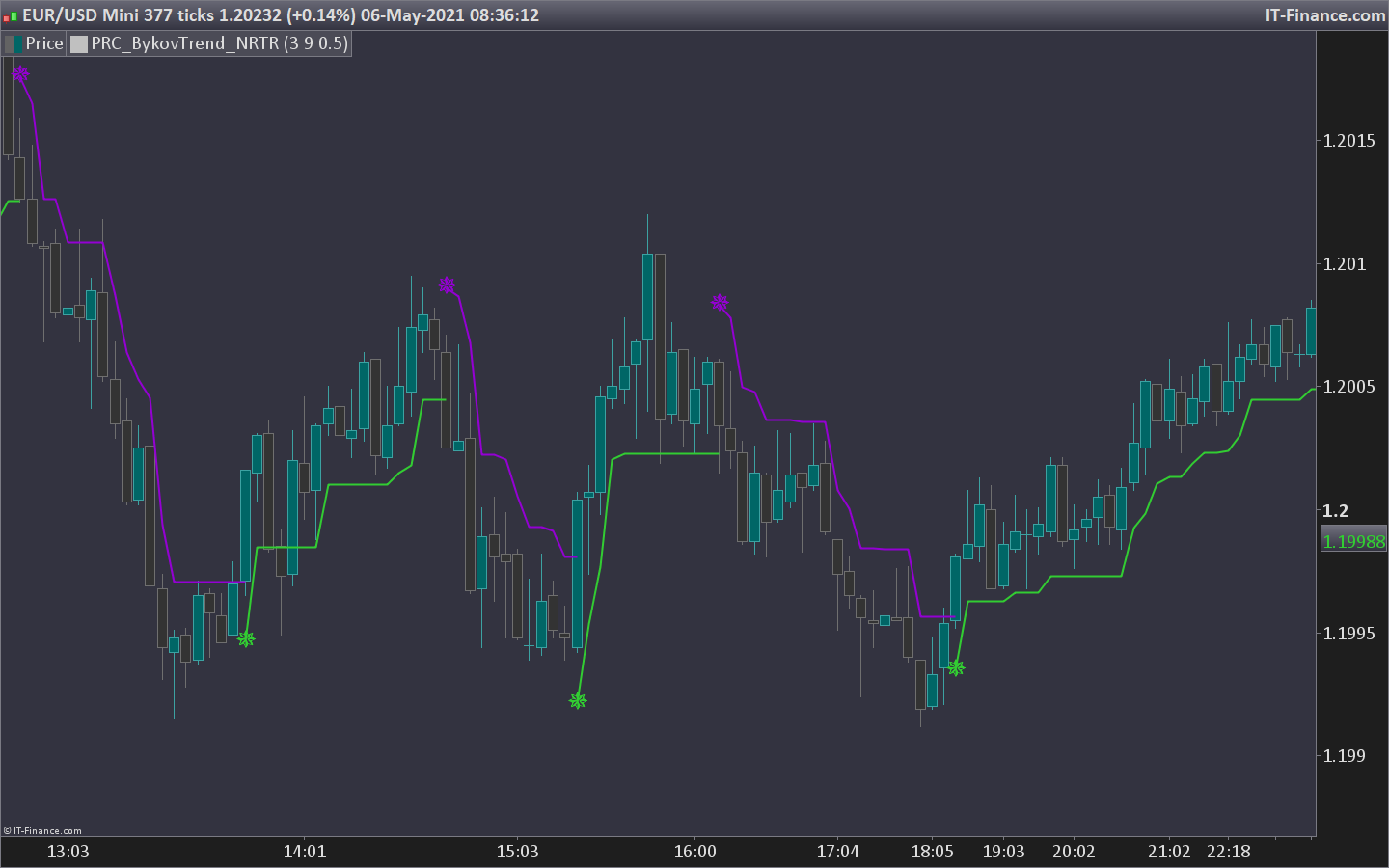
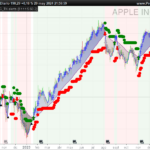
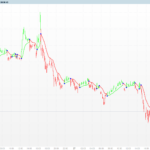
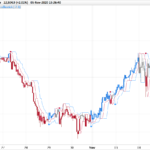
Here is a new trailing stop indicator working with an ATR spread according to a trend detection made with the Williams Percent indicator.

Very similar to this other ASCTrend indicator in my opinion.

Converted to ProBuilder language from the source version for MT5.

//PRC_BykovTrend_NRTR | indicator
//06.05.2021
//Nicolas @ www.prorealcode.com
//Sharing ProRealTime knowledge
//converted from MQL5

// --- settings 
RISK=3
SSP=9
AtrRatio=0.375
// --- end of settings 

once K = 33-RISK
once ATRPeriod=15

if barindex>max(SSP,ATRPeriod) then 
//---
//trend=oldtrend
WPR = Williams[SSP](close)
ATR = AverageTrueRange[ATRPeriod](close)
if(WPR<-100+K) then 
 trend=-1
endif
if(WPR>-K) then 
trend=1
endif
irange=AtrRatio*ATR
//---
if(trend[1]<0 and trend>0) then 
BuyBuffer=low-irange
else
Buybuffer = 0 //nst
endif
if(trend[1]>0 and trend<0) then 
SellBuffer=high+irange
else
SellBuffer = 0 //nst
endif 

if(trend>0) then 
if(BuyBuffer) then 
UpBuffer1=BuyBuffer
DnBuffer1=DnBuffer1[1]
else
istop=low-irange
if(istop<UpBuffer1[1]) then 
istop=UpBuffer1[1]
endif
UpBuffer1=istop
endif
endif


if(trend<0) then 
if(SellBuffer) then 
DnBuffer1=SellBuffer
UpBuffer1=UpBuffer1[1]
else
istop=high+irange
if(istop>DnBuffer1[1]) then 
istop=DnBuffer1[1]
endif
DnBuffer1=istop
endif
endif
endif

//---

if (trend[1]>0 and trend>0) then 
r=50
g=205
b=50
dn=0
up=255
elsif (trend[1]<0 and trend<0) then
r=148
g=0
b=211
dn=255
up=0
endif

if buybuffer then
drawtext("✵",barindex,upbuffer1,dialog,bold,25) coloured(50,205,50)
elsif sellbuffer then 
drawtext("✵",barindex,dnbuffer1,dialog,bold,25) coloured(148,0,211)
endif


return upbuffer1 coloured(r,g,b,up) style(line,2),dnbuffer1 coloured(r,g,b,dn) style(line,2),trend
Download
Filename: PRC_BykovTrend_NRTR.itf
Downloads: 743
Nicolas
Nicolas Legend
I created ProRealCode because I believe in the power of shared knowledge. I spend my time coding new tools and helping members solve complex problems. If you are stuck on a code or need a fresh perspective on a strategy, I am always willing to help. Welcome to the community!
Author’s Profile

Comments

merri
4 years ago
#

Bonjour Nicolas, Comment transformer cet indicateur en bot sur PRT ?

Nicolas
4 years ago
#

Cela a déjà été fait, voir ce sujet: https://www.prorealcode.com/topic/strategia-con-lindicatore-bykovtrend-nrtr/

Xenotrax
4 years ago
#

A première vue, sa à l'air d'être un indicateur très puissant sur de petites temporalités, je vais tester ma stratégie avec celui-ci cette semaine et voir ce qu'il en est. Merci pour ce travail en tout cas :)

diegofe_2000
5 years ago
#

cordial saludo Nicolas, una pregunta senciLla : Como coloco un STOPS en un maximo o un minimo de la vela inicial, independiente de las velas que se ejecuten. GRACIAS

kats
5 years ago
#

Bonjour, j'ai essayé de faire afficher cet indic en temps 5 mn sur le 1 mn et c'est Hiroshima. J'ai certainement tout faux sur ce que j'ai voulu modifier. Pensez vous que c'est possible de faire cela a savoir afficher cet indic en valeur 5 mn sur le 1 mn? merci de votre reponse cdlt


Nicolas
5 years ago
#

Il suffit d'ajouter l'instruction TIMEFRAME(5 minutes,updateonclose) en tête du code

kats
5 years ago
#

Bonjour, super cet indicateur . J'ai essaye de le transformer pour avoir le 5 mn sur le graphe du 1 mn et c'est Hiroshima , je n'y arrive pas. Comment faire pour l'afficher en 5 mn sur le 1mn? est ce possible? svp merci de votre reponse cdlt

jerome777
5 years ago
#

bonjour merci pour le partage !!!! je débute dans les codes , j ai une question je les l installer en bas comme exemple rsi mais j arrive pas à l introduire dans le graphique ? je ne trouve pas merci de m aider

Nicolas
5 years ago
#

Il faut l'ajouter sur le prix avec l'icône de la clé situé en haut à gauche du graphique du prix.

Shams
5 years ago
#

Hi Nicolas! thank you for your sharing. can i hve the file for mac?

Nicolas
5 years ago
#

There is no specific file for MAC. Download the itf file and import it into your platform by using the import button in the indicators window.

alwyn
5 years ago
#

bonjour je viens de l'installer et j 'ai une ligne horizontale pouvez vous m'aider merci cdlt

Stenozar
5 years ago
#

Hi Nicolas, I put the indicator on the graph but it shows me only an horizontal green line; can you help me?

onblitz
5 years ago
#

Stenozar, add "once upbuffer1 = close" "once dnbuffer1 = close" and delete "trend" from return and it works. I have had same problem

Nicolas
5 years ago
#

Make sure you have sufficient units displayed for the indicator to calculate completely.

ProRealCode ProRealCode
Loading...