







Pivot point Supertrend
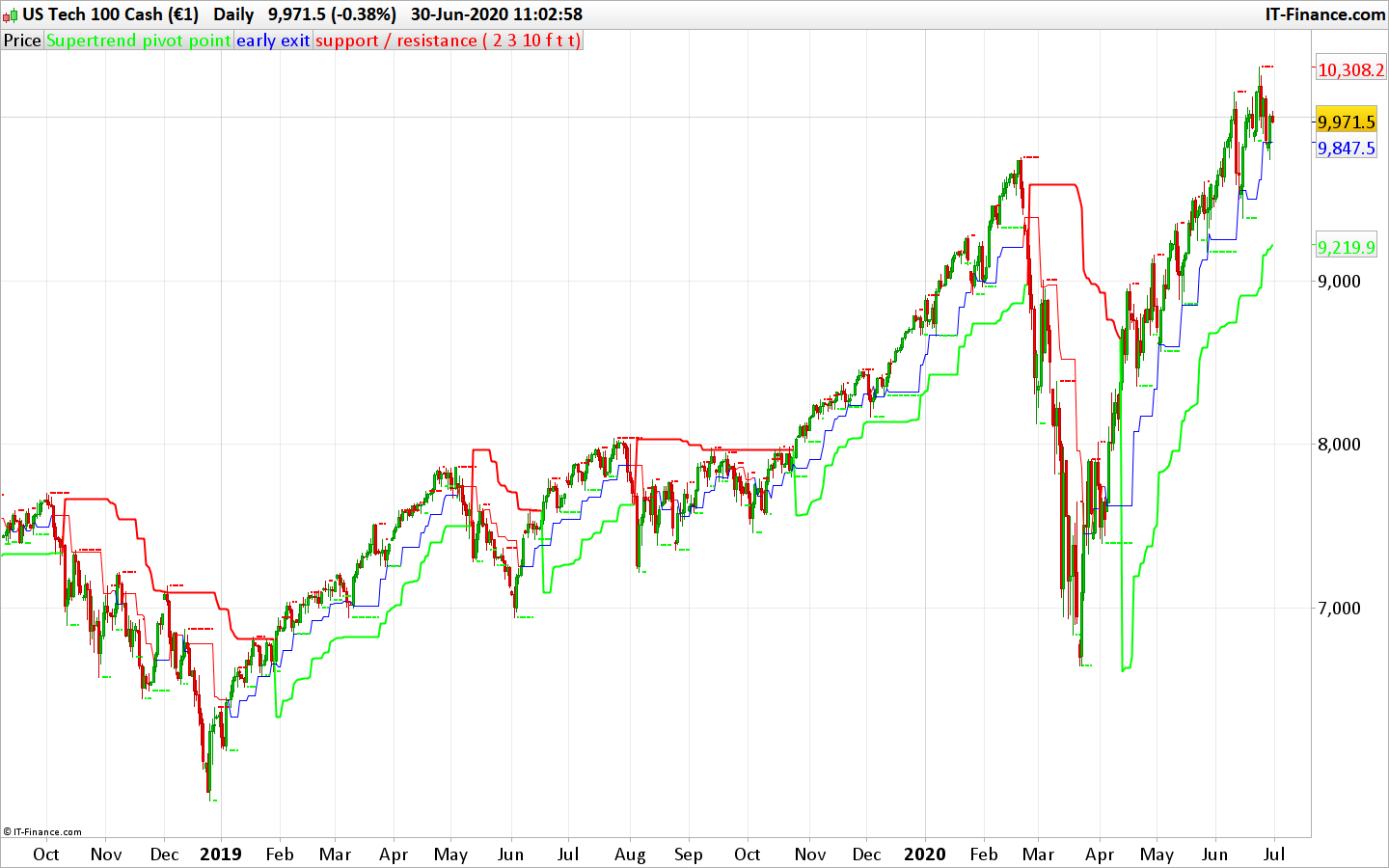
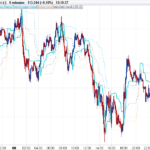
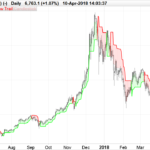
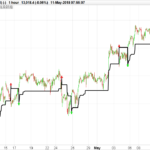
The Pivot point Supertrend uses the high/low pivot points (same as fractals) to calculate the Supertrend levels and therefore create a trend following / trailing stoploss indicator. This code was converted from pinescript version following a request in the indicator forum section (author: Lonesome TheBlue, all credits to him).
There are many types of SuperTrend around. Recently I thought about a Supertrend based on Pivot Points then I wrote “Pivot Point SuperTrend” script. It looks it has better performance on keeping you in the trend more.
The idea is behind this script is finding pivot point , calculating average of them and like in supertrend creating higher/lower bands by ATR. As you can see in the algorithm the script gives weigth to past pivot points , this is done for smoothing it a bit.
As an option the script can show main center line and I realized that when you are in a position, this line can be used as early exit points. (maybe half of the position size).
While using Pivot Points , I added support resistance lines by using Pivot Point , as an option the script can show S/R lines.
And also it can show Pivot Points.
(author description).
//PRC_Pivot Point Supertrend | indicator
//30.06.2020
//Nicolas @ www.prorealcode.com
//Sharing ProRealTime knowledge
//converted from pinescript

// -- settings
prd = 2 //Pivot Point Period
Factor = 3 //ATR Factor
Pd = 10 //ATR Period
showpivot = 0 // Show Pivot Points (1 = true ; 0 =false)
showcl = 0 //Show PP Center Line (1 = true ; 0 =false)
showsr = 0 //Show Support/Resistance (1 = true ; 0 =false)
// --- end of settings

atr = averagetruerange[14]
if high[prd] >= highest[(prd)*2+1](high) then
 ph = high[prd]
 if showpivot then
  drawtext("H",barindex[prd],ph+atr/2,dialog,standard,20) coloured(255,0,0)
 endif
 lastpp = ph
endif

if low[prd] <= lowest[(prd)*2+1](low)  then
 pl = low[prd]
 if showpivot then
  drawtext("L",barindex[prd],pl-atr/2,dialog,standard,20) coloured(0,255,0)
 endif
 lastpp = pl
endif

if lastpp<>lastpp[1] then
 if center=0 then
  center = lastpp
 else
  center = (center * 2 + lastpp) / 3
 endif
endif
Up = center - (Factor * averagetruerange[Pd])
Dn = center + (Factor * averagetruerange[Pd])

Trend = 0
if close[1] > TUp[1] then
 TuP = max(Up, TUp[1])
else
 TuP= Up
endif
if close[1] < TDown[1] then
 TDown= min(Dn, TDown[1])
else
 TDown= Dn
endif
if close > TDown[1] then
 trend = 1
elsif close < TUp[1] then
 trend = -1
else
 trend = Trend[1]
endif

once trend=1
if Trend = 1 then
 trailingsl =  TUp
 r=0
 g=255
else
 trailingsl = TDown
 r=255
 g=0
endif

if showcl then
 alpha=255
 if center<medianprice then
  clr=0
  clb=255
 else
  clr=255
  clb=0
 endif
endif

sr = undefined
if showsr then
 sr = lastpp
 if lastpp=ph then
  srr=255
  srg=0
 else
  srr=0
  srg=255
 endif
endif

return trailingsl coloured(r,g,0) style(line,2) as "Supertrend pivot point", center coloured(clr,0,clb,alpha) as "early exit", sr coloured(srr,srg,0) style(point,2) as "support / resistance"
Comments
You must be logged in to post a comment.
Vous l'avez sans doute collé au mauvais endroit, dans l'éditeur de code pour les stratégies, alors qu'il s'agit d'un indicateur. L'idéal étant de télécharger le fichier itf et de l'importer via le bouton approprié, le code se placera alors automatiquement dans la liste des indicateurs.

Merci Nicolas, avec l'assistant cela donne le code ci dessous. Est-ce correct ? De plus est-il possible de placer une alerte quand une valeur sort dans le screener pour éviter de passer son temps a attendre devant ? Car lors de mes essais je n'ai rien qui est ressorti. Voici le code : indicator1, ignored, ignored = CALL "PRC_Pivot Point Supertrend"[2, 3, 10, 0, 1, 0](close) c1 = (close CROSSES OVER indicator1) SCREENER[c1] ((close/DClose(1)-1)*100 AS "% Veille") Désolé j'ai essayé avec ADD PRT CODE mais cela n'a pas fonctionné.


Bonjour nicolas, y a t il un moyen de te contacter pour discuter avec toi ? Je te remercie
Bonjour :-) J'ai coller le script dans prorealtime pour jouer avec le supertrend et j'ai une erreur de syntaxe ligne 20 et 23. L'erreur indique : Une des expressions suivantes serait plus appropriée que "DRAWTEXT":ENDIF Merci pour votre aide :-)