



PaulParticipant
Master
Looks like tony has some nice advanced ideas but I will make it work for myself and post the excel sheet.
Thanks Paul, for me it’s on the back burner at the moment, but I do plan to work on it some more in the future, I think the main advantage is, to easily establish a robustness baseline that can be compared to when adapting a strategy, I will also update if I make progress on it
PaulParticipant
Master
Looking forward to your improvements, it sounds interesting!
They way I compare often, on a mac, is taking screenshots, which I can open at the same time to quickly compare. But that’s basic!
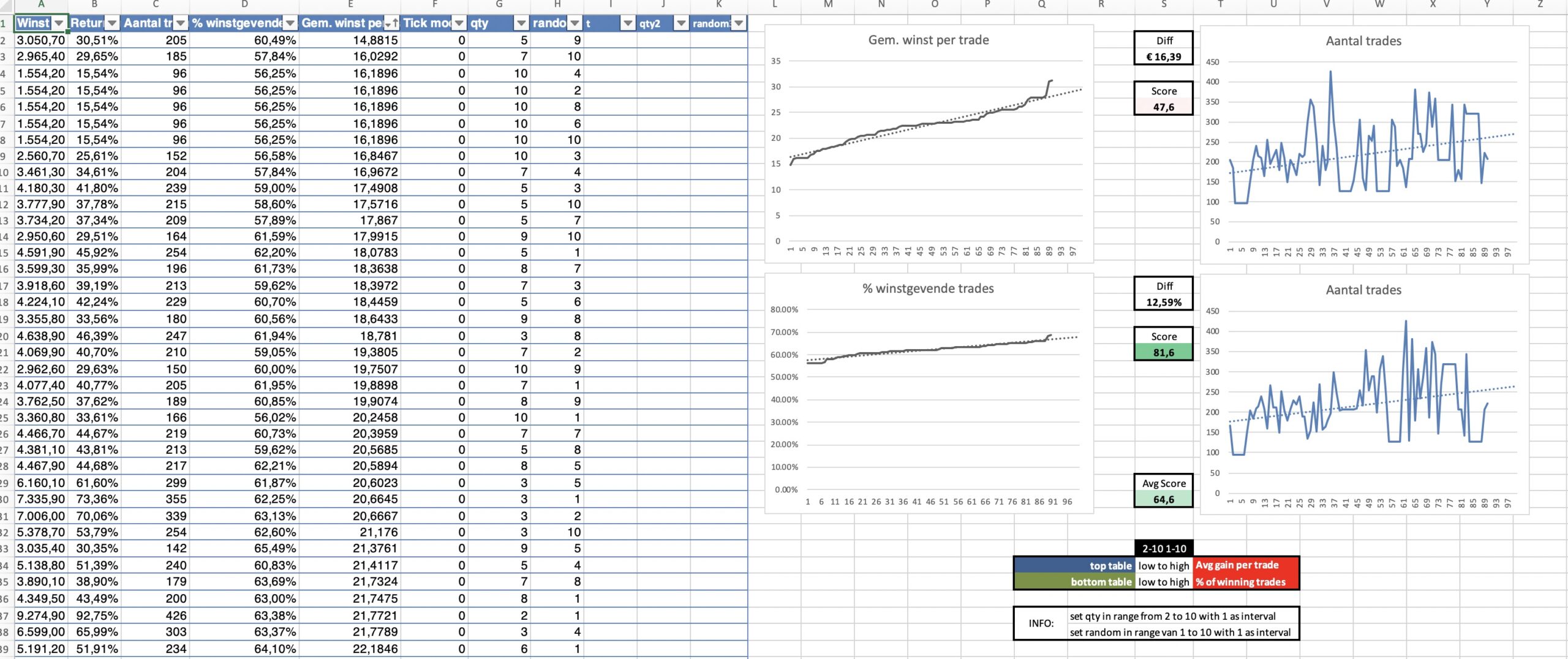
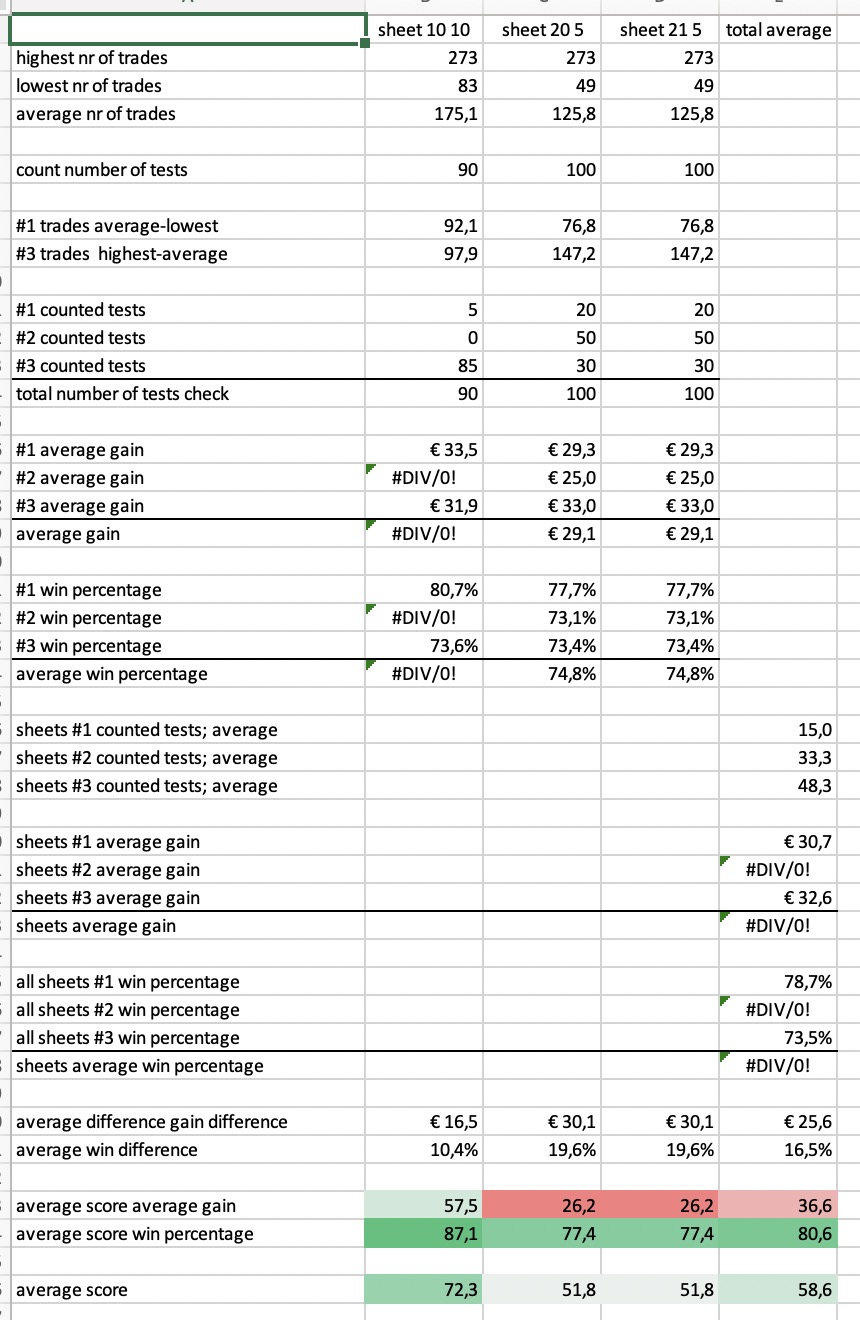
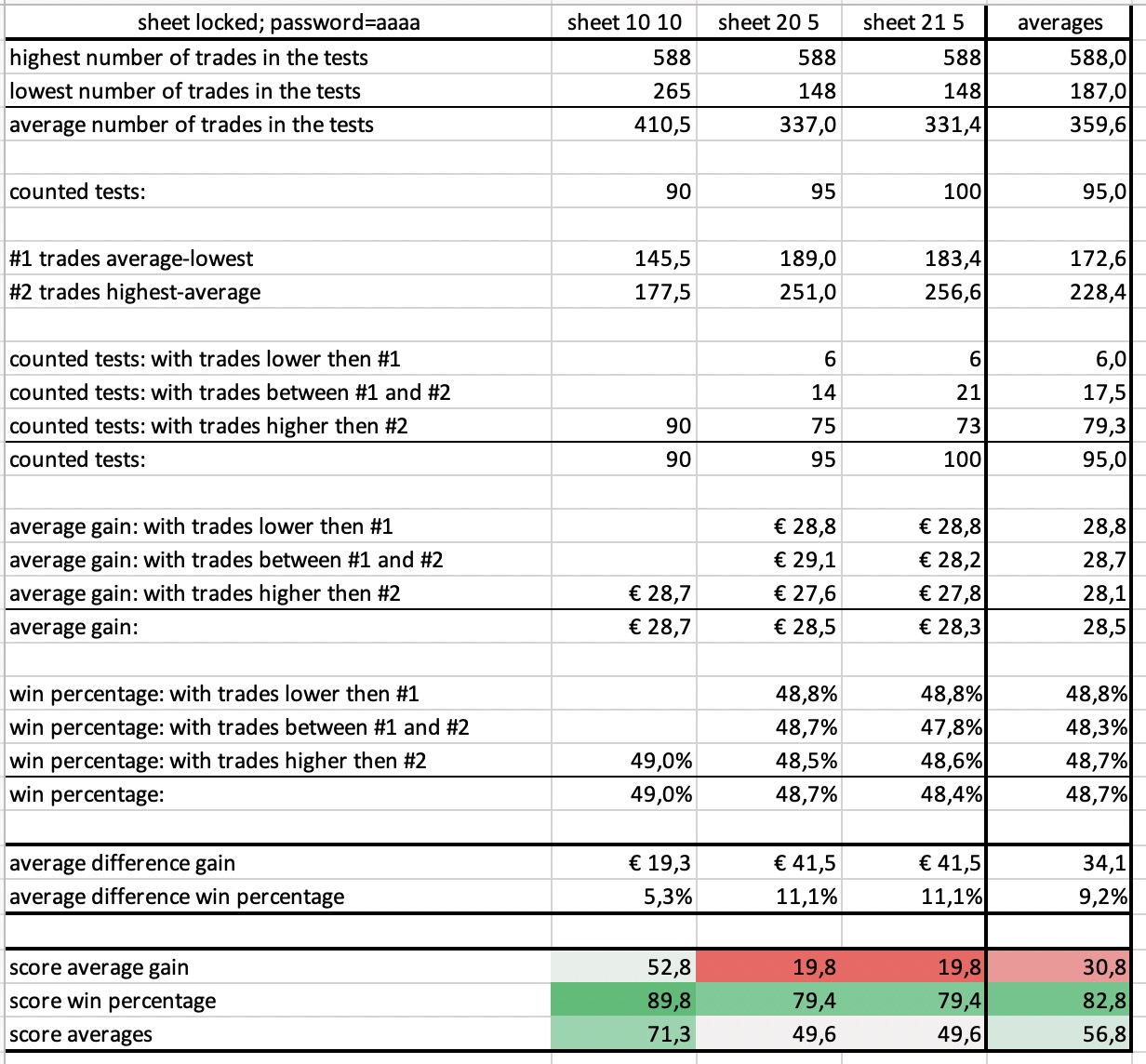
Here’s what I got so far.
I had an easy macro included, but it’s not allowed to be uploaded so it’s removed.
Don’t take the results for granted. It needs checking.
Perhaps we should also be calculating the average win rate from all the tests and the average gain per trade from all the tests as this gives us a truer idea of the performance of a strategy based on all the tests. Perhaps giving some weighting to tests that have more trades in and less weighting to those with only a few trades in would be a good idea when calculating these averages.
PaulParticipant
Master
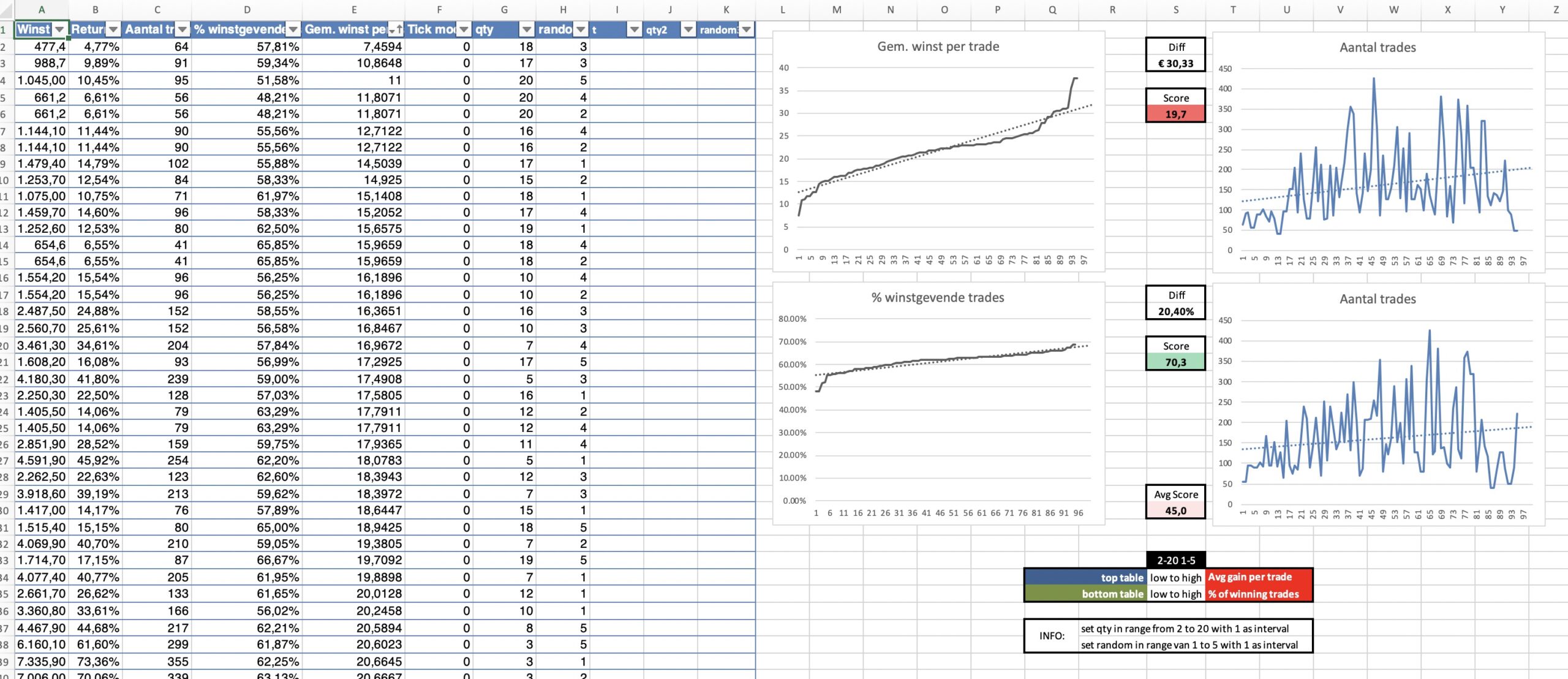
a bit more to play with, but looking at these figures it’s incredibly boring!
Didn’t do direct weighting to it but it could be done on this basis.
PaulParticipant
Master
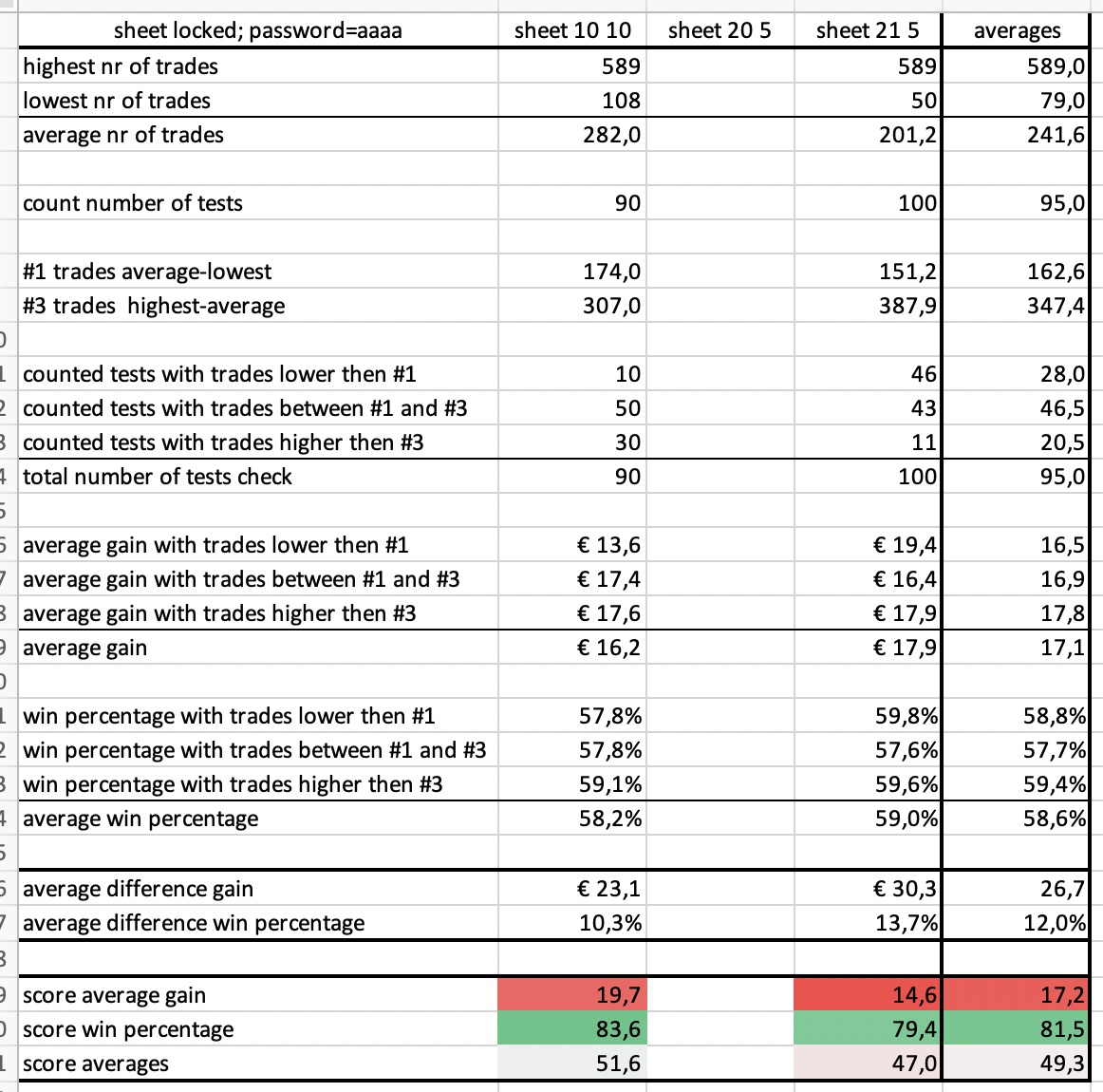
tried another system with less trades.
splitting it on average trades in 3 ways has it flaws because of div/0 error. Anyway.
PaulParticipant
Master
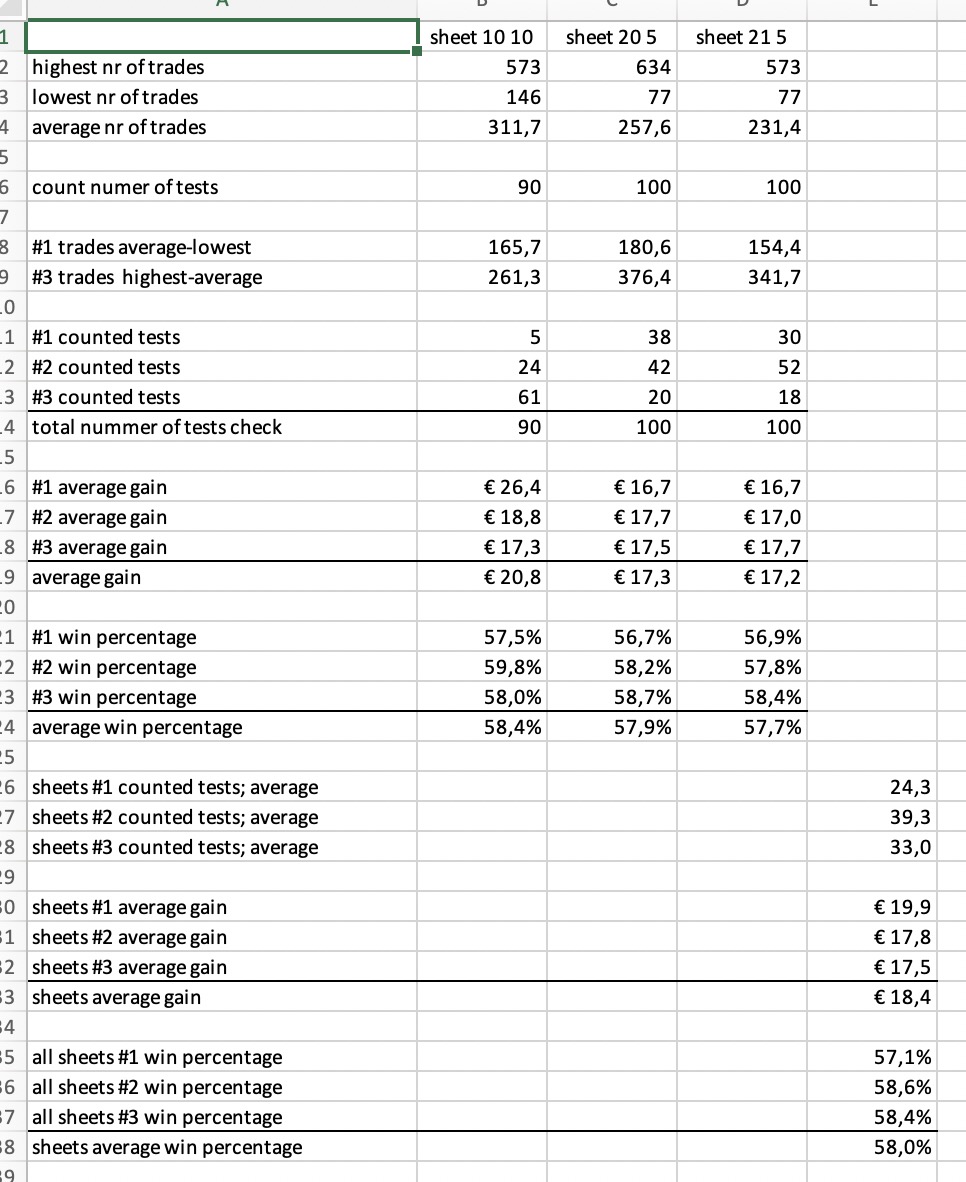
fixed the div/0.
even when not all sheets are filled, all is calculated correctly
report sheet is locked to prevent accidental changes, password is in cell a1
PaulParticipant
Master
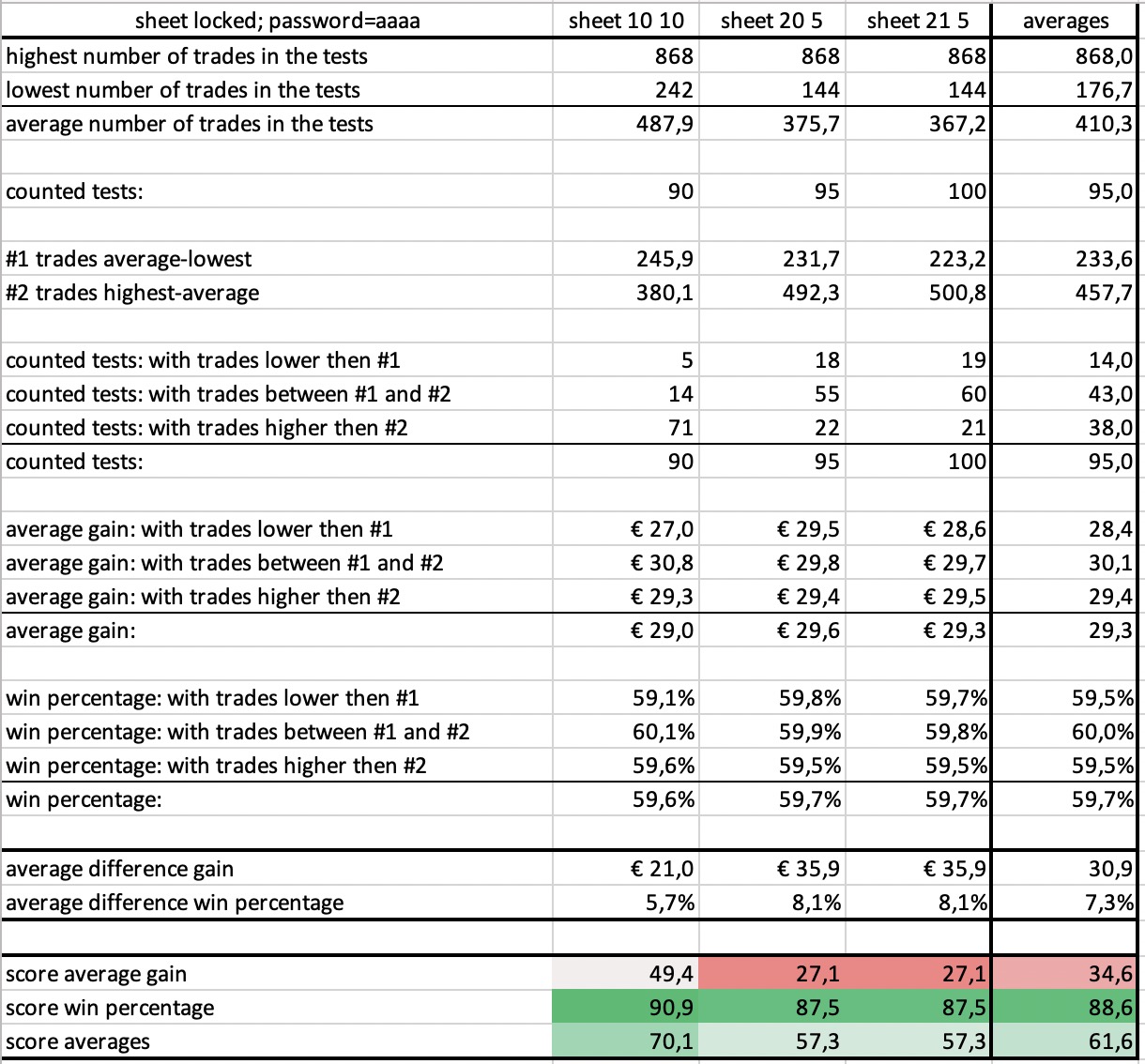
final one p6
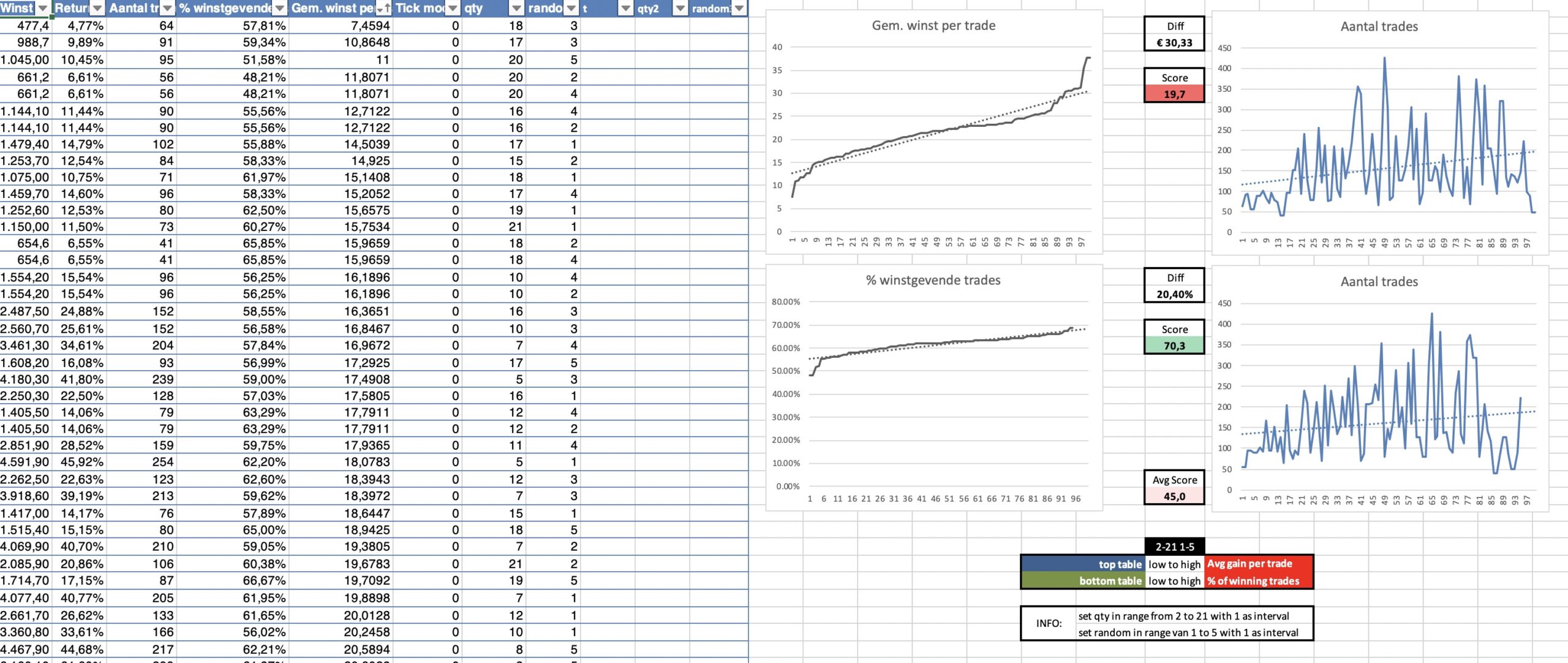
if tested with 2-10 1-5, the 45 test results can also be copied. The graphs aren’t dynamic and are stuck with 100 tests so lines go half way.
2 reports, added one extra, with one split less. Probably better for strategies with fewer trades.
Hello all, apologies for being dense — I have the test results but how do I get the optimize report into Excel?
Yes, I did read the idiot’s guide on page 1 but, drag and drop what exactly? Nothing moves and cant select for copy/paste. I don’t geddit.
Yeah, tried that about a hundred times … nada. Nothing moves. Nothing copies over to Excel.
Sometimes I find that Excel disappears when I click and hold on the results window but if I drag down to the Excel item on the task bar at the bottom of the screen (Windows 10) then Excel suddenly appears again.
Perhaps you should try shutting down your platform and starting it again as switch it off and on again often fixes things!
PaulParticipant
Master
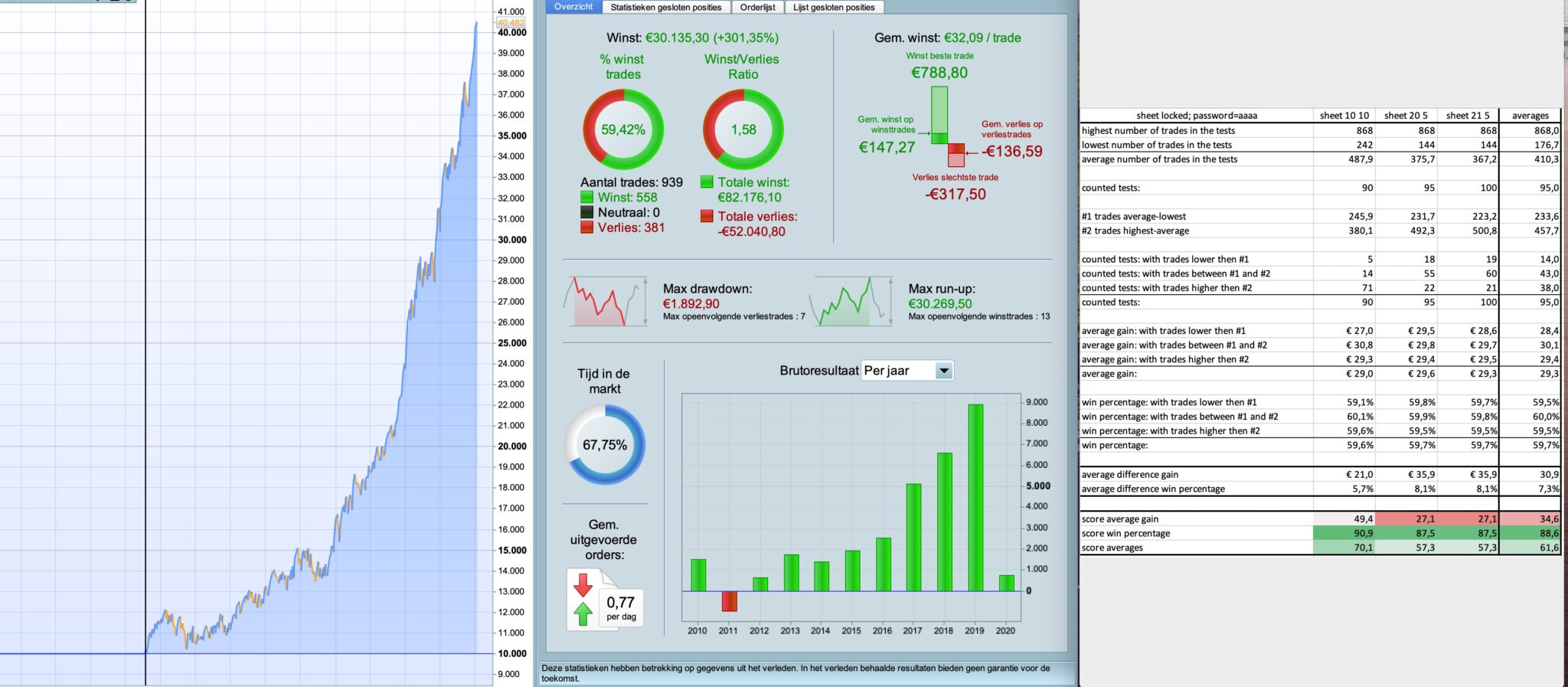
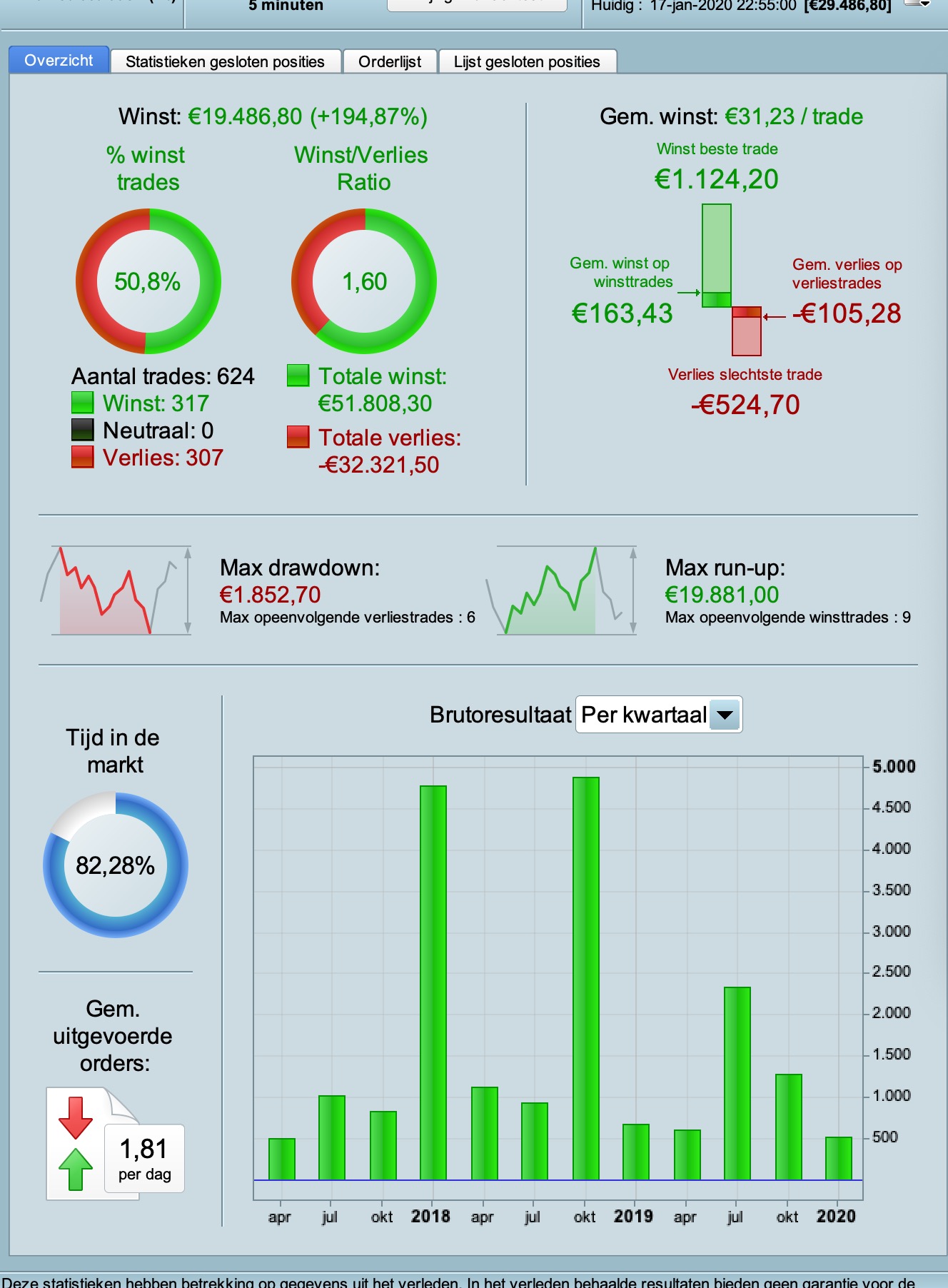
ran a test on the dow with 1 hour timeframe and spread 2.4 200k bars
PaulParticipant
Master
another one, dow with 5 min timeframe and spread 2.4 200k bars
as switch it off and on again often fixes things
Primary tech advice – see image 1! And yes, seems to have done the trick, thanks.
So … what counts as a good result here? and which do you consider as the key metric – Average Gain, % Win or Average of the two?
Do you regard this as superior to WF analysis, or to be used in conjunction with?
@Paul, nice work on the VRT template, dead easy to import data! 👍