







Squeeze Momentum Indicator
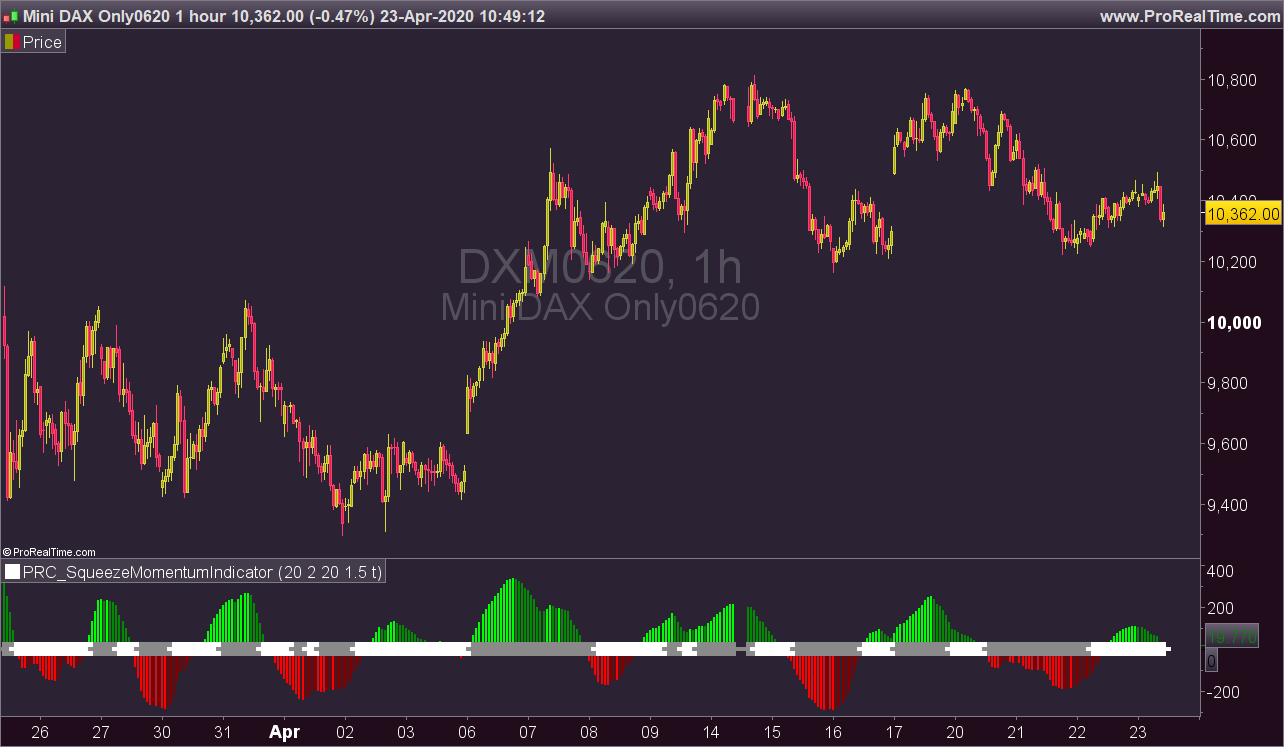
This is a derivative of John Carter’s “TTM Squeeze” volatility indicator, as discussed in his book “Mastering the Trade” (chapter 11).
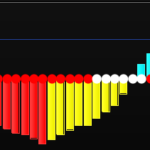
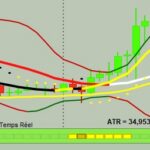
Black (or white) crosses on the midline show that the market just entered a squeeze ( Bollinger Bands are with in Keltner Channel). This signifies low volatility , market preparing itself for an explosive move (up or down). Gray crosses signify “Squeeze release”.
Mr.Carter suggests waiting till the first gray after a black cross, and taking a position in the direction of the momentum (for ex., if momentum value is above zero, go long). Exit the position when the momentum changes (increase or decrease — signified by a color change). My (limited) experience with this shows, an additional indicator like ADX / WaveTrend, is needed to not miss good entry points. Also, Mr.Carter uses simple momentum indicator , while I have used a different method (linreg based) to plot the histogram.
More info:
– Book: Mastering The Trade by John F Carter
(Description from the original author of this indicator LazyBear, all credits go to him).
//PRC_SqueezeMomentumIndicator | indicator
//23.04.2020
//Nicolas @ www.prorealcode.com
//Sharing ProRealTime knowledge
//converted from Pinescript version

// --- settings
length = 20 //BB Length
mult = 2.0 //BB MultFactor
lengthKC= 20 //KC Length
multKC = 1.5 //KC MultFactor
useTrueRange = 1 //0=false;1=true Use TrueRange (KC)
// --- end of settings

// Calculate BB
source = customclose
basis = average[length](source)
dev = multKC * std[length](source)
upperBB = basis + dev
lowerBB = basis - dev

// Calculate KC
ma = average[lengthKC](source)
if useTrueRange then
 irange = tr
else
 irange = (high - low)
endif
rangema = average[lengthKC](irange)
upperKC = ma + rangema * multKC
lowerKC = ma - rangema * multKC

sqzOn = (lowerBB > lowerKC) and (upperBB < upperKC)
sqzOff = (lowerBB < lowerKC) and (upperBB > upperKC)
noSqz = (sqzOn = 0) and (sqzOff = 0)

data = source - (highest[lengthKC](high)+lowest[lengthKC](low)+average[lengthKC](close))/3
val = linearregression[lengthKC](data)

//histogram color
if val>0 then
 if val>val[1] then
  r=0
  g=255
 else
  r=0
  g=139
 endif
else
 if val<val[1] then
  r=255
  g=0
 else
  r=128
  g=0
 endif
endif

//squeeze color
if noSqz then
 sr=0
 sg=0
 sb=255
elsif sqzOn then
 sr=0
 sg=0
 sb=0
else
 sr=138
 sg=138
 sb=138
endif
drawtext("✚",barindex,0,dialog,standard,20) coloured(sr,sg,sb)

return 0 coloured(sr,sg,sb) style (histogram,2), val coloured(r,g,0) style(histogram,4)

Comments
You must be logged in to post a comment.




Bonjour Nicolas, Merci pour votre travail de codage et de partage. J'ai bien télécharger votre indicateur et fais la modification qui produisait une erreur sur la ligne 18 avec: dev = mult * std [longueur] (source) Cependant votre indicateur ne s'affiche toujours pas dans mes graphes. Désolé. Cordialement


Hallo FVtrading, if I understand you question correctly, and you want to use this indicator, do the following: download file as attached above Filename : prc_squeezemomentumindicator.itf , read eventual manual, clicking on the link above "How to import ITF files into ProRealTime platform?", go to your PRT environment, and click on Import at the Indicators, then select the downloaded file, and it will be attached to your indicators and ready to run if selected. Success

My point is that on the book Carter says that "Once the first gray dot appears after a series of black dots, I go long if the histogram is above zero". My problem is that If I try to do the backtest on Prorealtime , I see that I should use the graphic condition but I'm not able to translate this input "first gray and Histogram below zero" in a codniton to backtest. Many thanks


length = 20 //BB Length mult = 2.0 //BB MultFactor lengthKC= 20 //KC Length multKC = 1.5 //KC MultFactor useTrueRange = 1 //0=false;1=true Use TrueRange (KC) // --- end of settings // Calculate BB source = customclose basis = average[length](source) dev = multKC * std[length](source) upperBB = basis + dev lowerBB = basis - dev // Calculate KC ma = average[lengthKC](source) if useTrueRange then irange = tr else irange = (high - low) endif rangema = average[lengthKC](irange) upperKC = ma + rangema * multKC lowerKC = ma - rangema * multKC sqzOn = (lowerBB > lowerKC) and (upperBB < upperKC) sqzOff = (lowerBB upperKC) noSqz = (sqzOn = 0) and (sqzOff = 0) data = source - (highest[lengthKC](high)+lowest[lengthKC](low)+average[lengthKC](close))/3 val = linearregression[lengthKC](data) Result = 0 if val>0 then if val>val[1] then Result = 9 endif else if val<val[1] then Result = 3 endif endif SCREENER[result] (result AS "SqueezeMI")

Didnt work for me, would love to have this as a screener!


That's great!! do you have any plans on making the screener? I did try to make the screener for this.. it's really really complicated for me and failed big time :)
HI, Nicolas thanks very much for this indicator. Any possibility of making a screener for this to get a signal when the first grey cross and first histogram up or down close. to get a signal?


@nicolas ,if in want to "call" this indicator, which values i have to write down?

Bonjour Nicolas, Merci pour votre formidable travail de codage et de partage. Je n'ai pas trouvé le moyen de vous contacter directement, alors je me permets de le faire à travers ce commentaire. Je me forme depuis peu (2 ans) à la bourse et au trading et débute dans l'apprentissage du code via PRT. Pas mal d'indicateurs que j'ai utilisés mais, je constate que rien ne remplace une bonne stratégie. Quels livres ou formations sur les stratégies de trading me recommanderiez-vous '(en FR & EN)? Merci d'avance pour le retour.
nice thank you