





ProRealTime v11 is coming soon

Viewing 15 posts - 91 through 105 (of 271 total)
  • Author
    Posts
  • #92628 quote
    Nicolas
    Keymaster
    Master

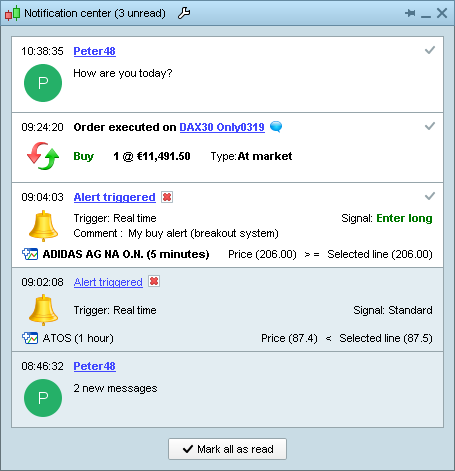
    Notifications window

    Notifications are also regrouped in a dedicated notification window which also allows you to check recent notifications history.

    [attachment file=”notifications window prt v11.png”]

    GraHal thanked this post
    #92684 quote
    Hico
    Participant
    Average

    Hi Nicolas,

    I am still hoping for two features:

    • Multiple timeframe usage in Strategies and
    • variable Arrays in Probuilder

    any news on this would be appreciated


    Greetings hico

    #92728 quote
    Gianluca
    Participant
    Master

    What about Multitimeframe on indicators? i mean using for examples the daily average on a 1h charts

    #92729 quote
    Nicolas
    Keymaster
    Master

    @Hico

    MTF for automatic trading already exist, please ask your broker to activate it if the Timeframe instruction is not recognized in the coding window. See this post for a short introduction: First approach to multi timeframe trading with ProRealTime


    @Gianluca
    for MTF for indicators, look at the examples done with GRAPHONPRICE

    #92769 quote
    Gianluca
    Participant
    Master

    I know this use, but is needed to have in background a Probuilder sistem and is not very easy and usefull expecially if you are trading with futures

    #92787 quote
    Nicolas
    Keymaster
    Master

    but is needed to have in background a Probuilder sistem and is not very easy and usefull expecially if you are trading with futures

    Yes, just reduce the equity curve window to its minimum, remove the orders histogram one and that’s all. ProBacktest is available even with an IB/PRT account, you don’t need real live trading to make it works like the way it works in the examples I gave you in the above post.

    #92793 quote
    Nicolas
    Keymaster
    Master

    Notifications popups

    For less disruption in your trading, popups such as order execution information or alerts can be viewed as notifications at the bottom of your screen.

    #92794 quote
    Nicolas
    Keymaster
    Master

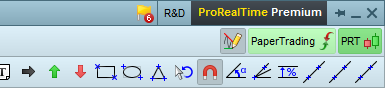
    Notifications badges

    If you missed notifications, a badge in the main window will show a count and allow you to display them.

    [attachment file=”prt v11 notifications badges.png”]

    #92796 quote
    Nicolas
    Keymaster
    Master

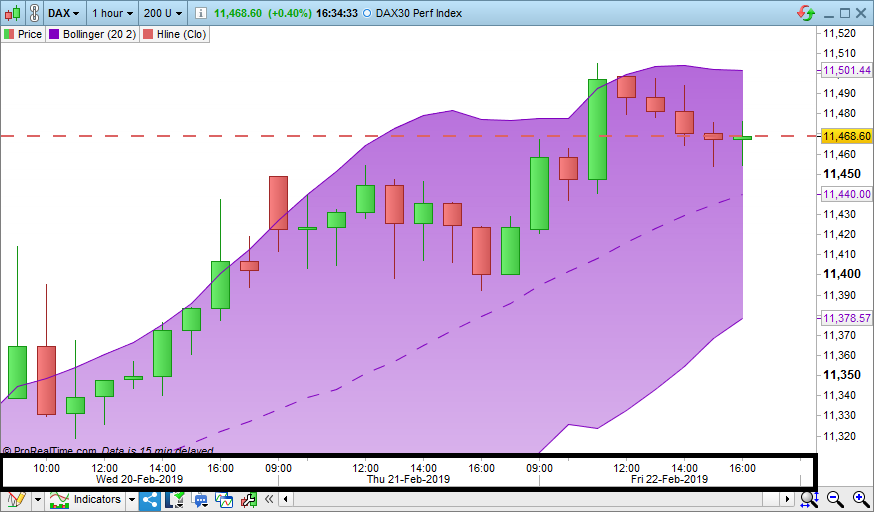
    Charts scales

    You can now choose to display the date scale on 2 separate lines for better readability, or on one line to save space.

    [attachment file=”prt version 11 charts scale.png”]

    #92803 quote
    Nicolas
    Keymaster
    Master

    New “alert on threshold” tool

    You can now create simple alerts based on price levels or indicator levels in just 1 click with the “Alert on threshold” tool.

    #92987 quote
    Gianluca
    Participant
    Master

    ou don’t need real live trading to make it works like the way it works in the examples I gave you in the above post.

    yes, but is stil not comfortable, maybe if there will be the possibility to hide the probacktest in order to use like the way you said will be perfect

    #92991 quote
    Nicolas
    Keymaster
    Master

    hide the probacktest

    If you mean hide the equity curve, reduce its window to the minimum ! 🙂

    #92992 quote
    Nicolas
    Keymaster
    Master

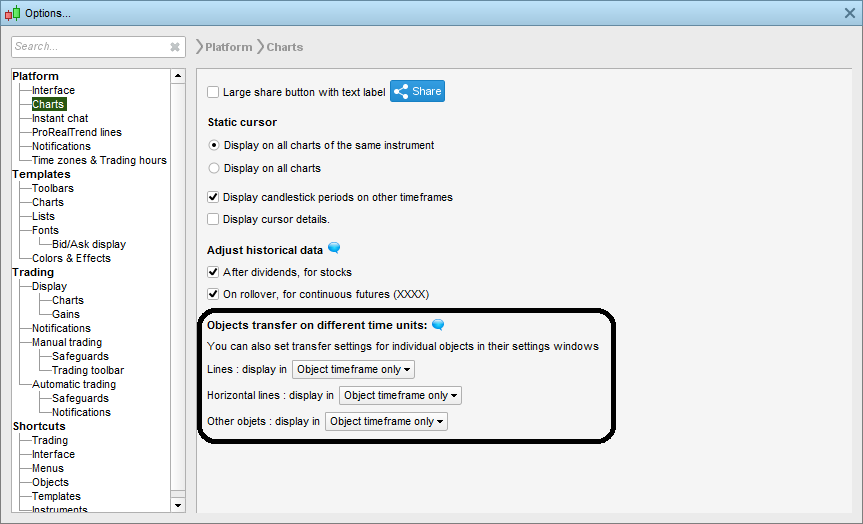
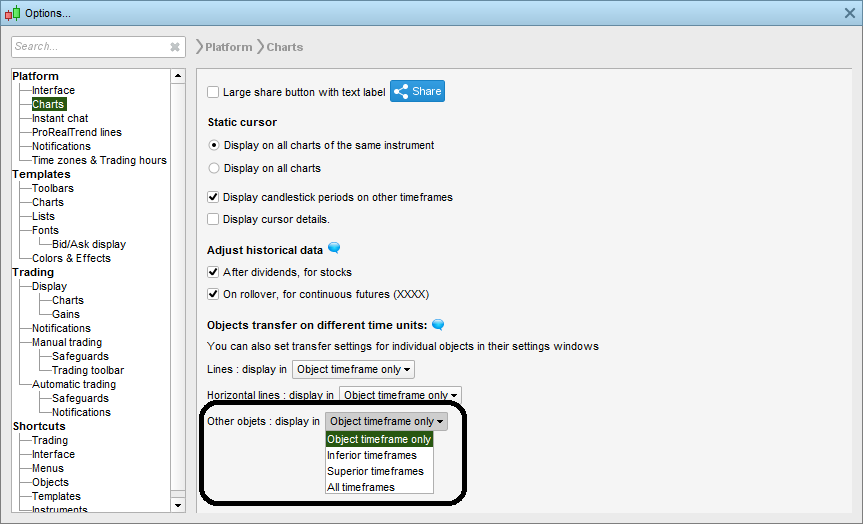
    More object transfer settings

    More object transfer settings are now available, you can choose time frame transfer settings separately for lines, horizontal lines only, and other objects.

    [attachment file=”object transfer settings.png”]

    #92994 quote
    Nicolas
    Keymaster
    Master

    Transfer your objects to other timeframes

    More possibilities to transfer your objects to other timeframes.

    Choose from :

    – original timeframe only

    – all timeframes

    – inferior timeframes

    – superior timeframes

    [attachment file=”transfer objects to other timeframes.png”]

    #93153 quote
    Nicolas
    Keymaster
    Master

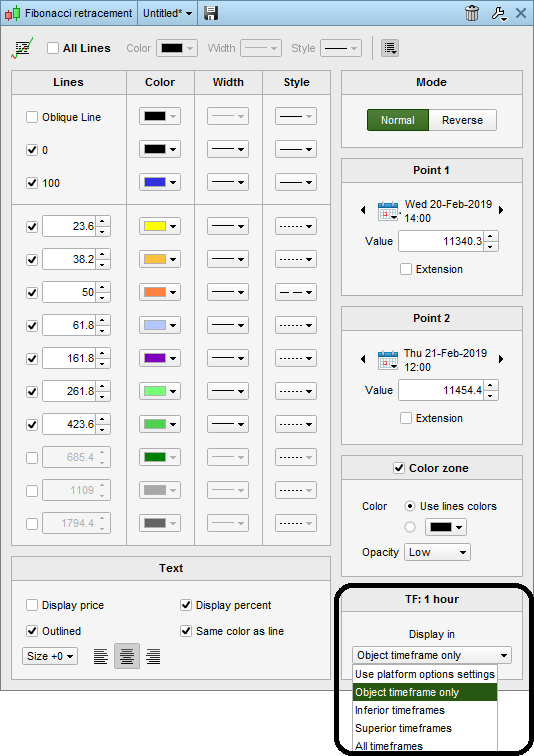
    Objects settings templates

    In addition to global configuration, you can also individually configure object transfer settings for an individual object or for an object template.

    [attachment file=”Objects settings templates.png”]

Viewing 15 posts - 91 through 105 (of 271 total)
  • You must be logged in to reply to this topic.

ProRealTime v11 is coming soon


Platform Support: Charts, Data & Broker Setup

New Reply
Author
author-avatar
Nicolas @nicolas Keymaster
Summary

This topic contains 270 replies,
has 60 voices, and was last updated by jmf125

5 years, 1 month ago.

Topic Details
Forum: Platform Support: Charts, Data & Broker Setup
Language: English
Started: 01/23/2019
Status: Active
Attachments: 56 files
Logo Logo
Loading...
