







Renko Fixed (on price)
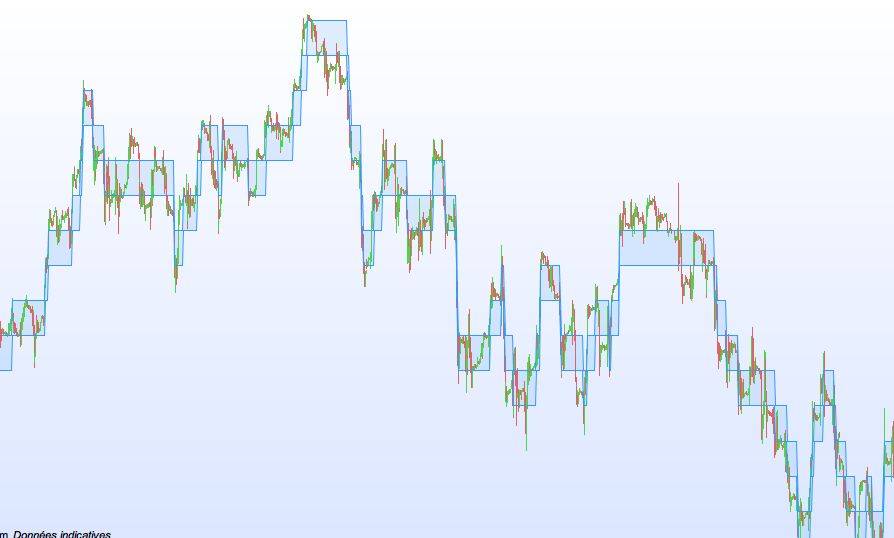
Here is a nice little code, finally I am proud of it !
Indeed in my beginnings, it was impossible for me to create Renko on prices.
What is the point of creating a Renko, as this graph can be already displayed on ProRealTime ?
Well, simply because PRT can not backtest from Renko ! This means that we must create ourself a corresponding indicator.
That’s the purpose of this code, so you can backtest many strategies based on Renko, at last !
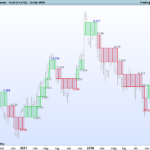
This indicator has fixed-size boxes, that’s the “why” of its name. Actually, he still uses the closing price. It would be perfect if it used the current price whatsoever at any time. But I do not see me using other than the command “close” to determine the price at a given time. For this graph and for example, I put this on the DAX, with fixed boxes of 100 points.
boxsize = 100
// à paramétrer selon la valeur.
//Exemple 100 points pour le DAX, 0.0020 point pour l'EUR/USD, etc.

once upbox = close
once downbox = close - boxsize

IF close crosses over upbox + boxsize THEN
upbox = upbox + boxsize
downbox = downbox + boxsize
ELSIF close crosses under downbox - boxsize THEN
upbox = upbox - boxsize
downbox = downbox - boxsize
ENDIF


RETURN upbox as "UP Box", downbox as "DOWN Box"
Comments
You must be logged in to post a comment.
This new code with highs and lows seems to work : boxSize = 20 // On aime bien que les valeurs des Renko soient "rondes"... once renkoMax = ROUND(close / boxSize) * boxSize once renkoMin = renkoMax - boxSize IF high > renkoMax + boxSize THEN WHILE high > renkoMax + boxSize renkoMax = renkoMax + boxSize renkoMin = renkoMin + boxSize WEND ELSIF low < renkoMin - boxSize THEN WHILE low < renkoMin - boxSize renkoMax = renkoMax - boxSize renkoMin = renkoMin - boxSize WEND ENDIF RETURN renkoMax as "Renko Max", renkoMin as "Renko Min"
By the way... the code isn't perfect : The renko will be updated only if the CLOSE is > or < the renko brick. Do you have any idea to make the renko display update with the CURRENT PRICE, not the close ? Best regards,

boxSize = 20 // On aime bien que les valeurs des Renko soient "rondes"... once renkoMax = ROUND(close / boxSize) * boxSize once renkoMin = renkoMax - boxSize IF close crosses over renkoMax + boxSize THEN WHILE close > renkoMax + boxSize renkoMax = renkoMax + boxSize renkoMin = renkoMin + boxSize WEND ELSIF close crosses under renkoMin - boxSize THEN WHILE close < renkoMin - boxSize renkoMax = renkoMax - boxSize renkoMin = renkoMin - boxSize WEND ENDIF RETURN renkoMax as "Renko Max", renkoMin as "Renko Min"
HI ALL, This new code (that someone generously sent to me by email) fixes the bug :

Super short code, thank you. However, there is still a small issue when the difference of close and the old box limits is bigger than 2 * boxsize. The following improved code fixes this and makes this Renko indicator entirely identical to the built-in version :
boxsize = 100

once upbox = close
once downbox = close - boxsize

IF close >= upbox + boxsize THEN
downbox = downbox + (round(((close - upbox) / boxsize) - 0.5)) * boxsize
upbox = upbox + (round(((close - upbox) / boxsize) - 0.5)) * boxsize
ELSIF close <= downbox - boxsize THEN
upbox = upbox - (round(((downbox - close) / boxsize) - 0.5)) * boxsize
downbox = downbox - (round(((downbox - close) / boxsize) - 0.5)) * boxsize
ENDIF

RETURN upbox as "UP Box", downbox as "DOWN Box"
You are right.
Just replace "crosses over" by ">" and "crosses under" by "<", and it works !
I just see that there is an issue with some boxes, because of very BIG candles.
The box remains as itself without moving, until the price crosses the other side.
I will work on it.
If someone knows the solution, it would be great.
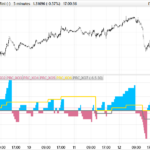
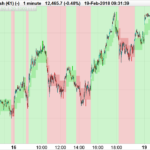
You can see attached picture at the bottom of the page :
http://www.doctrading.fr/code-renko-fixed-sur-prix/
Gentlemen, just a quick question. When I am adding this column to my code, PRT shows an error and some command with an underline: ELSIF low < renkoMin - boxSize THEN WHILE low < renkoMin - boxSize renkoMax = renkoMax - boxSize renkoMin = renkoMin - boxSize WEND ENDIF RETURN renkoMax as "Renko Max", renkoMin as "Renko Min" Any ideas why? Rgds,