







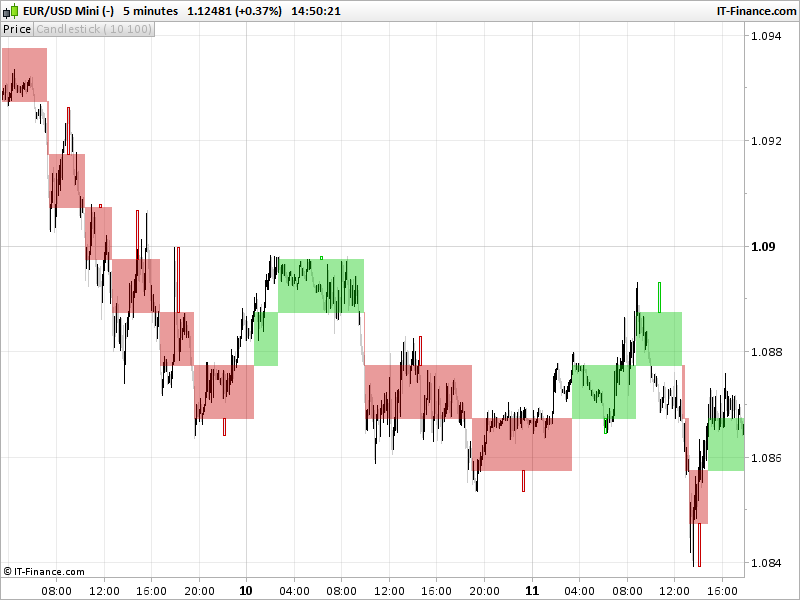
Renko bars with wicks on price chart
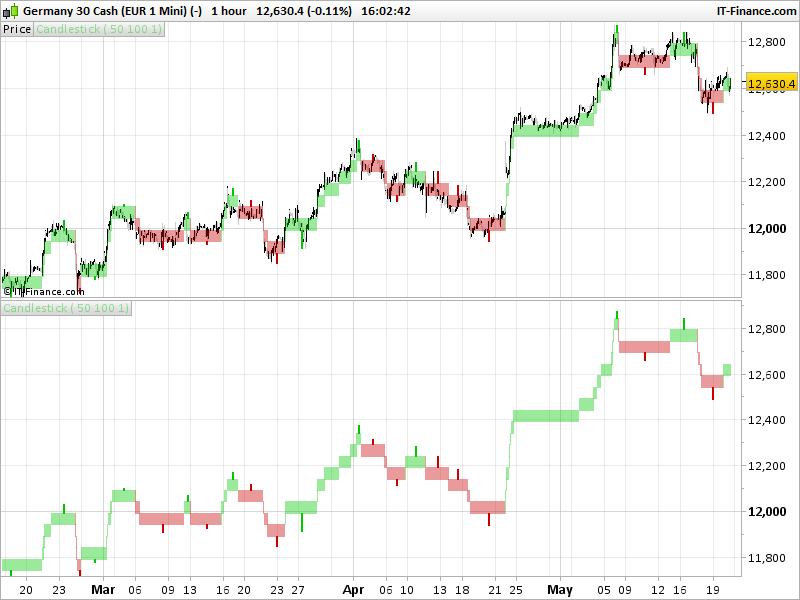
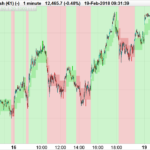
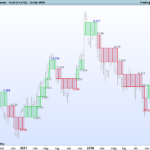
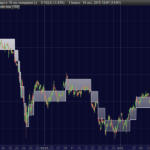
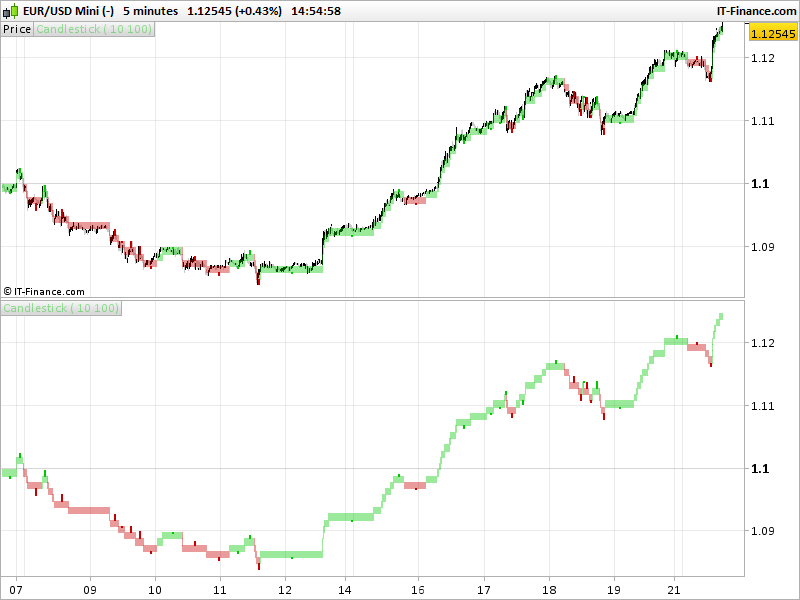
The renko candlesticks style of prorealtime platform does not have wicks. Someone asked me to create a customized indicator to draw them. Because it is not possible to draw candlesticks on a non time dependent chart in the platform and because the renko bricks of prorealtime are “repainting”, this indicator must be applied on a “normal” chart, on any timeframe. It can be overlaid directly on the price or displayed in a window below it.
This indicator complete the other renko boxes indicators already available in the library, posted while ago:
https://www.prorealcode.com/prorealtime-indicators/renko-boxes-on-price-chart/
https://www.prorealcode.com/prorealtime-indicators/median-renko-boxes-on-price/
The renko boxes size can be modified in the indicator settings. I introduced parameters to change their designs : transparency (alpha of the candlesticks) and the wicks sizes (how much bars in width the wicks will be displayed).
The tails/wicks of a Renko candlestick represent the high and low prices achieved in each bar, just like in any other timeframe. But these highs and lows are not enough consequent to draw new a renko bar. Please note, that they are only drawn after a new brick is displayed because it uses rectangle graphical component introduced in the 10.3 version, that can’t be erased afterwards.
//PRC_Renko Bricks with Wicks | indicator
//22.05.2017
//Nicolas @ www.prorealcode.com
//Sharing ProRealTime knowledge

//---settings
//boxsize=20 //renko bricks size in points/pips
//transparency=50 //brick colours alpha
//wicksize=1 //width of wicks
//---end of settings

size=boxsize*pointsize

once upbox = close
once downbox = close - size
once lowwick = close*100

IF close > upbox + size THEN
 upbox = upbox + size
 downbox = downbox + size
 r=0
 g=200
 begin=barindex
 highwick=close
 wickbar=barindex-round((barindex-begin[1])/2)
ELSIF close < downbox - size THEN
 upbox = upbox - size
 downbox = downbox - size
 r=200
 g=0
 begin=barindex
 wickbar=barindex-round((barindex-begin[1])/2)
ENDIF

//saving current high/low
highwick=max(high,highwick)
lowwick=min(low,lowwick)

//compute wicks at each new contrarian brick
if r>0 and r[1]=0 then
 //new red brick
 drawrectangle(wickbar,highwick,wickbar+wicksize,upbox[1]) coloured(r[1],g[1],0)
 lowwick=low*100
 highwick=0
endif
if r=0 and r[1]>0 then
 //new green brick
 drawrectangle(wickbar,lowwick,wickbar+wicksize,downbox[1]) coloured(r[1],g[1],0)
 lowwick=low*100
 highwick=0
endif
//compute wicks at each new same brick
if r>0 and r[1]>0 and lastdrawn<>wickbar then
 //new red brick
 if highwick>upbox[1] then
  drawrectangle(wickbar,highwick,wickbar+wicksize,upbox[1]) coloured(r[1],g[1],0)
 endif
 lastdrawn=wickbar
 lowwick=low*100
 highwick=0
endif
if r=0 and r[1]=0 and lastdrawn<>wickbar then
 //new green brick
 if lowwick<downbox[1] then
  drawrectangle(wickbar,lowwick,wickbar+wicksize,downbox[1]) coloured(r[1],g[1],0)
 endif
 lastdrawn=wickbar
 lowwick=low*100
 highwick=0
endif

//draw renko candlesticks
drawcandle(upbox,upbox,downbox,downbox)coloured(r,g,0,min(transparency,255))

RETURN
Comments
You must be logged in to post a comment.
renko bricks are not repainting, they are using the price movement in their definition. But since the default renko bricks of the platform are using the bar Close value, they will not have the same behavior on a classic timeframe (such as 1-minute for instance) as with a 1-tick chart (since close of a 1-tick chart, is just 1 tick).

One last question I forgot, Nicholas please: It´s possible to use Renko Bricks or charts In Prorealtime for screeners? Thank you very mutch
Would you explain to us what have you said about "renko bricks of prorealtime are “repainting”", please? Is really that the case? 1) I could understand PRT renko bricks could be repainting if we fix bricks size by means ATR, because ATR itself will be changing as candlesticks move on...Is that the reason you're saying PRT Renko bricks are repainting, maybe? 2) what about if we fix Renko bricks size to have any permanent constant value? (I think PRT v11 allows that choice) PRT Renko graphics would repaint in this case? 3) does your Renko bricks indicator (that you give to us here) repaint at all? 4) any attempt to build Renko bricks depend of the value parameters (close, etc) of the first candlestick on chart....So as time goes by, this first candlestick is replacing by others, does it mean every Renko chart will repaint? Thank you.


HI Nicolas, I am not that genius like all of you techines. I belong from Commerce sector have limited knoweldge os say NIL on programming. Would you please share the bactest report, if you have conducted. and on which platform this code will work. I tried using tradeview.com, it seems not working on that.
This code is an indicator to plot the renko bricks on a standard price chart. It is not intended to be traded automatically. Our website is dedicated to the ProRealTime trading platform https://www.prorealtime.com , not tradingview programming. If you are looking for custom programming for other softwares, you can ask for a quote to our programming services: https://www.prorealcode.com/trading-programming-services/


Hi Nicolas. Thank you again for this excelent indicator. But, what is the purpose of the wicks? What can I do with them? And also, what is the purpose of making the wicks bigger than one candle? I put on DAX two Renko indicators on the same screen: one of them with Box=1 and the other one with Box=2. Curiously, sometimes reacts first changing the colour the indicator with Box=2. Which can be the reason?
Wicks are highs and lows of the bricks. If the price has not go far enough to make a new brick, then this is a new high or low, so the wicks. You can use them as support or resistance or whatever :) One indicator react differently than the other one because the calculation begin at first tick when you put the indicator on, so if they are not set on the price chart at the exact same time, calculation differs obviously..

Bonsoir Nicolas il est évident que les wicks (petits rectangles en dessous ou en dessus des boites semblent des points d'entrée intéressants je voulais les essayer en trading automatique. Mais dois je comprendre que c'est comme le zig zag les points sont tracés après que le cours a bougé de x % ou x points ou a avancé de x bougies?
Sofitech • 278 days ago # oui, cela apparaît visuellement. Je voulais dire que ces 2 ponts haut et bas sont uniquement visuels, ils ne renvoient pas valeur exploitable par une alerte ou une stratégie. avatar Nicolas • 278 days ago # RETURN highwick, lowwick Bonjour Nicolas je suis entrain de lire et essaie de comprendre ce sujet sur la demande de Sofitech il y a 278 jours , c'est pas d'hier ! tu réponds " return highwick lowwick " J'ai essayé mais cela ne retourne pas les points hauts et bas il manque quelque chose Maintenant est ce possible? cela a peut être été abordé si oui donne moi le lien Merci bonne apm


Merci pour cet indicateur intéressant Par contre apres import de l'itf et utilisation sur un graphe journalier, les wicks ne sont pas de la bonne taille. Ca devrait donner le plus haut ou le plus bas des chandeliers inclus dans la boite, c'est bien ca ou j'ai mal compris ? Il semblerait que le premier ne soit pas pris en compte, des fois le 2e. https://www.dropbox.com/s/8yoannvgptzctm4/Capture-1.jpg?dl=0
Je teste sur les actions donc j'ai passé la taille en décimal a 0.5 (Soit 50centimes comme hauteur de box) et je teste sur Rno (Renault) en journalier ( Avec un graphe en Heiken Ashi ). Je pensais que c’était le heiken qui posait probleme mais les low et les High sont bien les mêmes qu'en chandeliers japonais. Il serait peut être plus simple de remplacer les wicks par une courbe et point sur les plus haut/bas de la box en cours ?

I understand. I visited the page https://market.prorealcode.com/product/prt-renko/ Actually this indicator is not free. So my main point of interest is really if Renko bricks are repainting at all or not. Because I would consider useless paying any money in that case. Thank you in advance.