Prorealtime doesn’t open, how to re install?

Viewing 12 posts - 1 through 12 (of 12 total)

  • Author
    Posts
  • #255284 quote
    dj2045dj2045
    Participant
    New

    I am an IG client and I have been using the software. In the past few days it has decided

    not to work. I have cleared everything and have tried to reinstall the software but, with no success.

    What is the culprit here? I have not reorganised my current setup so I cannot understand what has gone wrong?

    Thanks.

    #255285 quote
    GraHalGraHal
    Participant
    Legend
    it has decided not to work
    Please describe what ‘not to work’ is exactly? Screenshots of any error messages will also help?
    #255286 quote
    Iván GonzálezIván González
    Moderator
    Legend
    Have you opened a support ticket?
    #255287 quote
    dj2045dj2045
    Participant
    New
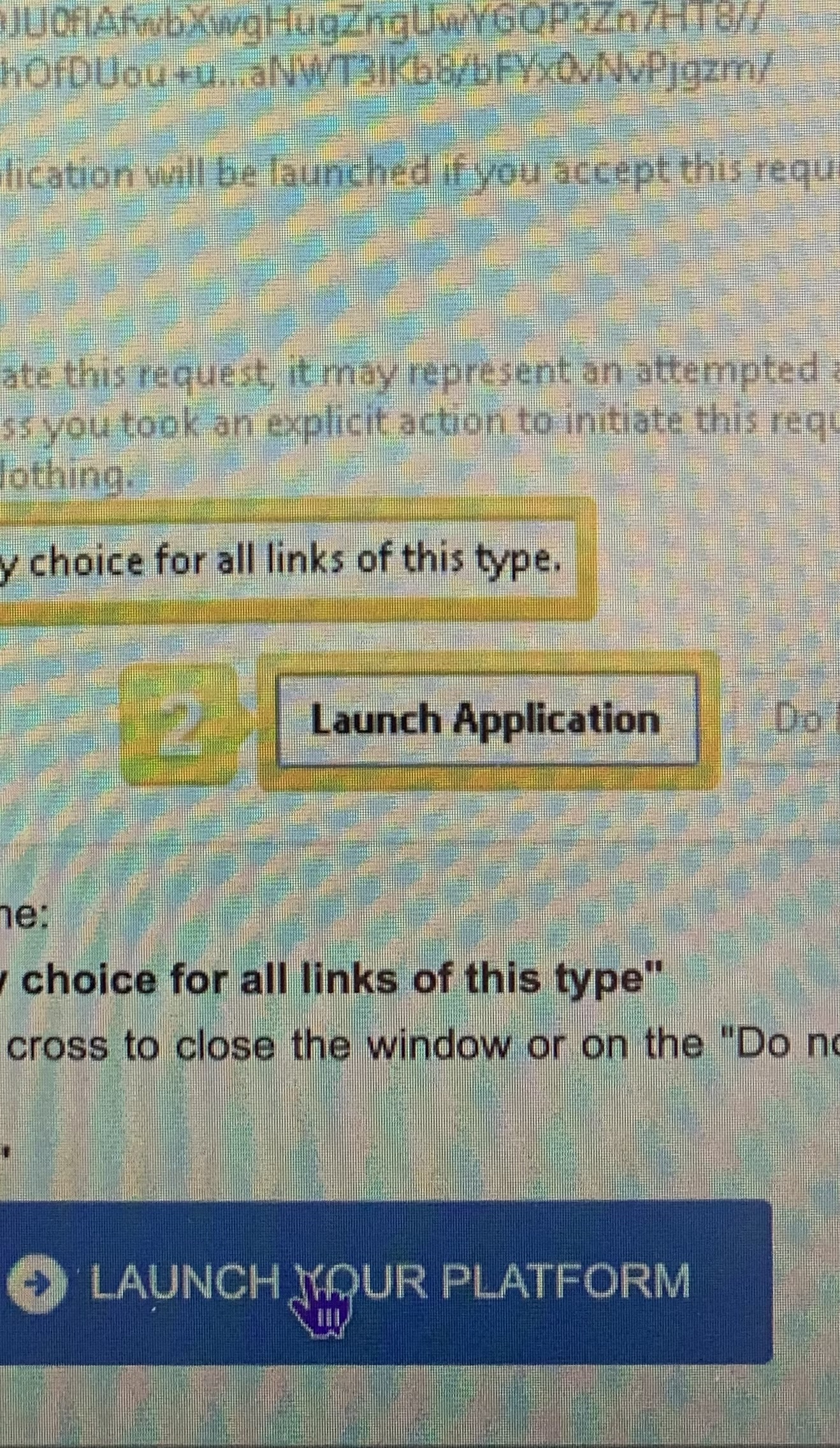
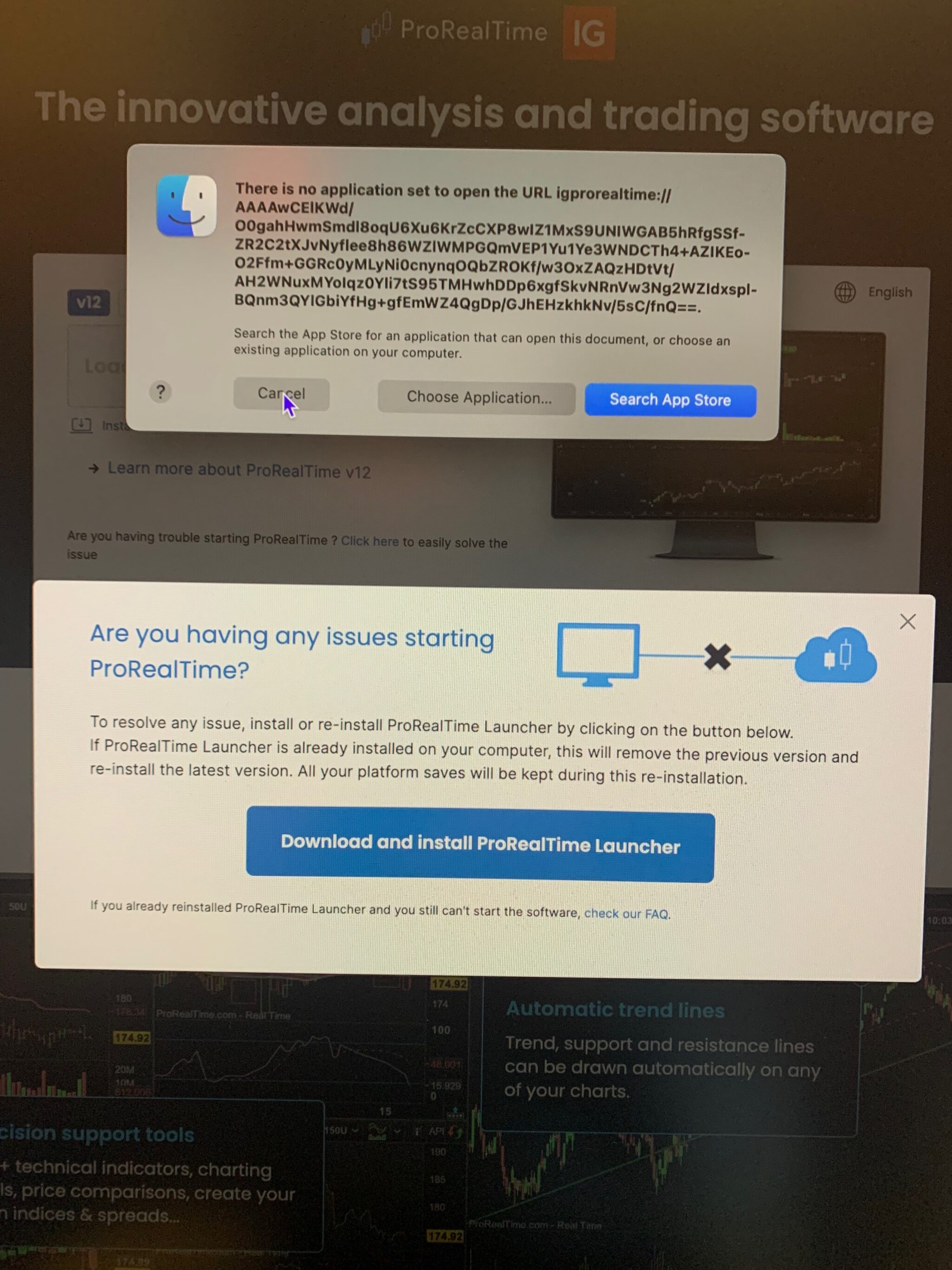
    First, I see a message from the finder saying that there is no application to open Prorealtime then
    when the prorealtime box appears I follow all the instructions to the end but nothing happens at the end
    and the software doesn’t open.
    Thanks for the support, I was unable to load the pictures due to file restriction.
    #255288 quote
    GraHalGraHal
    Participant
    Legend
    I have been using the software.
    When did you last use PRT succesfully?
    #255290 quote
    dj2045dj2045
    Participant
    New
    I saved everything on Tuesday evening and on Wednesday morning it didn’t open.
    #255291 quote
    GraHalGraHal
    Participant
    Legend
    I was unable to load the pictures due to file restriction
    Was the filesize over the limit of 2.93MB. Try a smaller pic / filesize as a ss will help loads to fault find your problem.
    #255295 quote
    dj2045dj2045
    Participant
    New
    The photos that you have requested.
    9C4D619C-B80C-4505-93F7-3F1CB77CBEE9_1_201_a.jpg 9C4D619C-B80C-4505-93F7-3F1CB77CBEE9_1_201_a.jpg
    #255301 quote
    GraHalGraHal
    Participant
    Legend
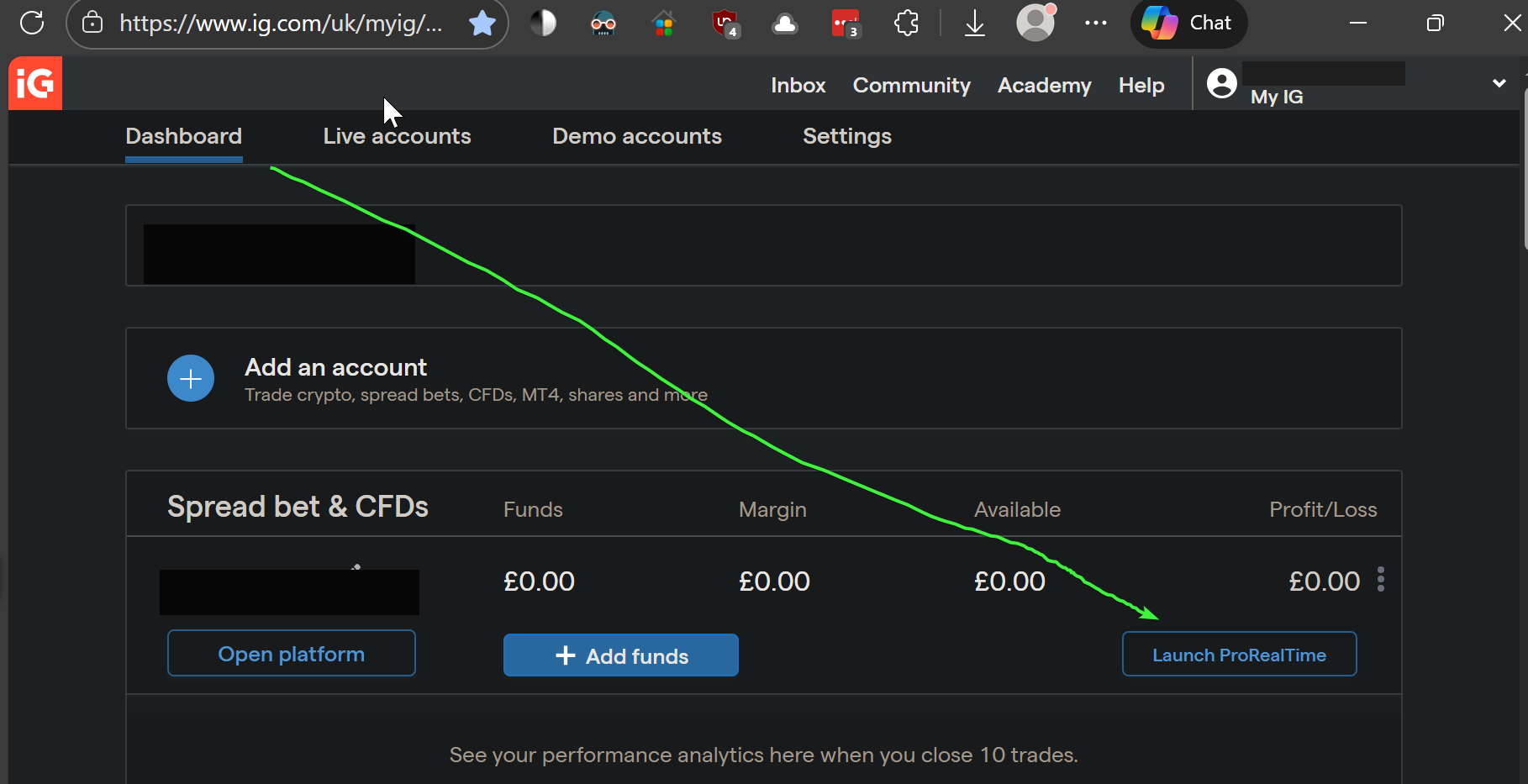
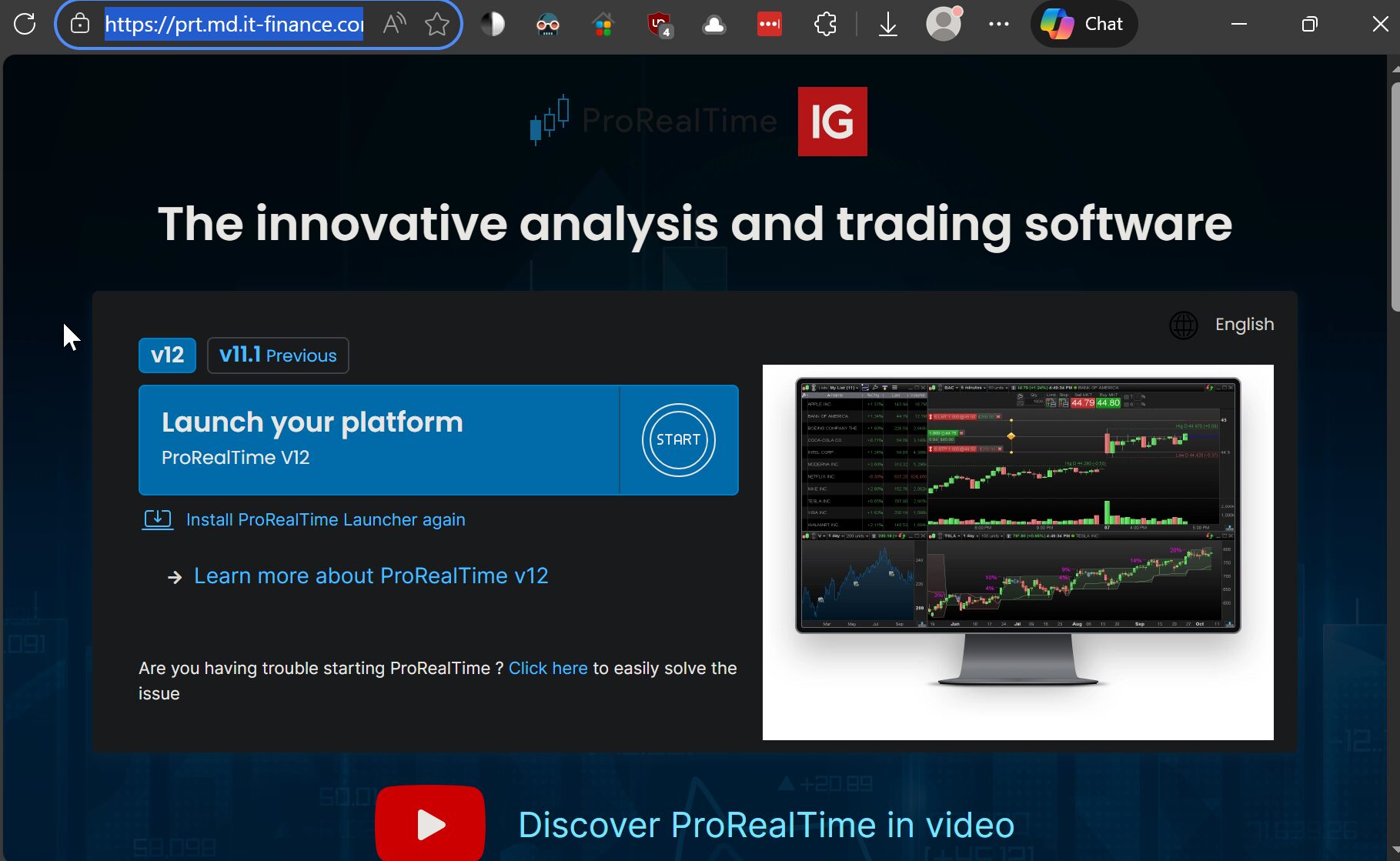
    Mmm I login to PRT by first opening my IG Dashboard as 1st image attached and clicking on Launch ProRealTime (see green arrowhead) Then I click on Launch Your Platform as shown on the 2nd image. ProRealTime v12 Please can you try as above?
    ztqSR3SQEh.png ztqSR3SQEh.png AlStyBAZAD.jpg AlStyBAZAD.jpg
    #255328 quote
    dj2045dj2045
    Participant
    New
    I have followed your instructions but as I have said before the picture reinforces my argument.
    The-innovative-analysis-and-trading-software.jpg The-innovative-analysis-and-trading-software.jpg
    #255332 quote
    GraHalGraHal
    Participant
    Legend
    So what happens when you click on ‘Download and Install the ProRealTime Launcher (in the big blue shaded box)?
    #255336 quote
    dj2045dj2045
    Participant
    New
    I am grateful for your help and input PRT is now up and running.
    GraHal thanked this post
Viewing 12 posts - 1 through 12 (of 12 total)

  • You must be logged in to reply to this topic.

ProRealAI ProRealAI New

Stuck on this ProBuilder code?

Describe what this topic is trying to build, in plain English, and ProRealAI writes the ProRealTime™ indicator, screener or system for you.

Available in 7 languages
Try ProRealAI

Prorealtime doesn’t open, how to re install?


Platform Support: Charts, Data & Broker Setup

New Reply
Author
author-avatar
dj2045 @dj2045 Participant
Summary

This topic contains 11 replies,
has 3 voices, and was last updated by dj2045dj2045

9 months, 1 week ago.

Topic Details
Forum: Platform Support: Charts, Data & Broker Setup
Language: English
Started: 01/14/2026
Status: Active
Attachments: 4 files
ProRealCode ProRealCode
Loading...