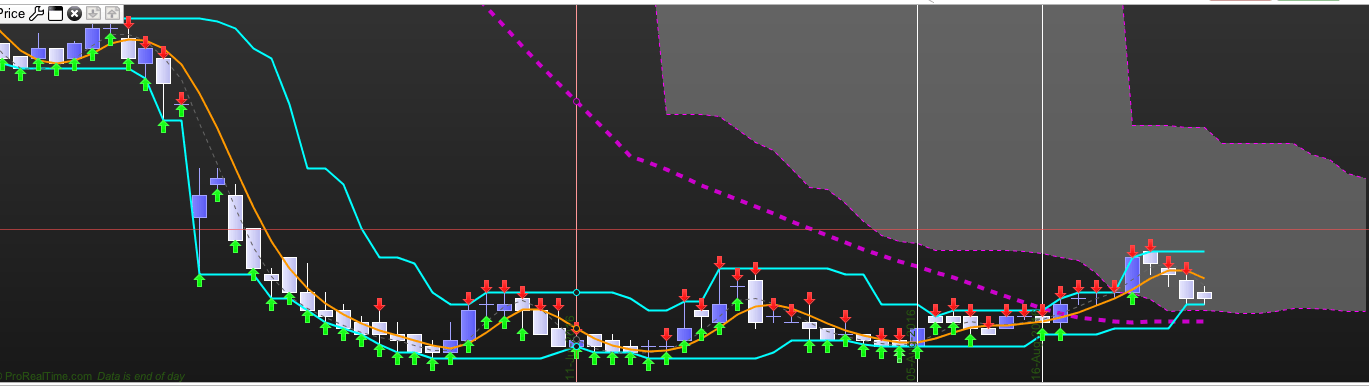
Thank you in advance for looking at this post. I have been trying to code an indicator that only shows the last highest high of 7 days and only the lowest low of 7 days with an arrow up or down. The code i have so far is below, but it does not look correct. Can anyone here see what i am doing wrong. Once I get it right, i want to add a moving average to the indicator to return a chart that looks something like:
https://www.youtube.com/watch?v=kVyMj1zDHCY
Current Code:
PPH = highest [7] (high)
PPL = lowest [7] (low)

if pph [0] > high [7] then

DRAWARROWDOWN(barindex[1],high[1])coloured(255,10,10)
endif
if ppl [0] < low [7] then
DRAWARROWUP(barindex[1],low[1])coloured(10,255,10)
endif
a = pph
b = ppl

RETURN a COLOURED (0,255,255) as "weightedaverage [1]", b COLOURED (0,255,255) as "weighted average [1]"
Also attached is a picture of what the chart looks like with this code. HELP!!????
So you want to throw arrows on chart when you are breaking the highest high and lowest low of the last 7 periods?
Hi Nicolas,
I am wanting to identify the highest high of the past 7 days and the lowest low of the past seven days. I then want to apply a line/segment or moving average to those points as is shown in the youtube link. I also want to create a CMO indicator that is based on the highs and lows of the created indicator. I have tried to code this myself, but lack the coding knowledge to achieve this. The nearest i have been able to achieve is a segment on a the high. Any ideas?
Regards,
Travis
The highest high and lowest low of the past 7 days is nothing more than a donchian channel of 7 periods 🙂
About the CMO indicator, could you please explain me a bit? I prefer words than a youtube video, please.
 bard
bardParticipant
Average
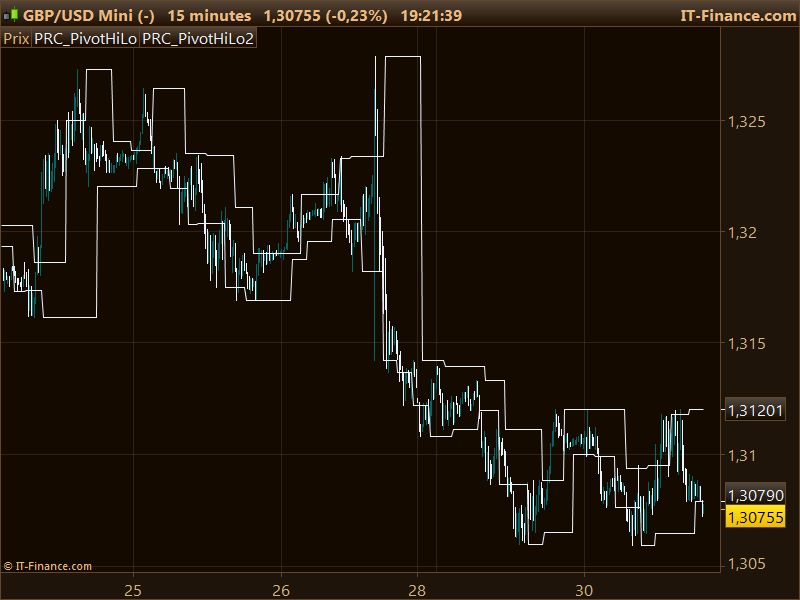
Ok thanks, I coded it. Please find attached the indicators and how it feels on PRT 10.2
Indicator also added to the Library : http://www.prorealcode.com/prorealtime-indicators/bar-count-reversals-pivot-points-highlow/
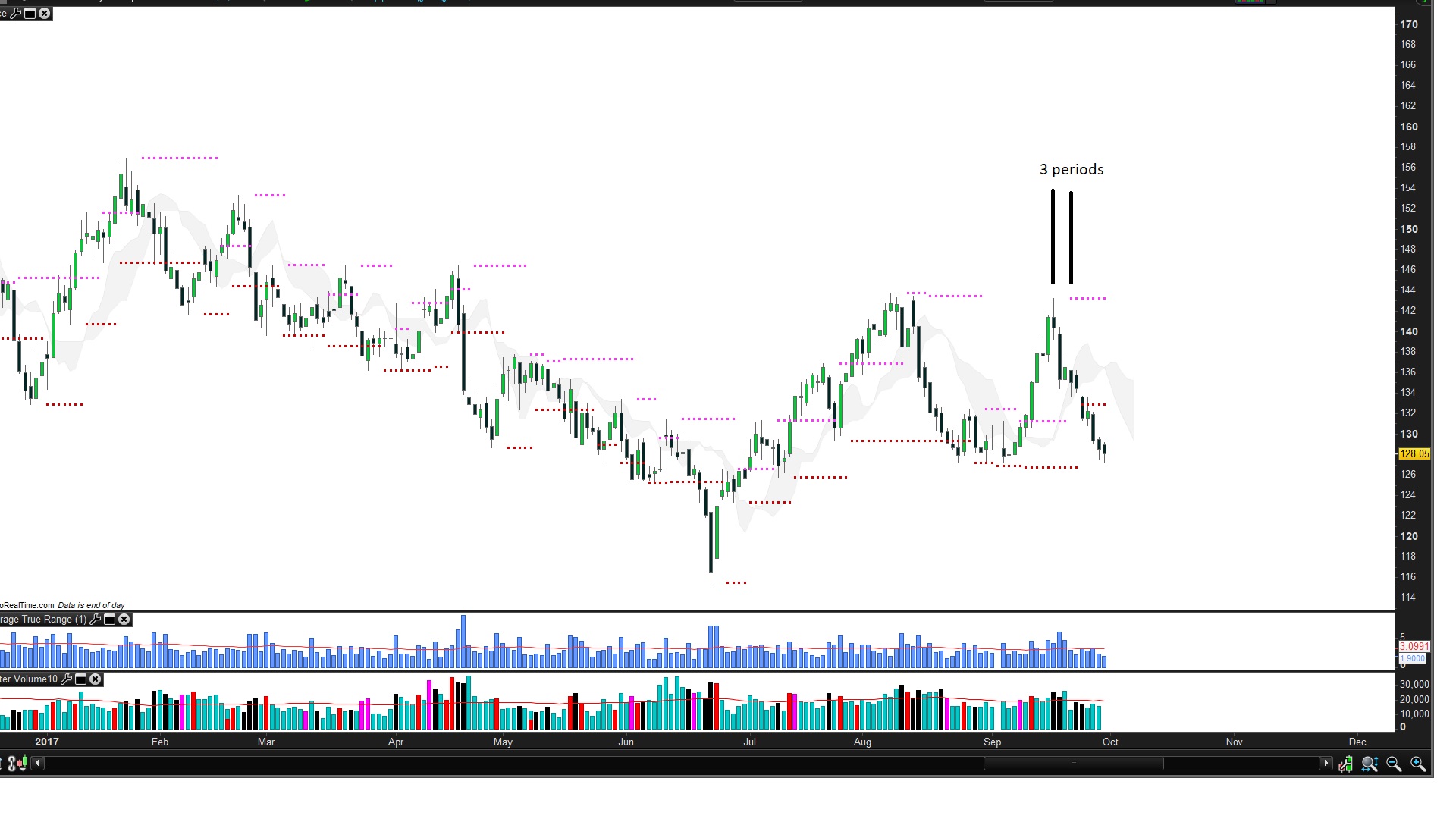
thank you for indi. But why it shows pivots 3 periods forvard ? How can I change it?
Because the detected levels are available 3 bars later 🙂 and also because more than 1 year ago, it was not possible to plot in the past, this is now possible with version 10.3.
Thank’s.. How can I change code to plot pivots x periods back ? If I use period 4 , plot pivots 4 periods backward…
This version is little bit chaotic for me.
You can replace the code of the indicator with this one:
//PRC_PivotHiLo
//30.08.2016
//Nicolas @ www.prorealcode.com
//Sharing ProRealTime knowledge

p = 4

period = round(p/2)+1
hh = high[period]
ll = low[period]
countH = 0
countL = 0
for i = 1 to period-1 do
if high[i]<hh then
countH=countH+1
endif
if low[i]>ll then
countL=countL+1
endif
next
for i = period+1 to p+1 do
if high[i]<hh then
countH=countH+1
endif
if low[i]>ll then
countL=countL+1
endif
next

if countH=p then
pivotH = high[period]
endif
if countL=p then
pivotL = low[period]
endif

drawtext("•",barindex[period],pivotH)
drawtext("•",barindex[period],pivotL)

RETURN //pivotH, pivotL
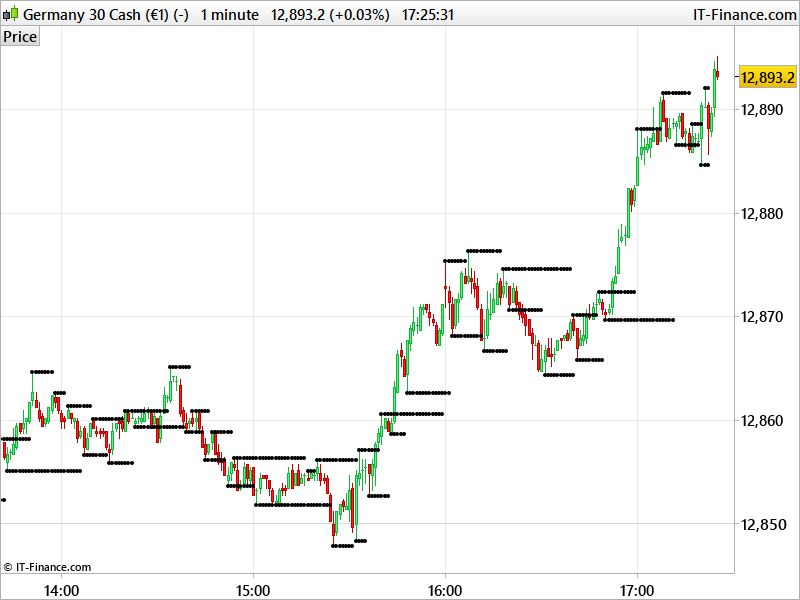
Now, dots begin to draw at the right bar in the past until a new highest high or lowest low is discovered.
Thank you. Works well. last thing, color is black. how can I change it?
Thank you very much.
Just the RGB color you want for each of the dots code, example (red for lower ones and green for upper ones)
drawtext("•",barindex[period],pivotH) coloured(0,255,0)
drawtext("•",barindex[period],pivotL) coloured(255,0,0)
Thank you.
I compre this pivotHiLo with tradingview pivot HiLo. Is possible add this formula ? ” //h1 is a pivot of h if it holds for the full length ”
” //The length defines how many periods a high or low must hold to be a “relevant pivot” ”
Tradingview code
study(title=”Pivot Points H/L”, shorttitle=”Pivots H/L”, overlay=true)
len = input(14, minval=1, title=”Length”)
//The length defines how many periods a high or low must hold to be a “relevant pivot”
h = highest(len)
//The highest high over the length
h1 = dev(h, len) ? na : h
//h1 is a pivot of h if it holds for the full length
hpivot = fixnan(h1)
//creates a series which is equal to the last pivot
l = lowest(len)
l1 = dev(l, len) ? na : l
lpivot = fixnan(l1)
//repeated for lows
plot(hpivot, color=blue, linewidth=2, offset= -len+1)
plot(lpivot, color=purple, linewidth=2, offset= -len+1)
//plot(h1, color=black, style=circles, linewidth=4, offset= -len+1)
//plot(l1, color=black, style=circles, linewidth=4, offset= -len+1)