Candele in trasparenza

Viewing 15 posts - 1 through 15 (of 27 total)
  • Author
    Posts
  • #185360 quote
    Stenozar
    Participant
    Master

    Buonasera Roberto,

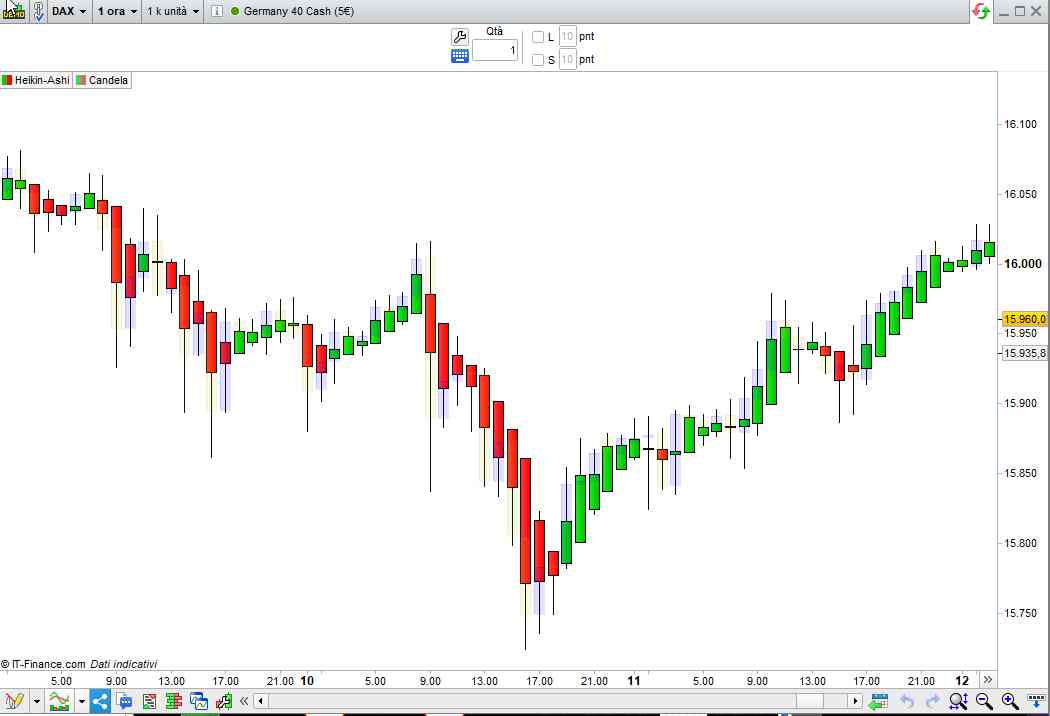
    sarebbe possibile avere un indicatore che inserisca in trasparenza, sopra le candele heikin ashi, le candele giapponesi standard ma in trasparenza e con quelle positive azzurre e quelle negative gialle?

    Grazie mille in anticipo,

    Stefano

    #185432 quote
    robertogozzi
    Moderator
    Master

    Eccolo:

    t = 30                                                    //Trasparenza (0=invisibile, 255=piena)
    IF close > open THEN
       DrawCandle(Open,High,Low,Close) coloured(0,0,255,t)    //Blu
    ELSE
       DrawCandle(Open,High,Low,Close) coloured(205,205,0,t)  //Giallo
    ENDIF
    RETURN
    x-7.jpg x-7.jpg
    #185438 quote
    supertiti
    Participant
    Master

    Ciao Roberto,

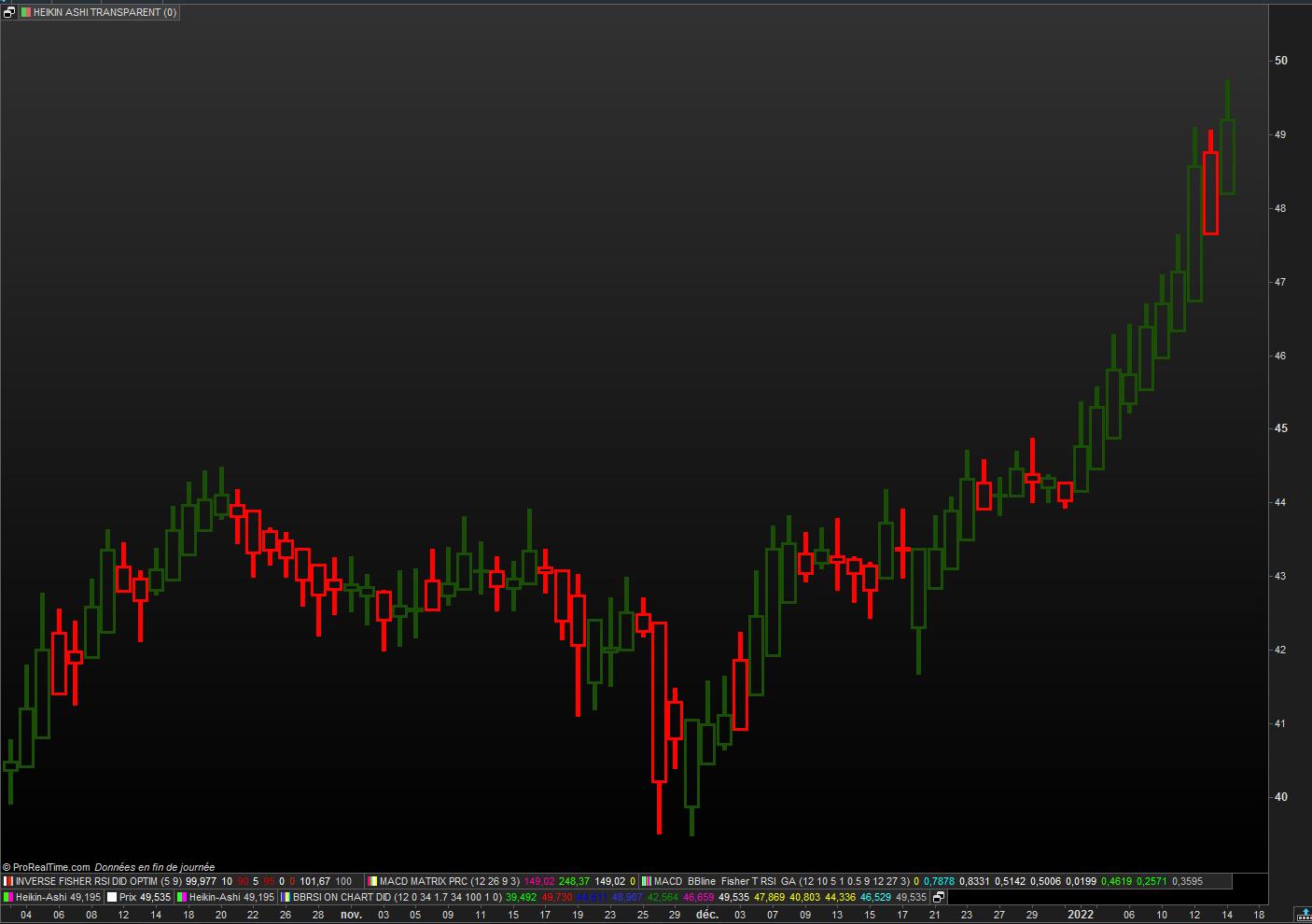
    Uso un codice in heikin ashi (richiesta fatta in un post francese) dove vorrei che heikin ashi appaia in modo trasparente, è possibile?

    Grazie per l’aiuto

    buona giornata

    Stenozar thanked this post
    #185446 quote
    robertogozzi
    Moderator
    Master

    Ecco:

    t = 30                                                    //Trasparenza (0=invisibile, 255=piena)
    // Heikin Ashi candlesticks (definition)
    once xOpen = open
    xClose     = (open + close + high + low) / 4
    if barindex > 0 then
       xOpen  = (xOpen[1] + xClose[1]) / 2
    endif
    xLow       = min(low,min(xClose,xOpen))
    xHigh      = max(high,max(xClose,xOpen))
    //
    IF close > open THEN
       DrawCandle(xOpen,xHigh,xLow,xClose) coloured(0,0,255,t)    //Blu
    ELSE
       DrawCandle(xOpen,xHigh,xLow,xClose) coloured(205,205,0,t)  //Giallo
    ENDIF
    RETURN
    #185534 quote
    Stenozar
    Participant
    Master

    Buongiorno Roberto e scusa l’ignoranza: quale dei 4 numeri tra parentesi devo modificare per regolare la trasparenza?

    porta pazienza….

    Grazie

    #185539 quote
    robertogozzi
    Moderator
    Master

    La riga 1.

    #185545 quote
    supertiti
    Participant
    Master

    Ciao Roberto

    Grazie per il tuo codice che funziona perfettamente.

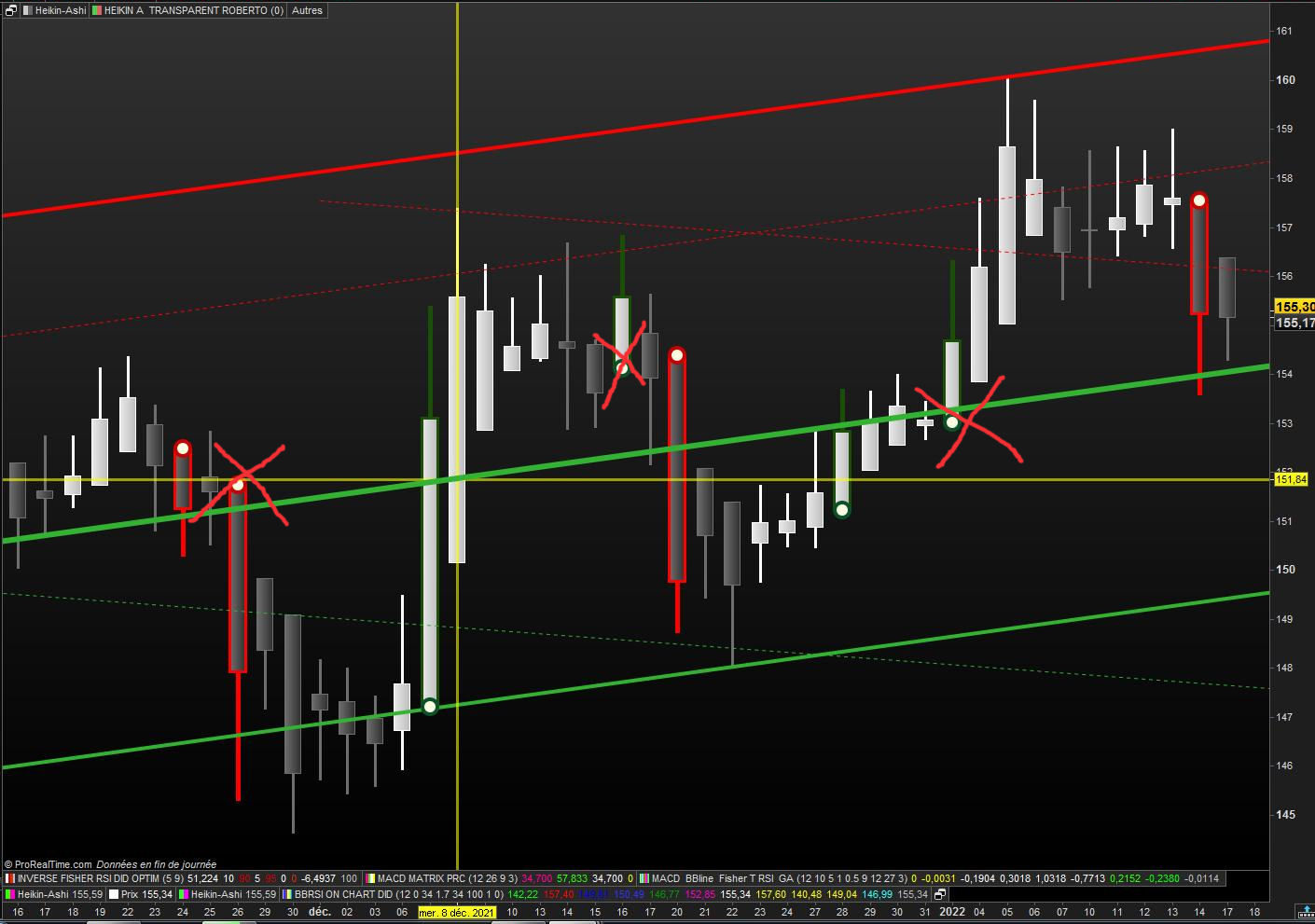
    Allego il mio post iniziale dove vorrei mostrare solo i ‘fondi piatti’, cioè gli HA senza stoppino (su e giù)

    Quindi se puoi aiutare?

    HA-ROBERTO.jpg HA-ROBERTO.jpg
    #185547 quote
    supertiti
    Participant
    Master
    // HEIKIN ASHI TRANSPARENT  ROBERTO  15.01.2022
    
    
    //t = 30                                                    //Trasparenza (0=invisibile, 255=piena)
    // Heikin Ashi candlesticks (definition)
    once xOpen = open
    xClose     = (open + close + high + low) / 4
    if barindex > 0 then
    xOpen  = (xOpen[1] + xClose[1]) / 2
    endif
    xLow       = min(low,min(xClose,xOpen))
    xHigh      = max(high,max(xClose,xOpen))
    //
    IF close > open THEN
    DrawCandle(xOpen,xHigh,xLow,xClose) coloured(0,255,0,t)bordercolor(27,79,8)    // vert clair bordure vert foncé
    ELSE
    DrawCandle(xOpen,xHigh,xLow,xClose) coloured(255,0,255,t)bordercolor(255,2,2)  // rose magenta bordure rouge
    ENDIF
    
    RETURN t as " HA transparent "
    
    #185548 quote
    supertiti
    Participant
    Master
    #185554 quote
    robertogozzi
    Moderator
    Master

    Perfetto!

    Grazie 🙂

    #185555 quote
    supertiti
    Participant
    Master

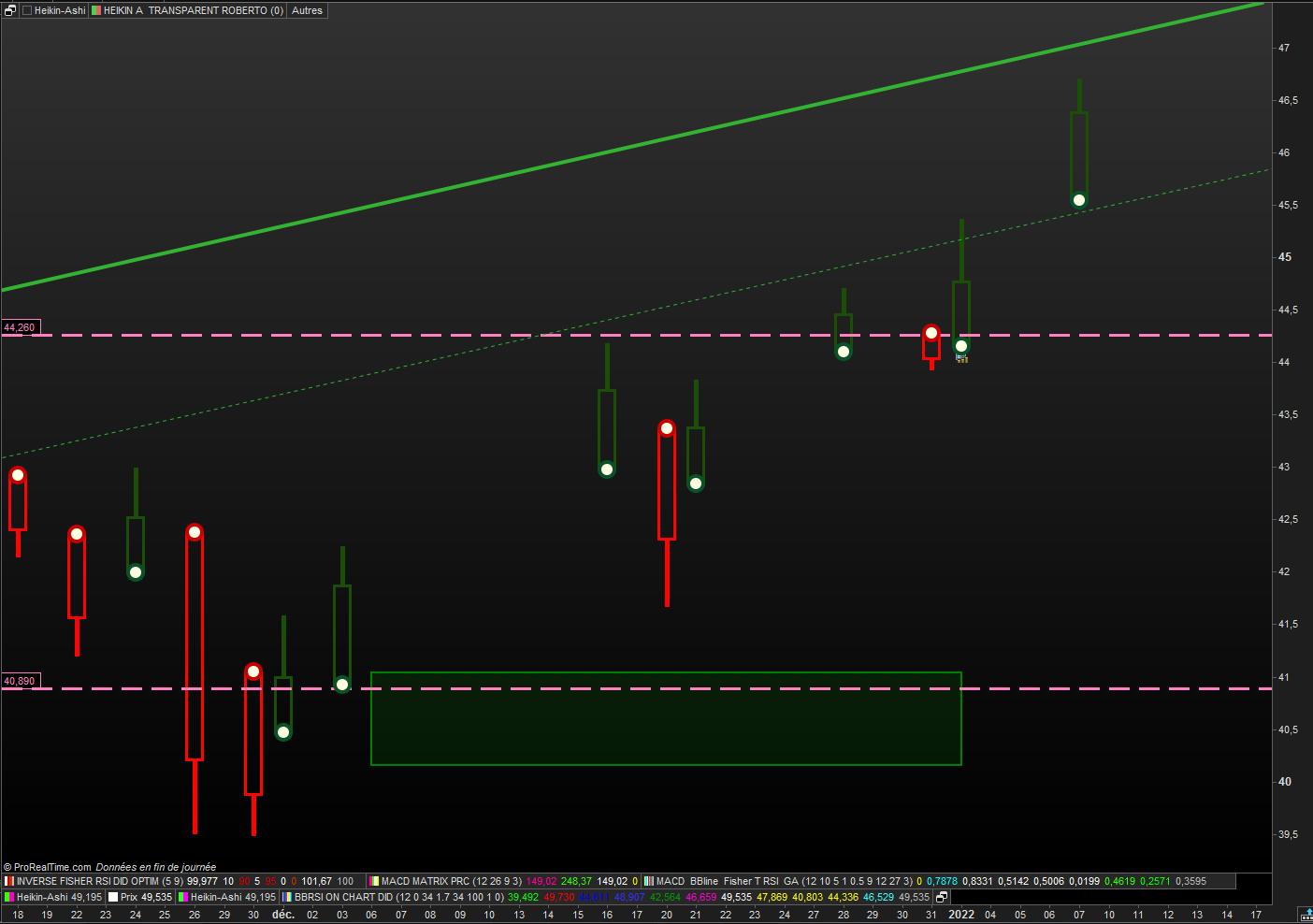
    Ho creato questo codice dal tuo, che è un grande passo avanti.

    È possibile mostrare solo i ‘flat bottom’ di ogni nuova tendenza? dopo 5 HA dello stesso colore per esempio


    // HEIKIN ASHI TRANSPARENTS ROBERTO  15.01.2022
    // cul plat Nicolas 07.01.2022
    defparam CALCULATEONLASTBARS = 50
    
    xClose = (open+high+low+close)/4
    IF BarIndex=0 THEN
    xOpen = open
    xHigh = high
    xLow = low
    ELSe
    xOpen = (xOpen[1] + xClose[1])/2
    xHigh = Max(Max(high, xOpen), xClose)
    xLow = Min(Min(low, xOpen), xClose)
    ENDIF
    green = xopen<xclose and xlow=xopen
    red = xopen>xclose and xhigh=xopen
    ////////////////////////////////////////////////////
    if green and not green[1] then
    drawpoint(barindex,xlow,5) coloured (9,82,40) //(0,200,0)// green
    elsif red and not red[1] then
    drawpoint(barindex,xhigh,5) coloured(200,0,0)// red
    endif
    /////////////////////////////////////////////////OK
    if  green > green [1] then
    drawpoint(barindex,xlow,3) coloured (254,254,226) // jaune clair //(9,82,40) // green
    elsif  red > red [1] then
    drawpoint(barindex,xhigh,3) coloured (254,254,226) // jaune clair //(200,0,0)// red
    endif
    ///////////////////////////////////////////////
    // HEIKIN ASHI TRANSPARENT  ROBERTO  15.01.2022
    
    //t = 30     //Trasparenza (0=invisibile, 255=piena)
    // Heikin Ashi candlesticks (definition)
    once xOpen = open
    xClose     = (open + close + high + low) / 4
    if barindex > 0 then
    xOpen  = (xOpen[1] + xClose[1]) / 2
    endif
    xLow       = min(low,min(xClose,xOpen))
    xHigh      = max(high,max(xClose,xOpen))
    //
    //IF close > open THEN
    if  green > green [1] then
    DrawCandle(xOpen,xHigh,xLow,xClose) coloured(0,255,0,t)bordercolor(27,79,8)    // vert clair bordure vert foncé
    //ELSE
    elsif  red > red [1] then
    DrawCandle(xOpen,xHigh,xLow,xClose) coloured(255,0,255,t)bordercolor(255,2,2)  // rose magenta bordure rouge
    ENDIF
    
    RETURN t as " HA transparent "
    /////////////////////////////////////////////////
     
    // Variable :
    // t = 0   (de 0 à 255)
    
    HA-TTE-Roberto.jpg HA-TTE-Roberto.jpg
    #185583 quote
    robertogozzi
    Moderator
    Master

    Prova questo:

    // HEIKIN ASHI TRANSPARENTS ROBERTO  15.01.2022
    // cul plat Nicolas 07.01.2022
    //defparam CALCULATEONLASTBARS = 50
    // Variable :
    // t = 0   (de 0 à 255)
    xClose = (open+high+low+close)/4
    IF BarIndex=0 THEN
    xOpen = open
    xHigh = high
    xLow = low
    ELSe
    xOpen = (xOpen[1] + xClose[1])/2
    xHigh = Max(Max(high, xOpen), xClose)
    xLow = Min(Min(low, xOpen), xClose)
    ENDIF
    green = xopen<xclose and xlow=xopen
    red   = xopen>xclose and xhigh=xopen
    greensum = summation[5](xClose > xOpen) = 5
    redsum   = summation[5](xClose < xOpen) = 5
    ////////////////////////////////////////////////////
    if green and not green[1] then
    drawpoint(barindex,xlow,5) coloured (9,82,40) //(0,200,0)// green
    elsif red and not red[1] then
    drawpoint(barindex,xhigh,5) coloured(200,0,0)// red
    endif
    /////////////////////////////////////////////////OK
    if  green > green [1] then
    drawpoint(barindex,xlow,3) coloured (254,254,226) // jaune clair //(9,82,40) // green
    elsif  red < red [1] then
    drawpoint(barindex,xhigh,3) coloured (254,254,226) // jaune clair //(200,0,0)// red
    endif
    //IF close > open THEN
    if  greensum then //green > green [1] then
    DrawCandle(xOpen,xHigh,xLow,xClose) coloured(0,255,0,0) bordercolor(227,0,0)    // vert clair bordure vert foncé
    //ELSE
    elsif  redsum then //red > red [1] then
    DrawCandle(xOpen,xHigh,xLow,xClose) coloured(255,0,255,0) bordercolor(255,0,0)  // rose magenta bordure rouge
    ENDIF
     
    RETURN// t as " HA transparent "
    #185601 quote
    supertiti
    Participant
    Master

    Ciao Roberto.

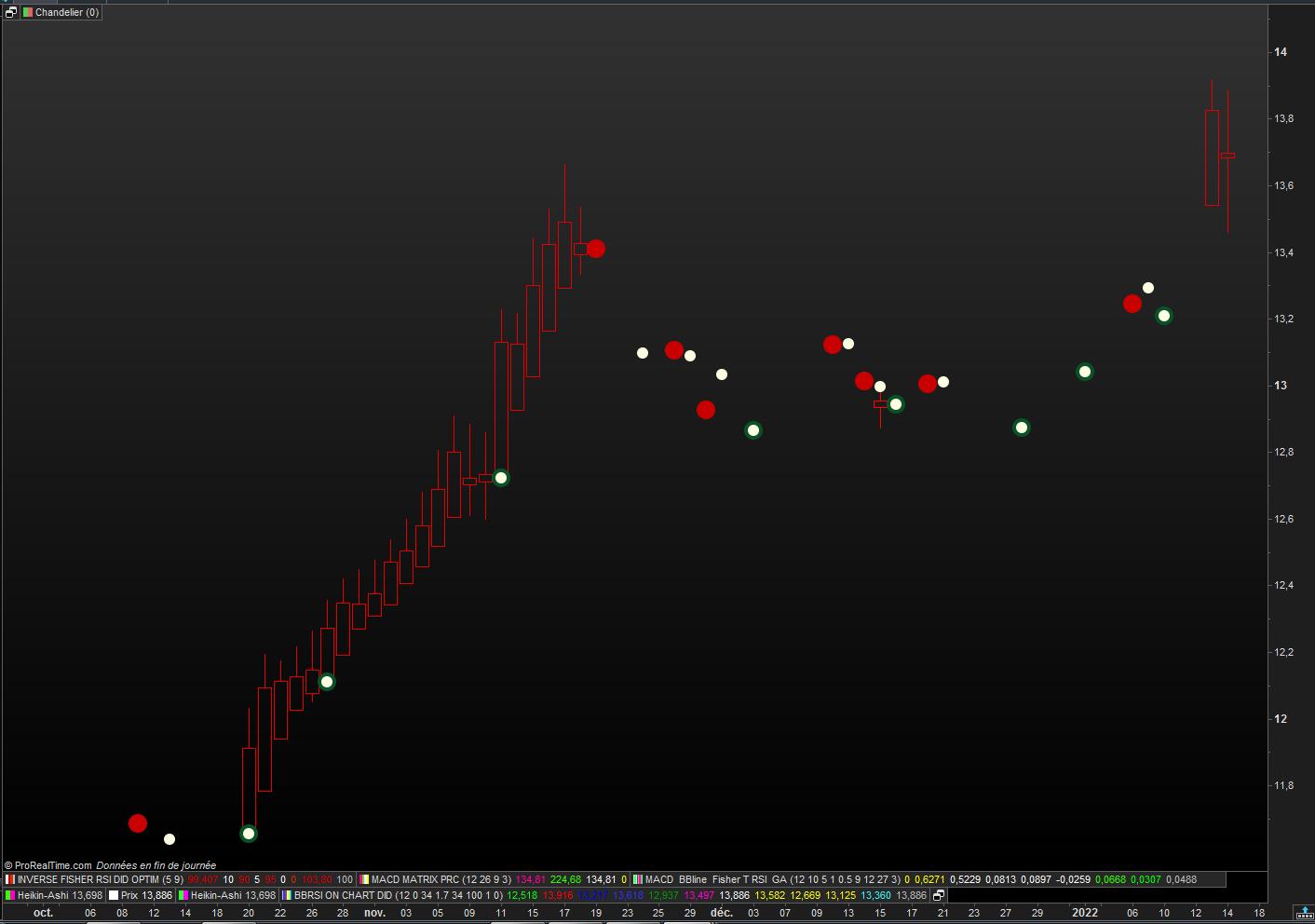
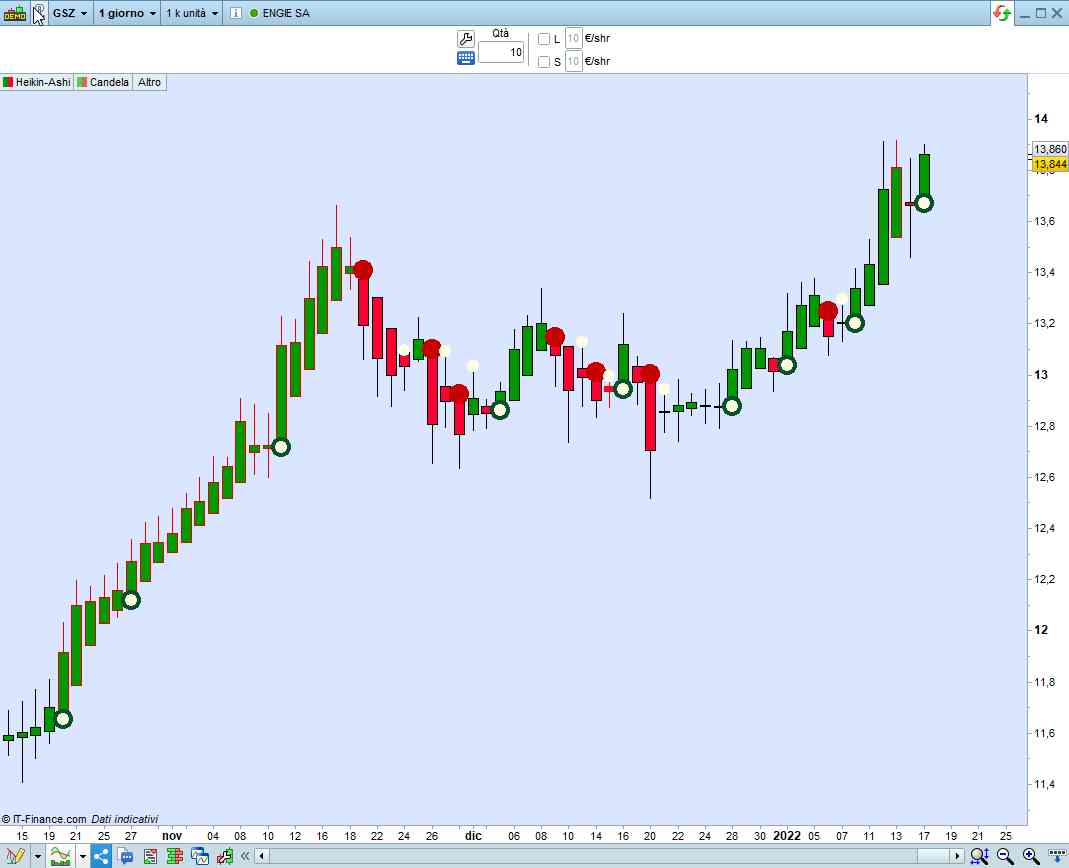
    Allego il grafico di Engie con il codice che proponi,

    Ho la sensazione che non funzioni?. Grazie per l’aiuto.

    Buona domenica

    HA-Roberto-V1-Engie.jpg HA-Roberto-V1-Engie.jpg
    #185729 quote
    robertogozzi
    Moderator
    Master

    A me funziona correttamente.

    x-9.jpg x-9.jpg
    #185805 quote
    supertiti
    Participant
    Master


    Ciao Roberto

    Mi sono spiegato male, allego un grafico per dire cosa vorrei.

    Ad esempio, vedi solo inversioni dopo 5 candelieri.

    Grazie per l’attenzione

    HA-exemple.jpg HA-exemple.jpg
Viewing 15 posts - 1 through 15 (of 27 total)
  • You must be logged in to reply to this topic.

Candele in trasparenza


ProBuilder: Indicatori & Strumenti Personalizzati

New Reply
Author
author-avatar
Stenozar @stenozar Participant
Summary

This topic contains 26 replies,
has 3 voices, and was last updated by supertiti

4 years, 1 month ago.

Topic Details
Forum: ProBuilder: Indicatori & Strumenti Personalizzati
Language: Italian
Started: 01/13/2022
Status: Active
Attachments: 11 files
Logo Logo
Loading...