Candele in trasparenza

Viewing 15 posts - 1 through 15 (of 27 total)
  • Author
    Posts
  • #185360 quote
    StenozarStenozar
    Participant
    Master

    Buonasera Roberto,

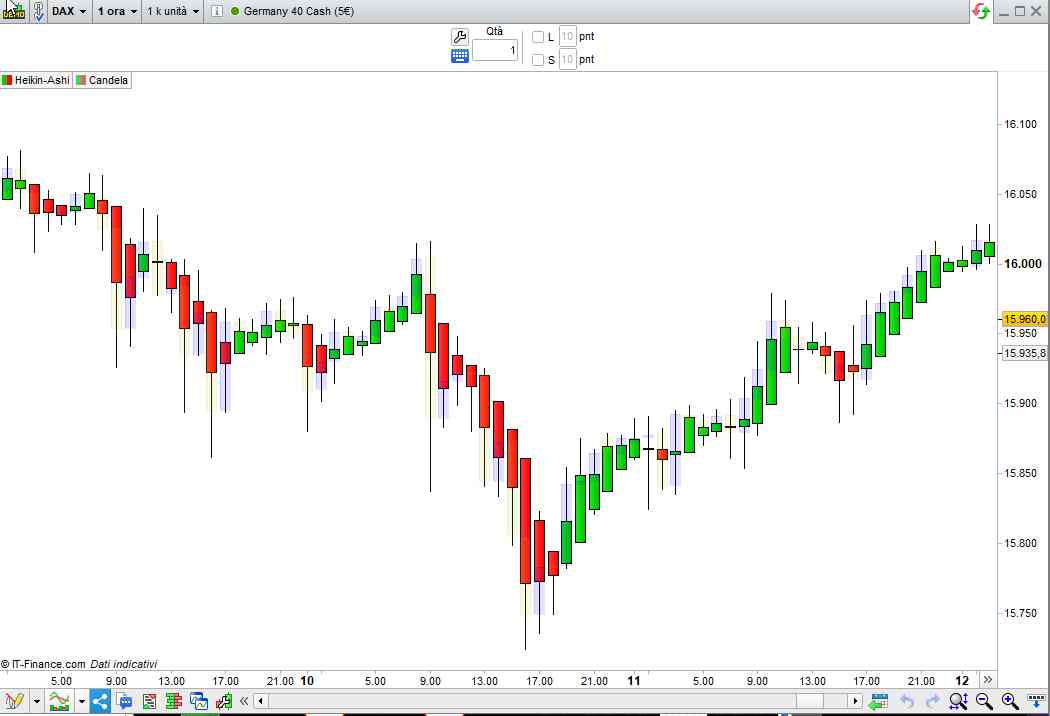
    sarebbe possibile avere un indicatore che inserisca in trasparenza, sopra le candele heikin ashi, le candele giapponesi standard ma in trasparenza e con quelle positive azzurre e quelle negative gialle?

    Grazie mille in anticipo,

    Stefano

    #185432 quote
    robertogozzirobertogozzi
    Moderator
    Legend

    Eccolo:

    t = 30                                                    //Trasparenza (0=invisibile, 255=piena)
    IF close > open THEN
       DrawCandle(Open,High,Low,Close) coloured(0,0,255,t)    //Blu
    ELSE
       DrawCandle(Open,High,Low,Close) coloured(205,205,0,t)  //Giallo
    ENDIF
    RETURN
    x-7.jpg x-7.jpg
    #185438 quote
    supertitisupertiti
    Participant
    Master

    Ciao Roberto,

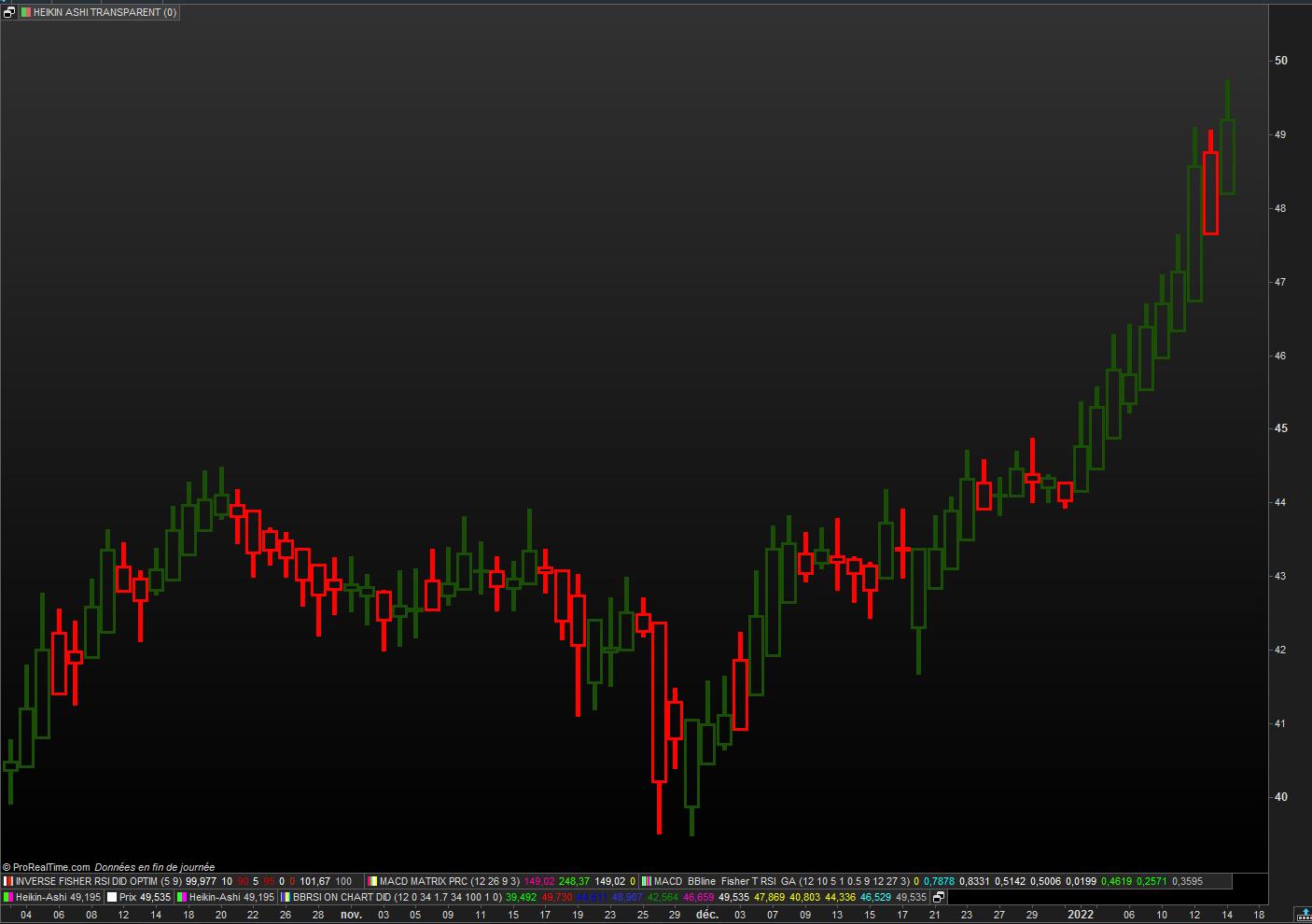
    Uso un codice in heikin ashi (richiesta fatta in un post francese) dove vorrei che heikin ashi appaia in modo trasparente, è possibile?

    Grazie per l’aiuto

    buona giornata

    Stenozar thanked this post
    #185446 quote
    robertogozzirobertogozzi
    Moderator
    Legend

    Ecco:

    t = 30                                                    //Trasparenza (0=invisibile, 255=piena)
    // Heikin Ashi candlesticks (definition)
    once xOpen = open
    xClose     = (open + close + high + low) / 4
    if barindex > 0 then
       xOpen  = (xOpen[1] + xClose[1]) / 2
    endif
    xLow       = min(low,min(xClose,xOpen))
    xHigh      = max(high,max(xClose,xOpen))
    //
    IF close > open THEN
       DrawCandle(xOpen,xHigh,xLow,xClose) coloured(0,0,255,t)    //Blu
    ELSE
       DrawCandle(xOpen,xHigh,xLow,xClose) coloured(205,205,0,t)  //Giallo
    ENDIF
    RETURN
    #185534 quote
    StenozarStenozar
    Participant
    Master

    Buongiorno Roberto e scusa l’ignoranza: quale dei 4 numeri tra parentesi devo modificare per regolare la trasparenza?

    porta pazienza….

    Grazie

    #185539 quote
    robertogozzirobertogozzi
    Moderator
    Legend

    La riga 1.

    #185545 quote
    supertitisupertiti
    Participant
    Master

    Ciao Roberto

    Grazie per il tuo codice che funziona perfettamente.

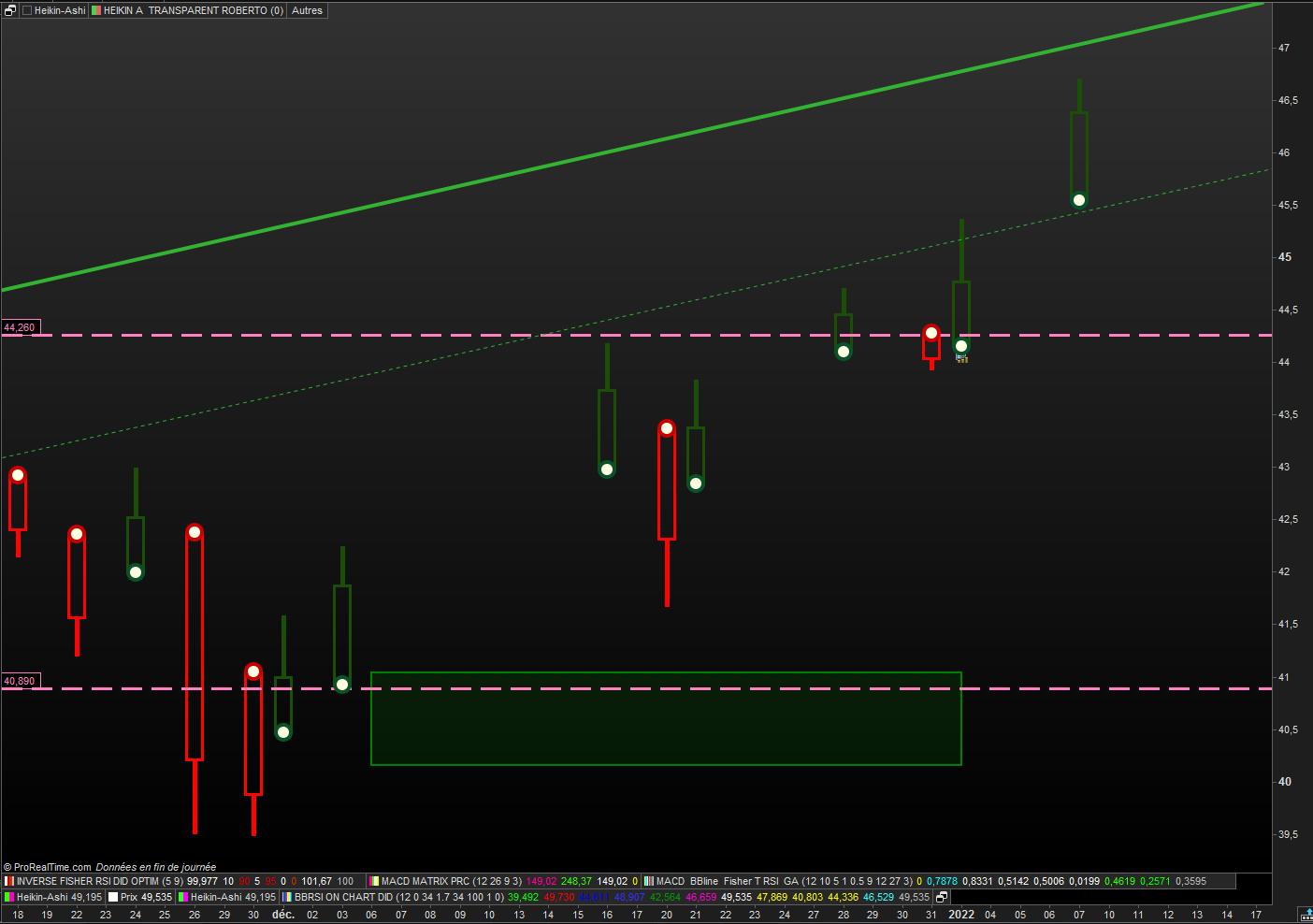
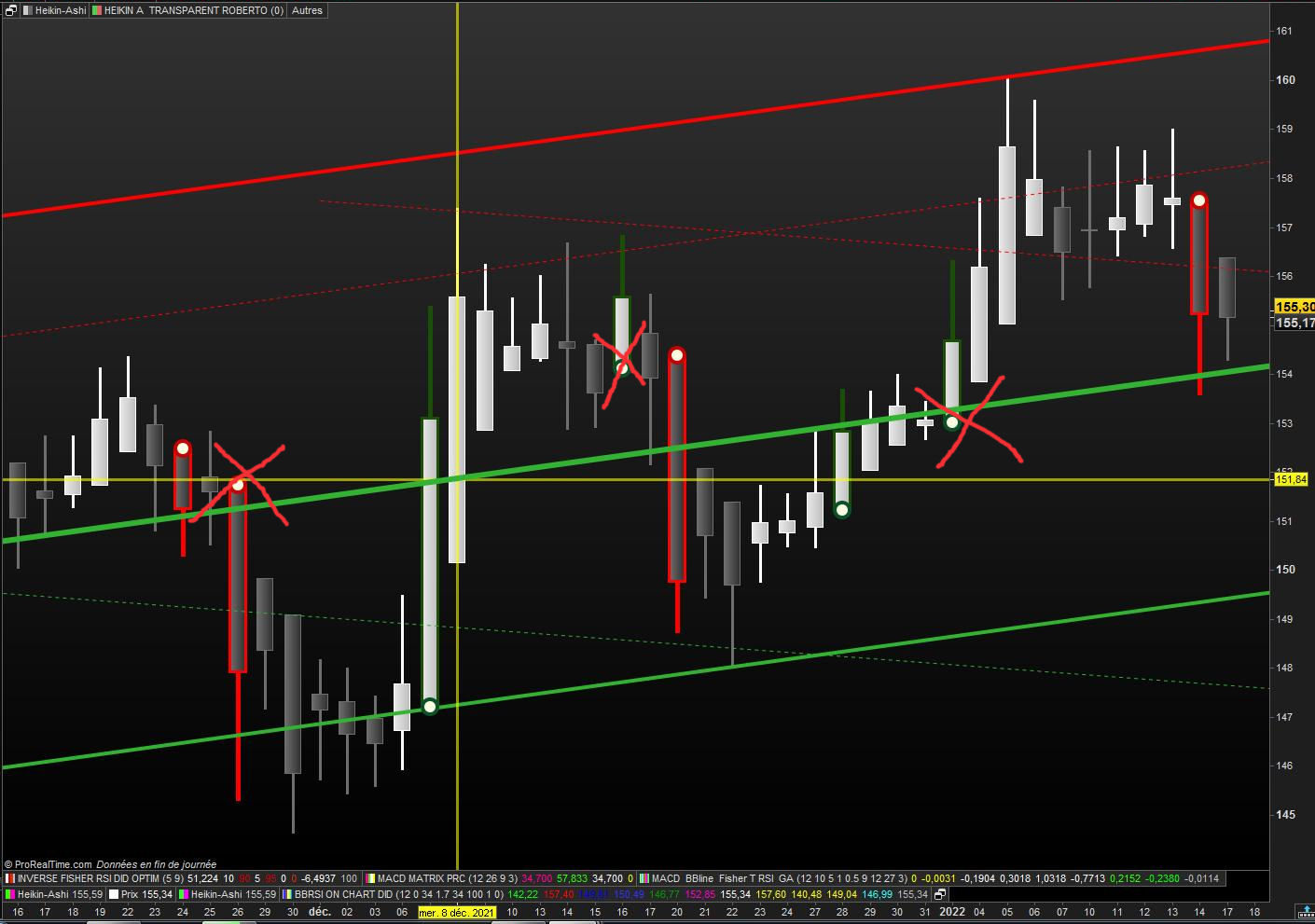
    Allego il mio post iniziale dove vorrei mostrare solo i ‘fondi piatti’, cioè gli HA senza stoppino (su e giù)

    Quindi se puoi aiutare?

    HA-ROBERTO.jpg HA-ROBERTO.jpg
    #185547 quote
    supertitisupertiti
    Participant
    Master
    // HEIKIN ASHI TRANSPARENT  ROBERTO  15.01.2022
    
    
    //t = 30                                                    //Trasparenza (0=invisibile, 255=piena)
    // Heikin Ashi candlesticks (definition)
    once xOpen = open
    xClose     = (open + close + high + low) / 4
    if barindex > 0 then
    xOpen  = (xOpen[1] + xClose[1]) / 2
    endif
    xLow       = min(low,min(xClose,xOpen))
    xHigh      = max(high,max(xClose,xOpen))
    //
    IF close > open THEN
    DrawCandle(xOpen,xHigh,xLow,xClose) coloured(0,255,0,t)bordercolor(27,79,8)    // vert clair bordure vert foncé
    ELSE
    DrawCandle(xOpen,xHigh,xLow,xClose) coloured(255,0,255,t)bordercolor(255,2,2)  // rose magenta bordure rouge
    ENDIF
    
    RETURN t as " HA transparent "
    
    #185548 quote
    supertitisupertiti
    Participant
    Master
    #185554 quote
    robertogozzirobertogozzi
    Moderator
    Legend

    Perfetto!

    Grazie 🙂

    #185555 quote
    supertitisupertiti
    Participant
    Master

    Ho creato questo codice dal tuo, che è un grande passo avanti.

    È possibile mostrare solo i ‘flat bottom’ di ogni nuova tendenza? dopo 5 HA dello stesso colore per esempio


    // HEIKIN ASHI TRANSPARENTS ROBERTO  15.01.2022
    // cul plat Nicolas 07.01.2022
    defparam CALCULATEONLASTBARS = 50
    
    xClose = (open+high+low+close)/4
    IF BarIndex=0 THEN
    xOpen = open
    xHigh = high
    xLow = low
    ELSe
    xOpen = (xOpen[1] + xClose[1])/2
    xHigh = Max(Max(high, xOpen), xClose)
    xLow = Min(Min(low, xOpen), xClose)
    ENDIF
    green = xopen<xclose and xlow=xopen
    red = xopen>xclose and xhigh=xopen
    ////////////////////////////////////////////////////
    if green and not green[1] then
    drawpoint(barindex,xlow,5) coloured (9,82,40) //(0,200,0)// green
    elsif red and not red[1] then
    drawpoint(barindex,xhigh,5) coloured(200,0,0)// red
    endif
    /////////////////////////////////////////////////OK
    if  green > green [1] then
    drawpoint(barindex,xlow,3) coloured (254,254,226) // jaune clair //(9,82,40) // green
    elsif  red > red [1] then
    drawpoint(barindex,xhigh,3) coloured (254,254,226) // jaune clair //(200,0,0)// red
    endif
    ///////////////////////////////////////////////
    // HEIKIN ASHI TRANSPARENT  ROBERTO  15.01.2022
    
    //t = 30     //Trasparenza (0=invisibile, 255=piena)
    // Heikin Ashi candlesticks (definition)
    once xOpen = open
    xClose     = (open + close + high + low) / 4
    if barindex > 0 then
    xOpen  = (xOpen[1] + xClose[1]) / 2
    endif
    xLow       = min(low,min(xClose,xOpen))
    xHigh      = max(high,max(xClose,xOpen))
    //
    //IF close > open THEN
    if  green > green [1] then
    DrawCandle(xOpen,xHigh,xLow,xClose) coloured(0,255,0,t)bordercolor(27,79,8)    // vert clair bordure vert foncé
    //ELSE
    elsif  red > red [1] then
    DrawCandle(xOpen,xHigh,xLow,xClose) coloured(255,0,255,t)bordercolor(255,2,2)  // rose magenta bordure rouge
    ENDIF
    
    RETURN t as " HA transparent "
    /////////////////////////////////////////////////
     
    // Variable :
    // t = 0   (de 0 à 255)
    
    HA-TTE-Roberto.jpg HA-TTE-Roberto.jpg
    #185583 quote
    robertogozzirobertogozzi
    Moderator
    Legend

    Prova questo:

    // HEIKIN ASHI TRANSPARENTS ROBERTO  15.01.2022
    // cul plat Nicolas 07.01.2022
    //defparam CALCULATEONLASTBARS = 50
    // Variable :
    // t = 0   (de 0 à 255)
    xClose = (open+high+low+close)/4
    IF BarIndex=0 THEN
    xOpen = open
    xHigh = high
    xLow = low
    ELSe
    xOpen = (xOpen[1] + xClose[1])/2
    xHigh = Max(Max(high, xOpen), xClose)
    xLow = Min(Min(low, xOpen), xClose)
    ENDIF
    green = xopen<xclose and xlow=xopen
    red   = xopen>xclose and xhigh=xopen
    greensum = summation[5](xClose > xOpen) = 5
    redsum   = summation[5](xClose < xOpen) = 5
    ////////////////////////////////////////////////////
    if green and not green[1] then
    drawpoint(barindex,xlow,5) coloured (9,82,40) //(0,200,0)// green
    elsif red and not red[1] then
    drawpoint(barindex,xhigh,5) coloured(200,0,0)// red
    endif
    /////////////////////////////////////////////////OK
    if  green > green [1] then
    drawpoint(barindex,xlow,3) coloured (254,254,226) // jaune clair //(9,82,40) // green
    elsif  red < red [1] then
    drawpoint(barindex,xhigh,3) coloured (254,254,226) // jaune clair //(200,0,0)// red
    endif
    //IF close > open THEN
    if  greensum then //green > green [1] then
    DrawCandle(xOpen,xHigh,xLow,xClose) coloured(0,255,0,0) bordercolor(227,0,0)    // vert clair bordure vert foncé
    //ELSE
    elsif  redsum then //red > red [1] then
    DrawCandle(xOpen,xHigh,xLow,xClose) coloured(255,0,255,0) bordercolor(255,0,0)  // rose magenta bordure rouge
    ENDIF
     
    RETURN// t as " HA transparent "
    #185601 quote
    supertitisupertiti
    Participant
    Master

    Ciao Roberto.

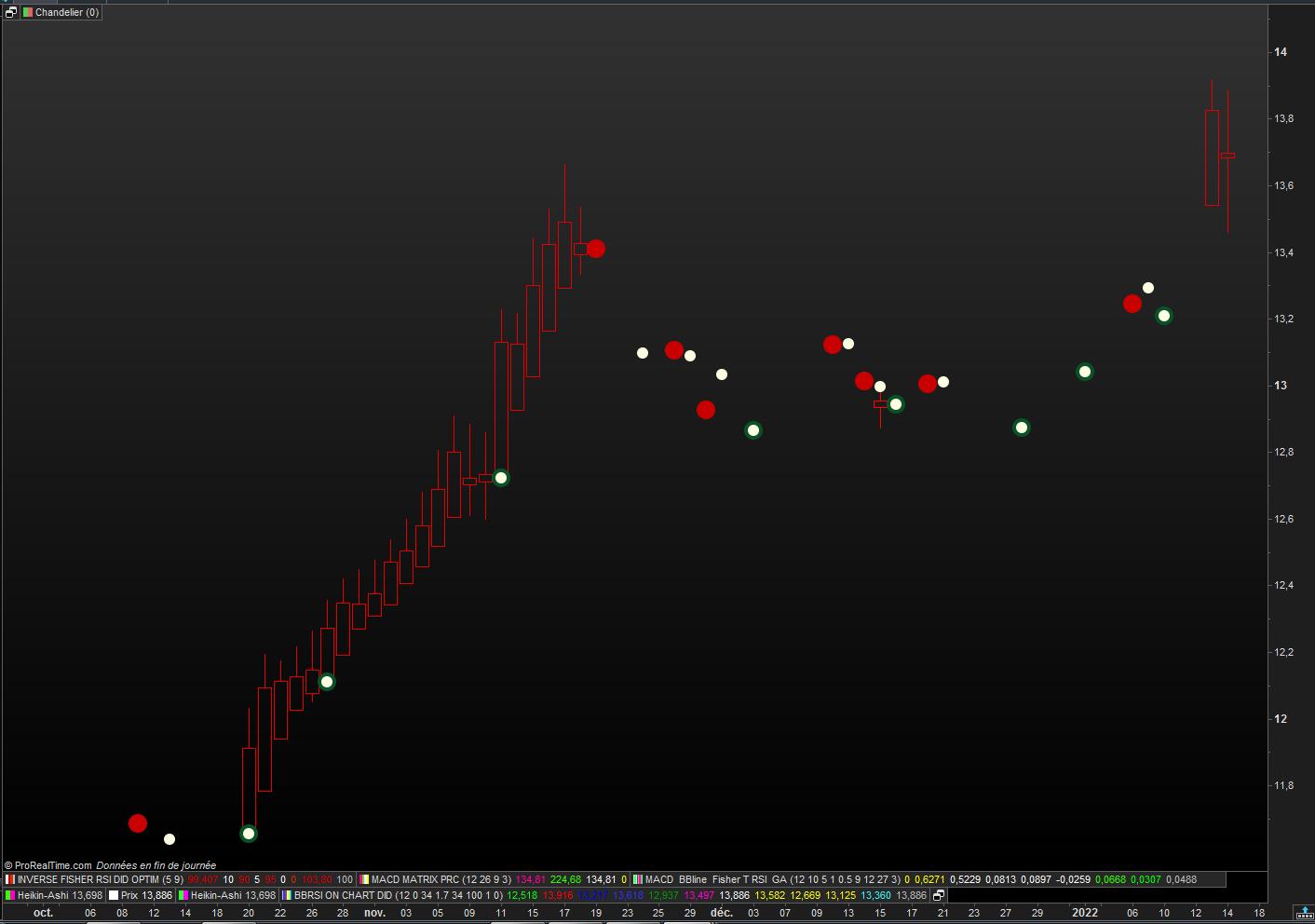
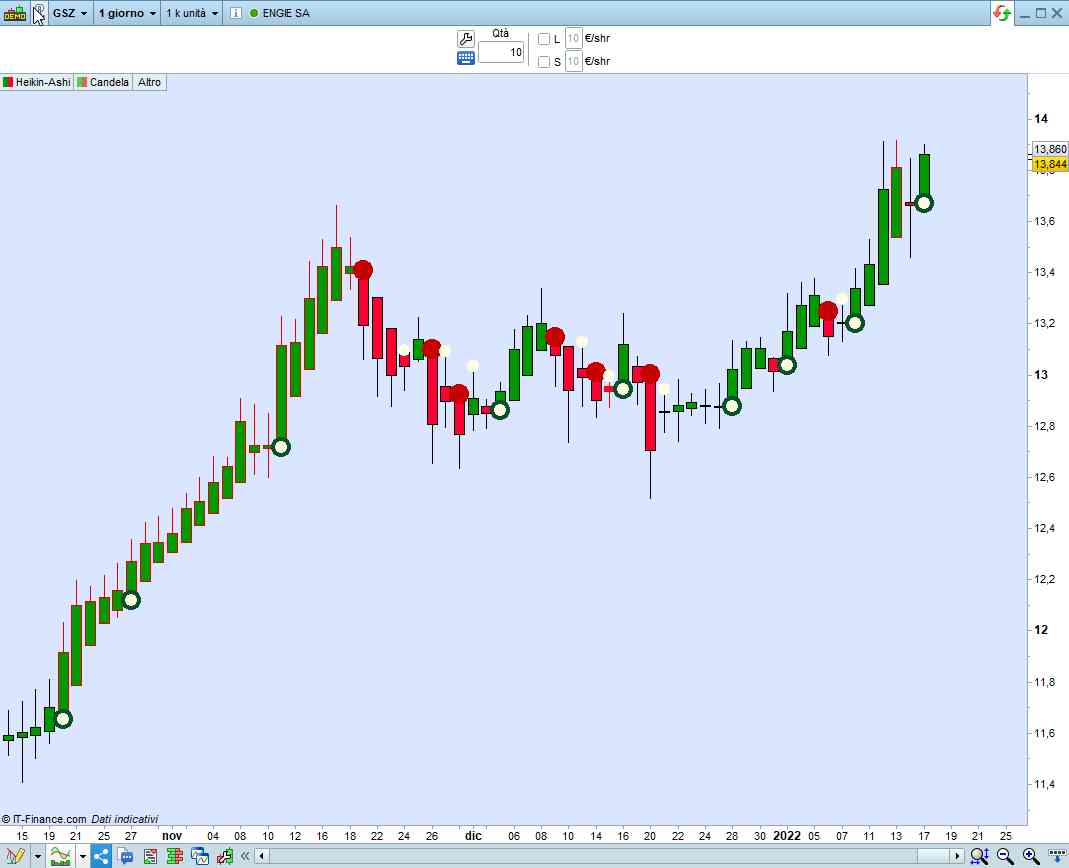
    Allego il grafico di Engie con il codice che proponi,

    Ho la sensazione che non funzioni?. Grazie per l’aiuto.

    Buona domenica

    HA-Roberto-V1-Engie.jpg HA-Roberto-V1-Engie.jpg
    #185729 quote
    robertogozzirobertogozzi
    Moderator
    Legend

    A me funziona correttamente.

    x-9.jpg x-9.jpg
    #185805 quote
    supertitisupertiti
    Participant
    Master


    Ciao Roberto

    Mi sono spiegato male, allego un grafico per dire cosa vorrei.

    Ad esempio, vedi solo inversioni dopo 5 candelieri.

    Grazie per l’attenzione

    HA-exemple.jpg HA-exemple.jpg
Viewing 15 posts - 1 through 15 (of 27 total)
  • You must be logged in to reply to this topic.

ProRealAI ProRealAI New

Stuck on this ProBuilder code?

Describe what this topic is trying to build, in plain English, and ProRealAI writes the ProRealTime™ indicator, screener or system for you.

Available in 7 languages
Try ProRealAI

Candele in trasparenza


ProBuilder: Indicatori & Strumenti Personalizzati

New Reply
Author
author-avatar
Stenozar @stenozar Participant
Summary

This topic contains 26 replies,
has 3 voices, and was last updated by supertitisupertiti

4 years, 7 months ago.

Topic Details
Forum: ProBuilder: Indicatori & Strumenti Personalizzati
Language: Italian
Started: 01/13/2022
Status: Active
Attachments: 11 files
ProRealCode ProRealCode
Loading...