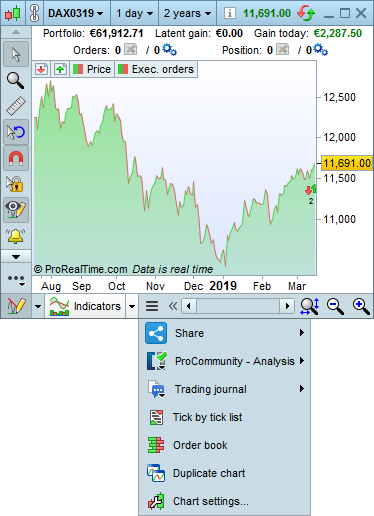





New menu for tools on smaller windows
If a chart is too small for you to see all the tools at the bottom, a new menu lets you access these tools even on smaller windows.
[attachment file=”94272″]
Create your own timeframes!
The timeframe and historical data menu can now be customized – you can add timeframes you use most often with the “add” button and remove ones you do not use with the red cross for a menu that is more simple and adapted to your needs.
Portfolio window improved
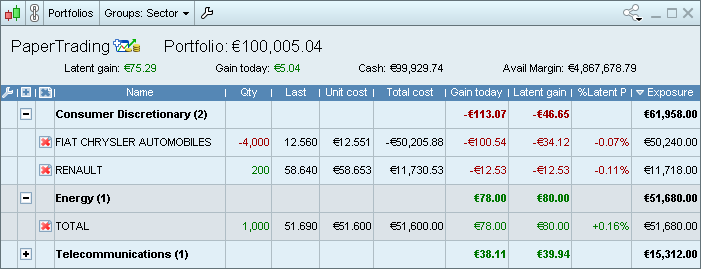
The portfolio window has been improved. You now can group your positions by Sector, Market, Currency, Long/Short, or type of instrument and see your total exposure or gains from different groups.
[attachment file=”94279″]
Customize the portfolio window
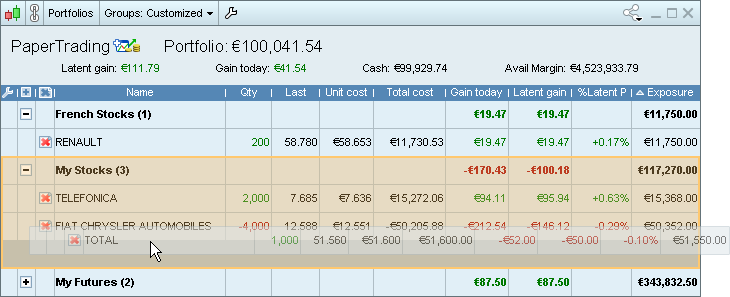
You can also create your own groups of positions and easily move instruments in your portfolio from one group to another (either using the customization window, or by drag & drop in the portfolio window).
[attachment file=”94281″]
Improved template management
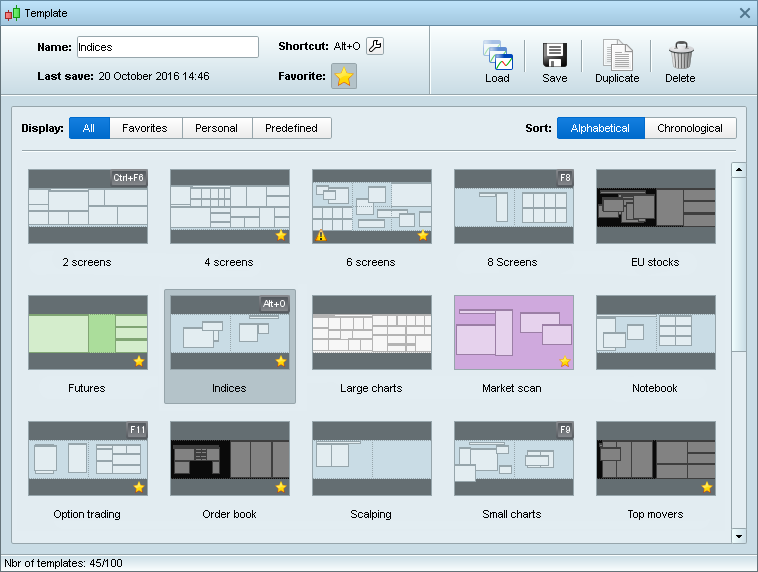
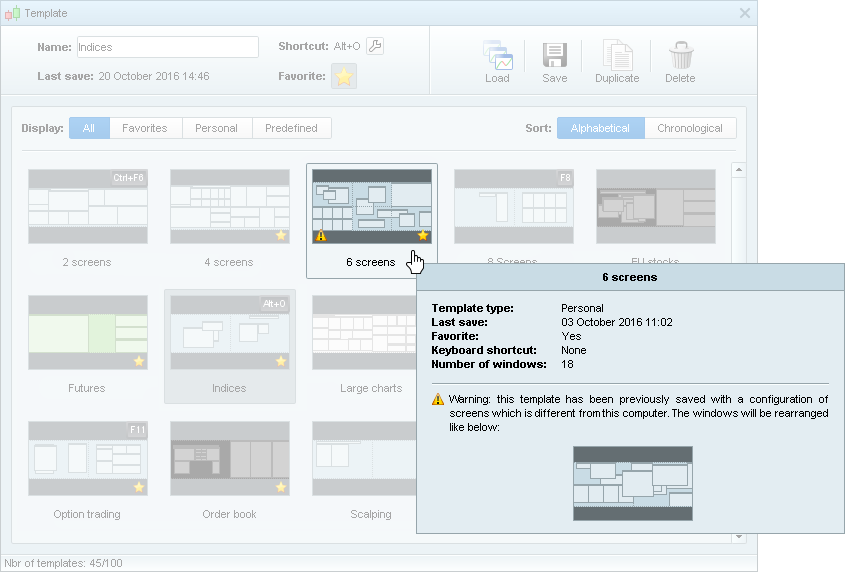
Improved template management : each template can be previewed with its colors and approximate window dispositions. The number of screens used in each template can also be previewed. You can sort templates alphabetically or chronologically.
[attachment file=”94283″]
A warning will let you know if you have previously saved a certain template with a screen configuration that is different from your current computer to avoid saving mistakes.
[attachment file=”94377″]
BardParticipant
Master
Do you know if PRT will being adding a longer title field for saving the name of our auto systems? This would be very handy!
adding a longer title field for saving the name of our auto systems?
Or at least be able to easily view (no need to click the + sign 16 times!) the Notes field in the ProOrder AutoTrading window … or both a longer title field AND view the Notes! 🙂
Market status icons
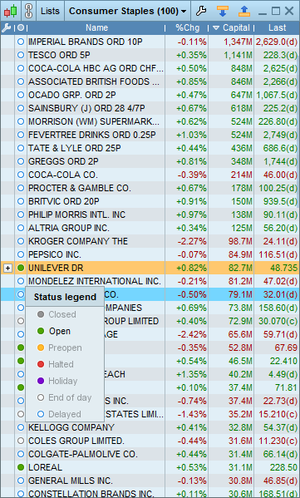
A new datafeed icon tells you the status of the market : (preopen/open/closed/vacation) and/or your type of access (real-time, delayed, end-of-day).
[attachment file=”markets status prorealtime.png”]
Custom sounds for alerts
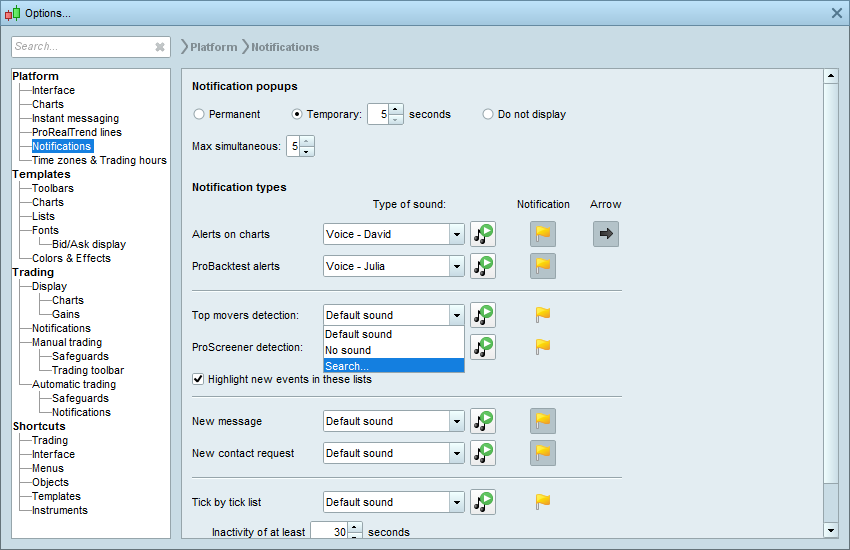
You can now upload your own custom sounds for alerts in MP3 format in addition to WAV format and other formats.
[attachment file=”custom sounds for alerts prt v11.png”]
Trading toolbar revamp
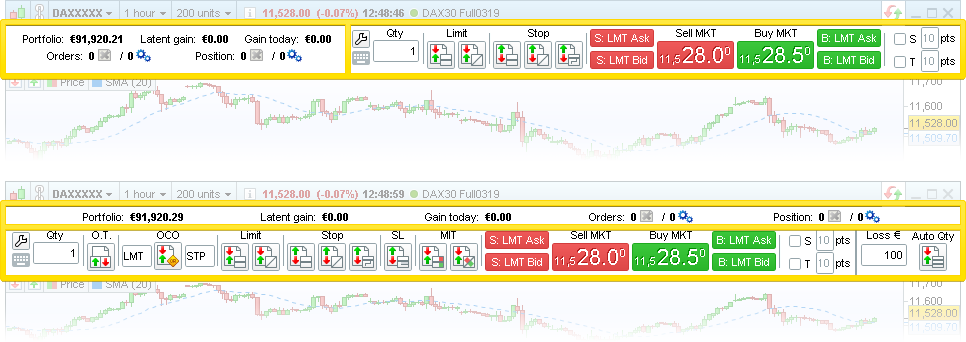
You can now display the trading toolbar across the entire chart window to make room for additional trading tools, or next to the statistics panel to save vertical space.
[attachment file=”trading toolbar prorealtime.png”]
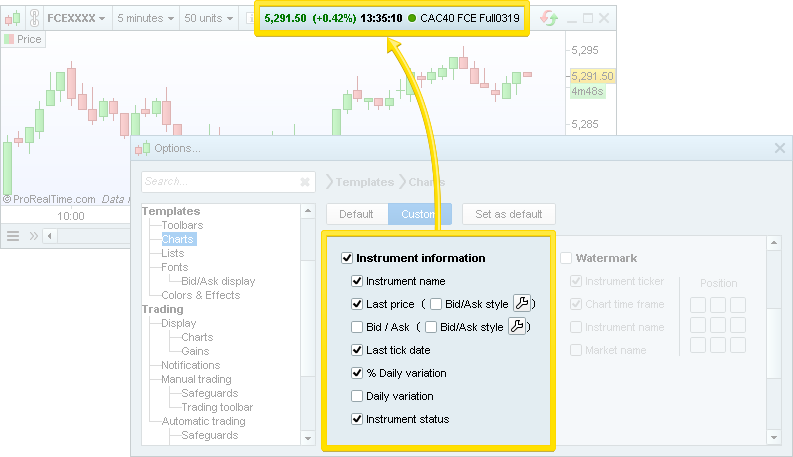
Top chart information customization
The information at the top of the chart can be customized to display only the information that is most important to you.
[attachment file=”top chart information prorealtime .png”]
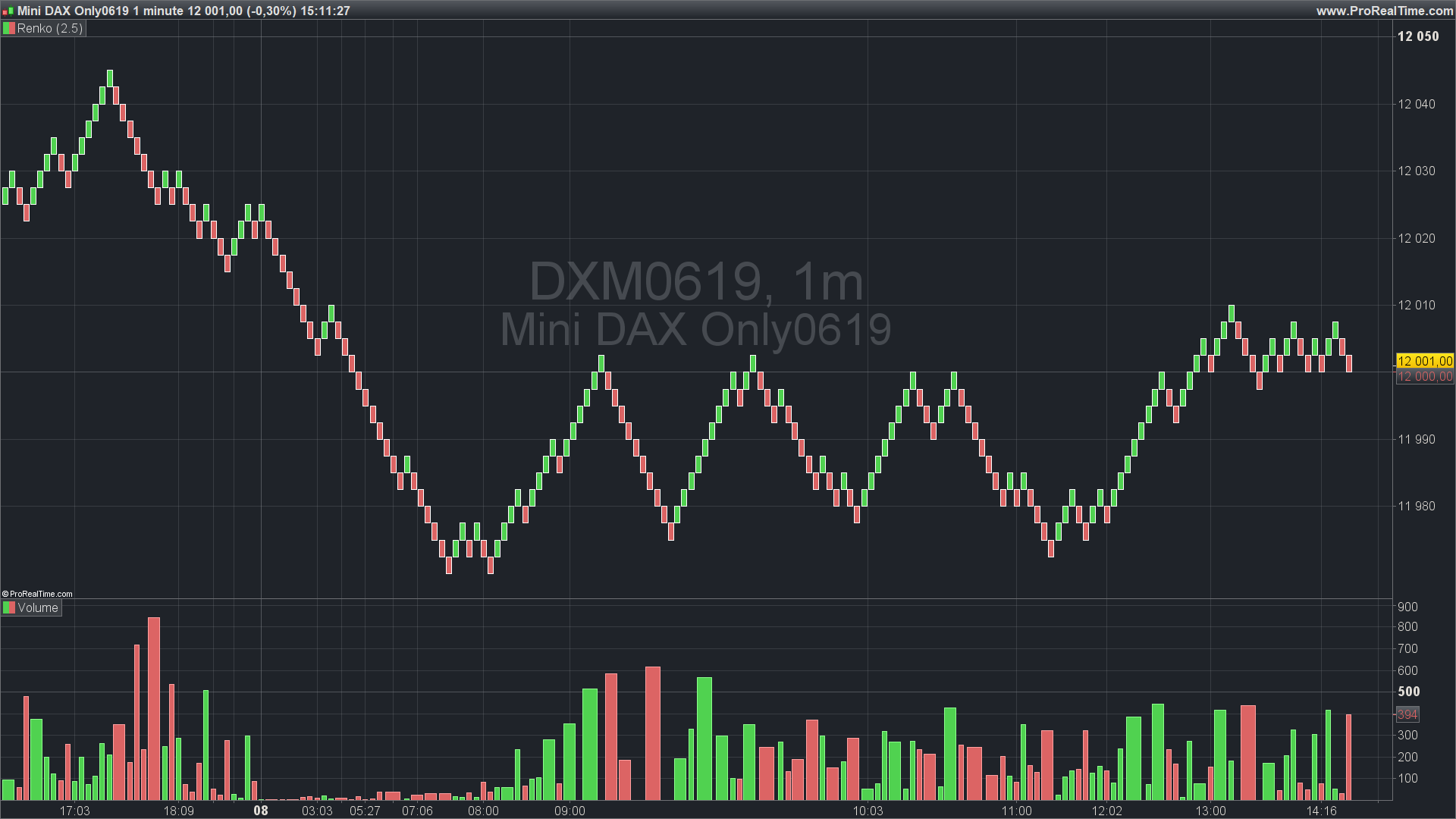
can you add the volume in the renko bars in the new v.11 ? thanks.
I confirm that renko charts have volumes in version 11 (see attached picture).
Has there been any update to the release of Version 11?