Pivot Breakout High&Low Signals
Introduction
Buying the first close above a resistance is one of the most common ways to get trapped: many breakouts fail and price falls back into the range. A popular way to filter them is to wait for the retest, the moment when price comes back to the broken level, holds it and closes on the right side.
The Pivot Breakout High & Low Signals indicator by Jos-ProTrader automates that sequence on the price chart. It tracks the last confirmed pivot high and pivot low, detects the close that breaks them, waits for price to come back to the broken level, and prints a BUY or SELL signal when the retest holds, optionally only in the direction of a 200-period EMA.
Theory Behind the Indicator
The indicator works in four steps:
- Pivots: a pivot high is a bar whose high is above the 5 bars after it and at least as high as the 5 bars before it (5 is the default Pivot Length). It is only known 5 bars later, when the pattern is complete. The last pivot high and pivot low are drawn as red and green steps.
- Breakout: a close crossing above the last pivot high is a bullish breakout; the indicator stores that level and starts waiting for a retest. A close crossing below the last pivot low is the bearish equivalent.
- Retest: on a bullish breakout, the retest is a bar whose low comes back within the tolerance band around the stored level (0.3% by default) and that closes above it. On a bearish one, the high comes back to the band and the bar closes below the level.
- Trend filter: with the filter on, a bullish retest only becomes a BUY signal if the close is above the EMA, and a bearish one a SELL signal if it is below.
After a signal the indicator stops waiting on that side until the next breakout, so each breakout gives at most one signal. A retest that the EMA filter rejects does not cancel the wait: a later retest of the same level can still trigger the signal.
Key Features at a Glance
- Last pivot high and pivot low drawn as support and resistance steps.
- Breakout detection on the close.
- Retest confirmation with an adjustable tolerance band.
- Optional EMA trend filter, drawn only when it is active.
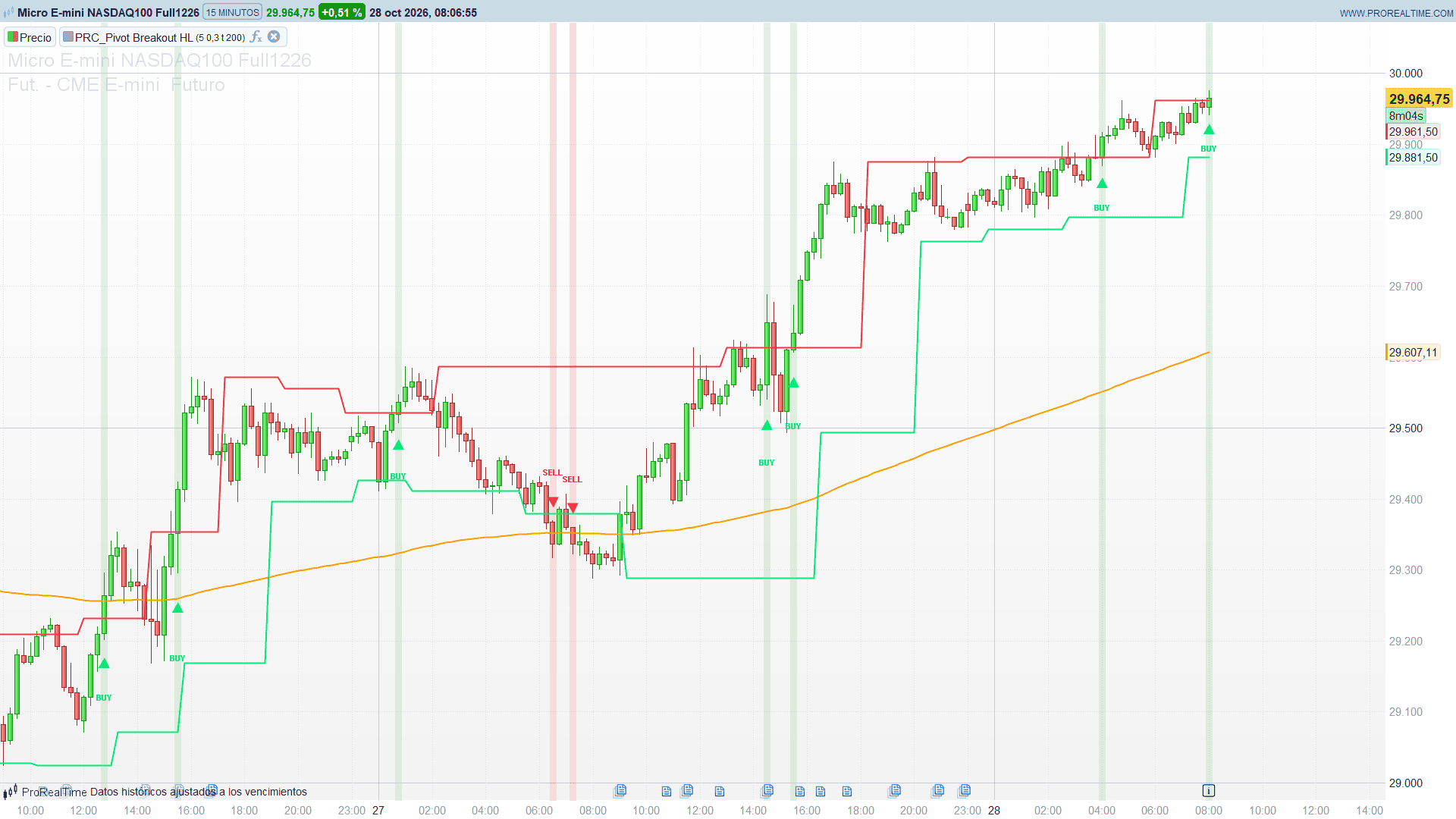
- BUY and SELL triangles with their label, and a light green or red background on the signal bar.
How to Read the Indicator
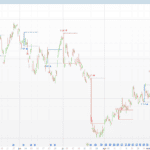
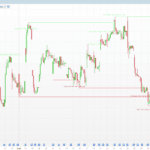
- Red step: the last confirmed pivot high, the resistance to break.
- Green step: the last confirmed pivot low, the support to break.
- Orange line: the EMA used by the trend filter.
- BUY triangle with green background: price broke the last pivot high, came back to test it, held and closed above, with the close above the EMA.
- SELL triangle with red background: the mirror case under the last pivot low.
Since pivots are confirmed a few bars late, the steps move to the new level with that delay: this is normal, the indicator never uses information from the future.
Practical Applications
- Breakout entries with confirmation: enter on the retest signal instead of the first breakout close, with the stop on the other side of the broken level.
- Trend continuation: with the EMA filter on, signals only appear in the direction of the main trend.
- Support and resistance map: the steps alone are a simple, objective way to see the levels the market is currently respecting.
- Alerts: the EMA and the two pivot levels are plotted as series, so price alerts can be set on them in the platform, for example the close crossing the last pivot high.
Indicator Configuration
- pivotLen (default 5, minimum 2): bars on each side of a pivot. Higher values give fewer, more significant levels.
- retestTolPct (default 0.3): width of the retest band around the broken level, in percent.
- emaFilter (default 1): trend filter on (1) or off (0).
- emaLength (default 200): period of the EMA.
The Code
//---------------------------------------------------------------
// PRC_Pivot Breakout HL
// version = 0
// 27.10.2026
// Iván González @ www.prorealcode.com
// Author: Jos-ProTrader
// Sharing ProRealTime knowledge
//--------------------------------------------------------------------//
DEFPARAM DRAWONLASTBARONLY = true


// ===================== INPUTS =====================
pivotLen = 5            // Pivot length: bars on each side of a pivot (min 2)
retestTolPct = 0.3      // Retest tolerance (%) around the breakout level
emaFilter = 1           // 1 = use the EMA trend filter, 0 = off
emaLength = 200         // EMA length


prd = max(2, round(pivotLen))
retestTol = retestTolPct / 100


// ===================== EMA =====================
emaV = average[emaLength, 1](close)
IF emaFilter = 1 THEN
   emaA = 255
ELSE
   emaA = 0
ENDIF


// ===================== PIVOT DETECTION =====================
// confirmed prd bars later: strictly above the prd bars after it,
// at least as high as the prd bars before it
once lastPivotHigh = undefined
once lastPivotLow = undefined
IF barindex >= 2 * prd THEN
   hhAfter = highest[prd](high)
   llAfter = lowest[prd](low)
   IF high[prd] > hhAfter AND high[prd] >= hhAfter[prd + 1] THEN
      lastPivotHigh = high[prd]
   ENDIF
   IF low[prd] < llAfter AND low[prd] <= llAfter[prd + 1] THEN
      lastPivotLow = low[prd]
   ENDIF
ENDIF


// ===================== BREAKOUT DETECTION =====================
bullBreakout = close crosses over lastPivotHigh
bearBreakout = close crosses under lastPivotLow


once bullLevel = undefined
once bearLevel = undefined
once waitBullRetest = 0
once waitBearRetest = 0


IF bullBreakout THEN
   bullLevel = lastPivotHigh
   waitBullRetest = 1
ENDIF
IF bearBreakout THEN
   bearLevel = lastPivotLow
   waitBearRetest = 1
ENDIF


// ===================== RETEST LOGIC =====================
bullRetest = 0
IF waitBullRetest = 1 THEN
   IF low <= bullLevel * (1 + retestTol) AND low >= bullLevel * (1 - retestTol) AND close > bullLevel THEN
      bullRetest = 1
   ENDIF
ENDIF
bearRetest = 0
IF waitBearRetest = 1 THEN
   IF high >= bearLevel * (1 - retestTol) AND high <= bearLevel * (1 + retestTol) AND close < bearLevel THEN
      bearRetest = 1
   ENDIF
ENDIF


// ===================== EMA FILTER =====================
buySignal = 0
IF bullRetest = 1 AND (emaFilter = 0 OR close > emaV) THEN
   buySignal = 1
ENDIF
sellSignal = 0
IF bearRetest = 1 AND (emaFilter = 0 OR close < emaV) THEN
   sellSignal = 1
ENDIF


// ===================== RESET =====================
IF buySignal = 1 THEN
   waitBullRetest = 0
ENDIF
IF sellSignal = 1 THEN
   waitBearRetest = 0
ENDIF


// ===================== SIGNALS AND BACKGROUND =====================
IF barindex >= 14 THEN
   sigOff = averagetruerange[14](close)
ELSE
   sigOff = high - low
ENDIF
// signal marks: stored with a pure assignment indexed by a scalar counter
// (the counter rewinds between ticks, so a signal that disappears on the
// live bar leaves nothing behind) and redrawn on the last bar
once nSig = 0
IF buySignal = 1 THEN
   $sgX[nSig] = barindex
   $sgY1[nSig] = low - 0.6 * sigOff
   $sgY2[nSig] = low - 1.5 * sigOff
   $sgD[nSig] = 1
   nSig = nSig + 1
   BACKGROUNDCOLOR(76, 175, 80, 38)
ENDIF
IF sellSignal = 1 THEN
   $sgX[nSig] = barindex
   $sgY1[nSig] = high + 0.6 * sigOff
   $sgY2[nSig] = high + 1.5 * sigOff
   $sgD[nSig] = -1
   nSig = nSig + 1
   BACKGROUNDCOLOR(242, 54, 69, 38)
ENDIF


IF islastbarupdate AND nSig > 0 THEN
   FOR k = 0 TO nSig - 1 DO
      sx = $sgX[k]
      sy1 = $sgY1[k]
      sy2 = $sgY2[k]
      IF $sgD[k] = 1 THEN
         DRAWTEXT("▲", sx, sy1, dialog, bold, 18) COLOURED(0, 230, 118, 255)
         DRAWTEXT("BUY", sx, sy2, dialog, bold, 11) COLOURED(0, 230, 118, 255)
      ELSE
         DRAWTEXT("▼", sx, sy1, dialog, bold, 18) COLOURED(242, 54, 69, 255)
         DRAWTEXT("SELL", sx, sy2, dialog, bold, 11) COLOURED(242, 54, 69, 255)
      ENDIF
   NEXT
ENDIF


RETURN emaV COLOURED(255, 152, 0, emaA) STYLE(line, 2) AS "EMA", lastPivotHigh COLOURED(242, 54, 69) STYLE(line, 2) AS "Last Pivot High", lastPivotLow COLOURED(0, 230, 118) STYLE(line, 2) AS "Last Pivot Low"