Smart NR2-NR20 + Inside Bar: narrow range breakouts with trend filter
Introduction
Markets alternate between contraction and expansion. A narrow range, a stretch of candles whose total range is smaller than anything seen recently, is one of the classic signs that the market is coiling before a move. The NR4 and NR7 patterns made popular by Toby Crabel are the best known examples.
Smart NR2-NR20 measures the compression against the swing amplitude of the recent past: it flags the moments when the last two candles fit inside a range smaller than any 20-candle swing of the look back window, draws a box and waits for the breakout. When the price leaves the box on the side allowed by the trend filter, it projects the two levels of the pattern forward and marks the exits: target, stop or time.
Theory Behind the Indicator
The narrow range condition
The range of a block of candles is the distance between its highest high and its lowest low. A setup appears when the range of the last two candles is smaller than every 20-candle range of the previous look back candles (20 by default). The threshold is the same for every length from 2 to 20, and a longer block can only have a wider range, so whenever a longer narrow range qualifies, the two-candle one qualifies as well: the setup is always the two-candle compression.
The pattern box
Only the first candle of a new run of setups arms a pattern, so a compression that lasts several candles does not produce a cascade of signals. The box of the pattern takes the high and the low of that candle and of the previous setup candle, which can be several sessions back. The box therefore summarizes the last two moments of compression: when the price has travelled between them (after a gap, for example) the box is tall, and its breakout levels are the extremes of that whole move.
Optionally, when no narrow range is found, an Inside Bar (a candle whose high and low are both inside the previous candle) can be used as the setup instead.
Adaptive look back
The look back can be fixed or adapted to the strength of the trend with the ADX. When the ADX is at or below the low threshold (a ranging market) the look back moves to its maximum, so only rarer contractions qualify; when the ADX is at or above the high threshold it moves to its minimum, making the indicator more responsive in strong trends.
Trigger, trend filter and exits
The first side of the box that is touched decides the direction: the high for a bullish breakout, the low for a bearish one. With the trend filter on, bullish breakouts are only accepted above the Trend MA (an EMA or RMA of 200 periods by default) and bearish ones only below it.
After the trigger, three exit rules are tracked:
- TP: the price reaches the target, placed at Target R times the height of the box beyond the breakout level.
- SL: the close goes back to the opposite side of the box.
- T: optional time exit after a given number of bars without an earlier exit.
Key Features at a Glance
- Narrow range detection against the 20-candle swings of an adaptive or fixed look back window
- Optional Inside Bar setups
- Static or ADX adaptive look back
- Trend filter with a static or adaptive EMA/RMA
- Pattern box, breakout label and two levels projected forward
- TP, SL and time exit markers
- A new pattern is ignored while the levels of the previous one are still projected, which keeps the chart readable
How to Read the Indicator
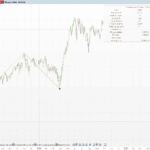
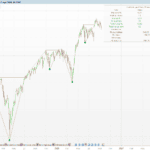
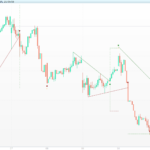
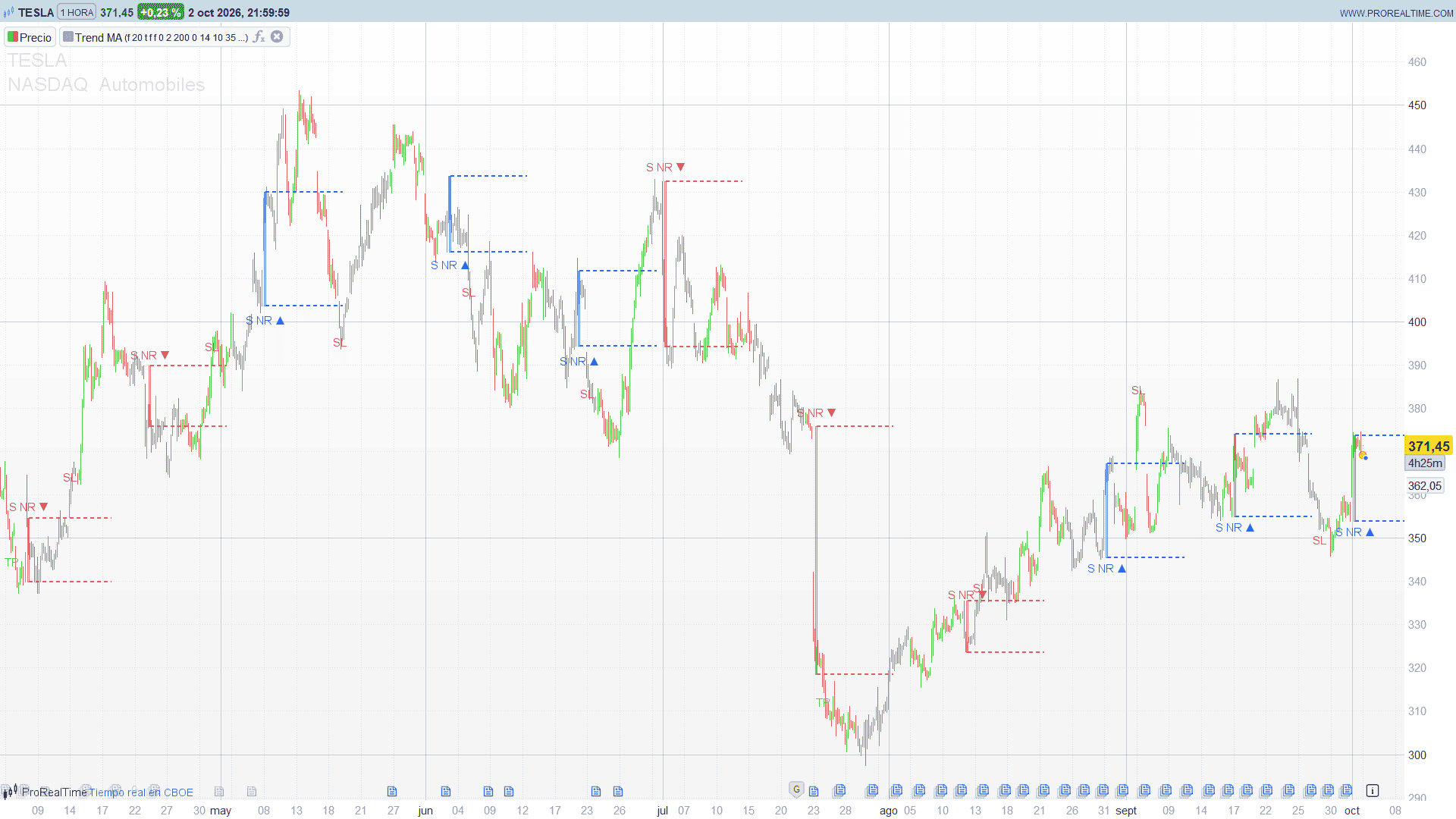
- The box spans the high and low of the setup candle and of the previous setup candle. Blue means it was broken to the upside, red to the downside.
- The label “S NR ▲” or “S NR ▼” (or “Inside” for an Inside Bar) marks the candle where the pattern was armed and the direction of the breakout.
- The dotted levels are the high and the low of the box projected forward. After an upside breakout, the high of the box becomes the first support to watch; the low is the stop.
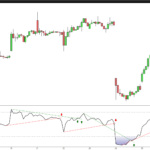
- TP, SL and T show how the pattern ended: target reached, stop hit or time exit.
Practical Applications
- Volatility breakout entries. The breakout of a narrow range is a classic entry for trend-following traders, since the market tends to move strongly after a contraction. The levels of the box give a natural stop and the R multiple a natural target.
- Trading with the trend. With the trend filter, only breakouts in the direction of the long-term average are shown, which removes many false breakouts against the trend.
- Evaluating the setup on your market. The TP and SL markers make it easy to scroll through the history of an instrument and see how often the narrow range breakouts reached their target before their stop.
- Adjusting to the market regime. The ADX adaptive look back makes the indicator stricter in ranging markets and more responsive in trending ones.
Indicator Configuration
useInsideBar(default: 0): 1 = use Inside Bars as setups when no narrow range is found.lookBack(default: 20): number of previous candles each range is compared with (static mode).useTrendFilter(default: 1): 1 = bullish breakouts only above the Trend MA, bearish only below.showTrendMA(default: 0): 1 = draw the Trend MA (blue when rising, red when falling).trendMode(default: 0): 0 = static MA length, 1 = length follows the look back.trendMaType(default: 0): 0 = EMA, 1 = RMA.trendMul(default: 2.0): adaptive mode, MA length = look back x multiplier (limited to 20-200).trendMaLen(default: 200): MA length in static mode.lbMode(default: 0): 0 = static look back, 1 = ADX adaptive.adxLen(default: 14),adxLo(default: 10),adxHi(default: 35): ADX length and the two thresholds of the adaptive look back.lbMin(default: 20) andlbMax(default: 120): limits of the adaptive look back.showExitX(default: 1): 1 = show the exit markers.useCondTP(default: 1),useSL(default: 1),useTimeExit(default: 0): enable each exit rule.exitR(default: 2.0): target as a multiple of the height of the box.exitBars(default: 50): bars before the time exit.extendFwd(default: 50): bars the levels are projected forward.lvlStyle(default: 2): style of the levels, 0 = solid, 1 = dashed, 2 = dotted.showTriggerIcon(default: 1): 1 = show the breakout label.maxKeep(default: 120): number of patterns kept on the chart.boxFillA(default: 36) andboxEdgeA(default: 166): opacity (0-255) of the box fill and border.
Code
//---------------------------------------------------------------
// PRC_Smart NR2-NR20
// version = 0
// 05.10.2026
// Iván González @ www.prorealcode.com
// Author: Zeiierman
// Sharing ProRealTime knowledge
//--------------------------------------------------------------------//
DEFPARAM DRAWONLASTBARONLY = true
//-----Inputs---------------------------------------------------------//
// Detection
useInsideBar = 0      // 1 = also detect Inside Bars when no NR setup is found
lookBack = 20         // compare window used in Static look back mode
// Trend filter
useTrendFilter = 1    // longs only above the Trend MA, shorts only below
showTrendMA = 0       // 1 = draw the Trend MA
trendMode = 0         // 0 = Static length, 1 = NR-Adaptive (length follows the look back)
trendMaType = 0       // 0 = EMA, 1 = RMA
trendMul = 2.0        // NR-Adaptive: MA length = look back x multiplier (20..200)
trendMaLen = 200      // Static MA length
// Adaptive look back
lbMode = 0            // 0 = Static, 1 = ADX Adaptive
adxLen = 14           // ADX length
adxLo = 10            // at or below: look back = LB Max (range / chop)
adxHi = 35            // at or above: look back = LB Min (strong trend)
lbMin = 20
lbMax = 120
// Exit markers
showExitX = 1         // 1 = print TP / SL / T markers
useCondTP = 1         // TP at breakout +/- Target R x box height
useTimeExit = 0       // T after Time Exit Bars without an earlier exit
useSL = 1             // SL when the close reaches the opposite side of the box
exitR = 2.0           // Target R multiple
exitBars = 50         // Time Exit Bars
// Levels and style
extendFwd = 50        // bars the levels are projected forward
lvlStyle = 2          // 0 = solid, 1 = dashed, 2 = dotted
showTriggerIcon = 1   // 1 = label on the breakout
maxKeep = 120         // patterns kept on the chart
boxFillA = 36         // box fill opacity (0-255)
boxEdgeA = 166        // box border opacity (0-255)
//--------------------------------------------------------------------//
ONCE nPat = 0
ONCE pend = 0
ONCE pendLeft = 0
ONCE pendRight = 0
ONCE pendHi = 0
ONCE pendLo = 0
ONCE pendNR = 0
ONCE pendOk = 0
ONCE hasSet = 0
ONCE lastSetHi = 0
ONCE lastSetLo = 0
ONCE patHi = 0
ONCE patLo = 0
//-----ADX (only used by the ADX Adaptive look back)-------------------//
IF barindex = 0 THEN
   trueR = high - low
   plusDM = 0
   minusDM = 0
ELSE
   trueR = max(high - low, max(abs(high - close[1]), abs(low - close[1])))
   upMove = high - high[1]
   downMove = low[1] - low
   plusDM = 0
   IF upMove > downMove AND upMove > 0 THEN
      plusDM = upMove
   ENDIF
   minusDM = 0
   IF downMove > upMove AND downMove > 0 THEN
      minusDM = downMove
   ENDIF
ENDIF
atrW = WilderAverage[adxLen](trueR)
plusW = WilderAverage[adxLen](plusDM)
minusW = WilderAverage[adxLen](minusDM)
plusDI = 0
minusDI = 0
IF atrW > 0 THEN
   plusDI = 100 * plusW / atrW
   minusDI = 100 * minusW / atrW
ENDIF
dx = 0
IF plusDI + minusDI > 0 THEN
   dx = 100 * abs(plusDI - minusDI) / (plusDI + minusDI)
ENDIF
adxVal = WilderAverage[adxLen](dx)
//-----Effective look back---------------------------------------------//
lbMin2 = min(lbMin, lbMax)
lbMax2 = max(lbMin, lbMax)
bLo = min(adxLo, adxHi)
bHi = max(adxLo, adxHi)
tB = 0
// while the ADX is still warming up the look back stays at LB Max
IF barindex > 2 * adxLen AND bHi > bLo THEN
   tB = (adxVal - bLo) / (bHi - bLo)
   tB = max(0, min(1, tB))
ENDIF
IF lbMode = 1 THEN
   lb = round(lbMax2 - tB * (lbMax2 - lbMin2))
ELSE
   lb = lookBack
ENDIF
lb = max(2, min(500, lb))
//-----Trend MA (length can change bar to bar)-------------------------//
IF trendMode = 1 THEN
   trendLenEff = max(20, min(200, round(lb * trendMul)))
ELSE
   trendLenEff = trendMaLen
ENDIF
IF trendMaType = 1 THEN
   alphaM = 1 / trendLenEff
ELSE
   alphaM = 2 / (trendLenEff + 1)
ENDIF
IF barindex = 0 THEN
   trendMA = close
ELSE
   trendMA = alphaM * close + (1 - alphaM) * trendMA[1]
ENDIF
allowLong = 0
IF useTrendFilter = 0 OR close > trendMA THEN
   allowLong = 1
ENDIF
allowShort = 0
IF useTrendFilter = 0 OR close < trendMA THEN
   allowShort = 1
ENDIF
//-----NR setup--------------------------------------------------------//
// NR(n) compares the current n-bar range with the lowest 20-bar range of
// the previous lb bars. The threshold is the same for every n and the
// n-bar range grows with n, so any NR(n) of the family implies NR2, and
// the tightness rank always keeps the 2-bar setup.
rng2 = highest[2](high) - lowest[2](low)
rng20 = highest[20](high) - lowest[20](low)
setupLen = 0
IF barindex >= lb + 20 THEN
   mnR = rng20[1]
   FOR k = 2 TO lb DO
      mnR = min(mnR, rng20[k])
   NEXT
   IF rng2 < mnR THEN
      setupLen = 2
   ENDIF
ENDIF
setupNow = 0
setupIsNR = 0
IF setupLen > 0 THEN
   setupNow = 1
   setupIsNR = 1
ELSIF useInsideBar = 1 AND high < high[1] AND low > low[1] THEN
   setupNow = 1
   setupIsNR = 0
   setupLen = 1
ENDIF
// a pattern is armed only on its first bar
newSetup = 0
IF setupNow = 1 AND setupNow[1] = 0 THEN
   newSetup = 1
ENDIF
// The box takes the high and low of the last setupLen SETUP bars: this
// bar and, for an NR, the previous bar that was also a setup (it can be
// far back). The very first setup has no previous one and cannot trigger.
patOk = 0
IF setupNow = 1 THEN
   IF setupLen = 1 THEN
      patHi = high
      patLo = low
      patOk = 1
   ELSIF hasSet = 1 THEN
      patHi = max(high, lastSetHi)
      patLo = min(low, lastSetLo)
      patOk = 1
   ENDIF
   lastSetHi = high
   lastSetLo = low
   hasSet = 1
ENDIF
IF newSetup = 1 THEN
   pend = 1
   pendOk = patOk
   pendLeft = barindex - (setupLen - 1)
   pendRight = barindex
   pendHi = patHi
   pendLo = patLo
   pendNR = setupIsNR
ENDIF
//-----Trigger: the first side touched decides the direction----------//
bullTrig = 0
IF pend = 1 AND pendOk = 1 AND high >= pendHi AND allowLong = 1 THEN
   bullTrig = 1
ENDIF
bearTrig = 0
IF pend = 1 AND pendOk = 1 AND low <= pendLo AND allowShort = 1 THEN
   bearTrig = 1
ENDIF
dirT = 0
IF bullTrig = 1 AND bearTrig = 1 THEN
   IF abs(open - pendHi) <= abs(open - pendLo) THEN
      dirT = 1
   ELSE
      dirT = -1
   ENDIF
ELSIF bullTrig = 1 THEN
   dirT = 1
ELSIF bearTrig = 1 THEN
   dirT = -1
ENDIF
atrLbl = averagetruerange[14](close)
IF dirT <> 0 THEN
   // a new pattern is skipped while it overlaps the projection of the last one
   overlaps = 0
   IF nPat > 0 THEN
      IF pendLeft <= $pEnd[nPat - 1] THEN
         overlaps = 1
      ENDIF
   ENDIF
   IF overlaps = 0 THEN
      rngP = max(pendHi - pendLo, pipsize)
      $pL[nPat] = pendLeft
      $pR[nPat] = pendRight
      $pEnd[nPat] = barindex + extendFwd
      $pHi[nPat] = pendHi
      $pLo[nPat] = pendLo
      $pDir[nPat] = dirT
      $pNR[nPat] = pendNR
      $pTrig[nPat] = barindex
      $pOff[nPat] = 0.5 * atrLbl
      IF dirT = 1 THEN
         $pStop[nPat] = pendLo
         $pTgt[nPat] = pendHi + exitR * rngP
      ELSE
         $pStop[nPat] = pendHi
         $pTgt[nPat] = pendLo - exitR * rngP
      ENDIF
      $pExB[nPat] = 0
      $pExK[nPat] = 0
      $pExY[nPat] = 0
      nPat = nPat + 1
   ENDIF
   pend = 0
ENDIF
//-----Exit markers----------------------------------------------------//
iFirst = max(0, nPat - maxKeep)
IF showExitX = 1 AND nPat > 0 THEN
   FOR i = iFirst TO nPat - 1 DO
      // an exit found on this same bar is recalculated on every tick
      IF $pExB[i] = barindex THEN
         $pExB[i] = 0
      ENDIF
      IF $pExB[i] = 0 THEN
         inWin = 0
         IF barindex >= $pTrig[i] THEN
            IF useTimeExit = 0 OR barindex <= $pTrig[i] + exitBars THEN
               inWin = 1
            ENDIF
         ENDIF
         hitSL = 0
         hitTP = 0
         IF inWin = 1 THEN
            IF $pDir[i] = 1 THEN
               IF useSL = 1 AND close <= $pStop[i] THEN
                  hitSL = 1
               ENDIF
               IF useCondTP = 1 AND high >= $pTgt[i] THEN
                  hitTP = 1
               ENDIF
            ELSE
               IF useSL = 1 AND close >= $pStop[i] THEN
                  hitSL = 1
               ENDIF
               IF useCondTP = 1 AND low <= $pTgt[i] THEN
                  hitTP = 1
               ENDIF
            ENDIF
         ENDIF
         exitKind = 0
         IF hitTP = 1 AND hitSL = 1 THEN
            IF abs(open - $pTgt[i]) <= abs(open - $pStop[i]) THEN
               exitKind = 1
            ELSE
               exitKind = -1
            ENDIF
         ELSIF hitTP = 1 THEN
            exitKind = 1
         ELSIF hitSL = 1 THEN
            exitKind = -1
         ENDIF
         IF exitKind = 0 AND useTimeExit = 1 AND barindex >= $pTrig[i] + exitBars THEN
            exitKind = 2
         ENDIF
         IF exitKind <> 0 THEN
            $pExB[i] = barindex
            $pExK[i] = exitKind
            // TP and T go above a long and below a short; SL the other way
            IF (exitKind <> -1 AND $pDir[i] = 1) OR (exitKind = -1 AND $pDir[i] = -1) THEN
               $pExY[i] = high + $pOff[i]
            ELSE
               $pExY[i] = low - $pOff[i]
            ENDIF
         ENDIF
      ENDIF
   NEXT
ENDIF
//-----Drawing: the last maxKeep patterns------------------------------//
IF islastbarupdate AND nPat > 0 THEN
   FOR i = iFirst TO nPat - 1 DO
      IF $pDir[i] = 1 THEN
         rC = 41
         gC = 98
         bC = 255
      ELSE
         rC = 242
         gC = 54
         bC = 69
      ENDIF
      DRAWRECTANGLE($pL[i], $pHi[i], $pR[i], $pLo[i]) COLOURED(rC, gC, bC, boxEdgeA) FILLCOLOR(rC, gC, bC, boxFillA)
      IF lvlStyle = 0 THEN
         DRAWSEGMENT($pR[i], $pHi[i], $pEnd[i], $pHi[i]) COLOURED(rC, gC, bC) STYLE(line, 2)
         DRAWSEGMENT($pR[i], $pLo[i], $pEnd[i], $pLo[i]) COLOURED(rC, gC, bC) STYLE(line, 2)
      ELSIF lvlStyle = 1 THEN
         DRAWSEGMENT($pR[i], $pHi[i], $pEnd[i], $pHi[i]) COLOURED(rC, gC, bC) STYLE(dottedline2, 2)
         DRAWSEGMENT($pR[i], $pLo[i], $pEnd[i], $pLo[i]) COLOURED(rC, gC, bC) STYLE(dottedline2, 2)
      ELSE
         DRAWSEGMENT($pR[i], $pHi[i], $pEnd[i], $pHi[i]) COLOURED(rC, gC, bC) STYLE(dottedline, 2)
         DRAWSEGMENT($pR[i], $pLo[i], $pEnd[i], $pLo[i]) COLOURED(rC, gC, bC) STYLE(dottedline, 2)
      ENDIF
      IF showTriggerIcon = 1 THEN
         IF $pDir[i] = 1 THEN
            IF $pNR[i] = 1 THEN
               DRAWTEXT("S NR ▲", $pR[i], $pLo[i] - $pOff[i]) COLOURED(rC, gC, bC)
            ELSE
               DRAWTEXT("Inside ▲", $pR[i], $pLo[i] - $pOff[i]) COLOURED(rC, gC, bC)
            ENDIF
         ELSE
            IF $pNR[i] = 1 THEN
               DRAWTEXT("S NR ▼", $pR[i], $pHi[i] + $pOff[i]) COLOURED(rC, gC, bC)
            ELSE
               DRAWTEXT("Inside ▼", $pR[i], $pHi[i] + $pOff[i]) COLOURED(rC, gC, bC)
            ENDIF
         ENDIF
      ENDIF
      IF $pExB[i] > 0 THEN
         IF $pExK[i] = 1 THEN
            DRAWTEXT("TP", $pExB[i], $pExY[i]) COLOURED(0, 230, 118)
         ELSIF $pExK[i] = -1 THEN
            DRAWTEXT("SL", $pExB[i], $pExY[i]) COLOURED(242, 54, 69)
         ELSE
            DRAWTEXT("T", $pExB[i], $pExY[i]) COLOURED(41, 98, 255)
         ENDIF
      ENDIF
   NEXT
ENDIF
//-----Trend MA---------------------------------------------------------//
IF trendMA >= trendMA[1] THEN
   maR = 41
   maG = 98
   maB = 255
ELSE
   maR = 242
   maG = 54
   maB = 69
ENDIF
maA = 0
IF showTrendMA = 1 THEN
   maA = 255
ENDIF
RETURN trendMA COLOURED(maR, maG, maB, maA) AS "Trend MA"
Conclusion
Smart NR2-NR20 turns the narrow range family into a single tool: it finds the most relevant contraction on every candle, waits for the breakout in the direction of the trend and tracks how each pattern ends, so the setup can be traded and evaluated from the same chart.