Exponential average error in indicator?

Viewing 8 posts - 16 through 23 (of 23 total)
  • Author
    Posts
  • #111659 quote
    GraHalGraHal
    Participant
    Master

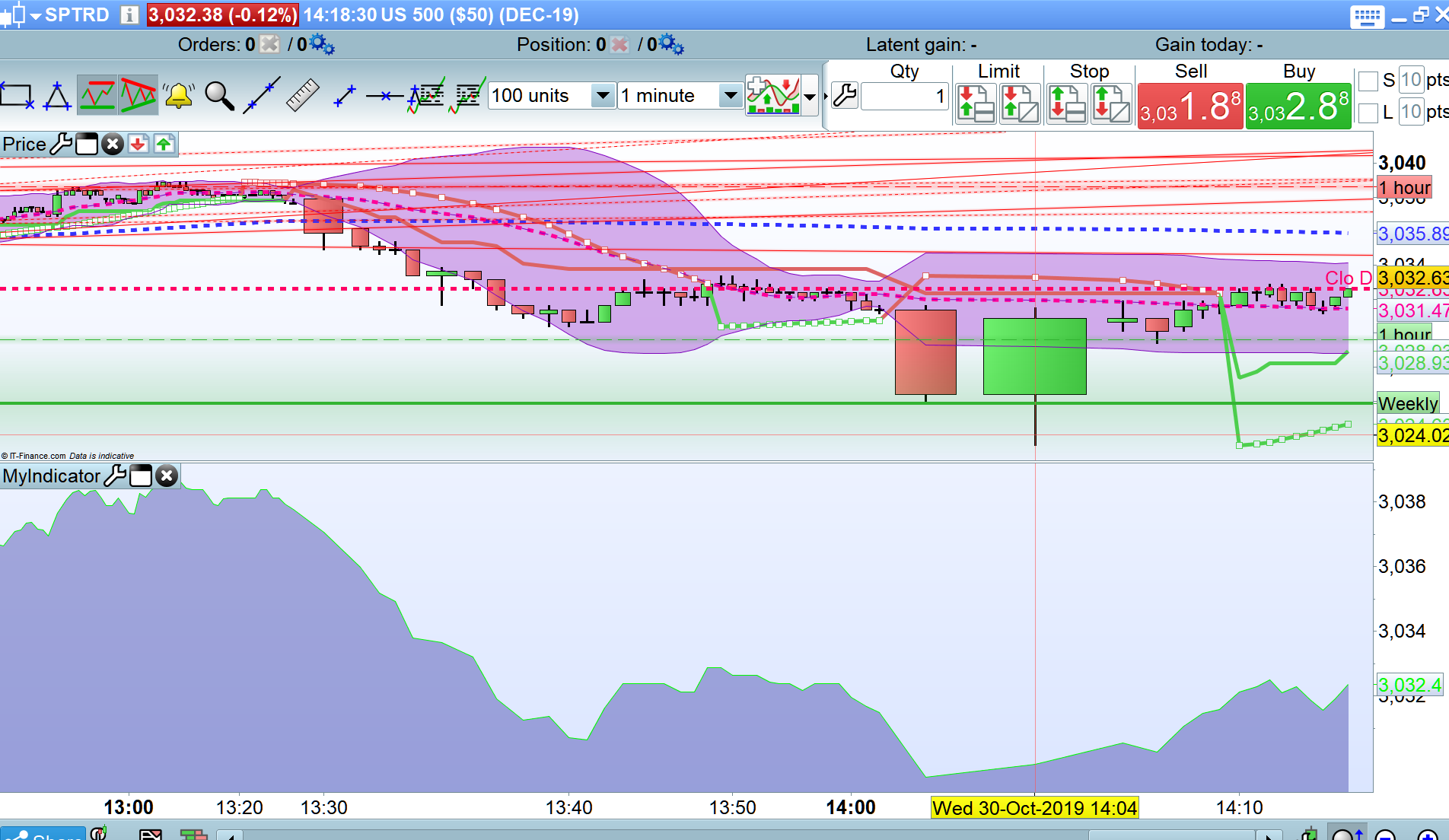
    you good to go @pieroim now with Vonasi amendment or do you still want the screenshots of the market you stated??

    #111675 quote
    pieroimpieroim
    Participant
    Average

    unfortunately it still does not work .. same error..

    if Barindex < 2 then
    BU = Close
    else
    BU = BU[1]-BU[2]/3.414+(1/3.414)*Close
    endif
    
    Signal = BU
    Noise = Close
    SigmaSignal = STD[17](Signal)
    SigmaNoise = STD[17](Noise)
    a = SigmaSignal/SigmaNoise
    n = (2/a)-1
    
    if n < 1 then
    nn = 1
    else
    nn = n
    endif
    
    MB = ExponentialAverage[nn](Close)
    Return MB COLOURED(0,250,0)

    yes, if I have a screenshot of it I go to develop the strategy on SierraChart with less doubt. In Sierra I have another account with american Futures Indexes but the SierraChart languave is very, very complex.. I would have preferred to continue the tests on prorealtime, but if it doesn’t work, there’s no other choice.

    This indicator is developed in Prorealtime, I like the idea of the strategy where this indicator is the initial step, but to trasport it in SierraChart it is important for me to have a visual reference of it.

    #111680 quote
    GraHalGraHal
    Participant
    Master

    Attached as requested

    Piere-5.png Piere-5.png
    #111686 quote
    pieroimpieroim
    Participant
    Average

    Well, many thank’s.. now I can carry it on Sierra with greater simplicity..

    GraHal thanked this post
    #111735 quote
    pieroimpieroim
    Participant
    Average

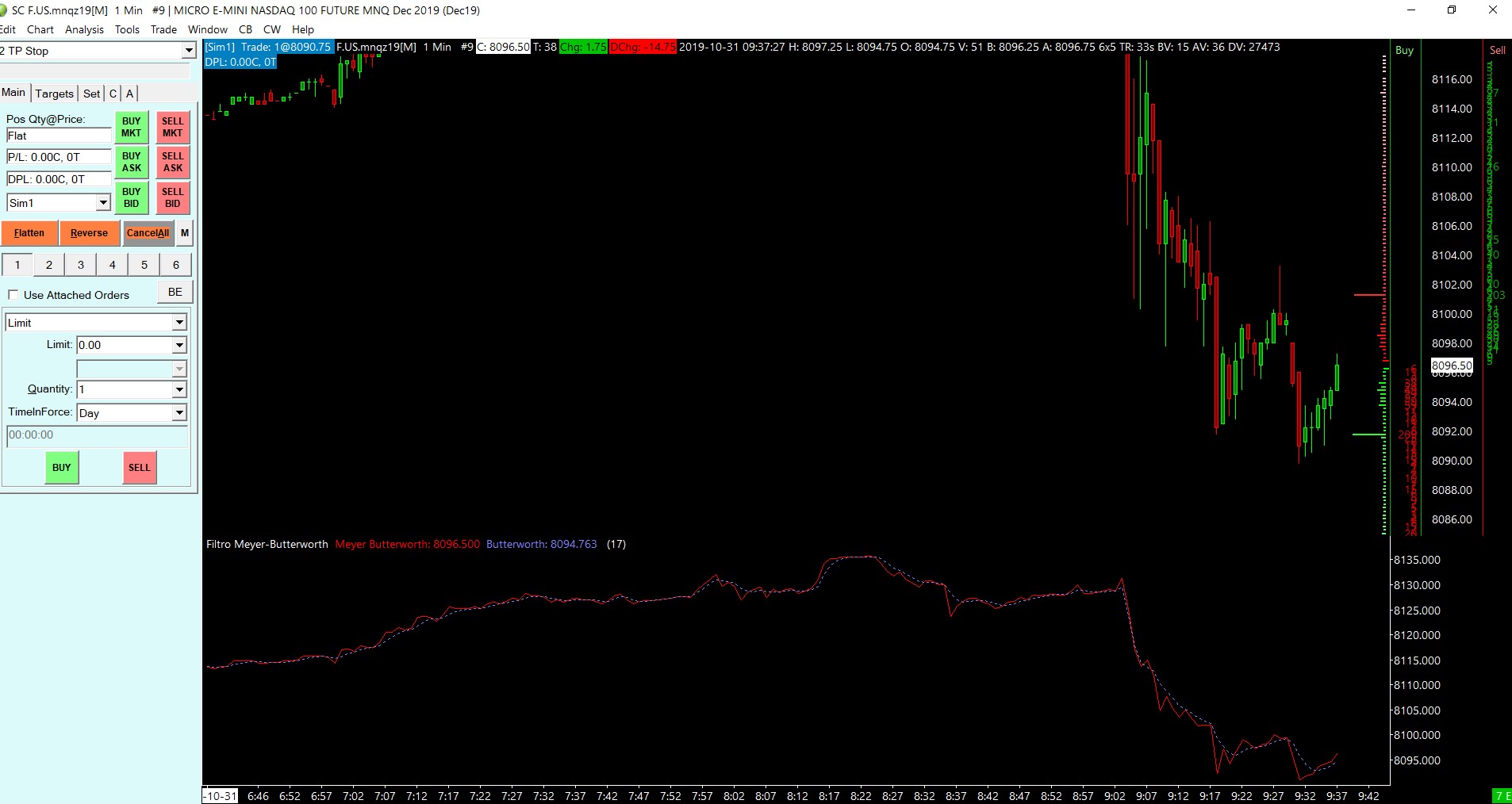
    I think this is the result of the indicator.. (red Line)

    I’m not sure because the SierraChart language is very, very difficult and I’m programming whit it from 5 days..

    I would have preferred to continue the studies on proreal .. maybe if the problem with the v11 is solved it would be excellent..

    News from Nicolas?

    This the Sierra code:

    ”

    // The top of every source code file must include this line
    #include “sierrachart.h”

    // For reference, refer to this page:
    // https://www.sierrachart.com/index.php?page=doc/AdvancedCustomStudyInterfaceAndLanguage.php

    // This line is required. Change the text within the quote
    // marks to what you want to name your group of custom studies.
    SCDLLName(“Piero Custom Study DLL”)

    //This is the basic framework of a study function. Change the name ‘TemplateFunction’ to what you require.
    SCSFExport scsf_MEYERBUTTERWORTH(SCStudyInterfaceRef sc)
    {
    SCSubgraphRef MEYERBUTTERWORTH = sc.Subgraph[0];
    SCSubgraphRef BUTTERWORTH = sc.Subgraph[1];
    SCFloatArrayRef SigmaSignalV = sc.Subgraph[2].Arrays[0];
    SCFloatArrayRef SigmaNoiseV = sc.Subgraph[3].Arrays[0];

    SCInputRef Length = sc.Input[1];

    if (sc.SetDefaults)
    {
    sc.GraphName = “Filtro Meyer-Butterworth”;
    sc.AutoLoop = 1;
    sc.GraphRegion = 1;

    MEYERBUTTERWORTH.Name = “MEYERBUTTERWORTH”;
    MEYERBUTTERWORTH.DrawStyle = DRAWSTYLE_LINE;
    MEYERBUTTERWORTH.LineWidth = 1;
    MEYERBUTTERWORTH.PrimaryColor = COLOR_RED;
    MEYERBUTTERWORTH.DrawZeros = true;

    BUTTERWORTH.Name = “BUTTERWORTH”;
    BUTTERWORTH.DrawStyle = DRAWSTYLE_LINE;
    BUTTERWORTH.LineWidth = 1;
    BUTTERWORTH.LineStyle = LINESTYLE_DOT;
    BUTTERWORTH.PrimaryColor = RGB(128,128,255);
    BUTTERWORTH.DrawZeros = true;

    sc.Subgraph[0].Name = “Meyer Butterworth”;
    sc.Subgraph[1].Name = “Butterworth”;

    Length.Name = “PP”;
    Length.SetInt(17);

    return;
    }

    sc.DataStartIndex = Length.GetInt();

    int PP = sc.DataStartIndex;

    double risultato;

    if (sc.Index < 2)
    {
    risultato = sc.BaseData[SC_LAST][sc.Index];
    }
    else
    {
    risultato = sc.Subgraph[1][sc.Index-1]-(sc.Subgraph[1][sc.Index-2]/3.414)+((1/3.414)*sc.BaseData[SC_LAST][sc.Index]);
    }
    BUTTERWORTH[sc.Index] = risultato;

    // Noise = sc.BaseData[SC_last][sc.Index];
    sc.StdDeviation(sc.Subgraph[1], SigmaSignalV, PP);//SigmaSignal
    float SigmaSignal = SigmaSignalV[sc.Index]; //Access the study value at the current index

    sc.StdDeviation(sc.BaseData[SC_LAST], SigmaNoiseV, PP);//SigmaNoise
    float SigmaNoise = SigmaNoiseV[sc.Index]; //Access the study value at the current index

    float a = SigmaSignal/SigmaNoise;
    float n = (2/a)-1;
    float nn;

    if (n<1)
    {
    nn=1;
    }
    else
    {
    nn=n;
    }

    //MB=ExponentialAverage[nn](close);
    sc.ExponentialMovAvg(sc.BaseData[SC_LAST], sc.Subgraph[0], nn);

    return;
    }

    “

    mb.jpg mb.jpg
    #111737 quote
    pieroimpieroim
    Participant
    Average

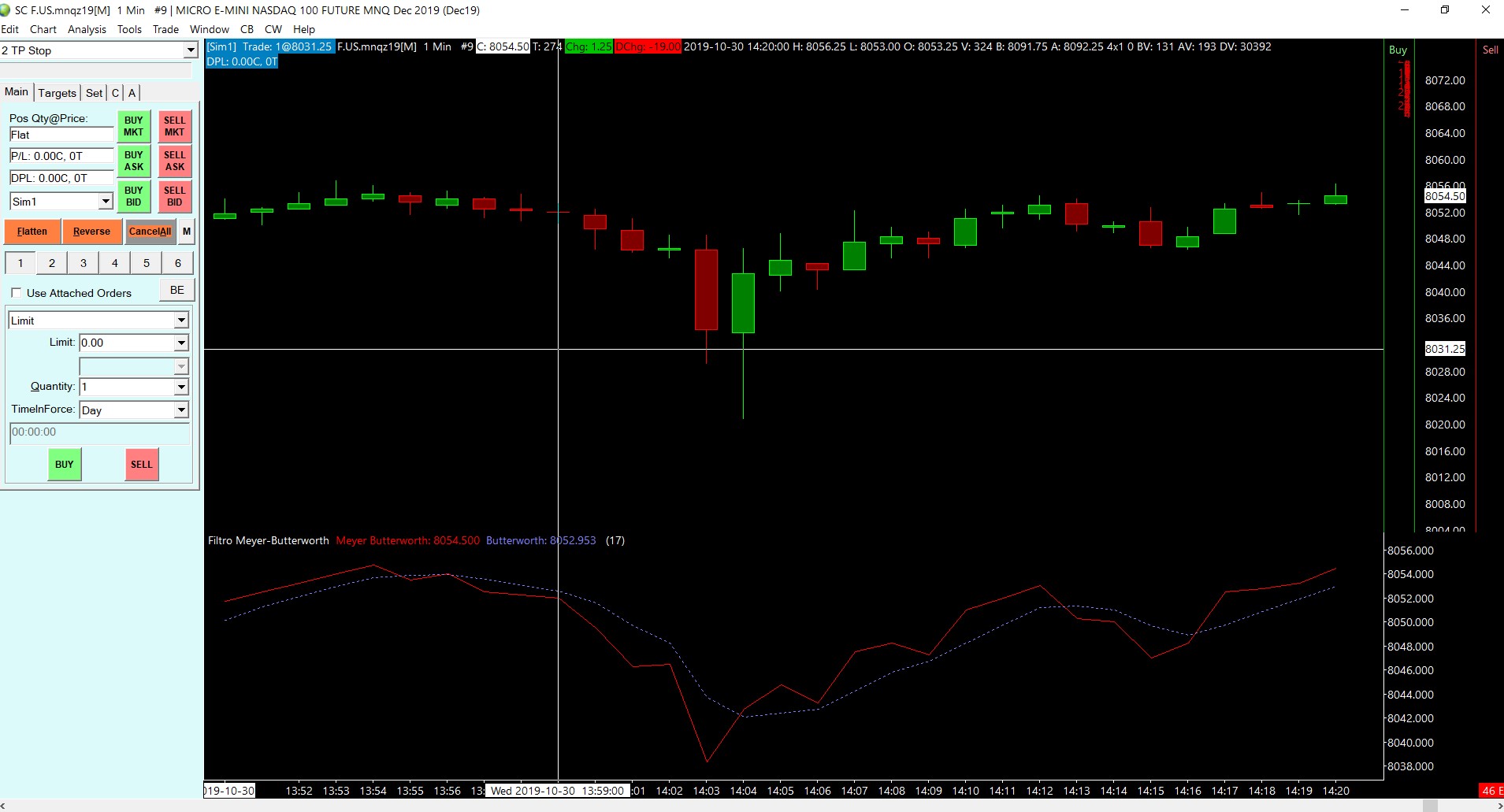
    compared to your graph I see differences … PP=17

    mb2.jpg mb2.jpg
    #111741 quote
    NicolasNicolas
    Keymaster
    Legend

    Should work fine now in version 11.1, always make calculation if there is enough bars to do them:

    period = 17
    
    if Barindex < 2 then
    BU = Close
    else
    BU = BU[1]-BU[2]/3.414+(1/3.414)*Close
    endif
    
    if barindex>period then 
    Signal = BU
    Noise = Close
    SigmaSignal = STD[period](Signal)
    SigmaNoise = STD[period](Noise)
    a = SigmaSignal/SigmaNoise
    n = (2/a)-1
    
    if n < 1 then
    nn = 1
    else
    nn = n
    endif
    
    
    MB = ExponentialAverage[nn](Close)
    endif
    
    Return MB COLOURED(0,250,0)
    FabiusMor thanked this post
    #111752 quote
    pieroimpieroim
    Participant
    Average

    Well done Nicolas, now it works!

    Thank’s

Viewing 8 posts - 16 through 23 (of 23 total)
  • You must be logged in to reply to this topic.
ProRealAI ProRealAI New

Stuck on this ProBuilder code?

Describe what this topic is trying to build, in plain English, and ProRealAI writes the ProRealTime™ indicator, screener or system for you.

Available in 7 languages
Try ProRealAI

Exponential average error in indicator?

ProBuilder: Indicators & Custom Tools

New Reply
Author
author-avatar
pieroim @pieroim Participant
Summary

This topic contains 22 replies,
has 5 voices, and was last updated by pieroimpieroim

6 years, 11 months ago.

Topic Details
Forum: ProBuilder: Indicators & Custom Tools
Language: English
Started: 10/30/2019
Status: Active
Attachments: 8 files
ProRealCode ProRealCode
Loading...