hi Nicolas,
Okay cant wait for the new version 🙂
rgds
John
Okay,
Curious about the next version 🙂
rgds
Jogn
The code is already attached in my previous post as an ITF file, please import it into your platform and make some tests! 🙂
Hi Nicolas,
Again a little step closer 🙂
I have send you a file with some comments.
Hope it helps.
rgds
John
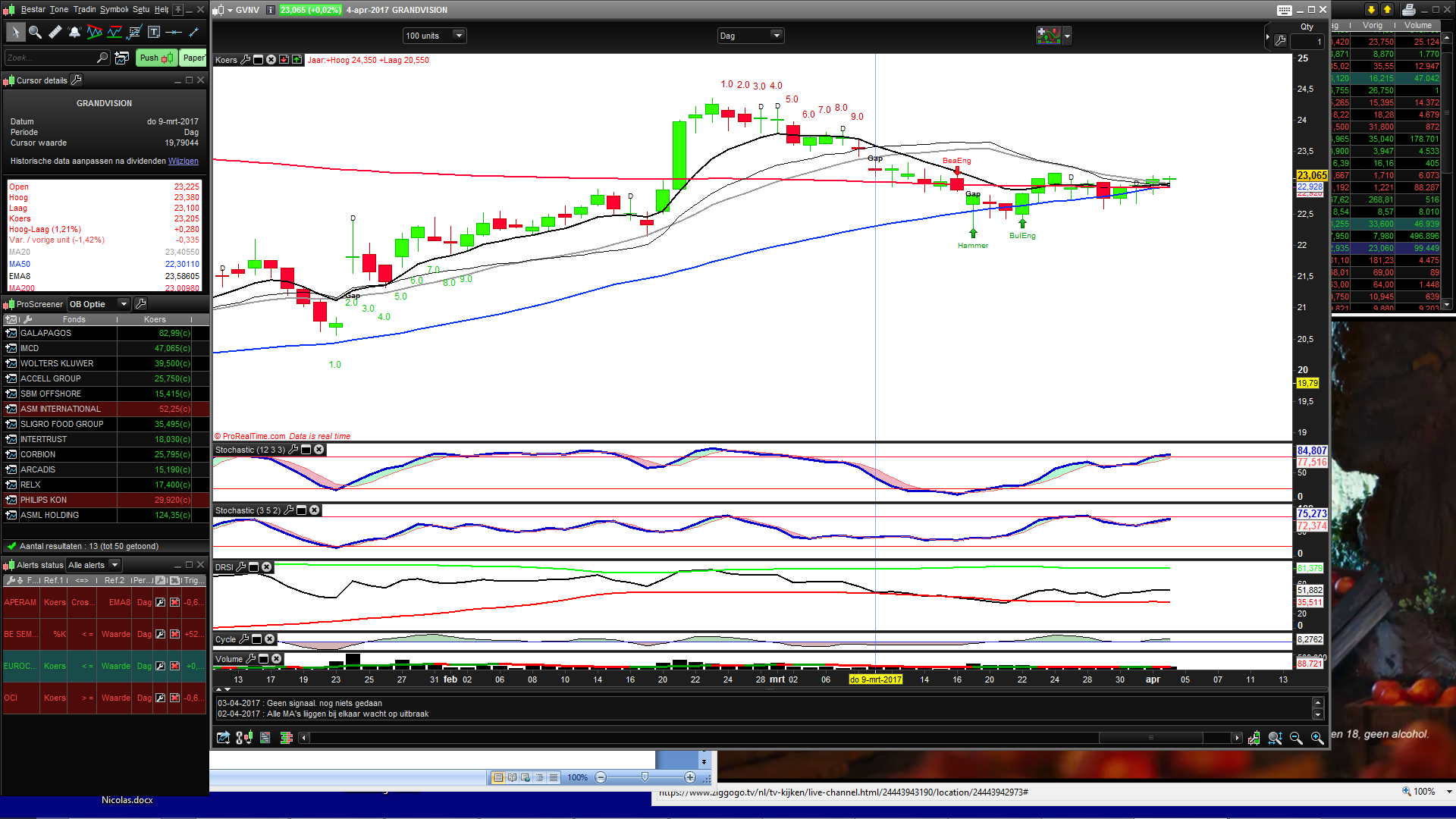
At the lowest arrow it doesnt start at the correct bar. The close of that bar is not higher then the 4th before that. It looks like normally a downswing should start.The correct place should be where now the 2.0 starts since there the closing price is higher then the closing price of 4th bar before that
The high arrow shows the start of the downswing which should have started at 3.0 cause thats the First time closing price was lower then the 4th bar before that.
Also after that downswing a new downswing should start after the resting dayafter 9.0
Hope it makes a little sense J
Rgds John
Heyy,
You guys are awesome! Thanks a lot.
How do i get this indicator on the chart instead of below the chart?
Hey Joeri,
Download the itf file Nicolas provided
Add a new indicator and import the itf file
Good luck 🙂
rgds
John
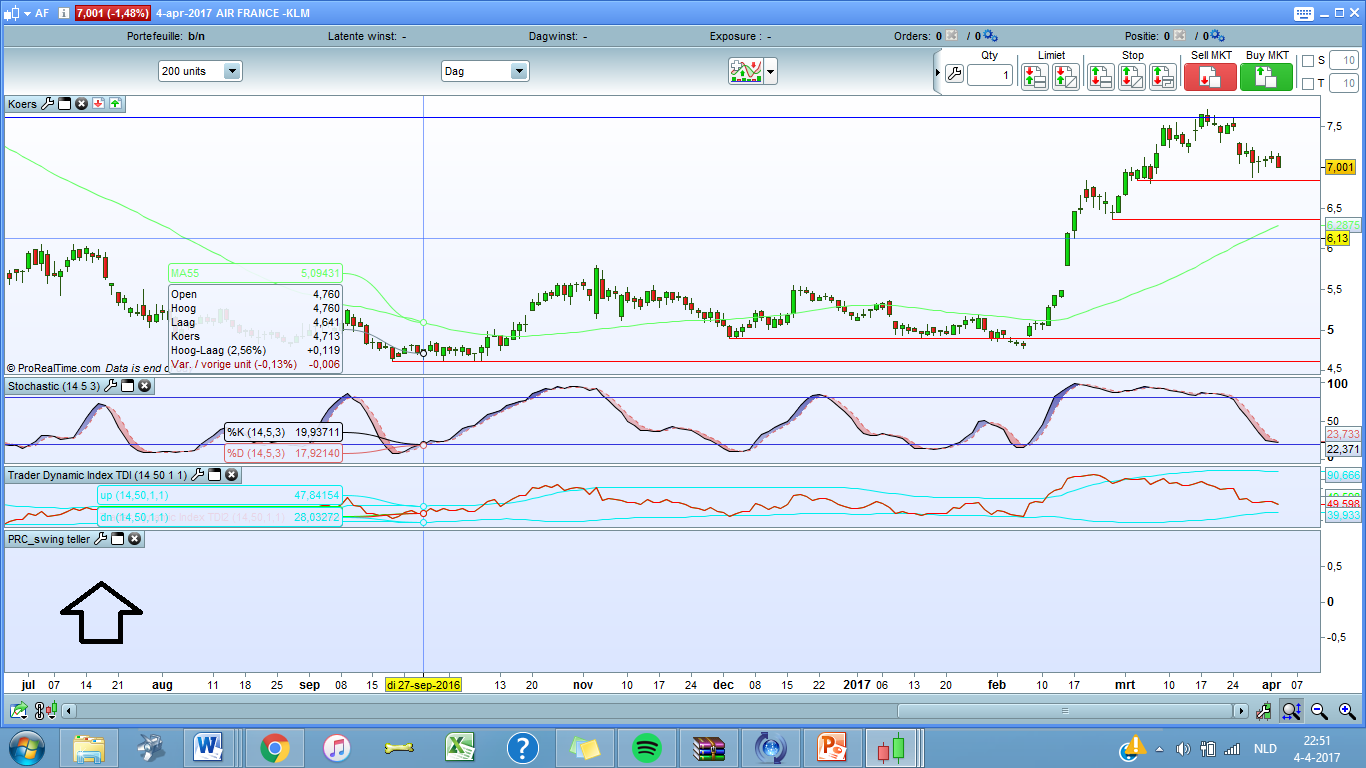
Yess I did but it looks like this now.
I have a picture attached to this message!
Joerie,
Once you imported it you must click on the tools icon in de “koers” graphic and add the indicator there
Its called the PRC_swingteller
Hope it works now
rgds
John
@JohnVS
Please upload pictures and comments in forums instead of attached file, you know it can save me some time! Thank you..
I think you didn’t read my last comment:
About the Close superior or inferior to the one 4 bars earlier, it is not how it is coded in the original code posted by joerie1, it is looking for the current Close to be superior to highest one of the last 3 bars (up swing) and vice versa for the down swing, but I modified as per your suggestion..
So now you want it to reverse it back to the original code?
Hi nicolas,
I have no idea how else to upload a file ? i cant copy it in here
It should not look at the higest of the last 3 bars, it should “compare” the closing prices of the current day and the 4 bars earlier.
If the price of the current bar is higher then the 4 bars earlier then it should start
For the downswing the same ofcource
Hope that helps
rgds
John
Hi Nicolas,
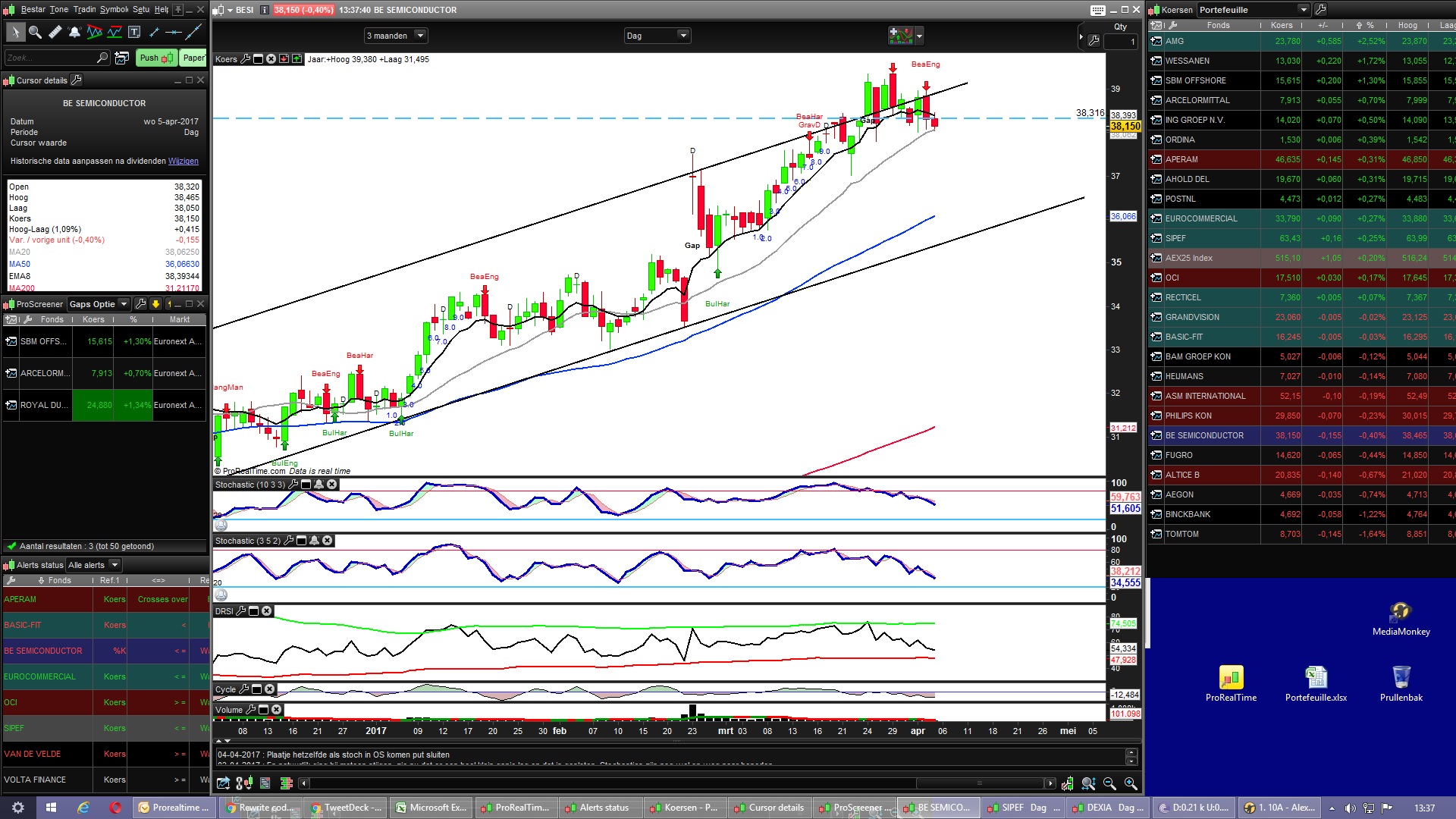
In the picture you see an arrow. The swing starts there but thas the wrong point.
It should start where now the 2.0 is. because that is the first one being higher then the bar 4 days ago.
The counting should continue if the next bar is again higher then the 4 bars before that 1, etc.
We will bust this i hope because we are very close 🙂
rgds
John
Upload pictures instead of Word document …. PLEASE!
PFA modified version. The counting was OK but my loop to draw the text was starting one bar previous the 9 count.
Okay,
hope this is better then 🙂
but did you see the pics and comments, ss it clear for you now what the intention is?
hope so
rgds
John
Hey Nicolas,
Yes ! Awesome its working !!
Question : it only plots the swing when its complete right? Think you said you was gonna work on that when the counting was correct?
Also the digit 1.0 2.0 .. etc showing is still in progess i assume
would also be awesome if you could put the number in a square like in the original picture was shown
It would make the swingstart stand out more. If not no problem i think its great already 🙂
You are brilliant thats for sure, and many thanks for your patience 🙂
rgds
John