[Req] Alan's Box

Viewing 13 posts - 1 through 13 (of 13 total)

  • Author
    Posts
  • #77294 quote
    rapid
    Participant
    New
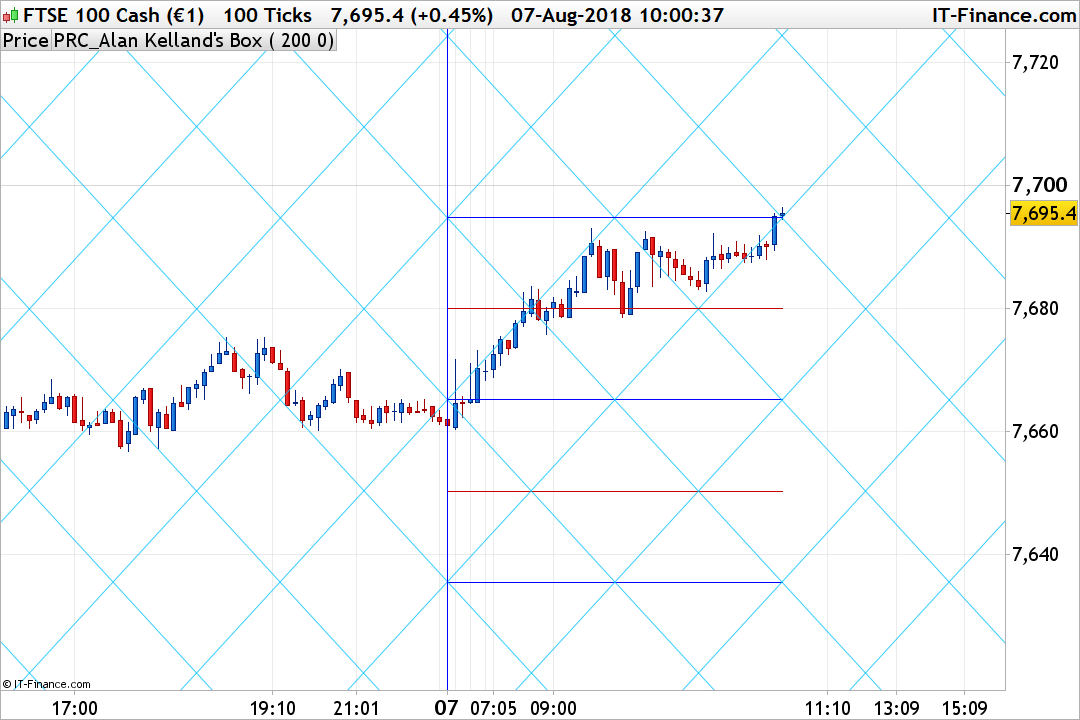
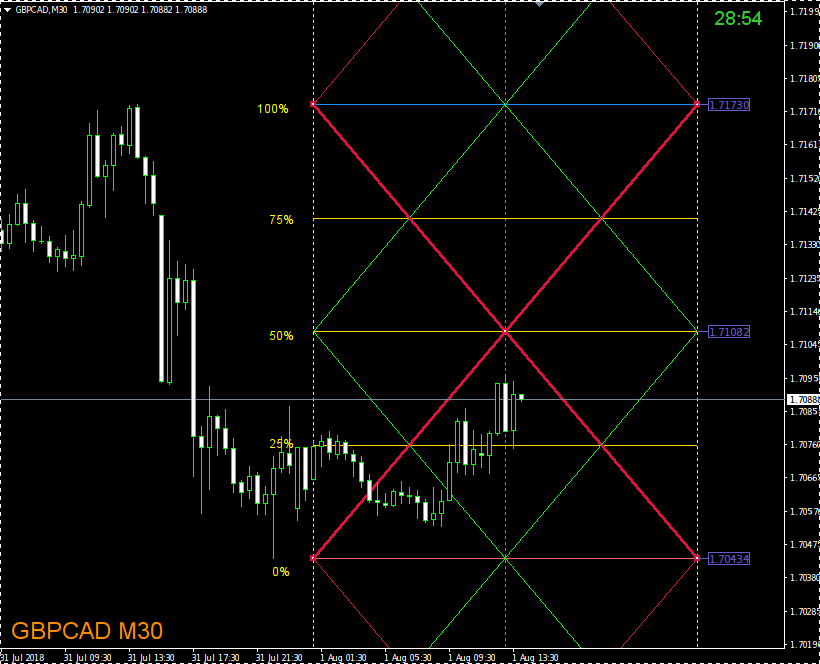
    Can anyone help me with creating an Alan’s square indicator for day/week/month/year?
    ABox_01.png ABox_01.png
    #77690 quote
    Nicolas
    Keymaster
    Master

    Hi, I made a transcript of the description of the link you have provided to code this indicator:

    Alan Kelland’s Box – DaBox

    You can download it directly from the library. Added the different timeframes capabilities for the highest high and lowest low calculation.

    Alan-Kelland-square-box-1.png Alan-Kelland-square-box-1.png
    #78157 quote
    rapid
    Participant
    New

    Thank you! Good luck and prosperity

    #78160 quote
    rapid
    Participant
    New

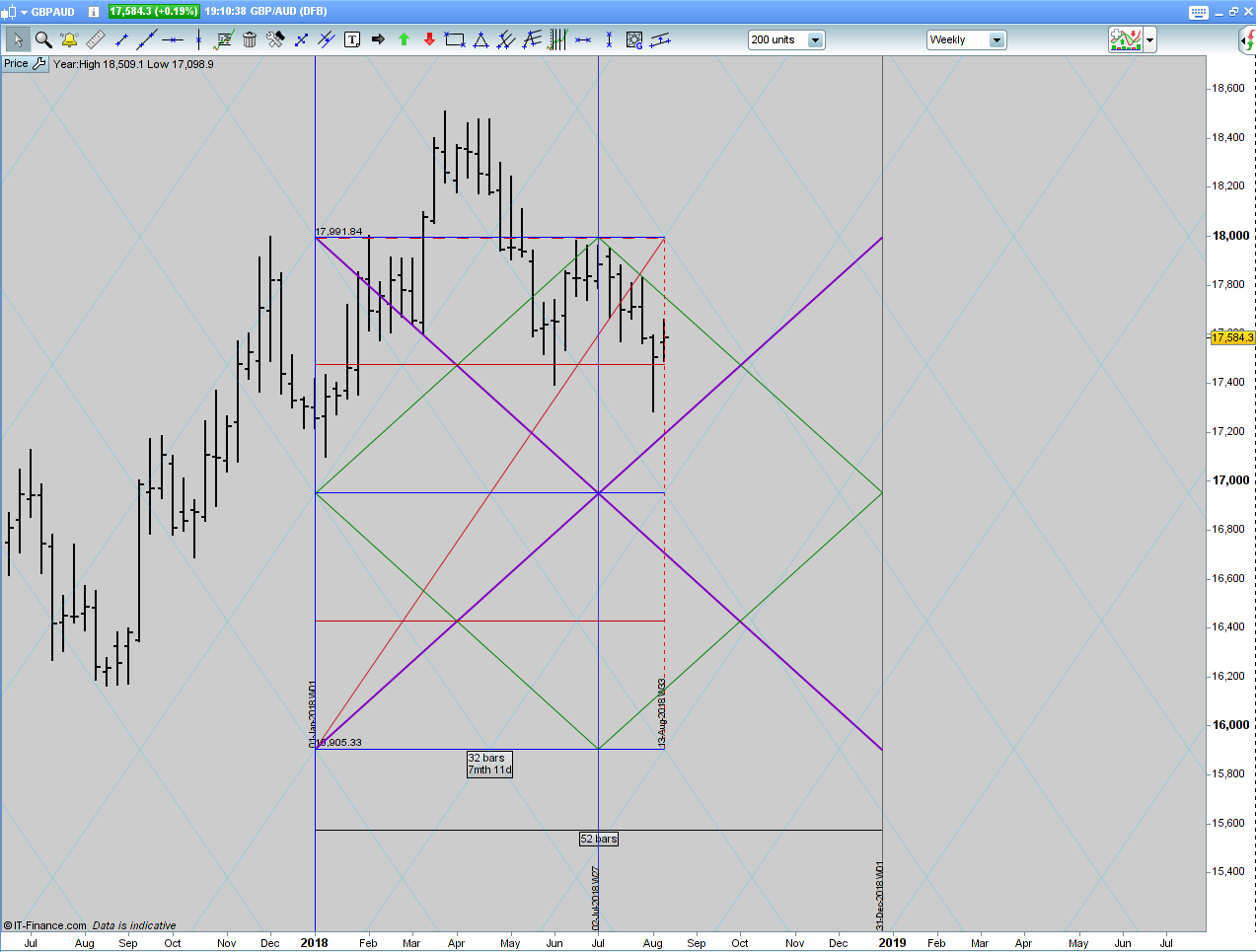
    Dear Nicolas! I see beautiful horizontal levels, but there is an error in the calculation of the angulars. So, for example, the annual box, the length of the main diagonal is 52 bars. But the indicator builds this diagonal with a length of 32 bars.

    ab_yearly.png ab_yearly.png
    #78163 quote
    Nicolas
    Keymaster
    Master

    Use daily timeframe in order to calculate correctly the weekly levels and angular lines.

    #78173 quote
    rapid
    Participant
    New

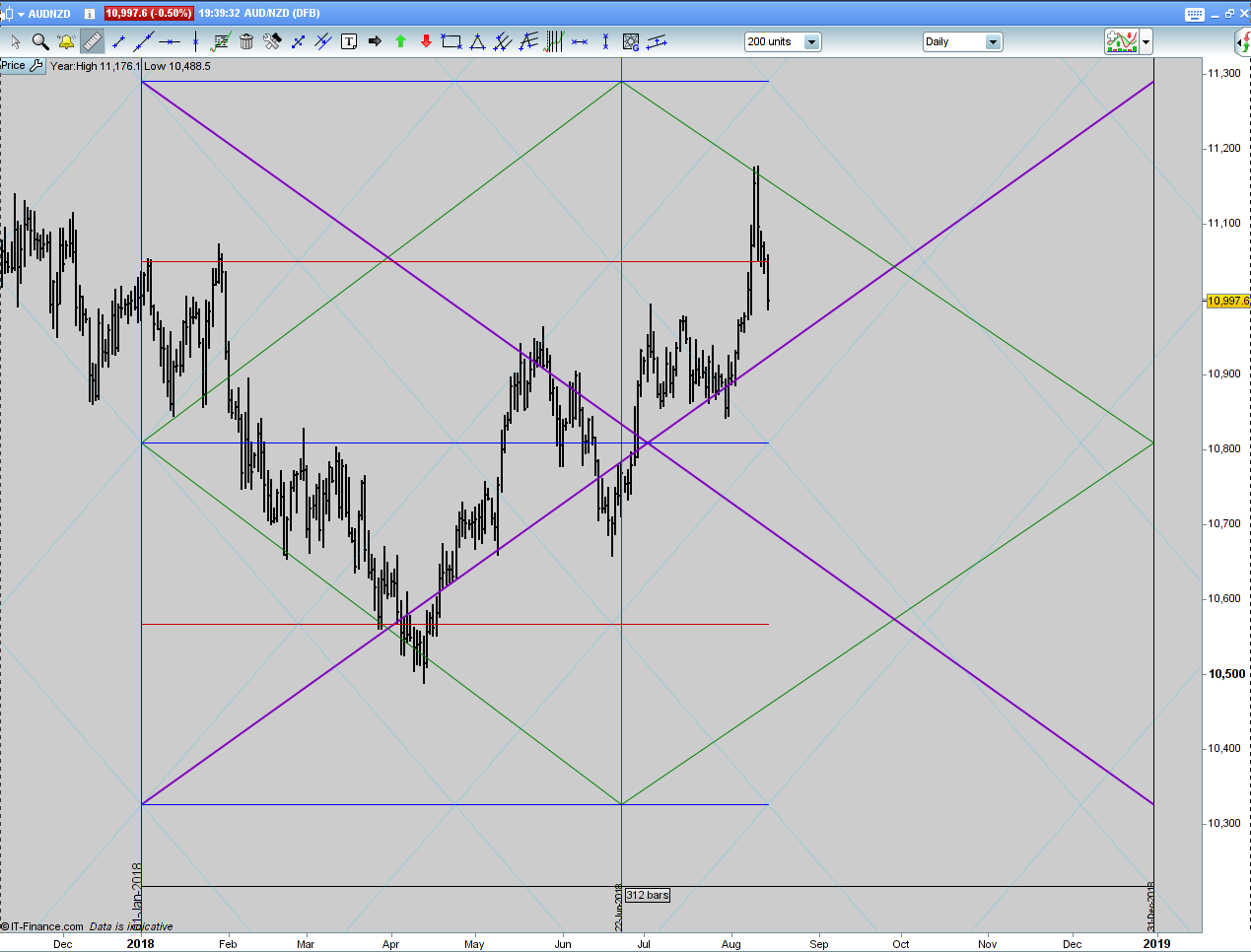
    Apparently, the discrepancy does not lie in the selected timeframe.

    ab_yearly_01.png ab_yearly_01.png
    #78372 quote
    Nicolas
    Keymaster
    Master

    I think I know why, angulars are plotted from start of the selected period to the most current bar, not a fictional bar in the future.

    #78551 quote
    rapid
    Participant
    New

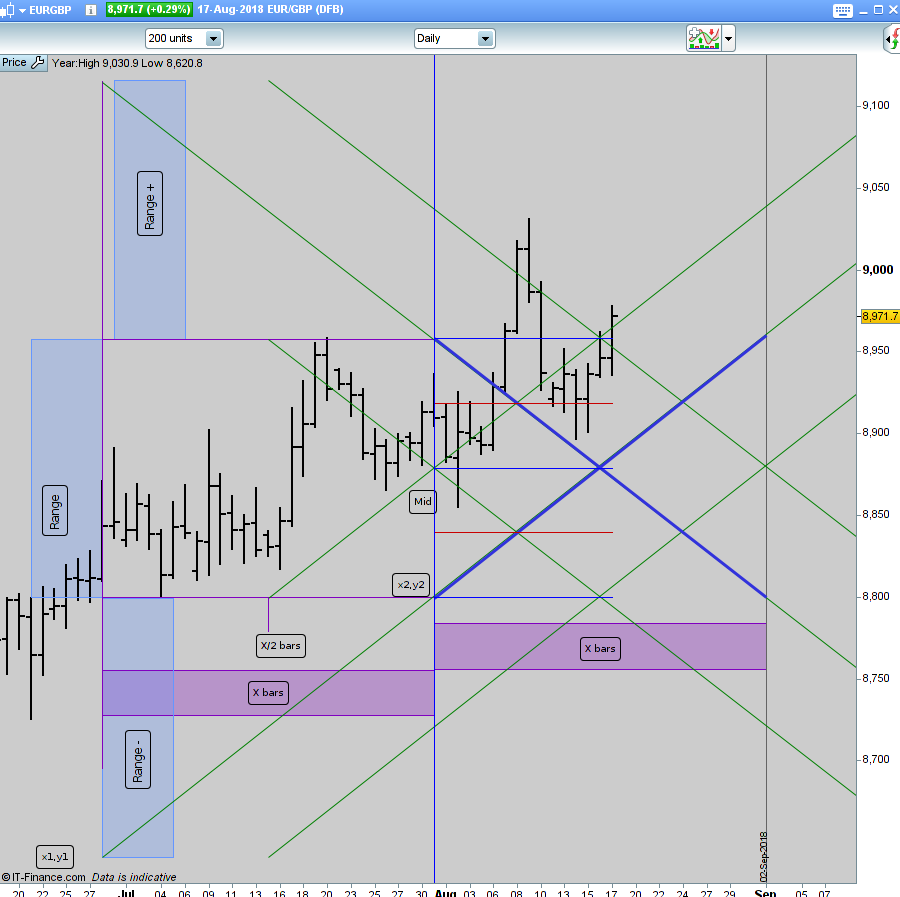
    Nicolas, correct me if I’m wrong. Since we know the height and width of the square, we can calculate the points in the past from where we can draw similar lines – giving us the required diagonals.

    ab_001.png ab_001.png
    #78634 quote
    Nicolas
    Keymaster
    Master

    Yes, but it doesn’t mean that x bars is a constant for each month in this example (monthly levels?).

    As for now, I have a better comprehension on how the diagonals are plotted: they should start at first day of the period and end at the last day of the same period? For example: August 1st -> August 31st , is it correct?

    #79441 quote
    rapid
    Participant
    New

    you’re right.

    #90237 quote
    swapping
    Participant
    Master

    Hello Nicolas, je reviens sur cet indicateur car je pense avoir trouvé un petit “couic” sur le dhigh(1) et dlow(1) indiqué à 1 alors que le bon fonctionnement est à 0 “zéro”! En dessous les lignes 14 et 15 d’origine

    if myTimeframe = 0 then
     hh = dhigh(1)
     ll = dlow(1)

    et la correction des lignes 14 et 15 ci après

    if myTimeframe = 0 then
     hh = dhigh(0)
     ll = dlow(0)

    si jamais il y a un truc qui m’échappe ou que j’ai mal interprété, je te lirais avec plaisir 😉

    cordialement, swapping

    #90238 quote
    Vonasi
    Moderator
    Master

    swapping – English in the English forum please.

    #90239 quote
    swapping
    Participant
    Master

    Oups !

    Hello Nicolas, I come back on this indicator because I think I found a little “squeak” on the dhigh (1) and dlow (1) indicated 1 while the good operation is 0 “zero”! corrected is line 14 dhigh(0) and line 15 is dlow(0)

Viewing 13 posts - 1 through 13 (of 13 total)
  • You must be logged in to reply to this topic.

[Req] Alan's Box


ProBuilder: Indicators & Custom Tools

New Reply
Author
author-avatar
rapid @rapid Participant
Summary

This topic contains 12 replies,
has 4 voices, and was last updated by swapping

7 years ago.

Topic Details
Forum: ProBuilder: Indicators & Custom Tools
Language: English
Started: 08/01/2018
Status: Active
Attachments: 5 files
Logo Logo
Loading...