

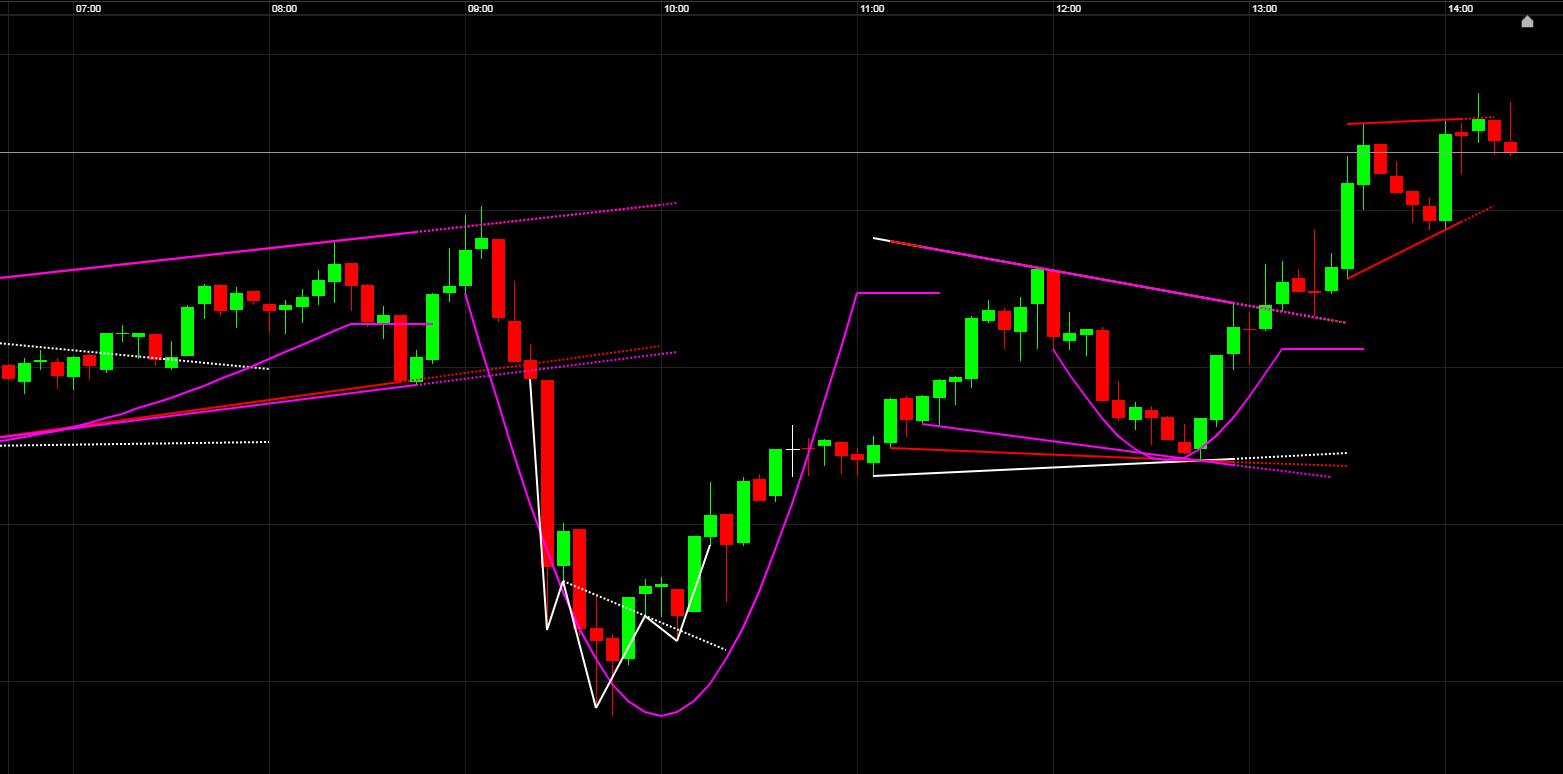




What I really, really would have liked to see would be a pattern recognition, wedges, cups, etc. and most of all a 1-2-3 trend reversal.
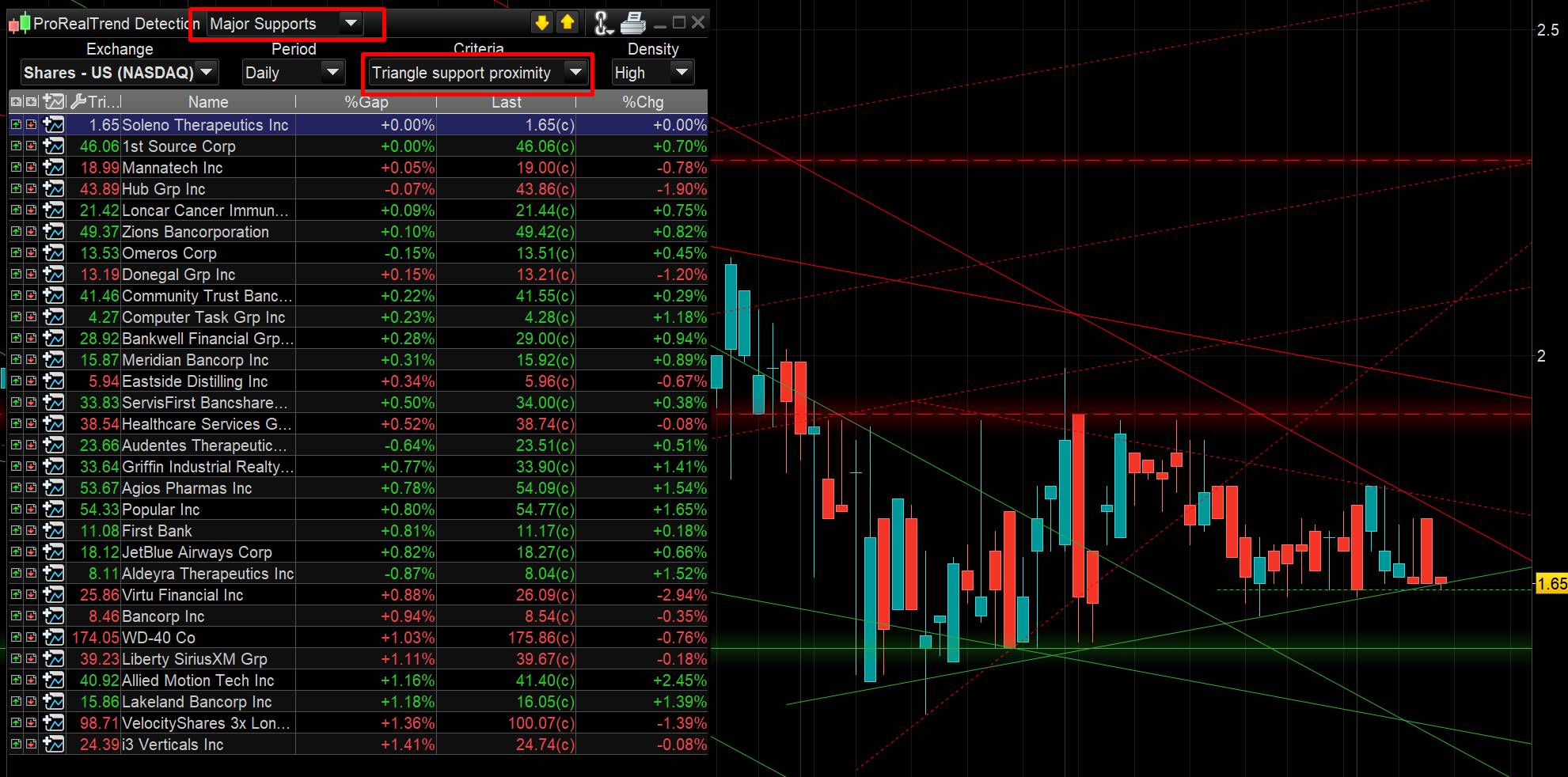
There is already a wedge pattern recognition in PRT in the ProRealTrend tool (see attached picture).
Another solution is to use this coded screener for wedge patterns: Wedge pattern screener
Hi Nicolas,
i meant something like this.
Will PRT 11 allow for using two different time units e.g. dayly and weekly in one indicator or one backtest ?
Still not for indicators. As for automatic trading strategies, that’s already possible, please refer to this blog post: First approach to multi timeframe trading with ProRealTime
Dear Nicolas,
Do you really think that MTF will be released soon?
So, for what I can see from the #prorealtime11# post at the end MTF is the only real good improvement that we can expect.
What about the other “hig level” funcion engine” like Intramarket strategies, ensemble strategie are in PRT planning?
Cristiano
Watermark is available in version 11.
Cris48, if you expect MTF for indicators, it’s not yet possible.
Pre-Open prices (market pre-open)
Pre-Open prices will now be displayed on charts and lists (during market pre-open).
[attachment file=”pre open price market pre-open prorealtime v11.png”]
Can i suggest something that we really need? I use ProRealTime with Ig markets and interactive, i made some trading system that i use on ig markets and i want to use them in real market, but i know ProOrder is not supported, but if i want to use them like signal i have to be always online, but most of platforms have a function that permits to send an E-mail with the signal, That would be an HUGE improvements for Pro Real Time. Actually we can only send sms or E-mail with Alarm system that is very very limited, and it need always to be reactivated after a signal.
Please please consider this improvements.
Recent executed orders display
Click on a recently executed order to display it in the “Order List” window, or after running a backtest, click on the order to display it in the ProBacktest resutlts.
Trading information panel
The trading information panel and the trading panel can be placed side by side to save additional space on your charts.
[attachment file=”trading information panel prorealtime v11.png”]
New dropdown menus
Most dropdown menus in the platform are now organized in columns and include a search bar to find what you are looking for more easily.
[attachment file=”dropdown menu prt v11.png”]
New options menu and search bar
The options menu also now includes a search bar to find every option in the platform easily.
[attachment file=”options menu and search bar prorealtime v11.png”]