perfect trendline2 scanner for signals

Viewing 7 posts - 1 through 7 (of 7 total)
  • Author
    Posts
  • #183832 quote
    cavineetcavineet
    Participant
    Average
    Hello Nicolas,
    I really liked the indicator ” perfect trendline2″. Thanks so much for creating this  Is it possible for you to convert this into a scanner that to identify the stocks giving the signals
    Thanks
    Vineet
    PRC_PerfectTrendLine-2.itf
    #183843 quote
    robertogozzirobertogozzi
    Moderator
    Legend

    There you go:

    SlowLength         = 7 // Slow length
    FastLength         = 3 // Fast length
    fasthigh = Highest[SlowLength](high)//[1]
    fastlow  = Lowest[SlowLength](low)//[1]
    slowhigh = Highest[FastLength](high)//[1]
    slowlow  = Lowest[FastLength](low)//[1]
    ONCE Trend = 0
    if high<slowhigh then
       thighs=slowhigh
    else
       thighs=high
    endif
    if low>slowlow then
       tlows=slowlow
    else
       tlows=low
    endif
    if high<fasthigh then
       thighf=fasthigh
    else
       thighf=high
    endif
    if low>fastlow then
       tlowf=fastlow
    else
       tlowf=low
    endif
    if close>slowln[1] then
       slowln=tlows
    else
       slowln=thighs
    endif
    if close>fastln[1] then
       fastln=tlowf
    else
       fastln=thighf
    endif
    if close<slowln and close<fastln then
       trend=2
    endif
    if close>slowln and close>fastln then
       trend=1
    endif
    x = 0
    IF Trend <> Trend[1] THEN
       x = Trend
    endif
    SCREENER[x](x AS "1=↑, 2=↓")
    #183861 quote
    cavineetcavineet
    Participant
    Average

    Hi Robert, thanks,

    This screen is not taking conditions

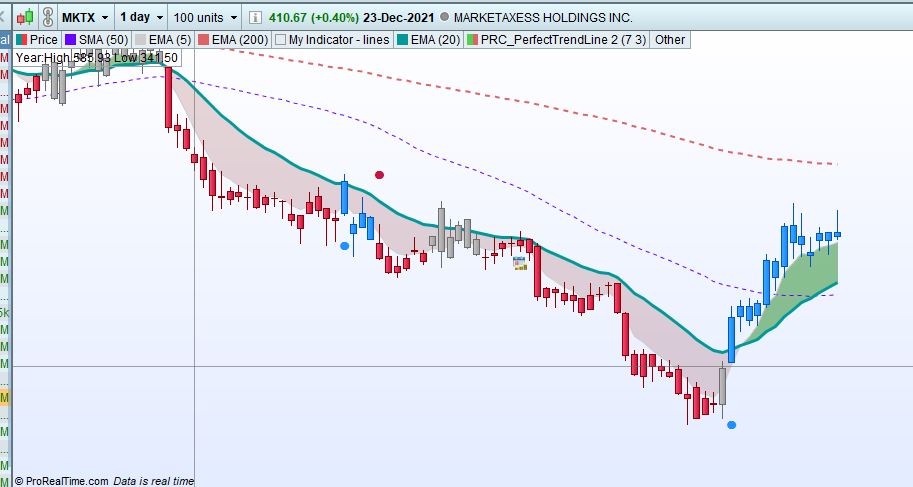
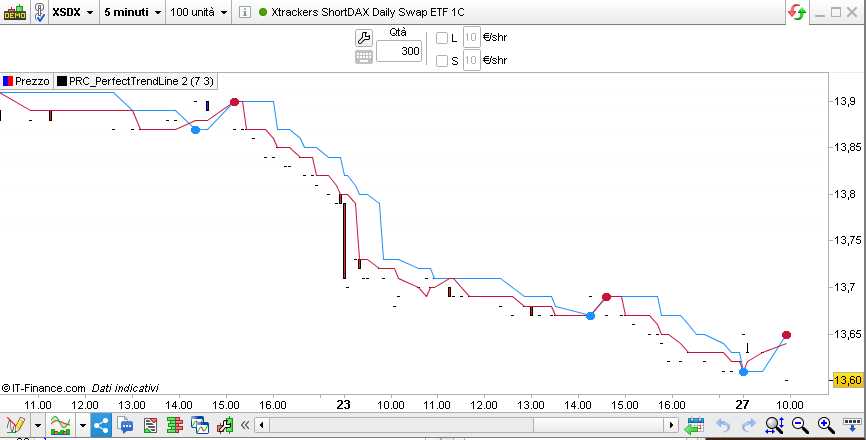
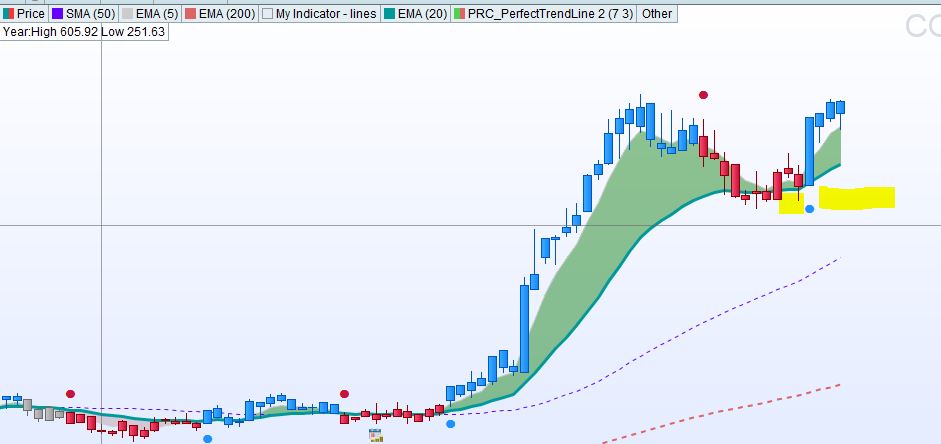
    1) Throw the stocks that gets drawtext(“●”,barindex,fastln,Dialog,Bold,10) coloured(r,g,b)

    Please see the screenshot, it is late after 4 candles and 13 candles respectively


    Also how to find Red signal or blue signal

    Perfect-Trend.jpg Perfect-Trend.jpg Perfect-Trend2.jpg Perfect-Trend2.jpg
    #183868 quote
    robertogozzirobertogozzi
    Moderator
    Legend

    It works perfectly on my Platform.

    Make sure the scfreener and the indicator share the same settings.

    The screener return “1=↑, 2=↓”.

    x-8.jpg x-8.jpg
    #183883 quote
    cavineetcavineet
    Participant
    Average

    Thanks,


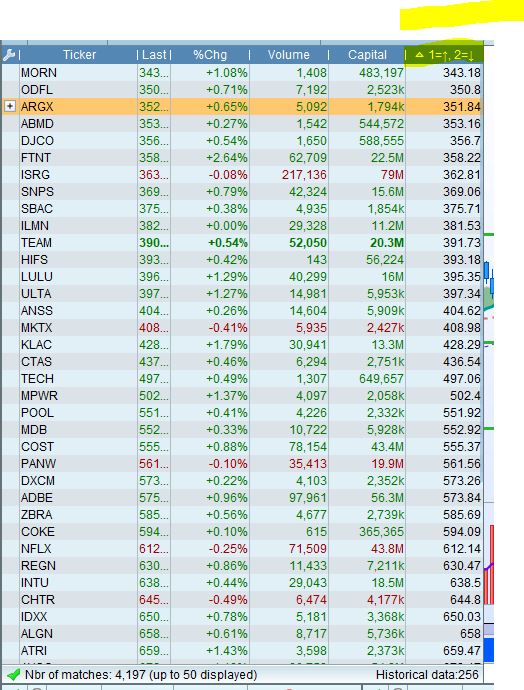
    Please see in screenshot “1=↑, 2=↓” colums returns the Price. How to sort out BUYs and Sells


    Can you please send and indicator with the same setting you are using, I will import and try that in case that resolves my issue

    Protrend.jpg Protrend.jpg
    #183885 quote
    robertogozzirobertogozzi
    Moderator
    Legend

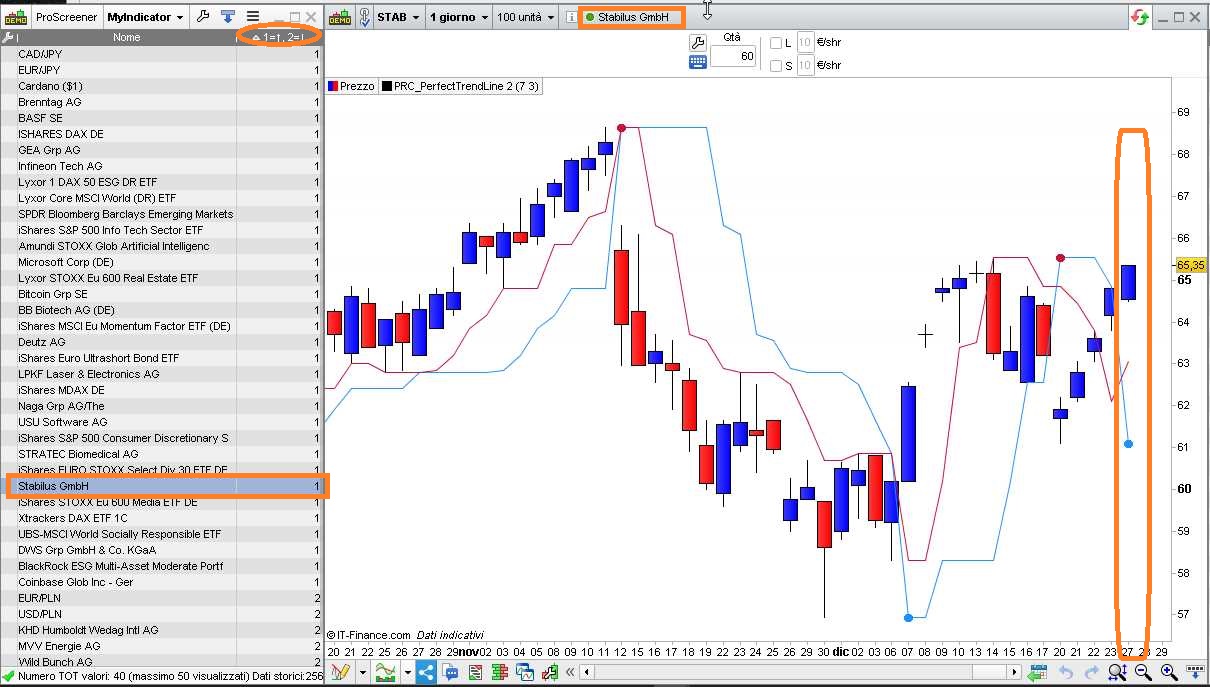
    I am attaching a picture + ITF file.

    x-9.jpg x-9.jpg MyScreener.itf
    #183905 quote
    cavineetcavineet
    Participant
    Average

    Thank you so much, Robert, I really appreciate the work.  You are great.

    Take care.

Viewing 7 posts - 1 through 7 (of 7 total)
  • You must be logged in to reply to this topic.

ProRealAI ProRealAI New

Stuck on this ProBuilder code?

Describe what this topic is trying to build, in plain English, and ProRealAI writes the ProRealTime™ indicator, screener or system for you.

Available in 7 languages
Try ProRealAI

perfect trendline2 scanner for signals


ProScreener: Market Scanners & Detection

New Reply
Author
author-avatar
cavineet @cavineet Participant
Summary

This topic contains 6 replies,
has 2 voices, and was last updated by cavineetcavineet

4 years, 8 months ago.

Topic Details
Forum: ProScreener: Market Scanners & Detection
Language: English
Started: 12/25/2021
Status: Active
Attachments: 7 files
ProRealCode ProRealCode
Loading...