Hello all.
I hope someone can help me out here.
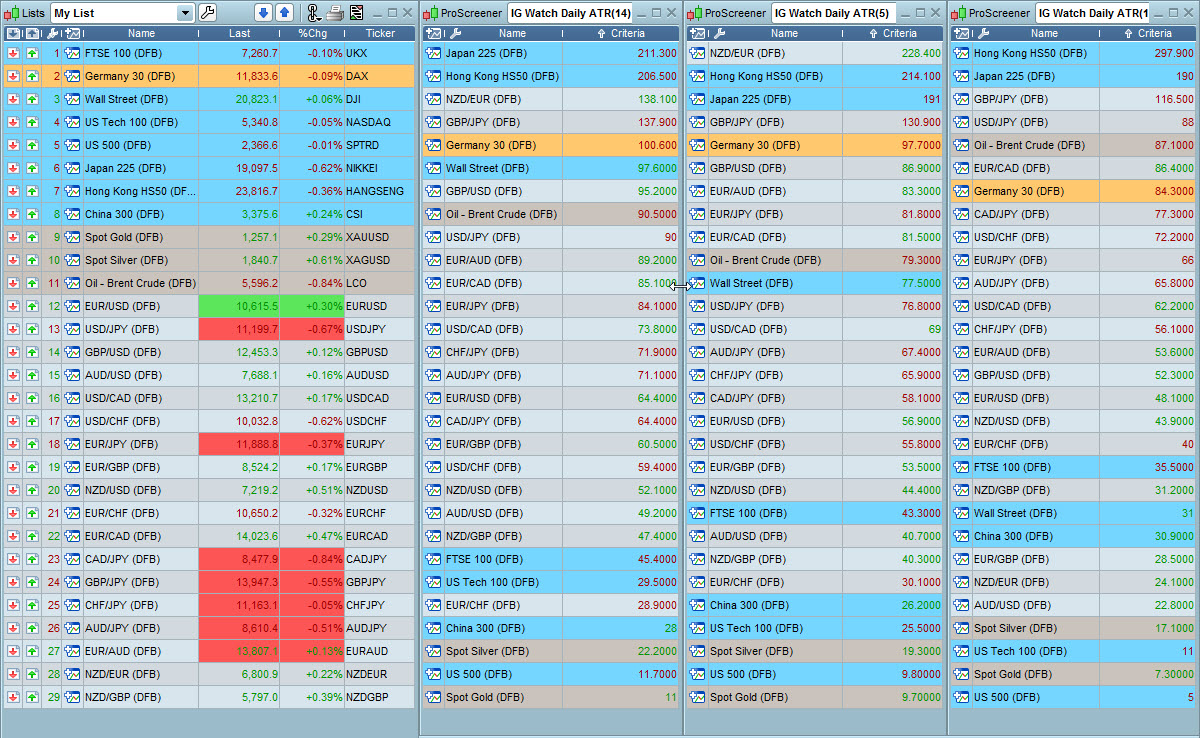
I have a simple ProScreener window open for ATR, actually 3 proscreener windows I have open, all displaying different ATR values.
Code for each is below; (But obviously for 5 period and 1 period ATR the code is adjusted to suit,,,,,, all on daily).
Avtfx=AverageTrueRange[14](Close)
Screener(Avtfx)
My problem is, I’d like to also have the same code for 5 period ATR and 1 period ATR all displayed within 1 Proscreener if possible and not have 3 Pro Screeners open at the same time.
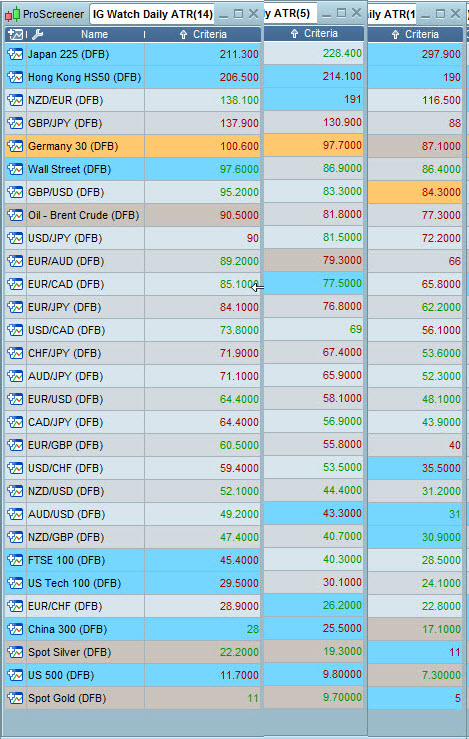
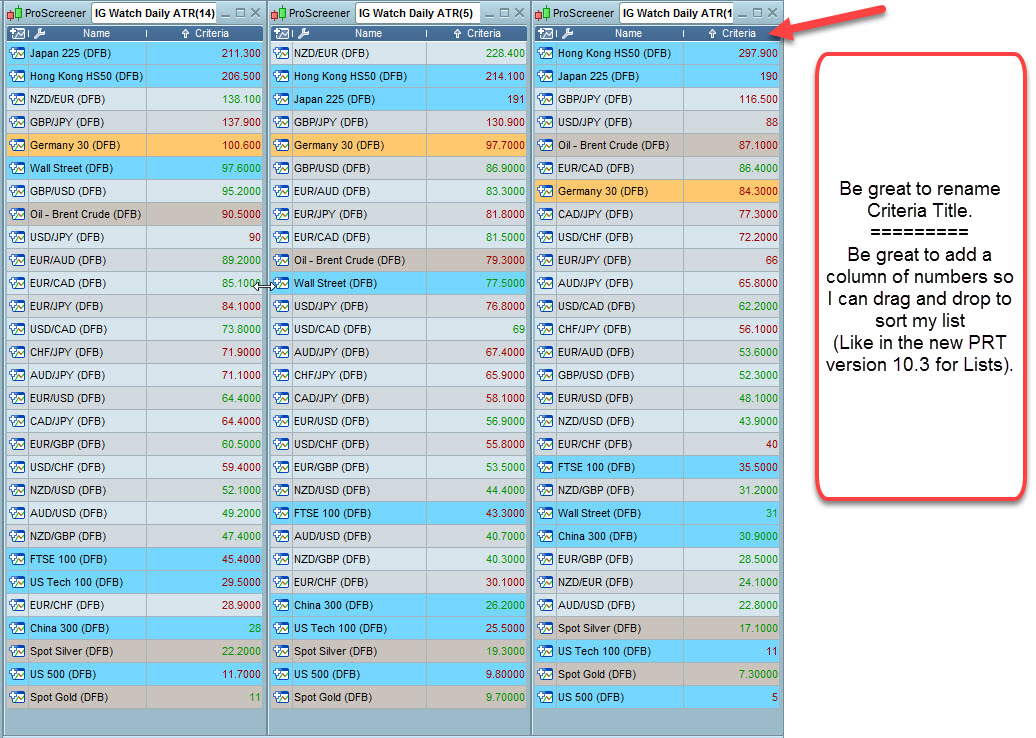
I attach 3 screenshots of what I have now, and a mockup of what I’d like to have if possible.
Thing is,, in it’s present form having 3 Proscreeners makes my screen too busy, I mean 3 times I’m repeating the Name of the instrument!
So you can see I have 3 ProScreener windows (1 for (14) ATR, 1 for (5) ATR & 1 for (1) period ATR.
My question is, can I create 1 ProScreener that will show All 3 ATR values in different Criteria columns ?
The MockUp Image illustrates my thinking and rationale.
(Be great if in ProScreener you could also have a numbered column (Like in my LISTS window, I think this was implimented in version 10.3?), so I can sort the ProScreener via drag and drop how I would like it to be viewed.
Great if you could rename ‘Criteria’ columns headings,, IE so I could call 1, ATR(14) instead of ‘Criteria), etc etc
I hope the above makes sense.
I’m crossing my fingers and toes here 🙂
Many thanks
DowBoy