I have a multiple line if statement used to filter out a series of constraints. I would like to know if there is a function to exit the if statement if a condition is met without running through the whole statement.
Eg
IF Condition A then
X = 0
ELSIF Condition B then
X = 1
ELSIF Condition C then
X = 0
ELSE
X=1
ENDIF
In the example above assume there is an overlap between Condition A and B.
If the code runs on this overlap, then X is set to 0 as it fulfils Condition A but is then set back to 1 as it fulfils Condition B
I would like to know if there is a way to exit the statement as soon as the condition is set to 0, without it moving through the whole IF statement ?
Thanks
JSParticipant
Senior
An “early” exit is not possible…
One possible solution is to adjust your conditions, for example:
If Condition A and Condition B then
X = 0
ElsIf Condition B then
X = 1
…
ELSIF and ELSE are only executed alternatively:
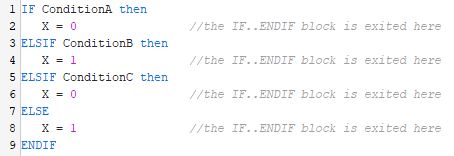
IF ConditionA then
X = 0 //the IF..ENDIF block is exited here
ELSIF ConditionB then
X = 1 //the IF..ENDIF block is exited here
ELSIF ConditionC then
X = 0 //the IF..ENDIF block is exited here
ELSE
X = 1 //the IF..ENDIF block is exited here
ENDIF
I can’t see any condition overlapping any of the other ones.
Hi!
In ProBuilder, the structure
IF ... ELSIF ... ELSE ... ENDIF is specifically designed to stop evaluating as soon as one condition is met. That means, if Condition A is true, the subsequent conditions (Condition B, C, etc.) are not evaluated at all.
So, the behavior you’re describing, where X gets reassigned after meeting Condition A,should not happen if you’re using a proper ELSIF chain.
Here you have an example:
ema=average[50](close)
if close > ema then
count1=1+count1
elsif close crosses over ema then
count2=1+count2
endif
return count1, count2
Count2 will always be 0.
If you use to if endif then it will be different:
ema=average[50](close)
if close > ema then
count1=1+count1
endif
if close crosses over ema then
count2=1+count2
endif
return count1, count2