I am trying to find the lowest price of a stock for the past N weeks. For BABA, when I use LOWEST[254] applied to weeks, BABA get filtered out in the screener result because it is a relatively new stock and does not have 254 weeks of history. I would think if the stock does not have enough history, LOWEST will just return me the lowest in the period that is available for that stock. But it just filter them out, which is not what I want. So my question is how can I achieve what I want? Is there a variable that captures the number of bars available for a given stock so I can use that variable? eg. LOWEST[NumbersOfBarsAvailable]
Also, what if I wanna apply screener to data prior to 254 weeks ago. Is there a feature like that? Can I apply unit bar to months, in addition to days and weeks? That would be another solution.
ps: LOWEST[254] is the max I can go it seems. If above variable(NumbersOfBarsAvailable) exists, and the value is more than 254, I guess it would not work either. I would have to do LOWEST[MIN(254,NumbersOfBarsAvailable)] I guess.
Any suggestions and/or answers to my above questions will be greatly appreciated!
254 bars is the max history available in ProScreener. BARINDEX will give you the number of bars read in the history, and since history is read from left to right, your code snippet:
NumbersOfBarsAvailable = barindex
ll = LOWEST[MIN(254,NumbersOfBarsAvailable)]
should work.
A simple test with this dummy screener code should return you the quantity of bars available for each stock:
NumbersOfBarsAvailable = barindex
ll = LOWEST[MIN(254,NumbersOfBarsAvailable)]
screener [ll] (NumbersOfBarsAvailable as "bars available")
(not tested, could not work 🙂 )
barIndex actually means something totally different. I think it only means something when you are doing a for loop of some kind. I don’t think your code will work. Can you try it?
Did you test yourself? It works, but we made a wrong use of LOWEST 😐
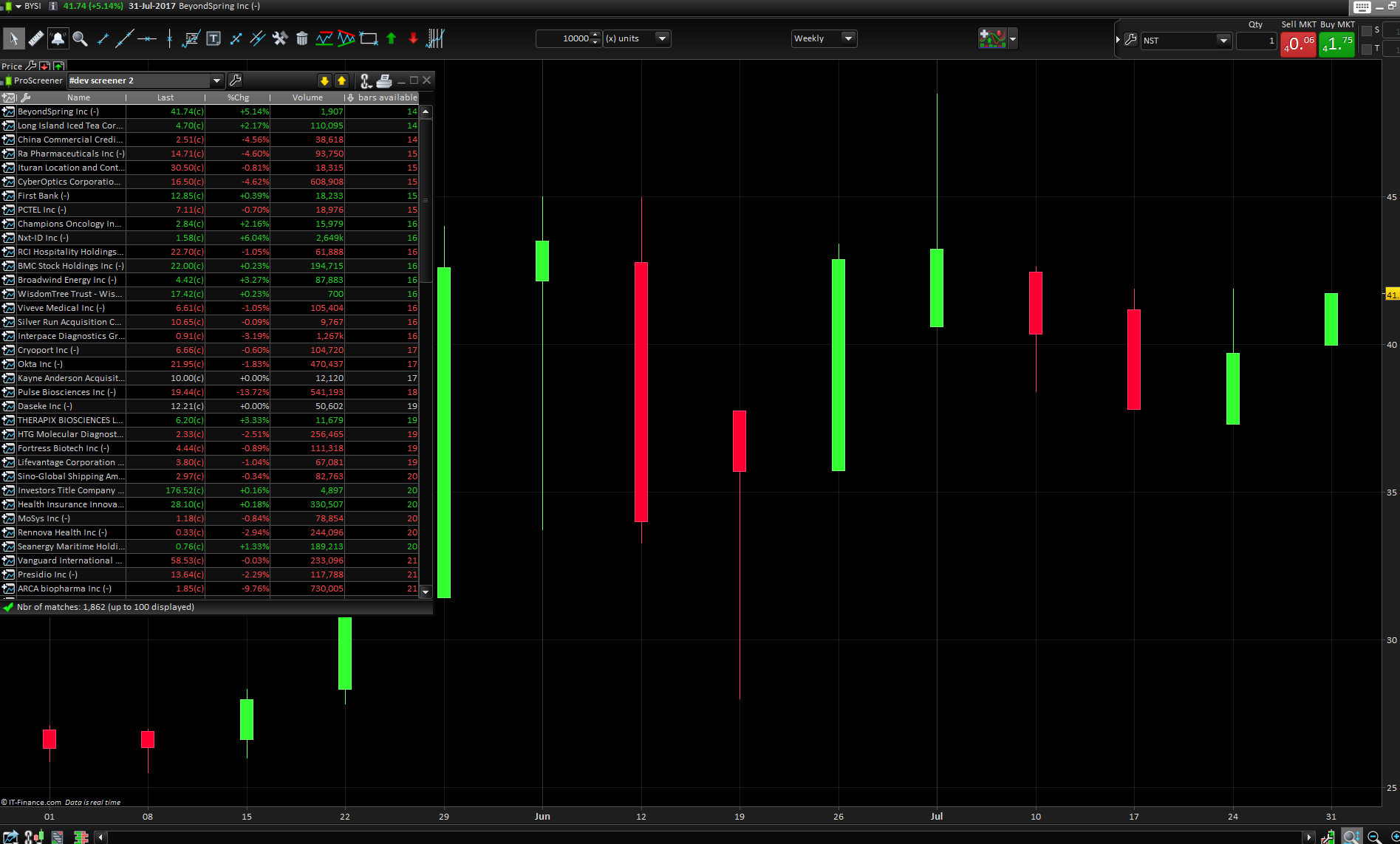
Please find below the good code and the result of a stock with only 14 bars in a weekly chart, bars quantity seems to be correctly returned in the criteria column of the screener window.
NumbersOfBarsAvailable = barindex
ll =MIN(254,NumbersOfBarsAvailable)
screener [ll] (NumbersOfBarsAvailable as "bars available")