Lower time frame

Viewing 9 posts - 1 through 9 (of 9 total)
  • Author
    Posts
  • #234207 quote
    sam00075
    Participant
    New

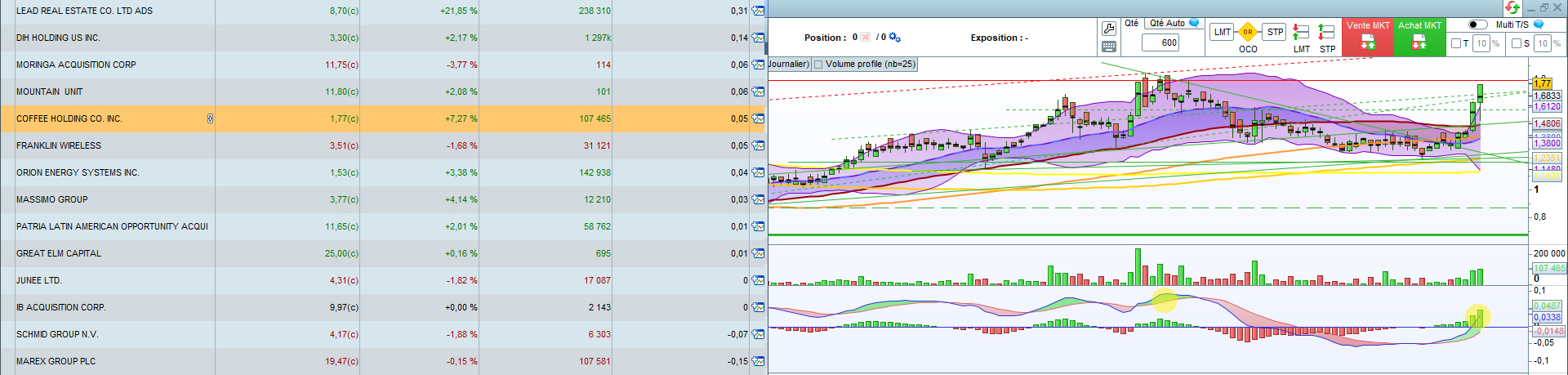
    Hello the community, can you help me please with these 2 screeners, i need them to be working on 4H/1H/30min/5min/1min instead of the Day/Week.

    Thanks in advance.


    JD 52 Week High

    JD 52 Week High

    2
    3
    4
    5
    6

    timeframe(Daily)
    indicator1 = highest[250](close[1])
    c1 = (close >= indicator1)
    Criteria = RSI[14](Close)

    SCREENER[c1] (Criteria as”RSI”)


    New 265 day highs

    New 265 day highs

    2
    3
    4
    5
    6
    7
    8
    9

    timeframe (weekly)
    yearHi=highest[52](high)

    timeframe(daily)
    todayhi=high

    c1=todayhi>yearhi[1]

    screener[c1] (yearhi as”yearHigh”)

    #234214 quote
    robertogozzi
    Moderator
    Master

    These modifications allow you to use them on any TF equal or lower than the DAILY timeframe.

    Code 1:

    timeframe(Daily)
    indicator1 = highest[250](close[1])
    
    Timeframe(default)
    c1 = (close >= indicator1)
    Criteria = RSI[14](Close)
    
    SCREENER[c1] (Criteria as”RSI”)

    code 2:

    timeframe (weekly)
    yearHi=highest[52](high)
    
    timeframe(daily)
    todayhi=high
    
    timeframe(default)
    c1=todayhi>yearhi[1]
    
    screener[c1] (yearhi as”yearHigh”)
    sam00075 thanked this post
    #234229 quote
    sam00075
    Participant
    New

    Hello, thanks for the reply. Doesn’t work unfortunately, still gives the Weekly results.

    #234238 quote
    JS
    Participant
    Senior

    Hi Sam,
    I don’t think it’s entirely clear what you want to achieve…
    Instead of the “weekly and daily time frame”, do you want to use the mentioned time frame (4H, 1H, 30 min, 5 min, 1 min) …?

    TimeFrame(4 hours) //or 1 hour, 30 minutes, 5 minutes, 1 minute
    Indicator1=Highest[250](Close[1]
    C1=(Close>=Indicator1)
    Criteria=RSI[14](Close)
    Screener[C1](Criteria as “RSI”)
    
    sam00075 and robertogozzi thanked this post
    #234270 quote
    sam00075
    Participant
    New

    That was it. Thank you.

    Do you know how to add an other criteria : MACD at the highest 52 weeks or 265 days ?

    #234272 quote
    JS
    Participant
    Senior

    Hi Sam,

    Here is the screener for “MACD highest 265 days”…

    TimeFrame(Daily)
    myMACD=MACD[12,26,9](Close)
    myHighestMACD=Highest[265](myMACD)
    C1=myMACD>myHighestMACD[1]
    
    Screener[C1](myMACD as "myMACD")

    sam00075 thanked this post
    #234274 quote
    sam00075
    Participant
    New
    Thank you for the reply, i think something is missing, it gives 0 results, even if i edit the timeframe.
    #234275 quote
    JS
    Participant
    Senior

    Strange, I do get results…

    sam00075 thanked this post
    Scherm­afbeelding-2024-06-24-om-08.35.59.jpg Scherm­afbeelding-2024-06-24-om-08.35.59.jpg
    #234277 quote
    sam00075
    Participant
    New
    I lowered the number from 265 to 255 and it works, might be some limitations of the Complete version vs the Premium version. Now the issue is that some results are not accurate : example $JVA where the MACD was higher less than 255 days before.   TimeFrame(Daily) myMACD=MACD[12,26,9](Close) myHighestMACD=Highest[255](myMACD) C1=myMACD>myHighestMACD[1] Screener[C1](myMACD as “myMACD”)
    macd.jpg macd.jpg
Viewing 9 posts - 1 through 9 (of 9 total)

  • You must be logged in to reply to this topic.

Lower time frame


ProScreener: Market Scanners & Detection

New Reply
Author
author-avatar
sam00075 @sam00075 Participant
Summary

This topic contains 8 replies,
has 3 voices, and was last updated by sam00075

1 year, 8 months ago.

Topic Details
Forum: ProScreener: Market Scanners & Detection
Language: English
Started: 06/22/2024
Status: Active
Attachments: 2 files
Logo Logo
Loading...