John Carter TTM Waves

Viewing 10 posts - 1 through 10 (of 10 total)
  • Author
    Posts
  • #89738 quote
    therealday
    Participant
    New

    Hi All

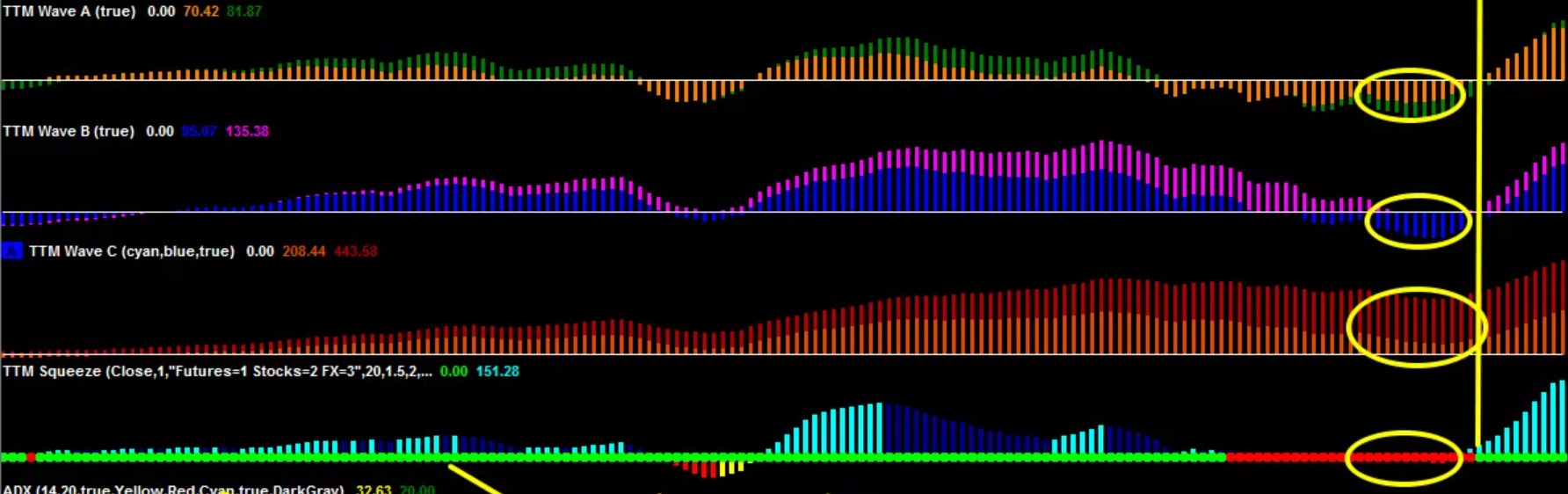
    I found the TTM squeeze/ price, I also would like to use the waves in conjunction to the primary indicator.

    (See attached )

    I would really appreciate if someone could create these waves,

    Thanks in advance

    TTM-wave.jpg TTM-wave.jpg
    #89834 quote
    therealday
    Participant
    New

    Here is a similar coding, but it is buggy

    Wave momentums

    #89846 quote
    Nicolas
    Keymaster
    Master

    Why buggy? TTM waves are similar to MACD but with different periods settings, FYI.

    #89961 quote
    therealday
    Participant
    New

    They don’t work at times and arn’t aesthetically pleasing


    @Nicolas
    , do you think you could make better waves that are similar to the picture?

    #89966 quote
    Nicolas
    Keymaster
    Master

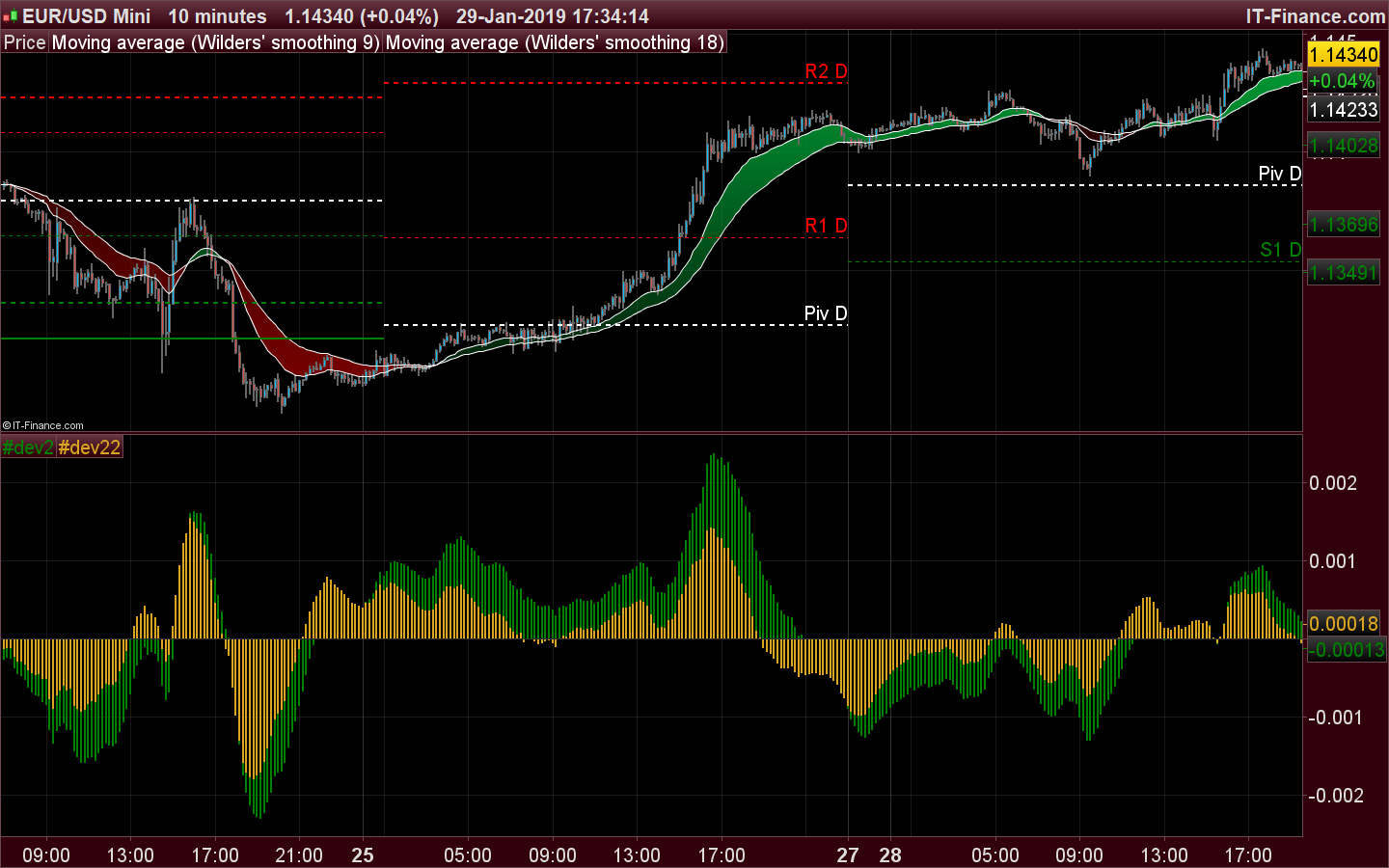
    Example for Wave A of the indicator you posted the link above:

    macd1= exponentialaverage[8](close)-exponentialaverage[34](close)
    signal1= average[34,1](macd1)
    hist1= macd1-signal1
    macd2= exponentialaverage[8](close)-exponentialaverage[55](close)
    signal2= average[55,1](macd2)
    hist2= macd2-signal2
    
    return hist2 coloured(0,128,0) style(histogram),hist1 coloured(218,165,32) style(histogram)

    You need to change the periods in order to get the waves B and C.

    TTM-WAVES.png TTM-WAVES.png
    #90007 quote
    therealday
    Participant
    New

    That A wave worked perfectly @nicolas, i appreciate it!

    I tried changing the periods to the following for wave B.. The wave just disappeared

    macd1= exponentialaverage[8](close)-exponentialaverage[89](close)
    signal1= average[89,1](macd1)
    hist1= macd1-signal1
    macd2= exponentialaverage[8](close)-exponentialaverage[144](close)
    signal2= average[144,1](macd2)
    hist2= macd2-signal2
    
    return hist2 coloured(0,128,0) style(histogram),hist1 coloured(218,165,32) style(histogram)


    I have no idea what I’m doing when it comes to coding, sorry if i’m being a nuisance…

    #90010 quote
    Nicolas
    Keymaster
    Master

    If you replace the original code by another, it is obvious that the older one ‘disappear’ 🙂

    Make a different indicator for each of the Wave, that’s the easier solution and name them differently: Wave A, Wave B, Wave C.

    therealday thanked this post
    #90014 quote
    therealday
    Participant
    New

    Thanks mate, my bad…

    finally i would like to change the colour for waves B and C.

    How would I go about doing this, or is there a video I should watch?

    #90015 quote
    Vonasi
    Moderator
    Master

    COLOURED

    Click on the colour chart image to see what numbers give you what colours.

    therealday thanked this post
    #90023 quote
    Nicolas
    Keymaster
    Master

    This website is my favourite to pick nice colors easily: http://cloford.com/resources/colours/500col.htm

    Vonasi and therealday thanked this post
Viewing 10 posts - 1 through 10 (of 10 total)
  • You must be logged in to reply to this topic.

John Carter TTM Waves


ProBuilder: Indicators & Custom Tools

New Reply
Author
author-avatar
therealday @theproday Participant
Summary

This topic contains 9 replies,
has 3 voices, and was last updated by Nicolas

7 years ago.

Topic Details
Forum: ProBuilder: Indicators & Custom Tools
Language: English
Started: 01/27/2019
Status: Active
Attachments: 2 files
Logo Logo
Loading...