How to Create Lists

Viewing 5 posts - 1 through 5 (of 5 total)

  • Author
    Posts
  • #163038 quote
    BardBard
    Participant
    Master

    I lost all my lists with the new update for some reason so I’m wondering (as for the life of me I can’t figure it out in V11), how to create and name a new list with currencies and indices? If you go to Lists I don’t see how to add anything, if you go to groups I don’t see how to make a selection a list and name it?

    Is there any new documentation to refer to – I searched google and only found videos from 2015…

    Thanks,
    Cheers,

    #163174 quote
    NicolasNicolas
    Keymaster
    Legend

    Go to Display / Lists and click on the wrench button and the list window will open. From there you can manage your lists, create, rename, delete, …

    display-list-prorealtime.png display-list-prorealtime.png
    #164067 quote
    BardBard
    Participant
    Master

    Thanks @Nicolas and apologies, I should have clarified I meant my Proscreener lists.

    I think it actually has remembered what groups I used from v10.3 for most of my Proscreener strategies but not all of them.

    Is there not a way for Proscreener to screen against the assets in “My Watchlist (20)” window which is the list you were referring to? (I thought I might be able select/access this via Proscreener “My Lists” in v11).

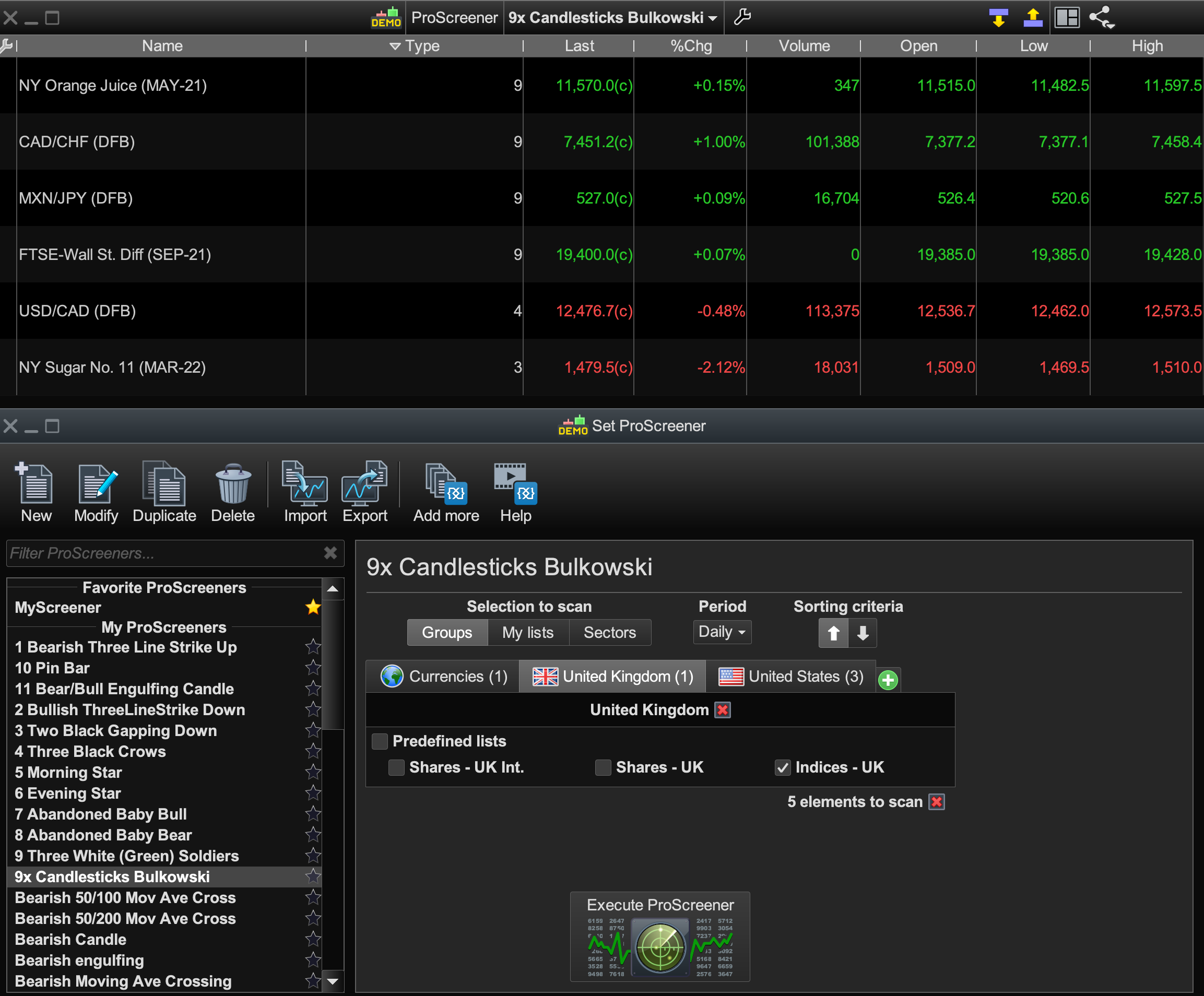
    So, if not, then I am not sure how to create and name a new Proscreener list that uses the previous v10.3 Groups that I used. Pls see Proscreener Groups image.

    Eg: For “Bulkowski Candlestick Patterns” it screens against the existing Groups I’d previously selected ages ago (Currencies, Indices (UK/US) and some Commodities).

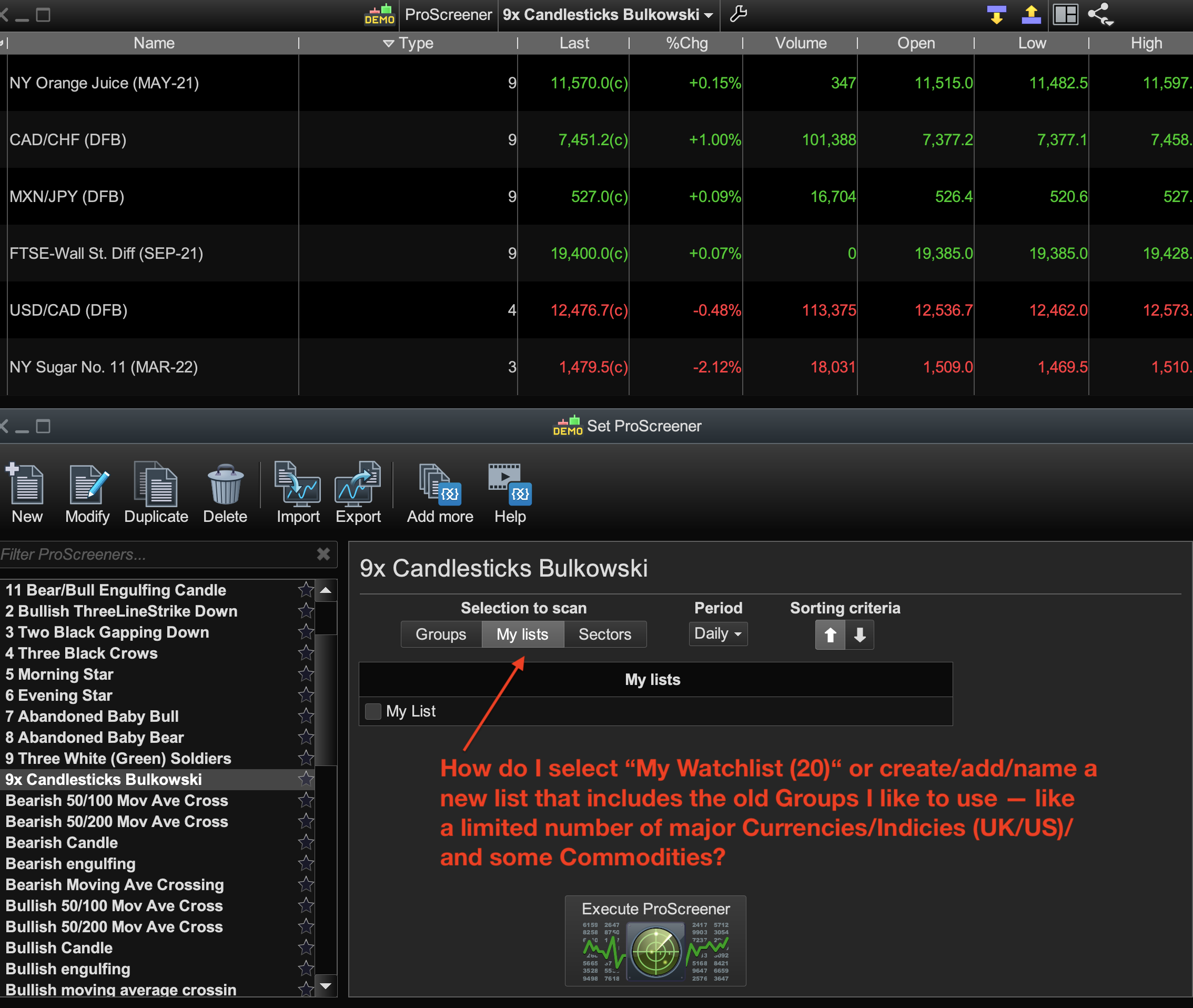
    Can these Groups be named as (or made into) a new List (eg, “Bards Currency/Index/Commod” List) and then I just select this particular named List from now on to use for every other Proscreener strategy I have? I don’t see how t do that in Proscreener “My Lists?” Pls see Proscreener List image.

    Thanks very much,

    Cheers.

    Proscreener-Groups.png Proscreener-Groups.png Proscreener-List.png Proscreener-List.png
    #164100 quote
    NicolasNicolas
    Keymaster
    Legend

    To create lists, to be usable in ProScreener, use the Lists tool I talked about. There are no separated lists between proscreener and instrument lists tool, they are the same!

    Bard thanked this post
    #165202 quote
    BardBard
    Participant
    Master

    Thanks, right! They are the same, sorry, I only ever used Groups in Proscreener and the only list I ever created (until today) was about 4 years ago called My Watchlist!

Viewing 5 posts - 1 through 5 (of 5 total)

  • You must be logged in to reply to this topic.

ProRealAI ProRealAI New

Stuck on this ProBuilder code?

Describe what this topic is trying to build, in plain English, and ProRealAI writes the ProRealTime™ indicator, screener or system for you.

Available in 7 languages
Try ProRealAI

How to Create Lists


ProScreener: Market Scanners & Detection

New Reply
Author
author-avatar
Bard @brad Participant
Summary

This topic contains 4 replies,
has 2 voices, and was last updated by BardBard

5 years, 6 months ago.

Topic Details
Forum: ProScreener: Market Scanners & Detection
Language: English
Started: 03/03/2021
Status: Active
Attachments: 3 files
ProRealCode ProRealCode
Loading...