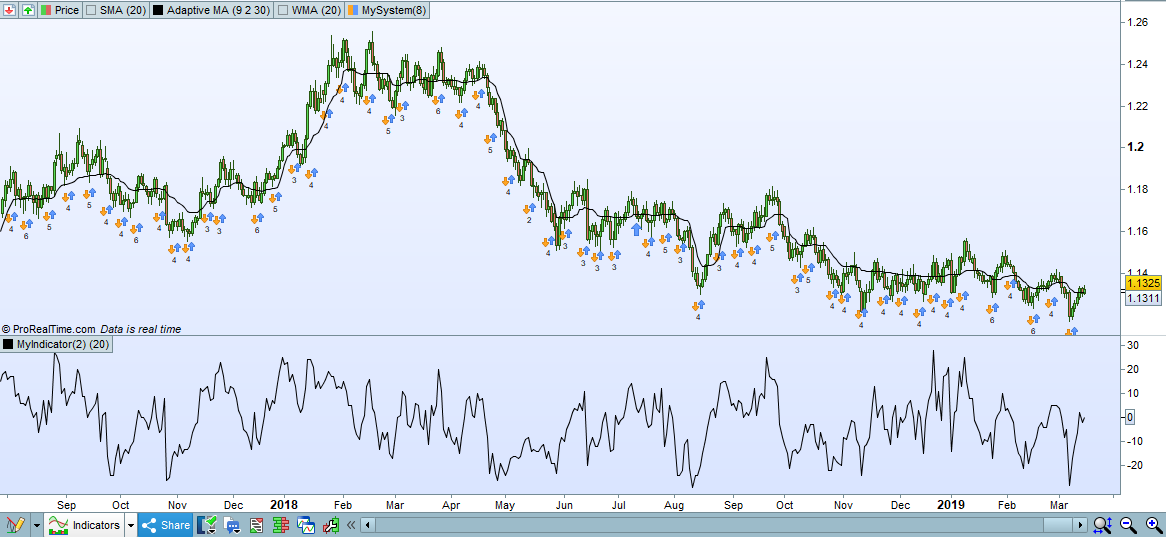
Hi all, i came up with this idea for my <= 4h systems and got some interesting results testing it out, nothing amazing but definitly interesting results.
So the idea is that you run my “Force” indicator on a higher timeframe (4h,8h,12h,daily,weekly) and u ask for Force >= n1 and Force <= n2
As i was building this i thought “maybe someone else has thought about the same thing in the forums” so here i am, anyone using a good filter on higher timeframes that they would like to share?
Was also thinking about same filter but maybe with RSI and a moving average of it.
Also aware that u can write this alot shorter, but after attempt #5 i said “fuck it” and just wrote it as basic as can be.
Btw i have very little experience in coding in probuilder so please check this code to see if its actually doing what u want it to do! I might have still fucked something up lol.
// CLOSE > BOLLUP
i1= close >Average[t1](close)+1*std[t1](close)
i2= close >Average[t1](close)+1.5*std[t1](close)
i3= close >Average[t1](close)+2*std[t1](close)
i4= close >Average[t1](close)+2.5*std[t1](close)
i5= close >Average[t1](close)+3*std[t1](close)

// CLOSE < BOLLDOWN
y1= close <Average[t1](close)-1*std[t1](close)
y2= close <Average[t1](close)-1.5*std[t1](close)
y3= close <Average[t1](close)-2*std[t1](close)
y4= close <Average[t1](close)-2.5*std[t1](close)
y5= close <Average[t1](close)-3*std[t1](close)

if i1 and i2 and i3 and i4 and i5 then
force = 5
endif
if i1 and i2 and i3 and i4 and (not i5) then
force = 4
endif
if i1 and i2 and i3 and (not i4 and not i5) then
force = 3
endif
if i1 and i2 and (not i3 and not i4 and not i5) then
force = 2
endif
if i1 and (not i2 and not i3 and not i4 and not i5) then
force = 1
endif

if (not i1 and not i2 and not i3 and not i3 and not i4 and not i5 and not y1 and not y2 and not y3 and not y4 and not y5) then
force = 0
endif

if y1 and y2 and y3 and y4 and y5 then
force =-5
endif
if y1 and y2 and y3 and y4 and (not y5) then
force =-4
endif
if y1 and y2 and y3 and (not y5 and not y4) then
force =-3
endif
if y1 and y2  and (not y5 and not y4 and not y3) then
force =-2
endif
if y1 and (not y5 and not y4 and not y3 and not y2) then
force =-1
endif


return force
Set T1 to 20 or whatever u want.
Thank you for sharing!
I’ve added a link to here Snippet Link Library
Here’s another way to achieve the same thing. It took three attempts so I was getting close to the ‘f**k it’ moment!
t1 = 20

if close > average[t1](close) then
a = 1
force = 0
while a <= 3
if close > Average[t1](close) + a*std[t1](close) then
force = force + 1
else
break
endif
a = a + 0.5
wend
endif

if close < average[t1](close) then
a = -1
force = 0
while a >= -3
if close < Average[t1](close) + a*std[t1](close) then
force = force - 1
else
break
endif
a = a - 0.5
wend
endif

return force
In fact with some simple modifications of this version you can check for more levels being passed and so get a very different return for force. More to optimize!
t1 = 20

if close > average[t1](close) then
a = 0.1
force = 0
while a <= 10
if close > Average[t1](close) + a*std[t1](close) then
force = force + 1
a = a + 0.1
else
break
endif

wend
endif

if close < average[t1](close) then
a = -0.1
force = 0
while a >= -10
if close < Average[t1](close) + a*std[t1](close) then
force = force - 1
a = a - 0.1
else
break
endif

wend
endif

return force
[attachment file=93830]
I couldn’t resist playing with it a little bit more. I added start, end and step variables for the STD levels and also a variable to allow different average types to be tested. Now we can optimize a whole bunch of variables! I also added rising and falling colour to the line.
I can post it to the library if you want me to Jebus89 – obviously co-crediting you with the idea!
p = 20
AveType = 0 //0 to 6
STDstart = 0.1
STDmax = 10
STDstep = 0.1

if close > Average[p, AveType](close) then
a = STDstart
force = 0
while a <= STDmax
if close > Average[p, AveType](close) + a*std[p](close) then
force = force + 1
a = a + STDstep
else
break
endif
wend
endif

if close < Average[p, AveType](close) then
a = -STDstart
force = 0
while a >= -STDmax
if close < Average[p, AveType](close) + a*std[p](close) then
force = force - 1
a = a - STDstep
else
break
endif
wend
endif

r = 128
g = 0
if force > force[1] then
r = 0
g = 128
endif

return 0 coloured(0,0,0), force coloured(r,g,0) as "Force!"
Thank You Vonasi for working on it more … I must try these in a Strategy!
I have added below to the entry in Snippet Library
Also 3 more versions by Vonasi
The latest version of vonasi is fine 😉
// Force indicator | Indicator
// Concept by jebus89 / Coding by Vonasi
// https://www.prorealcode.com/topic/higher-timeframes-bollinger-filter/#post-93832

p        = (p) // Number Périod mobile
AveType  = 0   // type mobile average (0 to 6)
STDstart = 0.1
STDmax   = 10
STDstep  = 0.1

if close > Average[p, AveType](close) then
a = STDstart
force = 0
while a <= STDmax
if close > Average[p, AveType](close) + a*std[p](close) then
force = force + 1
a = a + STDstep
else
break
endif
wend
endif

if close < Average[p, AveType](close) then
a = -STDstart
force = 0
while a >= -STDmax
if close < Average[p, AveType](close) + a*std[p](close) then
force = force - 1
a = a - STDstep
else
break
endif
wend
endif

r = 128
g = 0

if force > force[1] then
r = 0
g = 128
endif

return force coloured(r,g,0) style(histogram,1) as "Force"
swapping – Thanks for adding the ITF file – I modified line 2 in the post as technically the code is mine and the idea is Jebus89’s.
In answer to Jebus89’s original question I do recall coding something similar once before for a strategy that checked how many averages in a row a closing price closed under or over and then adjusted position size based on this. I don’t think that I ever put it in live demo as some of the draw downs were massive – but that is averaging down for you!
Maybe the idea needs revisiting on standard deviations of other indicators on longer time frames as a market sentiment filter as suggested by Jebus89.
Great! Fantastic job Vonasi, have been busy all weekend but im looking forward to testing out your code 🙂 Im glad u like my idea.
Whole thought process behind this was “do i really want to do a mean reversion trade, if price on higher timeframe is already at an extreme point” similar to “do i want to buy this breakout if price on higher timeframe is already above an important breakout/below an important breakout level”
Im gonna tinker on more ideas regarding this, thought being if you can analyze where price is in the current timeframe, you should probably analyze a higher timeframe to make sure you are where you want to take the trade, in multiple timeframes.
Edit: add it to the library if you want to 🙂
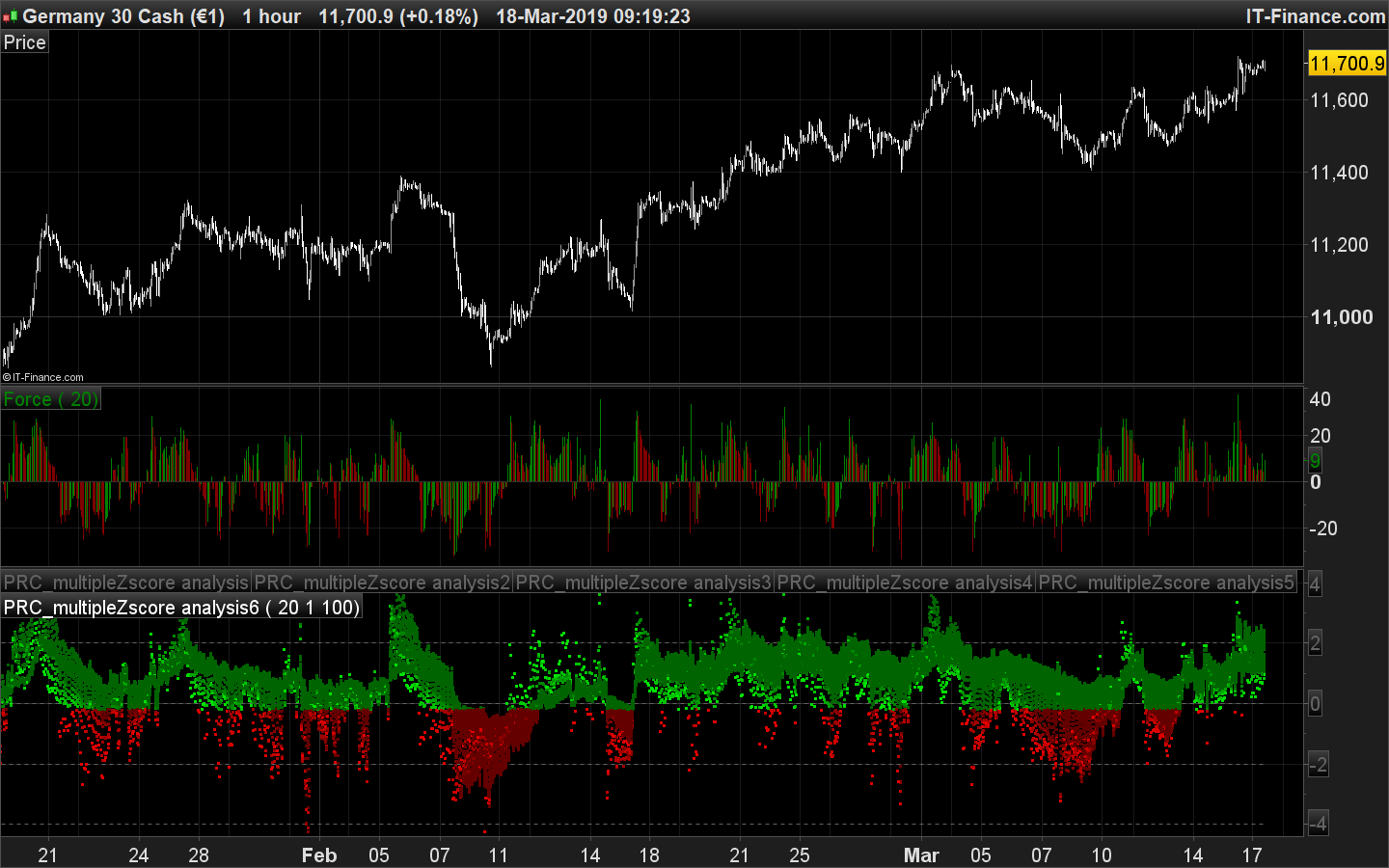
Some similarity with Multi Z-Score analysis
Few points in an area represent a very abnormal behavior of price related to its distribution.
You should add this new indicator to the library!
Buenas tardes, no se si podre ayudar,agregarlo en conjunto con el rsi es una buena opción, una sma21 junto a otro indicador de fuerza adx niveles di/-di entre 20/26..realmente llamativo.. Me gustaría que alguien lo probara.. porque yo soy incapaz de programarlo.. Sma 21 en conjunto cruce 20/26di/-di..
Jose Carlos – English only in the English forums please.