Extra columns in proscreener results

Viewing 12 posts - 1 through 12 (of 12 total)
  • Author
    Posts
  • #215491 quote
    krogen
    Participant
    New

    Hi all,

    According to page 9 of the screener manual:

    https://www.prorealtime.com/en/pdf/proscreener_c1672914334c.pdf

    We should be able to, if I understand correctly, add extra criteria which will show up as columns in the results.

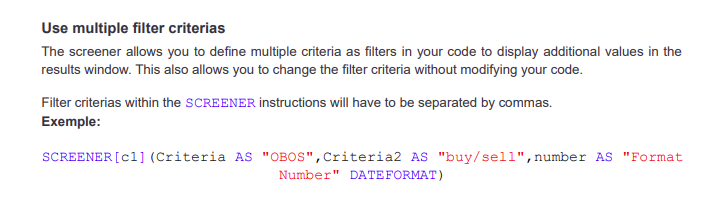
    “Use multiple filter criterias
    The screener allows you to define multiple criteria as filters in your code to display additional values in the
    results window. This also allows you to change the filter criteria without modifying your code.
    Filter criterias within the SCREENER instructions will have to be separated by commas.

    Example:

    SCREENER[c1](Criteria AS “OBOS”,Criteria2 AS “buy/sell”,number AS “Format Number” DATEFORMAT)

    For example, if I had this final line below:

    SCREENER[output <> 0](output as “readout” STRINGFORMAT, pDayHigh as “Prev DHigh” STRINGFORMAT, pDayLow as “Prev DLow”)

    I would expect to see 3 columns in the Screener output window i.e. “readout”, “Prev DHigh” and “PrevDlow”, however I only see the column for “readout”.

    Am I doing something wrong?

    Regards,

    k

    2023-05-31_19h55_33.png 2023-05-31_19h55_33.png
    #215504 quote
    Nicolas
    Keymaster
    Master

    The multi criteria columns for ProScreener is available only from PRT v12.

    #215519 quote
    krogen
    Participant
    New

    Hi Nicolas,

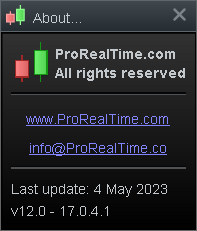
    Yes I believe I am using v12

    2023-06-01_05h22_02.png 2023-06-01_05h22_02.png
    #215530 quote
    Nicolas
    Keymaster
    Master

    So it should work straight away! ❓

    Can you right click on the name of the columns in the ProScreener results window and see if the columns are hidden? (not checked).

    #215547 quote
    krogen
    Participant
    New

    I right click on the column area and go “configure this area”. Under the “Screener” section I only see the first item in my criteria list and then “Time Added”. That is all. My other criteria are not there.

    #215548 quote
    krogen
    Participant
    New

    Perhaps I have a bad install. Are there extra remnants of v11 that I should delete before I re-install v12?

    #215982 quote
    krogen
    Participant
    New

    Any other ideas appreciated. This feature would be very helpful, especially with debugging scripts!

    #216681 quote
    krogen
    Participant
    New

    Seems to be fixed now, thanks!

    #216713 quote
    krogen
    Participant
    New

    Spoke too soon. Seems to allow me to add two of my own criteria. But excludes anything after two criteria. Better than before at least.

    GraHal thanked this post
    #216746 quote
    krogen
    Participant
    New

    Spoke too soon again 🙂 It seems one query will show the two criteria, but another shows only one. Must be some kind of very specific but related to what I’m doing.

    #216749 quote
    Nicolas
    Keymaster
    Master

    Could you please share us an example of a code that don’t give 2 or more columns as criteria?

    #220159 quote
    krogen
    Participant
    New

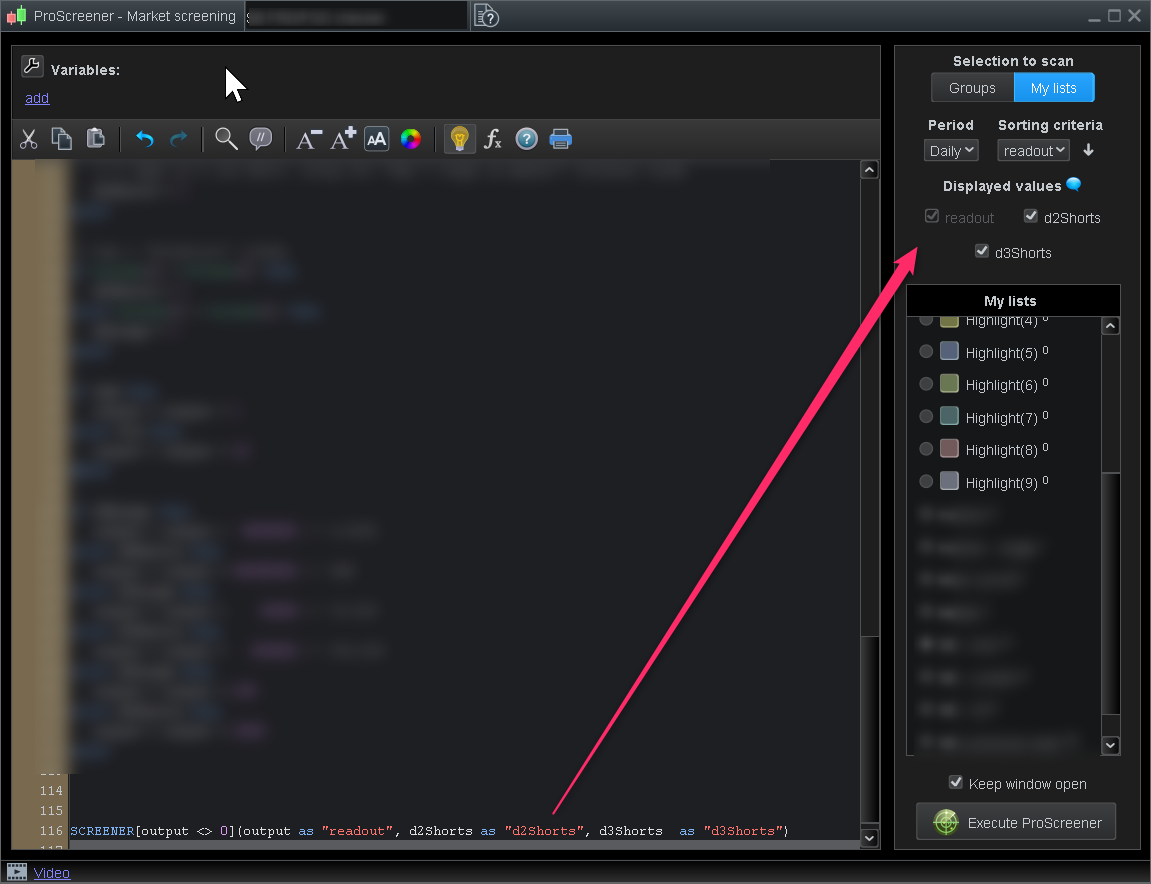
    I think you guys might have fixed it in a patch. When I add screener options such as the below, I see the corresponding checkbox appear under “Displayed values” in the screender editor now. And if I tick them on and off I see the columns appear in the screener output window. Excellent! Just what I wanted 🙂 Thank you! If this doesn’t work in a specific case again I will let u know.

    Nicolas thanked this post
    2023-09-01_15h23_26.png 2023-09-01_15h23_26.png 2023-09-01_15h24_48.png 2023-09-01_15h24_48.png 2023-09-01_15h27_42.png 2023-09-01_15h27_42.png
Viewing 12 posts - 1 through 12 (of 12 total)

  • You must be logged in to reply to this topic.

Extra columns in proscreener results


ProScreener: Market Scanners & Detection

New Reply
Author
author-avatar
krogen @krogen Participant
Summary

This topic contains 11 replies,
has 2 voices, and was last updated by krogen

2 years, 6 months ago.

Topic Details
Forum: ProScreener: Market Scanners & Detection
Language: English
Started: 05/31/2023
Status: Active
Attachments: 5 files
Logo Logo
Loading...