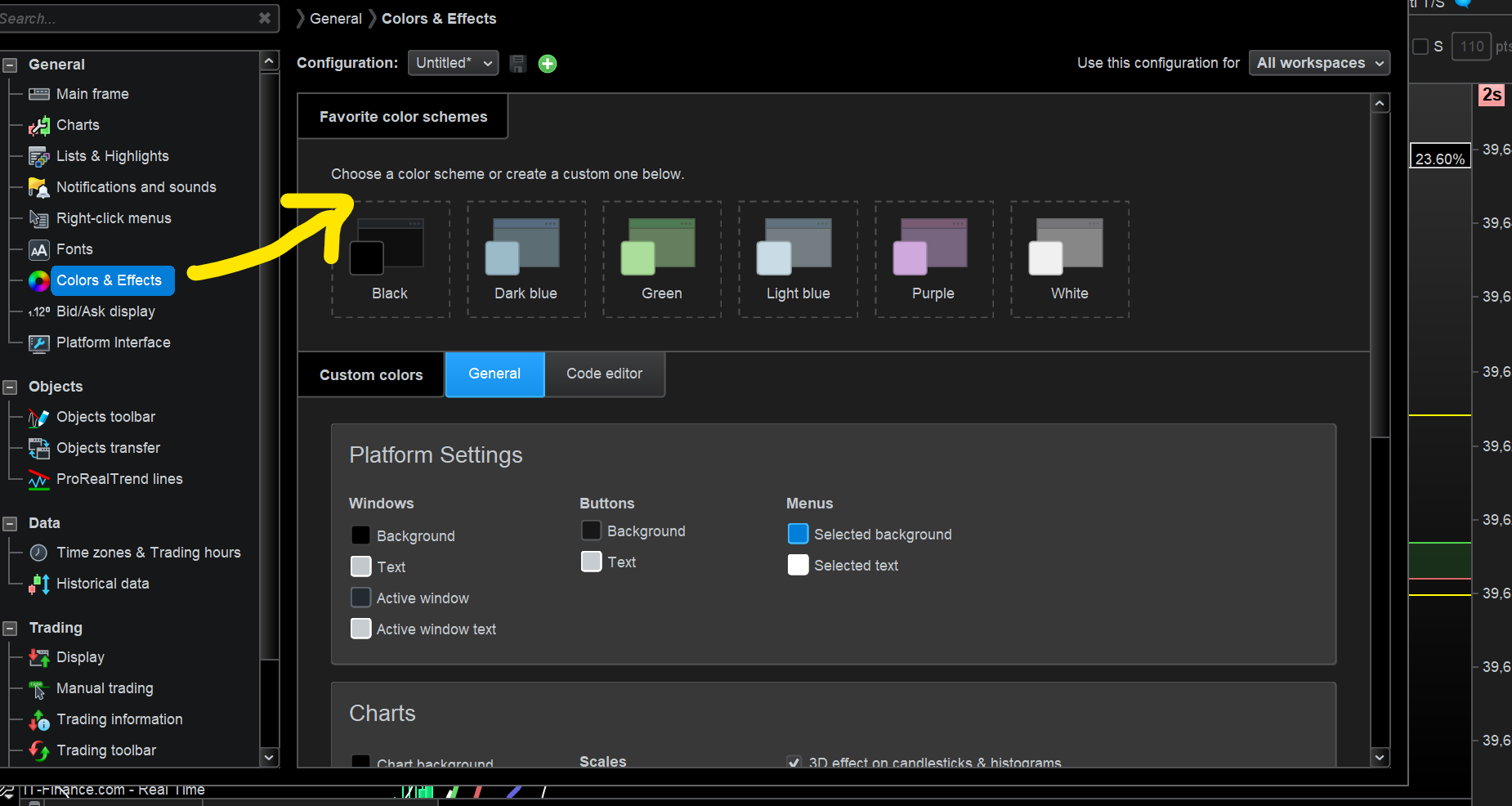
Change chart background colour black to white.

Viewing 4 posts - 1 through 4 (of 4 total)

  • Author
    Posts
  • #230285 quote
    BardBard
    Participant
    Master

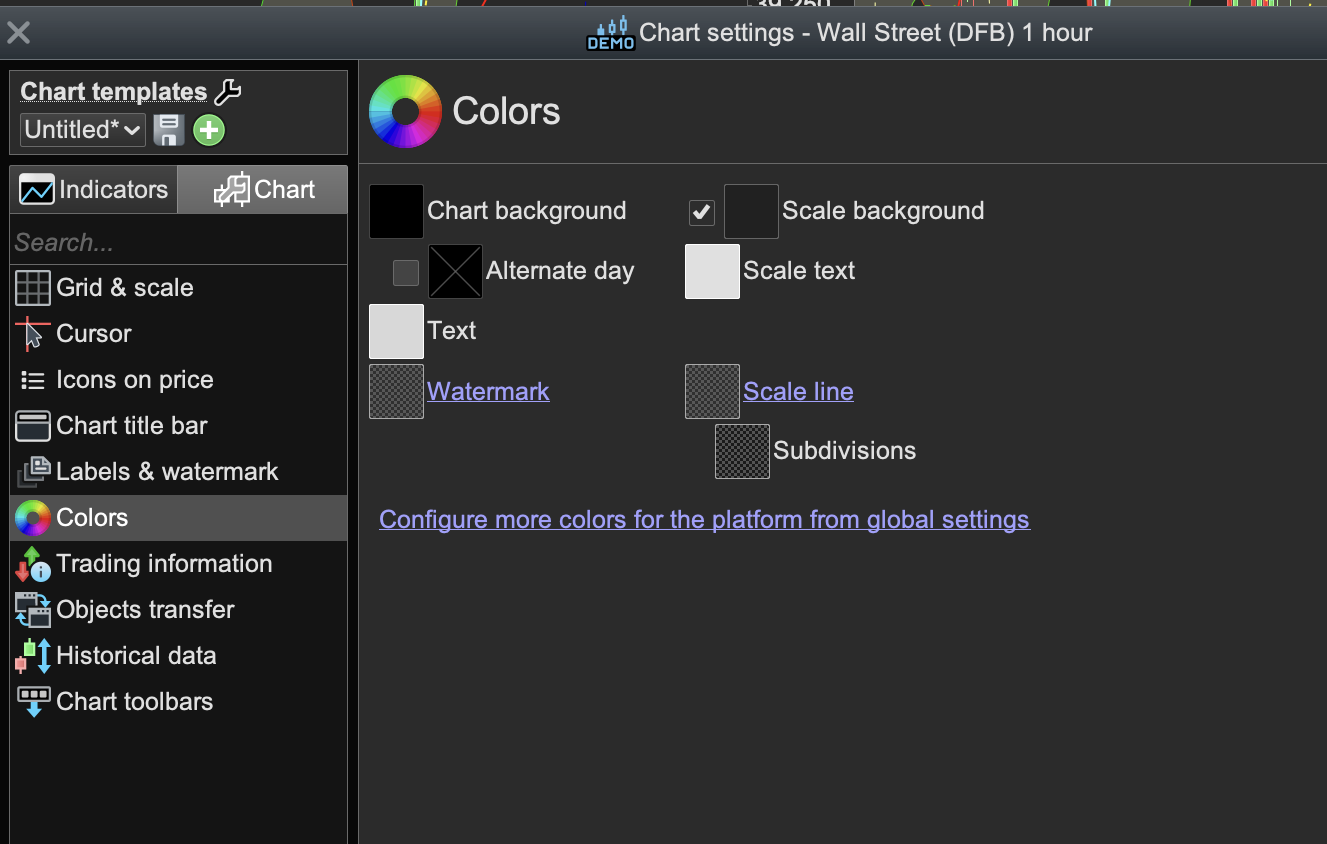
    Okay, I must be having a “slow” moment here but exactly what am I supposed to do with these settings that don’t give me any way to change the chart background colour from black to white? 😅

    I also am not sure how to get a chart that I open from my watchlist to be the actual default chart I want instead of a chart I rarely use?
    I have customised the charts to have “Duplicate Chart” at the top of my menu but can’t see “New Chart” or how to set a default chart?

    Cheers!

    Ps//

    The “Select” image button in Chrome is not working in Chrome but is for Safari? Ditto Cookies Ok – not visible in either browser – so I can’t click confirm.

    charts.png charts.png
    #230288 quote
    GraHalGraHal
    Participant
    Master

    Go Main Menu > Settings > Platform Settings and then find attached.

    Screenshot-2024-03-22-150955.png Screenshot-2024-03-22-150955.png
    #230344 quote
    BardBard
    Participant
    Master

    Cheers, does that change one chart or all or them?

    #230424 quote
    Iván GonzálezIván González
    Moderator
    Legend

    You can apply it to all graphics or just the one you are working on.

Viewing 4 posts - 1 through 4 (of 4 total)
  • You must be logged in to reply to this topic.

ProRealAI ProRealAI New

From idea to ProBuilder code in seconds.

Your coding copilot for ProRealTime™. Ask in plain English — get clean, ready-to-paste indicators, screeners and systems.

Available in 7 languages
Try ProRealAI

Change chart background colour black to white.


Platform Support: Charts, Data & Broker Setup

New Reply
Author
author-avatar
Bard @brad Participant
Summary

This topic contains 3 replies,
has 3 voices, and was last updated by Iván GonzálezIván González

2 years, 5 months ago.

Topic Details
Forum: Platform Support: Charts, Data & Broker Setup
Language: English
Started: 03/22/2024
Status: Active
Attachments: 2 files
ProRealCode ProRealCode
Loading...