@robertogozzi Why will not you use ProScreener for this?
You are right Nicolas, but alarms Pop up by themselves, while I do have to monitor the screener at the end of a selected TF, dont’I?
Moreover, I don’t feel at ease with ProScreener. I have tried in different ways to code detection of Engulfing candlesticks, but I often get wrong results and documentation doesn’t help.
That’s why I prefer alarms.
Thank you anyway.
I would like to have a PRT iphone app. Not for charting or similar. It shall just show the “Autotrading”-window. So you can check quickly how your strategies are doing and maybe stop one if it does strange tings.
I do similar with the IG App, have you tried it assuming you are with IG? I’m well pl;eased with it.
I am with IG, yes. And the IG-app works to see open positions but you can’t for example stop a strategy there, if I’m right?
@Despair – The workaround I use for this if I want to keep the existing positions of the strategy live but close the actual strategy is to amend the position in the IG platform. So I would adjust the limit or stop by 0.1 points and then this would automatically stop the strategy in PRT but keep your existing positions alive (if you have this option selected in the platform). Of course, if you want to stop a strategy that does not currently have live positions then the only way to do this is to log into PRT and stop it.
But I agree with you, a PRT app or incorporation into an IG app is a must have development for the future.
I think Manel has just said this, but you can easily stop open Auto-Trading positions with the IG App … just right click and buy or sell to close … I’ve done this often. This ends / quits the Auto-Strategy because you have sent an instruction from ‘another system’ (the IG App).
I would like to see the possibility integrated in PRT to define different sorts of objective functions for optimization.
Then I would also like to have different search algorithms for variable optimisation integrated ((multipoint) hill search for example). Brute forcing the whole variable space is to time consuming if there are several variables to optimize. And especially the 12h limit (because forced logout) makes it impossible.
It is possible to define spreads of two securities in PRT and to chart this spread. I would like to see that one can put orders on this constructed spreads (impossible now both manually and automated). Besides I would like to see the possibility to define spreads of more than 2 securities.
Also a function to export historic data from PRT would be awesome. So one could analyze the data further with other programs (e.g. matlab).
@Despair
You can build spread charts on your own with the dedicated tool : hit CTRL+R, you’ll be able to make what you want there.
I would like to be able to see the results of all variable combinations after performing a WF-test. Right now PRT shows only the result it thinks is the best combination of variables during an optimization period. After a standard backtest with optimization (no WF) one gets a list of the results for different variable combinations. Exactly like that i would also like to see the results of an WF-analysis.
Then I’m wondering with which objective function PRT is picking “the best” combination of variables. Maybe you know that Nicolas?
And again the wish to be able to define the objective function oneself. This way one could see which combination for example gives lowest DD or highest average gain per trade and so on.
Already been discussed around here, the WF optimization module is actually returning the best result in money only. Other criteria will be implemented in a next update of this tool.
Java snippet will be usefull.
Also a folder management for indicators and strategies
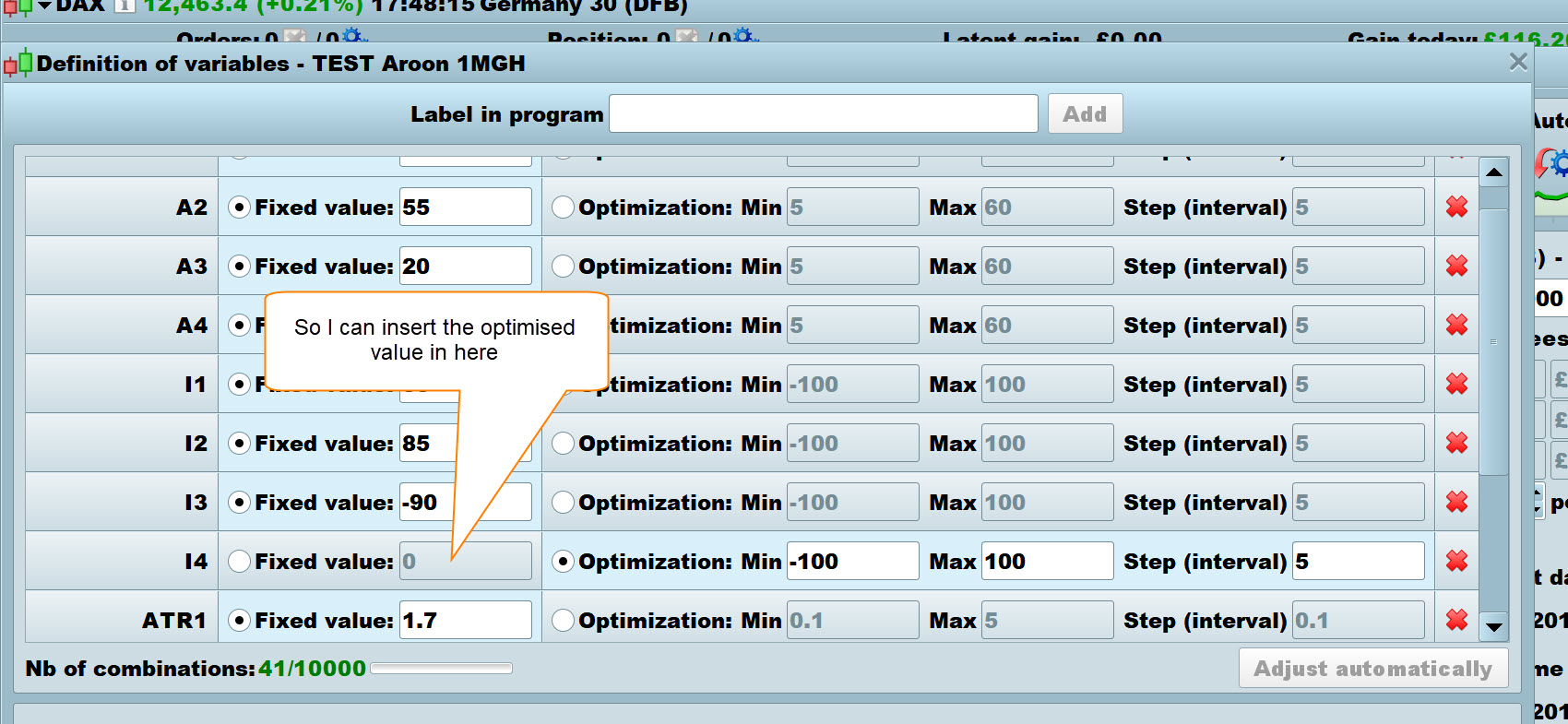
It would be a more pleasant user experience if the Equity Curve screen only showed results for those variables that were being optimised on that particular backtest run.
Example attached, I am optimising 12 variables one at a time, it would so much quicker, easier and less frustrating if I only had to glance at the result (in brackets above equity curve) and easily see the one (or two etc) variable and then click through to insert the value.
As it is I have to count along until I come to No 8 in the list of 12 to make sure I have the correct value to insert in the 8th row in the definition of variables screen – see attached.
Hope above makes sense, if not just say please?
GraHal