 Zac
ZacParticipant
Average
I’d like to see a Market Replay/Simulator function.
Sierra Chart does this well if someone at PRT wants to see a good example.
I know this isn’t a new request. Is there any likelihood this makes it onto the Roadmap?
As far as I know, the market Replay/Playback function is on the V12 Roadmap.
I suggest that all moving averages (but an extension to all indicators where this is possible would be welcome) support an OPTIONAL parameter with the data series, to express a condition when the indicator is or is not to be calculated. Examples:
Ema200 = average[200,1](Volume, Volume > 0)
Ema200 = average[200,1](close, close < highest[20](close) * 0.97)
Ema200 = average[200,1](close, Not OpenDayOfWeek = 0)      //or OpenDayOfWeek <> 0
Ema200 = average[200,1](close, OpenTime >= 090000 AND OpenTime <= 180000)
Ema200 = average[200,1](close, range > range[1])
Maybe this has been asked before but regarding the TIMEFRAME (TF, mode) instruction it would be wonderful if they just let us use variables for the TF and the mode of the timeframe instead of the torture of having to write it by hand everytime . Or if they just let us insert the timeframe instruction inside if … then blocks.
It would be very nice if we could export a number of indicators and systems all at once, not one by one like we have to do now.
Dear Nicolas,
Thanks a lot for this initiative. I am a user of other automated trading software as well, and would really prefer to use only PRT if they could incorporate some of the missing elements such as:
- Remove limit on maximum number of running systems (currently limited to 150)
- Available results in optimization to be defined by user (currently limited to 100)
- Signals in one stock can be used to trigger trade in another stock
- Entry/exit inside current bar
- Allow split exits instead of having to exit full position at once
- Incorporate interest rate % impact on gain
Those changes are few but could make a huge difference.
Is it possible to have a few customisable columns in the orders list (reporting) so that ie I can add a column to contain the strategy used for every trade entered ?? and be picked up in the reports ??
Hi
So I just started using v12 beta, paper trading. And I have a few questions, and maybe suggestions. And also maybe things are available but I haven’t found them yet?
- Is it possible to remember position/zoom of a timeframe/market in the same window? Now when you switch timeframes you always need to zoom and reposition. When using PRT on a laptop with limited screen space and you only can use one window it would save some time and frustration to not have to zoom and move the chart every time you change timeframe.
- When I have a market open, for example Micro E-mini NASDAQ100, the timeline in the bottom of the window is in 24h format, but the yellow tooltip is in 12h format. Have I missed some setting or is it a bug?
- One usable feature, for me, was if it is possible to select to automatic save pictures of windows of the same market automatic when I open a trade, and also maybe when a trade is closed. Also if the trade automatically was pasted to the clipboard it would be great. This would save time for importing the trades into my journaling software.
- When pressing Delete button to remove a line on the chart, even after the line have been removed the delete feature is still activated. I’m pretty sure that in v11 the pointer returns to select mode after one delete. In v12 you need to delete two objects for the pointer to return to select mode.
- With the replay function it would be nice to just be able to select a date/time where the replay should start. To avoid seeing the chart and getting biased. Maybe also the possibility to just select a market and get a random starting point to even more get “surprised” on what the market will do. Just select the duration of the replay month/week/day, and then just get a piece of chart somewhere in the past.
Thank you for the software.
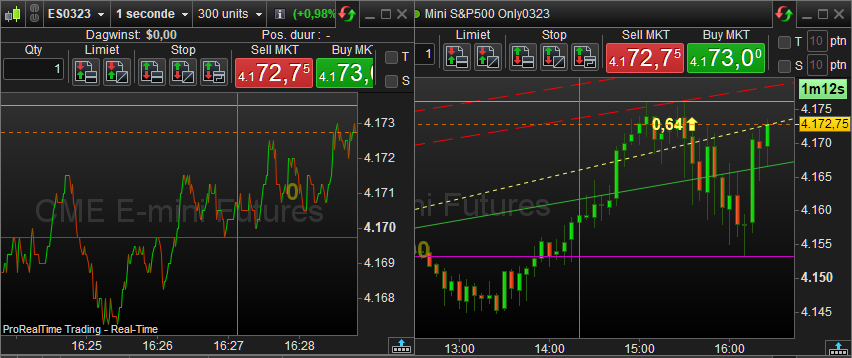
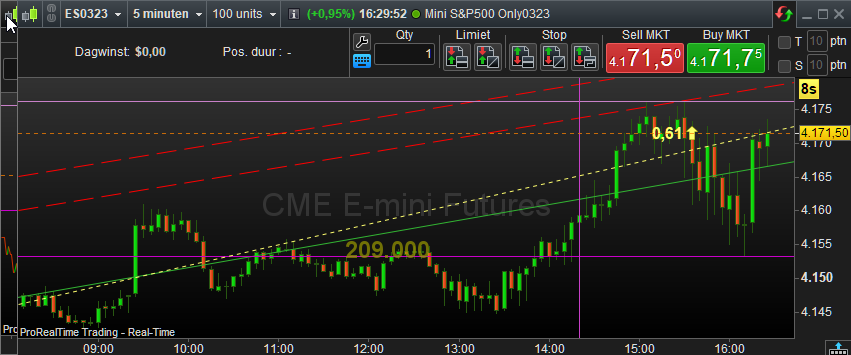
#1 : See below. With some smart organising of the (layered) charts, you can have all reachable with a click. See the mouse pointer in the 2nd screenshot.
Please notice that currently something is amiss with storing the layers as saved and restoring them (no big deal if you were not used to that to begin with).
#2 : Yes. And I feel that something is amiss generally since a week or so – in V11.1 too. You probably can set it right for your situation by choosing another language ? OK, when in PRT-IG that is not possible (as far as I know). In PRT-IB you can.
I add some more things I noticed. The biggest is if v12 will show trendlines in the same location on different timeframes/windows? After some period they start to differ and you have to reposition them. Also if points are to close in a lower timeframe the lines could be vertical in a higher timeframe. Not very helpful.
Another thing, it would be nice with a one step forward button in the market replay window, instead of having to push play/pause if you want it to take it step by step.
Wondering if anyone has written code for the PNR (Point of No Return) calculation in Nishan Pant’s book “Mean Reversion Trading?”
Hi – a product request please:
– To be able to add customised indicators to the Lists screen eg simply put, to ability to add the Moving Average result to a column.
– To put a global alert on a column eg, if I customise a column in the Lists screen with a Moving Average and want to know whenever a Portfolio component reaches a threshold of, say, 50.
Thanks.
Something I really love to see in the ProOrder form is a way to “pause” a system without really stopping it. In this way the system…
- wouldnt open new positions but it will close the already opened
- wouldnt lose any value calculated in previous operations, such as any from STRATEGYPROFIT
- wouldnt need to introduce again the “maxposition” when activated
- ….
That would be a HUGE improvement for me.
Great suggestion, it would be so productive so one update parameters values without stopping and a starting a new revision of a strategy.
I would like to see a background backtest function implemented in PRT, i.e.:
- That would allow you to schedule multiple backtests while doing something else
- That it worked on paper while I was working on Live
In this regard, you could reuse the automatic trading scheduler which already has all the necessary features. I would also be willing to accept that the backtesting takes place on a local PC in order to relieve the PRT server of too many tasks.