array variables availability in ProRealTime – examples and discussions

Viewing 15 posts - 16 through 30 (of 255 total)
  • Author
    Posts
  • #120534 quote
    robertogozzi
    Moderator
    Master

    English only in the English forums!

    Thank you 🙂

    #120538 quote
    robertogozzi
    Moderator
    Master

    Nicolas is out of office today and asked me to inform that ARRAY support is already available to all users having PRT accounts!

    🙂

    #120564 quote
    MPL
    Participant
    Average

    Very good news, thank you!

    Do we have to do a particular manipulation (I just restarted the platform and I don’t see the new array instructions …)

    Thank you in advance,

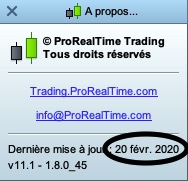
    v11.1 – 1.8.0_45    20 févr. 2020

    #120571 quote
    robertogozzi
    Moderator
    Master
    #120576 quote
    MPL
    Participant
    Average

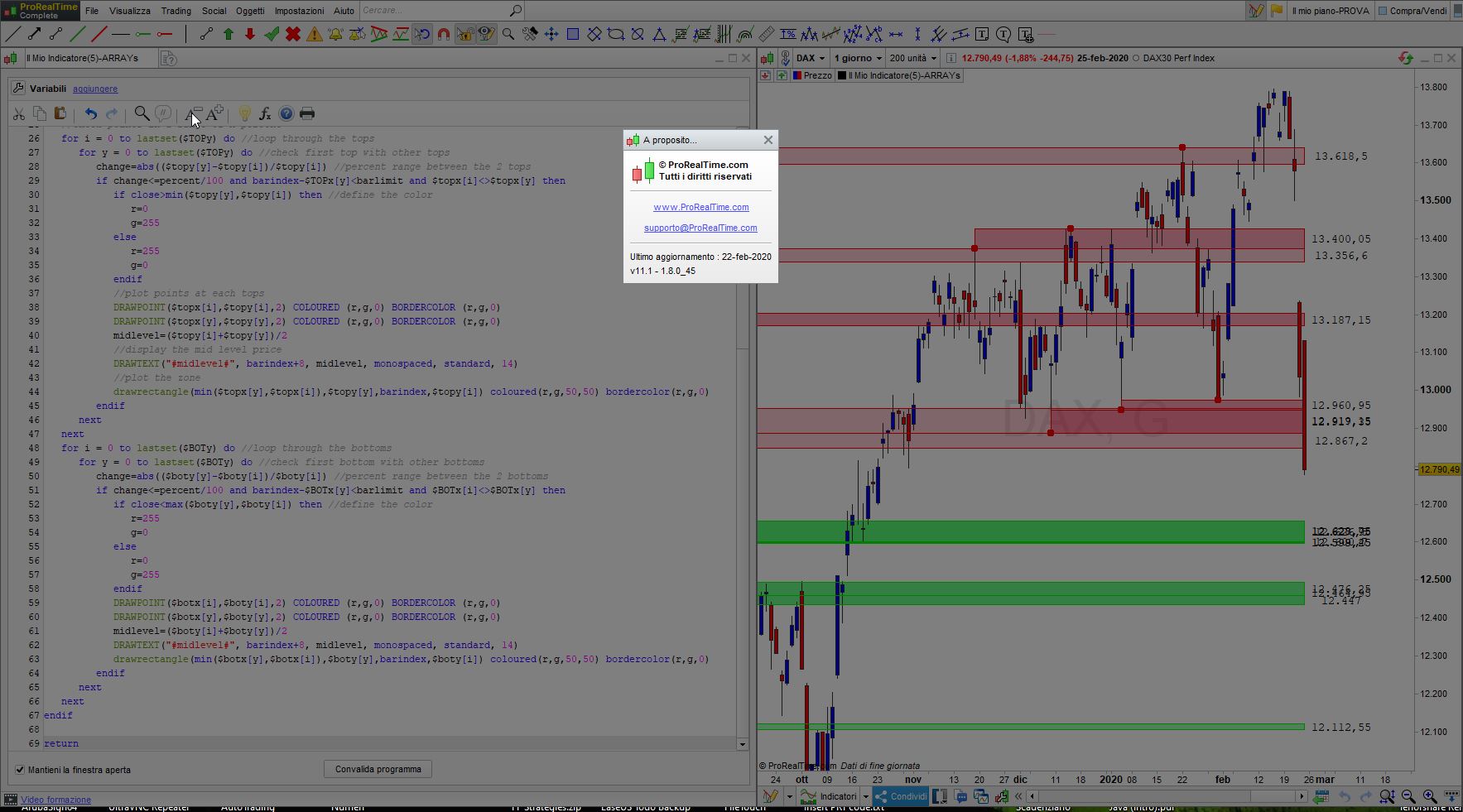
    Yes I did, but it didn’t work (with errors reported from line 15, with $TOPy …)

    My last update was on February 20, yours on February 22, could that be a problem?

    Image-26-02-2020-à-14.09.jpg Image-26-02-2020-à-14.09.jpg
    #120579 quote
    Nicolas
    Keymaster
    Master

    Try with a free account at prorealtime.com

    MPL thanked this post
    #120584 quote
    Nicolas
    Keymaster
    Master

    The new version will be pushed for PRT trading accounts (with IB) during the next week or so. In the mean time you can try building new amazing things with a free EOD account @ https://www.prorealtime.com

    MPL thanked this post
    #120597 quote
    Rory Dryden
    Participant
    New

    Hi Nicolas,

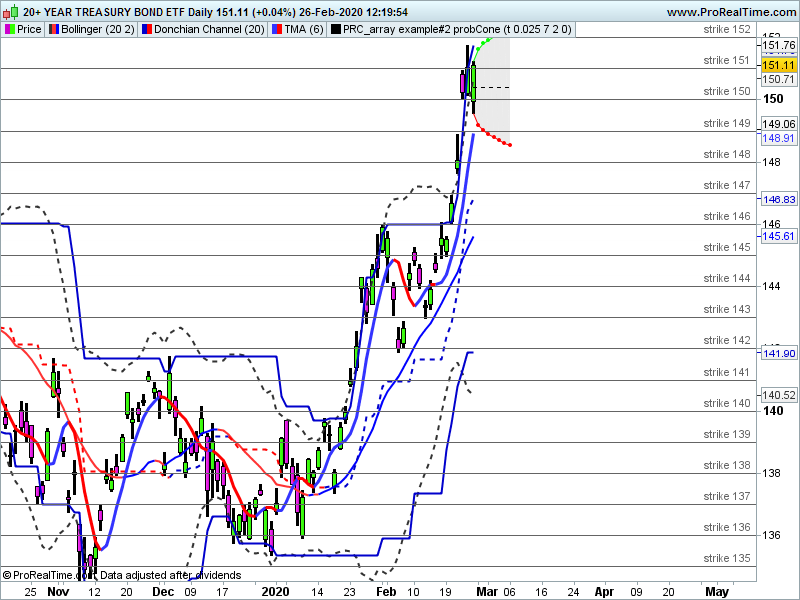
    The probability cone now compiles correctly.

    I enclose an attachment.

    You mention VolTyp as a possible parameter instead of vol = 0.025.

    I cannot find that in the function list. How would that be calculated?

    Thank you for  useful addition to the indicators.

    Rory.

    TLT-Daily.png TLT-Daily.png
    #120599 quote
    Nicolas
    Keymaster
    Master

    For options pricing, it is better to use the implied volatility or the historic volatility. I’ll try tomorrow to add a more dynamic way to find the correct value for that setting.

    #120605 quote
    Rory Dryden
    Participant
    New

    Thank you Nicolas. That would be much appreciated!

    #120663 quote
    Nicolas
    Keymaster
    Master

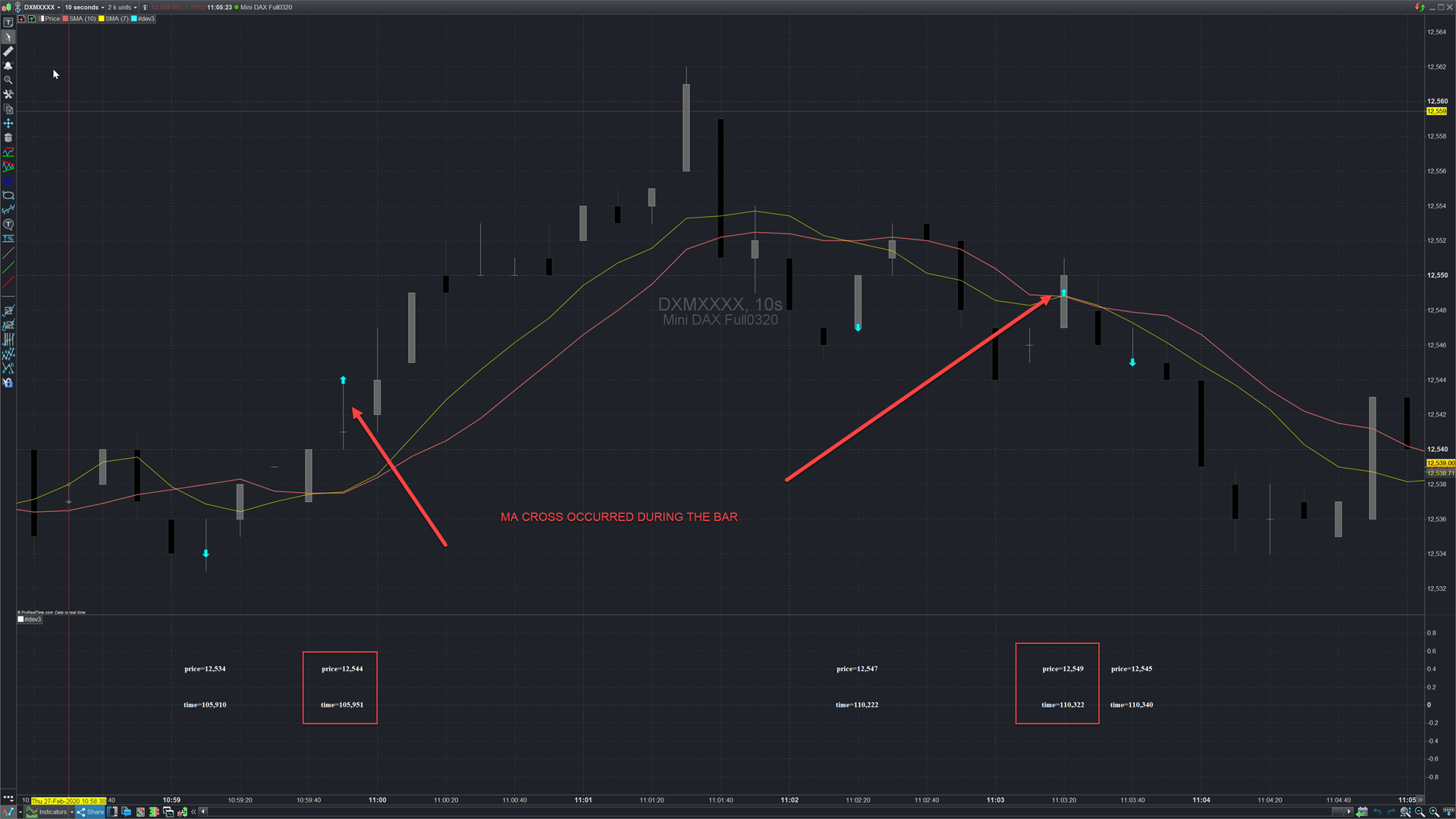
    Example #5: tag exact time and price of an event (2 MA cross over) in real time, during the same bar

    With variable array we are now capable of record events that occurred during a bar and not only at bar closure. In this example the code is checking on each new tick if 2 MA are crossing and therefore record the exact price and time when it happens.

    For convenient reading I made the text plotted as an oscillator at 0 value. I also had blue and red arrows on the price coordinate to mark the bullish and bearish signals events.

    // https://www.prorealcode.com/topic/array-variables-availability-in-prorealtime/
    // (please do not remove the link above for future reference)
    // Example #5: tag exact time and price of an event (2 MA cross over) in real time, during the same bar
    
    //declare the moving averages
    f=average[7]
    s=average[10]
    //declare the events (trading signals)
    bullish = (f > s and f[1] < s[1])
    bearish = (f < s and f[1] > s[1])
    
    if islastbarupdate then
     //check and store the signal
     if (bullish or bearish) and lastset($crosstime)<barindex then //if no signal already occurred on that bar then ..
      $crosstime[barindex]=time //store the time of event 
      $crossprice[barindex]=close //store the price of event 
      if bullish then 
       $signal[barindex]=1 //store the signal direction 
      elsif bearish then 
       $signal[barindex]=-1
      endif
     endif
     //draw the graphic component 
     if isset($signal[barindex]) then //if an event occurred on that bar then do something 
      if $signal[barindex]=1 then //bullish case 
       drawarrowup(barindex,$crossprice[barindex]) coloured(0,255,255) 
      else //bearish case 
       drawarrowdown(barindex,$crossprice[barindex]) coloured(0,255,255)
      endif
      itime=$crosstime[barindex] //create time readable variable for drawtext
      iprice=$crossprice[barindex] //create price readable variable for drawtext
      drawtext("time=#itime#",barindex,0,serif,bold,20) //plot the time of the event 
      drawtext("price=#iprice#",barindex,0.4,serif,bold,20) //plot the price of the event 
     endif
    endif
    
    return
    
    PRC_array-example5-barEvent.itf event-during-the-bar-prorealtime.png event-during-the-bar-prorealtime.png
    #120677 quote
    Vonasi
    Moderator
    Master

    Thanks for that last example Nicolas. I learnt from it that we have to convert our array variable into a non array variable to use in drawtext. That might save me a lot of time scratching my head in the future when first trying to draw an array value!

    #120690 quote
    Roland57800
    Participant
    Veteran

    Good evening Nicolas,
    I took the code as it was, I understood its coding
    and however I have no results on the graph.
    I can’t understand why.
    I’m version 11

    an idea about the possible problem
    Thank you

    #120692 quote
    Nicolas
    Keymaster
    Master

    @Roland57800

    This topic is in English, please respect other people reading it. I suppose you are talking about the last example (number 5).  Are you trying to use it on a prorealtime.com software account? That indicator will not show anything in history at first load, the event must be found in realtime during the candlestick forming.

    #120721 quote
    Nicolas
    Keymaster
    Master

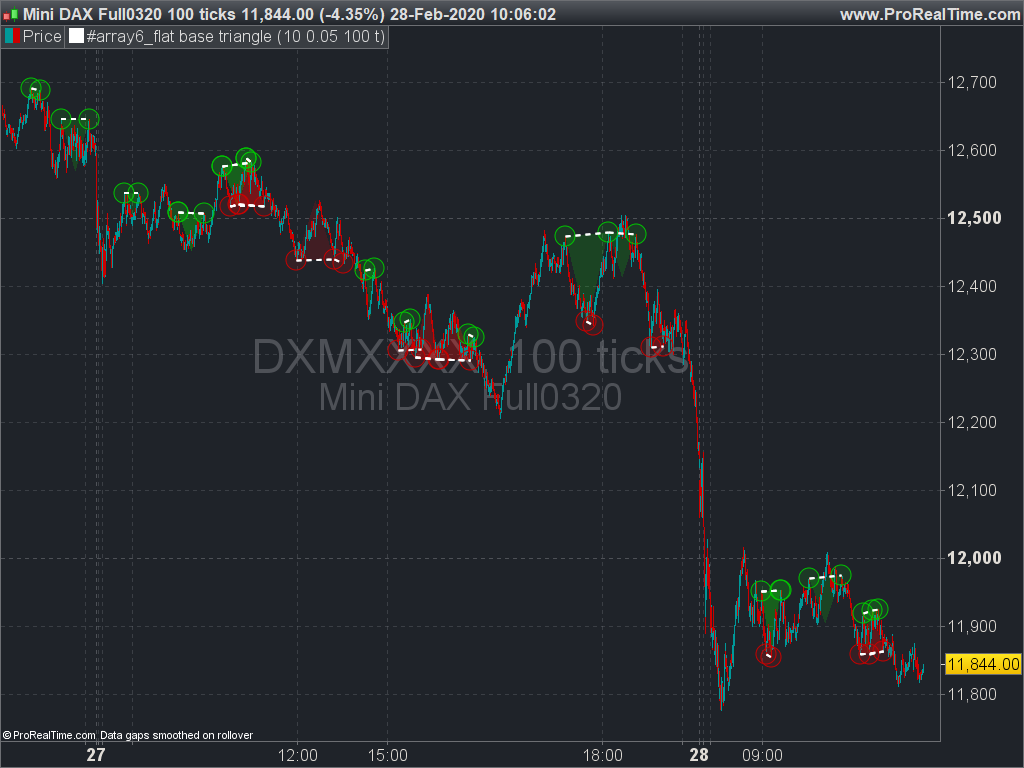
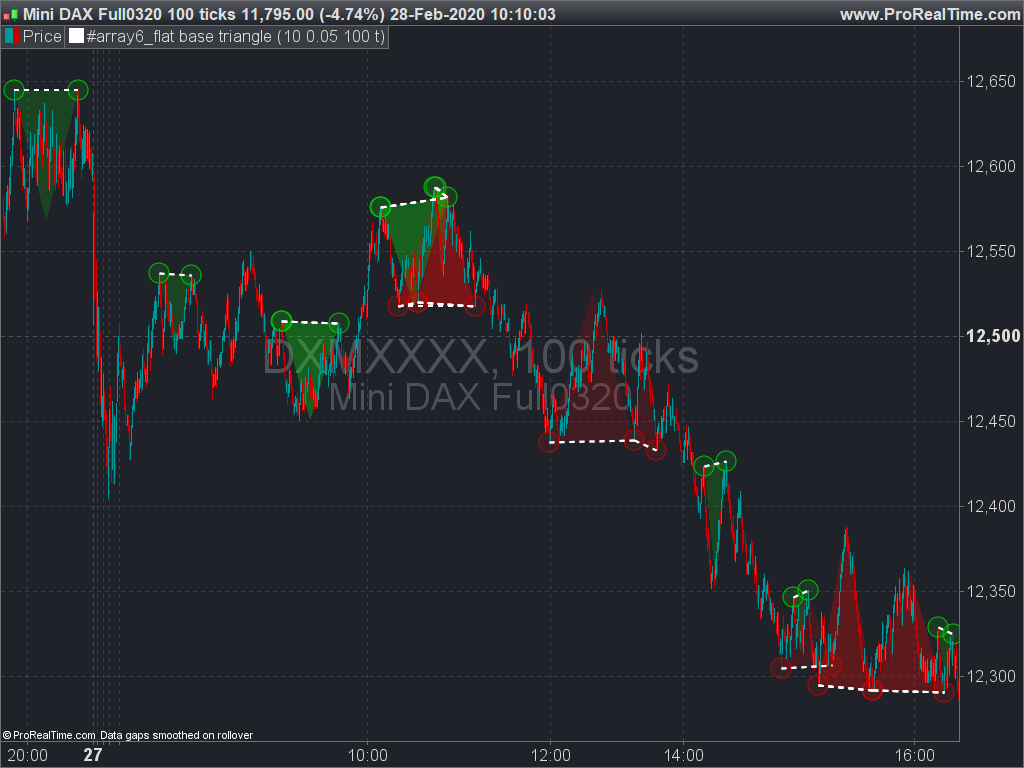
    Example #6: Flat base triangle aka double top/bottom

    This example is using the similar framework than in the first one, by storing the tops and bottoms fractals we can easily find some graphical patterns in the chart. The code is looking 2 recent points (tops or bottoms, peaks or valleys), check if they are almost flat (price change percent less than the percent setting), draw a segment between the 2 points. Then it finds the lowest or highest price between the twos and draw the flat base triangle. Note that the 3rd point of the triangle is plotted at mid way between the 2 points of the base and not at the exact bar that created the highest or lowest.

    This snippet could be modded/extended to many more interesting things, I count on you to give back some useful codes! 🙂

    // https://www.prorealcode.com/topic/array-variables-availability-in-prorealtime/
    // (please do not remove the link above for future reference)
    // Example #6: flat base triangle or double top/bottom
    defparam drawonlastbaronly=true
    
    // --- settings
    fractalP = 10 //fractal period
    percent = 0.05 //maximum percent change between the 2 points
    barlimit = 100 //maximum bars between 2 points
    showTriangle = 1 //show the triangle between the 2 points (1=yes,0=no)
    // --- end of settings
    
    //fractals
    cp=fractalP
    if high[cp] >= highest[(cp)*2+1](high) then //new fractal high found
     $TOPy[lastset($TOPy)+1] = high[cp] //store fractal value
     $TOPx[lastset($TOPx)+1] = barindex[cp] //store fractal barindex
    endif
    
    if low[cp] <= lowest[(cp)*2+1](low)  then //new fractal low found
     $BOTy[lastset($BOTy)+1] = low[cp] //store fractal value
     $BOTx[lastset($BOTx)+1] = barindex[cp] //stire fractal barindex
    endif
    
    if(islastbarupdate and isset($topy[0]) and isset($boty[0])) then
     //check points in a range of X percent
     for i = 0 to lastset($TOPy) do //loop through the tops
      for y = 0 to lastset($TOPy) do //check first top with other tops
       change=abs(($topy[y]-$topy[i])/$topy[i]) //percent range between the 2 tops
       bardiff=abs($TOPx[i]-$TOPx[y]) //how many bars between the 2 points?
       if change<=percent/100 and bardiff<barlimit and bardiff>=fractalP and $topx[i]<>$topx[y] then
        //plot points at each top
        DRAWPOINT($topx[i],$topy[i],5) COLOURED (0,255,0,25) BORDERCOLOR (0,200,0) 
        DRAWPOINT($topx[y],$topy[y],5) COLOURED (0,255,0,25) BORDERCOLOR (0,200,0)
        //plot the flat base
        drawsegment($topx[i],$topy[i],$topx[y],$topy[y]) style(dottedline,2)
        if(showTriangle) then 
         //find the lowest point between the 2 tops 
         ll = lowest[bardiff](low)[barindex-max($topx[i],$topx[y])]
         //plot the triangle 
         drawtriangle($topx[i],$topy[i],$topx[y],$topy[y],max($topx[i],$topx[y])-bardiff/2,ll) COLOURED (0,255,0,20) BORDERCOLOR (0,200,0,0)
        endif
       endif
      next
     next
     for i = 0 to lastset($BOTy) do //loop through the bottoms
      for y = 0 to lastset($BOTy) do //check first bottom with other bottoms
       change=abs(($boty[y]-$boty[i])/$boty[i]) //percent range between the 2 bottoms
       bardiff=abs($botx[i]-$botx[y]) //how many bars between the 2 points?
       if change<=percent/100 and bardiff<barlimit and bardiff>=fractalP and $BOTx[i]<>$BOTx[y] then
        //plot points at each bottom
        DRAWPOINT($botx[i],$boty[i],5) COLOURED (255,0,0,25) BORDERCOLOR (200,0,0)
        DRAWPOINT($botx[y],$boty[y],5) COLOURED (255,0,0,25) BORDERCOLOR (200,0,0)
        //plot the flat base
        drawsegment($botx[i],$boty[i],$botx[y],$boty[y]) style(dottedline,2)
        if(showTriangle) then
         //find the lowest point between the 2 tops
         hh = highest[bardiff](high)[barindex-max($botx[i],$botx[y])]
         //plot the triangle
         drawtriangle($botx[i],$boty[i],$botx[y],$boty[y],max($botx[i],$botx[y])-bardiff/2,hh) COLOURED (255,0,0,20) BORDERCOLOR (200,0,0,0)
        endif
       endif
      next
     next
    endif
    
    return
    Al, Rainer (RFW) and ashehzi thanked this post
    flat-base-triangle-double-top-and-double-bottom.png flat-base-triangle-double-top-and-double-bottom.png flat-base-triangle-pattern.png flat-base-triangle-pattern.png array6_flat-base-triangle.itf
Viewing 15 posts - 16 through 30 (of 255 total)
  • You must be logged in to reply to this topic.

array variables availability in ProRealTime – examples and discussions


ProBuilder: Indicators & Custom Tools

New Reply
Author
author-avatar
Nicolas @nicolas Keymaster
Summary

This topic contains 254 replies,
has 50 voices, and was last updated by robertogozzi
1 year, 4 months ago.

Topic Details
Forum: ProBuilder: Indicators & Custom Tools
Language: English
Started: 02/06/2020
Status: Active
Attachments: 59 files
Logo Logo
Loading...