Conditions applicable to all instruments
Start of trading systems: The first order will be placed by the system at the earliest at the open of the candlestick following the candlestick currently being formed at the time the trading system is started.
Maximum position size parameter: The parameter “Max position size” must be defined in the ProOrder window before the start of a trading system. It takes precedence over the quantities to buy/sell defined in the code of the trading system. For example, if your code had an instruction to buy 3 contracts, but you set the maximum position size to 1 contract, the order to buy 3 contracts would be ignored. Similarly, if your code had an instruction to buy 1 contract then sell short 3 contracts, the order to sell short 3 contracts would be ignored and you would remain in a buying position with 1 contract. You should always check the maximum position size parameter before starting a trading system..
Time functions: When you send a trading system to ProOrder, the time zone which was set for the market the instrument belongs to is associated to the trading system (= the time zone of your computer by default). The “intraday” time instructions used in the code of your strategy are calculated in this time zone:
- Time and similar functions (Hour, Minute)
- OpenTime and similar functions (OpenHour, OpenMinute)
- FlatAfter and FlatBefore
- IntradayBarIndex (reset to zero at the open of the market in the selected time zone)
Daily time-based instructions are always in the time zone of the market:
- DOpen, DHigh, DLow, DClose
- Date and similar functions (Year, Month, Day)
- DayOfWeek and Days
Weekend data: Weekend data is taken into account for markets that are open during the weekend.
Closed markets: If your trading system tries to place an order when the market is closed, the order will be placed when the market opens.
Insufficient capital: All of your trading systems use the same portfolio; as a result, your trading systems will use your capital with “first come, first served” logic.
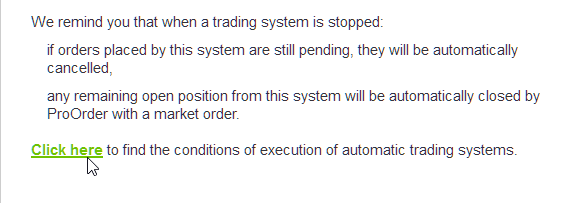
Stopped trading systems:Preferences to stop trading strategies may be defined in the automatic trading preferences window (from the main window, go to “Trading” > “Preferences” > “Trading preferences” > “Automatic trading” to open it). When a system is stopped, ProOrder can:
Cancel all pending orders placed by the system and close all open positions
or
Keep trading system positions and pending orders.
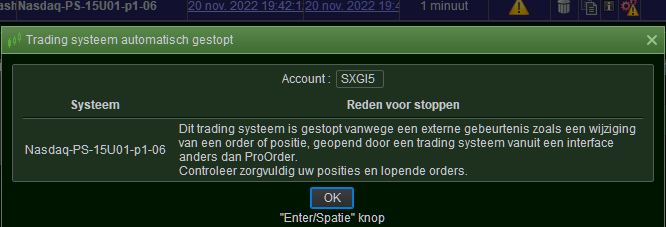
In case of manual modification of an order or position placed by the automatic trading system, ProOrder stops the trading system. In this case:
- Positions and orders which are attached to positions placed by the trading system will be kept, regardless of the selection in the preferences window.
- Pending orders which are not attached to positions will be kept or canceled, depending on your selected preferences.
Automatic stop of trading systems due to expiration:All running trading systems have a common validity date. If you do not click the “Extend” button before this date, ProOrder automatically stops them. You can view the validity date in the ProOrder window (expressed in your computer’s time zone) and extend your trading systems validity via the “Extend” button at the bottom of the ProOrder window when a trading system is running. The amount of time of each extension can be configured from within the “Automatic trading” tab in the “Trading preferences” window.
Automatic stop of a trading system due to number of orders placed:ProOrder may stop any given trading system as soon as the sum of pending orders on one hand and number of executed orders since 22:30 London time (23:30 Paris time) on the other hand of this system is greater than the quantity chosen in the “Automatic trading” tab of the “Trading preferences” window. Pending orders include orders that are being processed and not executed, rejected or canceled. For example, each order placed by a “SET STOP” or “SET TRAILING STOP” or “SET TARGET” instruction counts as one order as long as it has not been canceled, rejected, or executed. In addition, 3 different limit orders or 3 different stop orders that have not been canceled, rejected or executed will count as 3 pending orders. This is true if the 3 orders are on the same price level or on different price levels. If for example you choose a stopping level of 7 orders and since the market open 5 orders have been executed by a given trading system and this system has an open position and 2 pending orders (one “target” and one “stop”) and the system needs to send an additional order to the market: this 8th order will not be sent (5+2+1 reaches the stopping level).
Automatic stop of a trading system due to order rejection: If an order is rejected for one of the following reasons, ProOrder will try to place the order again, up to 10 times:
- An error occurred while processing the order
- Confirmation of order processing was not received in time
- A previously placed order on the same instrument was not yet processed by the order
For any other error (or if the order was not able to be placed after 10 tries), the trading system will be stopped, and ProOrder will try to apply your preferences when the system is stopped (keep or cancel positions and pending orders).
Multiple automatic trading systems on the same instrument:it is possible to run multiple automatic trading systems on the same instrument. In this case, your overall position on the instrument will be the sum of the positions of each trading system at a given time. For example, if 2 automatic trading systems are running on a given financial instrument, system A has a long position of 2 and system B has a short position of 1, your net position would be long 1. You should always check your net position in the “Trading” > “Portfolio” window. If multiple trading systems are running on an instrument and it is impossible to stop one of these systems due to insufficient margin, all the trading systems on that instrument will be stopped.
Customized trading hours: When a trading system is sent to the ProOrder module, any custom trading hours that were defined for the market of the instrument are associated to the trading system. These trading hours are applied to each launch of the trading system. Only data during the custom trading hours will be used to calculate indicators used by the trading system. However, stop orders and target orders may be triggered outside custom hours.
- Orders placed with instructions of type “AT MARKET”, “AT <price> LIMIT” and “AT <price> STOP” of your code will only be executed during the custom hours of the instrument.
- Orders placed with “SET TARGET”, “SET STOP” and “SET STOP TRAILING” type instructions in the code may still be executed outside the custom trading hours if the market is open.
The trading hours set when the system is started cannot be changed while it is running. If you want to change the trading hours taken into account by the system, you need to stop the system first, then change the trading hours of the instrument, then send it to ProOrder again before starting it.