Hi,
How do I add a date range to the screener code below? E.g if I want to screen from the the 2nd of December to the 6th of December 2024.
|
|
Timeframe(Daily)
Sma20 = average[20,0](close[5])
Timeframe(Weekly)
c1 = close[1] CROSSES OVER Sma20
Timeframe(default)
c2 = (close >= 1) AND (close <= 5)
c3 = (high <> low)
Cond = c1 AND c2 AND c3
SCREENER[Cond]
|
Regards,
Segie
There you go (not tested):
Timeframe(Daily)
Sma20 = average[20,0](close[5])
Timeframe(Weekly)
c1 = close[1] CROSSES OVER Sma20
Timeframe(default)
Cond = 0
For j = BarIndex down to 0
If (date[j] >= 20241202) and (date[j] <= 20241206) then
c2 = (close[j]>= 1) AND (close [j] <= 5)
c3 = (high[j] <> low[j])
Cond = c1[j] AND c2 AND c3
Endif
If Cond then
Exit for
Endif
Next
SCREENER[Cond]
Will run and revert. Thank you
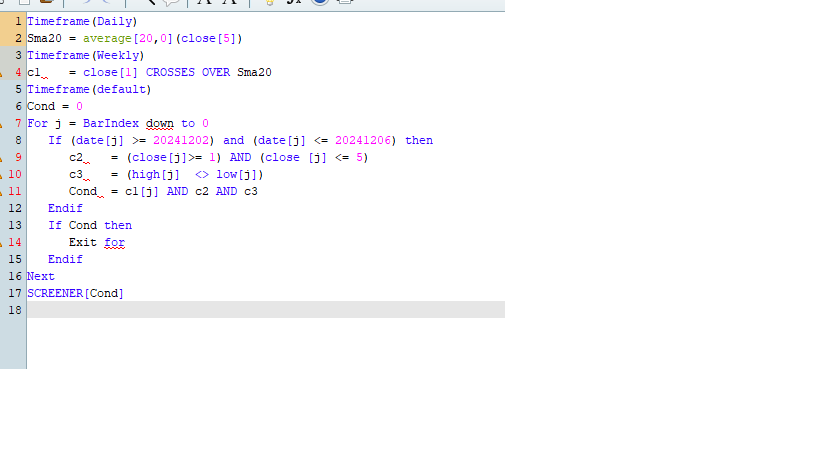
Saying “line 1 Error unknown command”
Attached screenshot
Don’t use screeners myself but try this.
Timeframe(Daily)
Sma20 = average[20,0](close[5])
Timeframe(Weekly)
c1= close[1] CROSSES OVER Sma20
Timeframe(default)
Cond = 0
For j = BarIndex downto 0
If (date[j] >= 20241202) and (date[j] <= 20241206) then
c2= (close[j]>= 1) AND (close [j] <= 5)
c3= (high[j] <> low[j])
Cond= c1[j] AND c2 AND c3
Endif
Next
SCREENER[Cond]
Sometimes Copy & Paste inserts odd characters, usullay removing all blanks in the highlighted line, then retyping them solves the problem.