Adding a date range to a screener code

Viewing 6 posts - 1 through 6 (of 6 total)

  • Author
    Posts
  • #241360 quote
    segiesegie
    Participant
    Senior

    Hi,

    How do I add a date range to the screener code below? E.g if I want to screen from the the 2nd of December to the 6th of December 2024.

    Regards,

    Segie

    #241372 quote
    robertogozzirobertogozzi
    Moderator
    Legend

    There you go (not tested):

    Timeframe(Daily)
    Sma20 = average[20,0](close[5])
    Timeframe(Weekly)
    c1    = close[1] CROSSES OVER Sma20
    Timeframe(default)
    Cond = 0
    For j = BarIndex down to 0
       If (date[j] >= 20241202) and (date[j] <= 20241206) then
          c2    = (close[j]>= 1) AND (close [j] <= 5)
          c3    = (high[j]  <> low[j])
          Cond  = c1[j] AND c2 AND c3
       Endif
       If Cond then
          Exit for
       Endif
    Next
    SCREENER[Cond]
    segie and Iván González thanked this post
    #241378 quote
    segiesegie
    Participant
    Senior

    Will run and revert. Thank you

    #241415 quote
    segiesegie
    Participant
    Senior

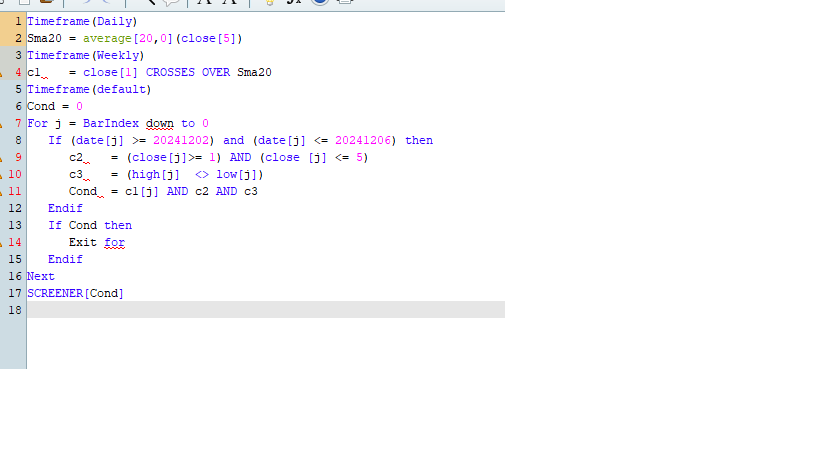
    Saying “line 1 Error unknown command”

    Attached screenshot

    Line-1-error.png Line-1-error.png
    #241418 quote
    drubydruby
    Participant
    New

    Don’t use screeners myself but try this.

    Timeframe(Daily)
    Sma20 = average[20,0](close[5])
    Timeframe(Weekly)
    c1= close[1] CROSSES OVER Sma20
    Timeframe(default)
    Cond = 0
    For j = BarIndex downto 0
       If (date[j] >= 20241202) and (date[j] <= 20241206) then
          c2= (close[j]>= 1) AND (close [j] <= 5)
          c3= (high[j]  <> low[j])
          Cond= c1[j] AND c2 AND c3
       Endif
    Next
    SCREENER[Cond]
    #241419 quote
    robertogozzirobertogozzi
    Moderator
    Legend

    Sometimes Copy & Paste inserts odd characters,  usullay removing all blanks in the highlighted line, then retyping them solves the problem.

Viewing 6 posts - 1 through 6 (of 6 total)
  • You must be logged in to reply to this topic.

ProRealAI ProRealAI New

Stuck on this ProBuilder code?

Describe what this topic is trying to build, in plain English, and ProRealAI writes the ProRealTime™ indicator, screener or system for you.

Available in 7 languages
Try ProRealAI

Adding a date range to a screener code


ProScreener: Market Scanners & Detection

New Reply
Author
author-avatar
segie @segie Participant
Summary

This topic contains 5 replies,
has 3 voices, and was last updated by robertogozzirobertogozzi
1 year, 9 months ago.

Topic Details
Forum: ProScreener: Market Scanners & Detection
Language: English
Started: 12/12/2024
Status: Active
Attachments: 1 files
ProRealCode ProRealCode
Loading...