Hi,
are there any code ready for ProRealtime for a 3 vs 4 days play
desctibed here:
https://www.youtube.com/watch?v=eXO1EXDnCpE
It’s a long video, you should recap the rules and maybe add some screenshots.
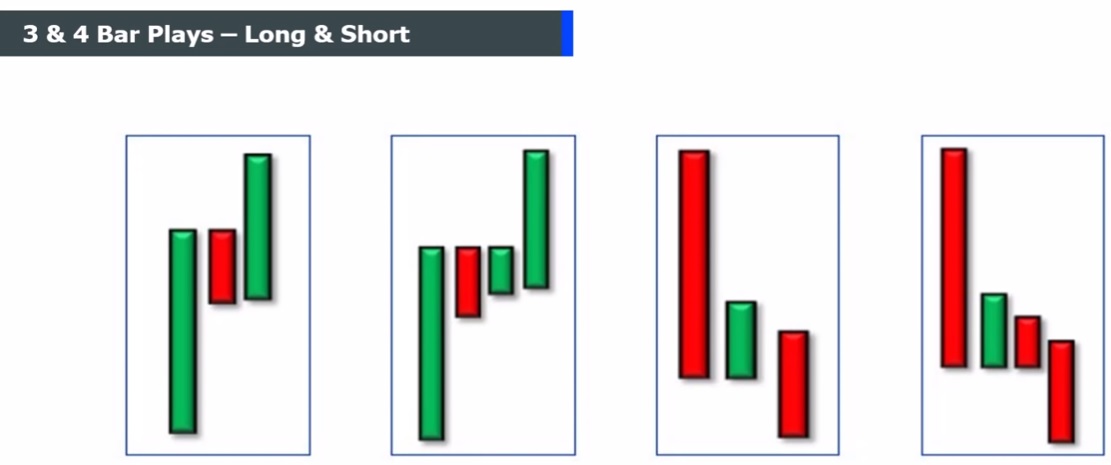
Pictures shows the 3 bars / 4 bars play generic set up.
There you go:
//               Patterns 1-2-3-4 (3 & 4 Bars Play)
//
// https://www.prorealcode.com/topic/3-bar-play-4-bar-play/
// https://www.youtube.com/watch?v=eXO1EXDnCpE
DEFPARAM CalculateOnLastBars = 2000
Bullish   = close > open
Bearish   = close < open
Body      = abs(close - open)
// Pattern1
Pattern1a = Body > Body[1] AND Body[1] < Body[2] AND Body < Body[2]
Pattern1b = Bullish AND Bearish[1] AND Bullish[2]
Pattern1c = open > close[1] AND close > open[1] AND open < open[1]
Pattern1d = open[1] = close[2] AND close[1] > open[2]
Pattern1  = Pattern1a AND Pattern1b AND Pattern1c AND Pattern1d
// Pattern2
Pattern2a = Body > Body[2] AND Body[2] > Body[1] AND Body < Body[3]
Pattern2b = Bullish AND Bullish[1] AND Bearish[2] AND Bullish[3]
Pattern2c = open > open[1] AND close > close[1] AND open < close[1]
Pattern2d = open[1] > close[2] AND open[1] < open[2] AND close[1] = open[2]
Pattern2e = close[2] > open[3] AND close[2] < close[3] AND open[2] = close[3]
Pattern2  = Pattern2a AND Pattern2b AND Pattern2c AND Pattern2d AND Pattern2e
// Pattern3
Pattern3a = Body > Body[1] AND Body[1] < Body[2]
Pattern3b = Bearish AND Bullish[1] AND Bearish[2]
Pattern3c = open < close[1] AND open > open[1]
Pattern3d = open[1] = close[2] AND close[1] > open[2]
Pattern3  = Pattern3a AND Pattern3b AND Pattern3c AND Pattern3d
// Pattern4
Pattern4a = Body > Body[2] AND Body[2] > Body[1] AND Body < Body[3]
Pattern4b = Bearish AND Bearish[1] AND Bullish[2] AND Bearish[3]
Pattern4c = open > close[1] AND open < open[1]
Pattern4d = open[1] < close[2] AND close[1] = open[2]
Pattern4e = open[2] = close[3] AND close[2] < open[3]
Pattern4  = Pattern4a AND Pattern4b AND Pattern4c AND Pattern4d AND Pattern4e
//
Result    = 0
IF Pattern1 THEN
   Result = 1
ELSIF Pattern2 THEN
   Result = 2
ELSIF Pattern3 THEN
   Result = 3
ELSIF Pattern4 THEN
   Result = 4
ENDIF
RETURN Result
I couldn’t get any result. I fear it’s because of the “=” operator.
That’s why I asked you for some details, because pics show equal levels as to close and open many times, but in real market it’s a very rare condition.
Anyway, you can study the code, which is very simple and intuitive, and change what you think needs to be changed.
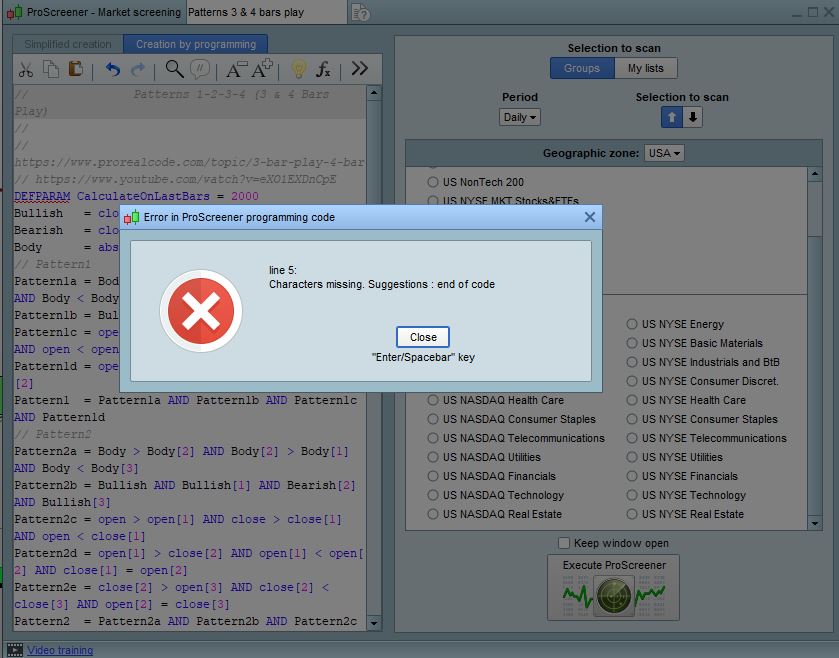
Thanks alot, I get this error after pasting your code?
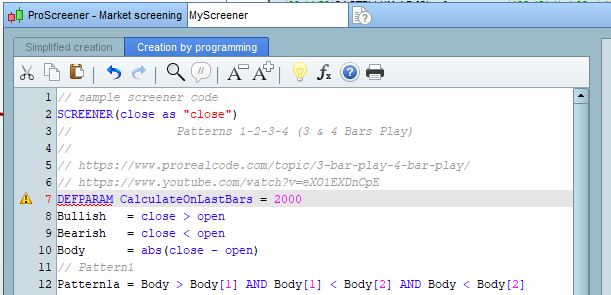
Because this is an Indicator and you should use it in ProBuilder (as you requested using the ProBuilder support forum).
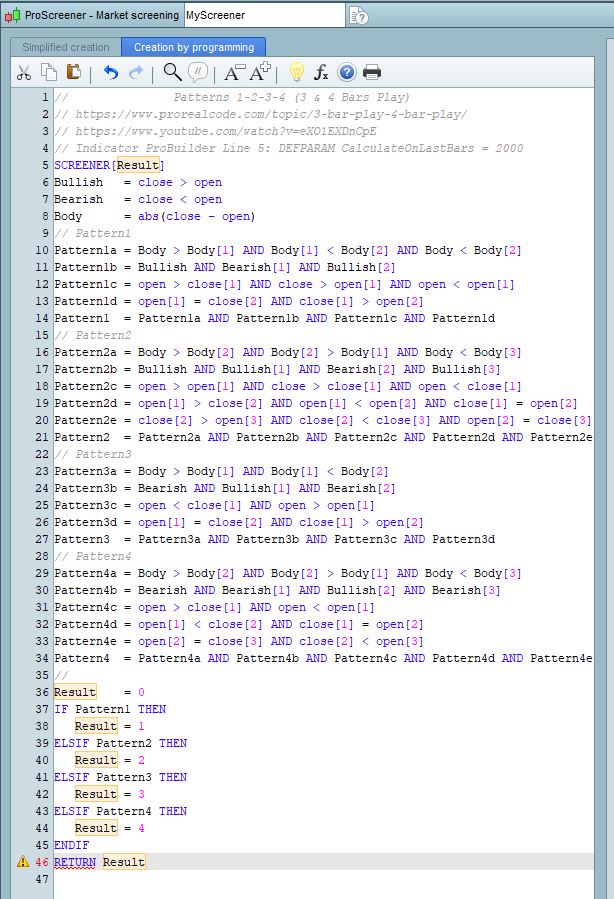
If you want to use it as a screener, just remove line 5 and replace the last line with:
SCREENER Result
If you used this forum by mistake and want to switch to ProScreener, just let me know and I’ll move it.
Hi,
IT was meant to be screener, but I like both. sorry for wrong forum.
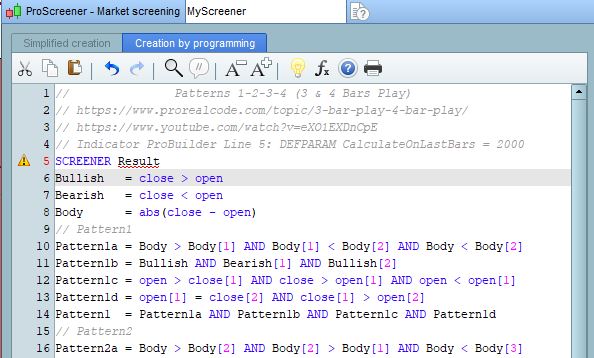
I still get error on that line using: SCREENER Result
The correct syntax is:
SCREENER[Result]
In any case I’ll move the topic to ProScreener.
Hi,
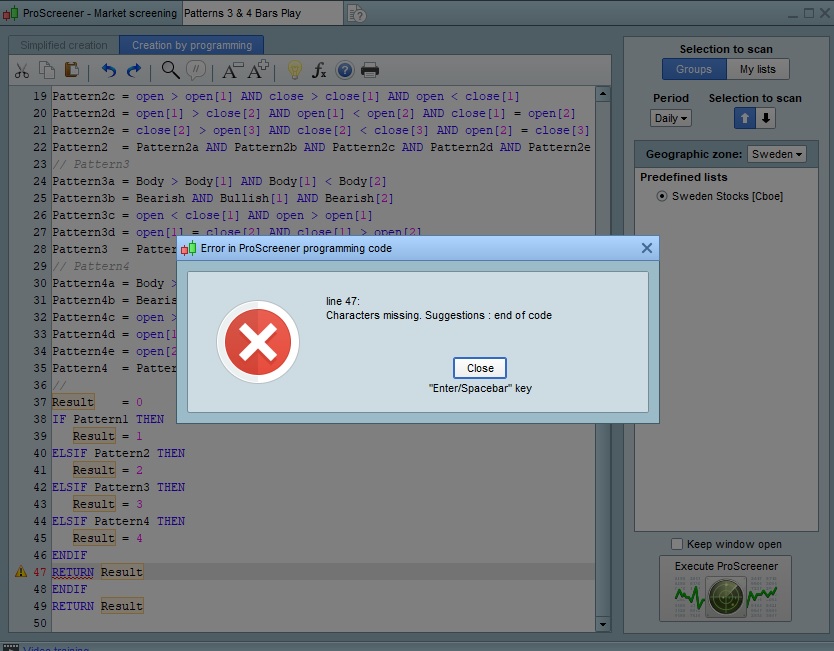
Returns error in line 47:
Characters missing. suggestions: end of code
After the first RETURN line there cannot be any more lines, unless they are comments.
Sorry that Im a rockie in coding, it is still not working.
please past the code that is running well, thx !
The code I posted is correct as an indicator.
To use it as a screener you just have to follow these two steps:
- remove (or comment out) line 5
- replace line 46 with
SCREENER[Result]
Great code here.
In the youtube clip they just use this on the FIRST three or four bars when the market opens and it has to GAP from yeasterdays closing.
So, can we first code that it is a major gap in from the first bar today, from the last bar yeasterday, for bull (patttern 1 and 2) we need to have a gap up, and for bear (pattern 3 and 5) we need to have a big gap down.
and to have this on only the first bars, should we put in a timestamp? or is it possible to know if it is the first bar for today?
Thanks for the great work @robertogozzi