




myOutsidebar+Stop
May 18, 2020, 9:20 AM
Indicators
0 Comments
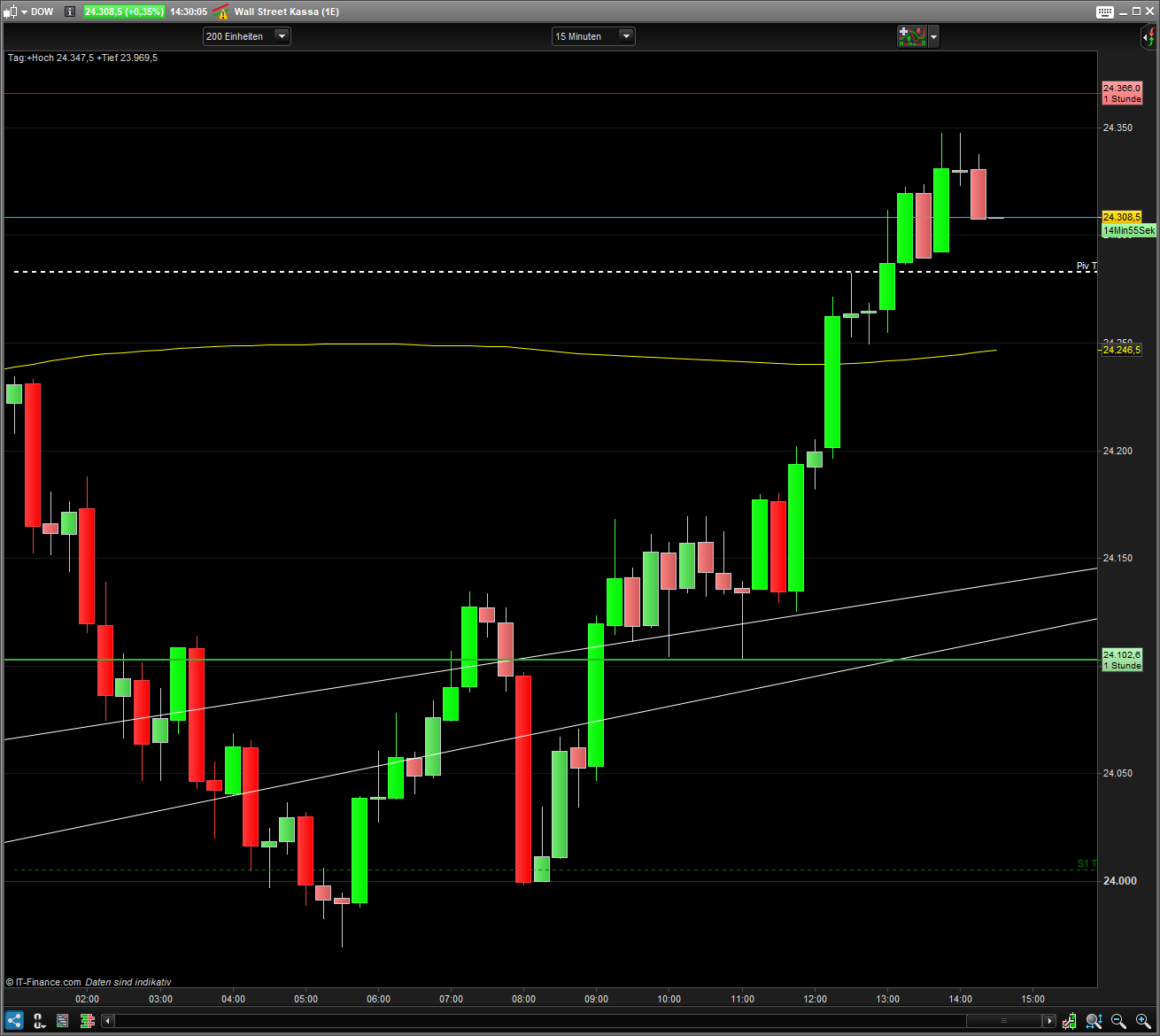
Stop” draws colored outside bars. Shows visually clearer movements. Can help with the stop setting. Ideal for the movement trade. Simple but effective.
I trade this in combination with myCandel V 1.4, myOpening Range…, MyThermometer
Stop: Is an optical stop above / below the outside bar. The distance can be adjusted via “PointsExtra”. Or to deactivate the line in the dialog window at “Stop”.
Candlestick: The colors are fixed in the code. They can be deactivated in the code by placing the // in front of “colored”.This allows the colors in the dialog window to be freely selected.
// myOutsidebar+Stop
// 20.03.2018 (Release 1.1)
// Thomas Geisler
// Sharing ProRealTime knowledge
// https://www.prorealcode.com/library/

// -- init --
ONCE nl          = low[0]//a
ONCE nh          = high[0]//b
ONCE nc          = close[0]//c

// --proof insidebar--
if nc >= nl AND nc <= nh THEN
 nc = close[0]
endif

// -- short outsidebar --
If nc <= nl THEN
 nl = low[0]
 nh = high[0]
 DRAWCANDLE(open, high, low, close) coloured (255,0,0,255)
 OBStop = nh+PointsExtra
endif

// -- long outsidebar --
If nc >= nh THEN
 nl = low[0]
 nh = high[0]
 DRAWCANDLE(open, high, low, close) coloured (0,255,0,255)
 OBStop = nl-PointsExtra
endif

// -- sign stop line --
Return OBSTOP as "Stop"
Download
Filename:
myOutsidebarsStop.itf
Downloads:
101
Average
Operating in the shadows, I hack problems one by one. My bio is currently encrypted by a complex algorithm. Decryption underway...
Author’s Profile


Loading...