




More from ProRealCode
ProRealCode - Trading & Coding with ProRealTime™
The ProRealTime™ community on the web! Officially sharing ProRealTime knowledge to Worldwide users since 2015!



Gaps and gapclosing
September 7, 2020, 10:21 AM
Indicators
0 Comments
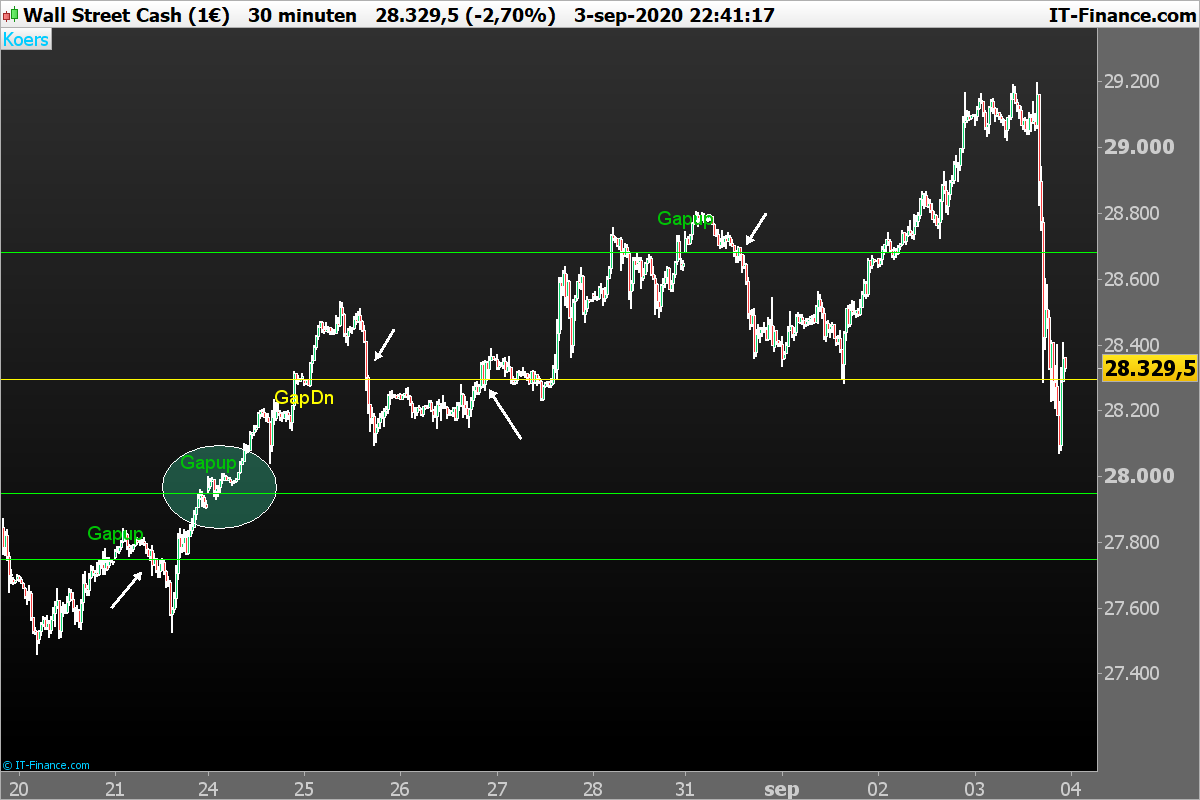
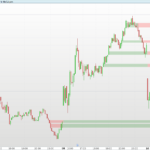
I wrote a code for GapSearching. In the attachment there are 4 gaps. 3 gaps up and 1 gap down. The white arrows gives the closing of the gaps. The green coloured horizontal lines gives the gaps up and the yellow coloured horizontal lines give the gaps down. The green circle (not in the code) gives, 1 unclosed gap.
Can someone help me to code the unclosed gaps visualising are, even as good, let disapear the horizontal lines.
Discussions about gaps closing: https://www.prorealcode.com/topic/gaps-gapclosing-long-running-gaps/
//Gaps
//Zigo
//3.09.2020

c1= low[1]> high[2]
c2= high[1] < low[2]
if c1 then
 c=low[1]
 DRAWTEXT("Gapup", barindex[1], high +AverageTrueRange[14](close),dialog,standard, 19)coloured(0,195,5,255)
 DRAWHLINE(c)coloured(0,255,0,255)
elsif c2 then
 c7=high[1]
 DRAWTEXT("GapDn", barindex[1], low-AverageTrueRange[14](close),dialog,standard, 19)coloured(255,255,0,255)
 DRAWHLINE(c7)coloured(255,250,0,255)
endif

return
Download
Filename:
Gaps-and-gapclosing.itf
Downloads:
164
Master
This author is like an anonymous function, present but not directly identifiable. More details on this code architect as soon as they exit 'incognito' mode.
Author’s Profile
Similar code
Loading...