What Am I Missing – Scan not working

Viewing 14 posts - 1 through 14 (of 14 total)

  • Author
    Posts
  • #186337 quote
    tacharts
    Participant
    New

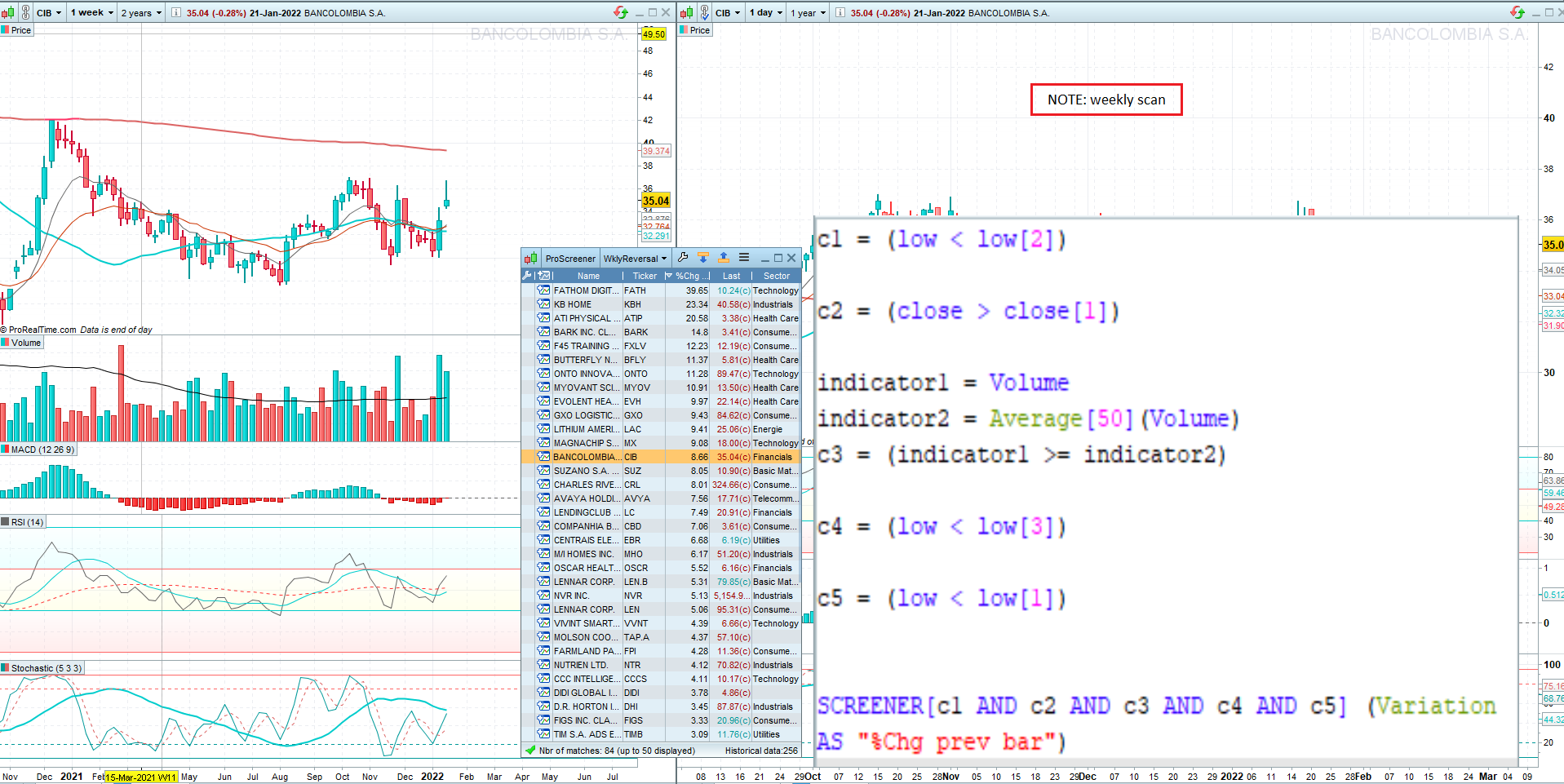
    Ive attached a screenshot of a stock listing from my newly created scan. The weekly chart (left) shows one of the stocks selected.

    To the right is the scan code I generated. In summary, the scan should find all NYSE stocks where:

    1. Currently weekly low is lower than all 3 prior weeks
    2. Current weekly close > prior week’s close
    3. Volume >= 50 SMA of volume

    Any/all help appreciated!!

    Thanks!

    test-overlay.png test-overlay.png
    #186346 quote
    GraHal
    Participant
    Master

    It’s helpful to post your code on here as then I could copy and paste your code and run it on my Platform and see what I get and also I can easily make changes if your code does not work.

    Above is quicker problem solving than me suggesting changes to you and you making changes and then me having to check back on here to see if my suggestion worked or not etc.

    There does not appear to be anything wrong with your code btw.

    #186355 quote
    tacharts
    Participant
    New

    Thanks! Good suggestion. I have included code below –

    c1 = (low < low[2])

    c2 = (close > close[1])

    indicator1 = Volume
    indicator2 = Average[50](indicator1)
    c3 = (indicator1 >= indicator2)

    c4 = (low < low[3])

    c5 = (low < low[1])

    SCREENER[c1 AND c2 AND c3 AND c4 AND c5] (Variation AS “%Chg prev bar”)


    Thanks again!

    #186356 quote
    GraHal
    Participant
    Master

    You don’t say what you are finding wrong with your screener?

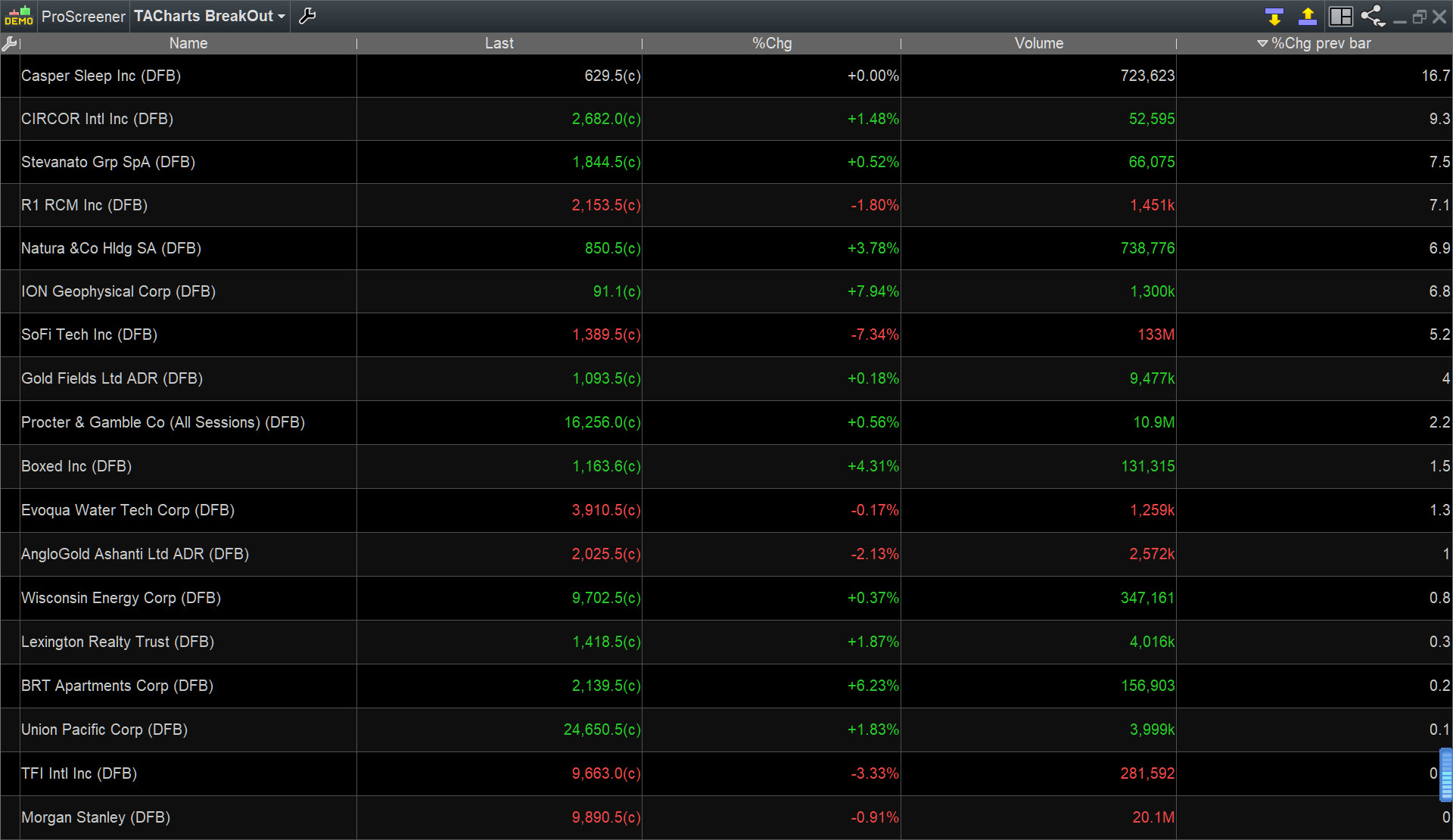
    I get loads of results from List – Shares US Wall St … see attached.

    TA.jpg TA.jpg
    #186362 quote
    tacharts
    Participant
    New

    Thanks. The chart attachment on original post (wkly on left) clearly shows that the stock highlighted does not meet

    the scan requirement: current low is lower than lows of past three weeks.  There are others where current close

    is not greater than the prior week’s close. Not sure what it’s doing, but I can see what it’s not doing.

    As you have the code, perhaps you can pull up a few of the stocks you get as results and see if the

    conditions are met.

    Thanks again.

    #186363 quote
    GraHal
    Participant
    Master

    I just checked the top 3 and all 3 are meeting the conditions.

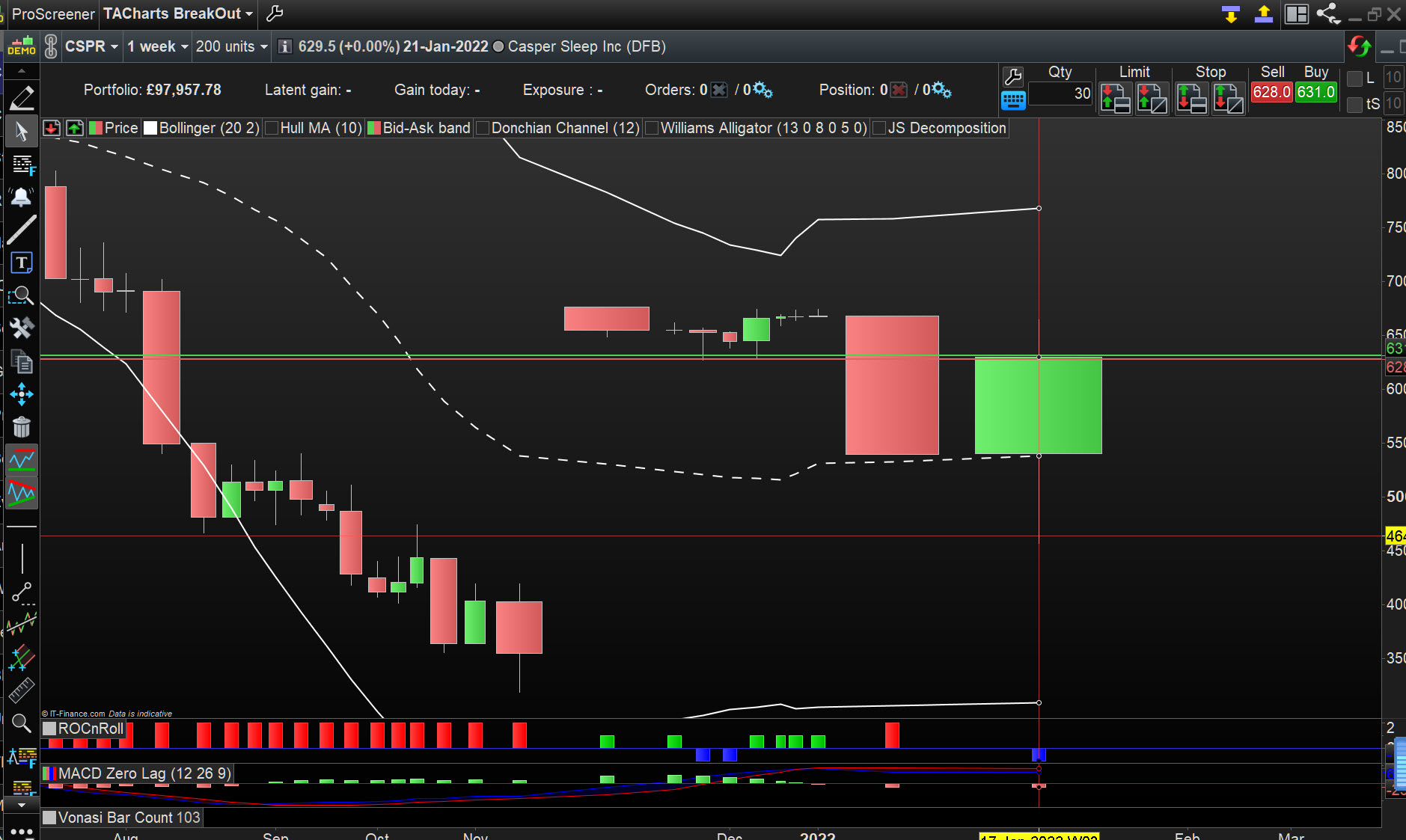
    Attached is the top one for example … do you not get the same or am I misinterpreting? 🙂

    TA-2.jpg TA-2.jpg
    #186365 quote
    GraHal
    Participant
    Master

    The chart you posted in your first post meets the conditions on the second to last bar … some Issue around time maybe?  Is your Platfrom on UTC+0?

    What do you get if you run your Screener right now?

    #186367 quote
    tacharts
    Participant
    New

    I think it is time related. My current scan shows conditions met for 1st 4 stocks IF I

    exclude last week. I’m on Denver time, I think its +7. Let me set on +0 and see what happens.

    Doesnt seem like that would be a problem as week is over, but what the hey, I’ll give it shot. 👍

    Thanks!

    #186368 quote
    tacharts
    Participant
    New

    Changed time to UTC +0. No difference.  (Denver is -7 I believe, not +7).

    Weird, scan doesnt seem to pick up the week just passed at all.

    #186378 quote
    GraHal
    Participant
    Master

    Clutching at straws now, but I got to thinking … when does the week end … just before the new week starts?  Which is 00:00 Monday.

    So maybe that’s why the wek just passed is excluded because the week hasn’t passed yet?? 🙂

    I have Display weekend data ticked … do you?

    #186389 quote
    tacharts
    Participant
    New

    Hmmm. Perhaps thats the prob. Where is the Display weekend data election to be ticked?

    Thanks!!

    #186394 quote
    GraHal
    Participant
    Master

    Same place as Timezones.

    If you can’t find It I’ll do a screen shot but I’m not in PRT at the mo.

    #186406 quote
    tacharts
    Participant
    New

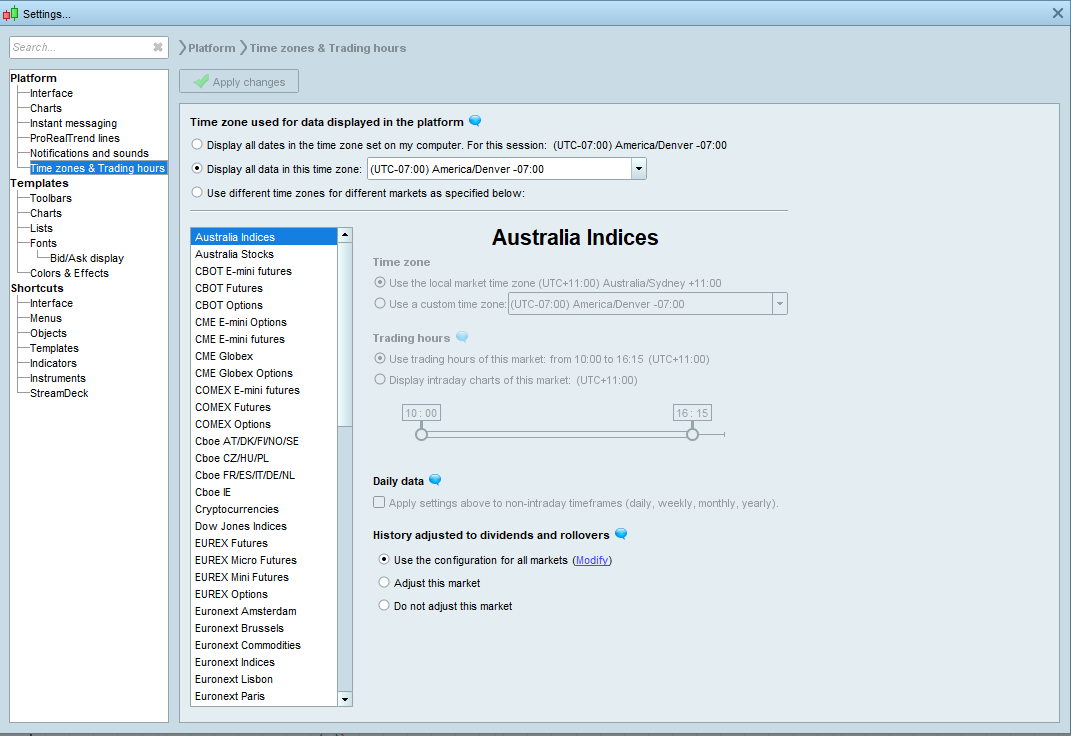
    Sorry, I dont see that option. Ive done a screenshot of the time zone page that I see.

    Attached.

    When handy.

    Thanks!

    settings.png settings.png
    #186438 quote
    GraHal
    Participant
    Master

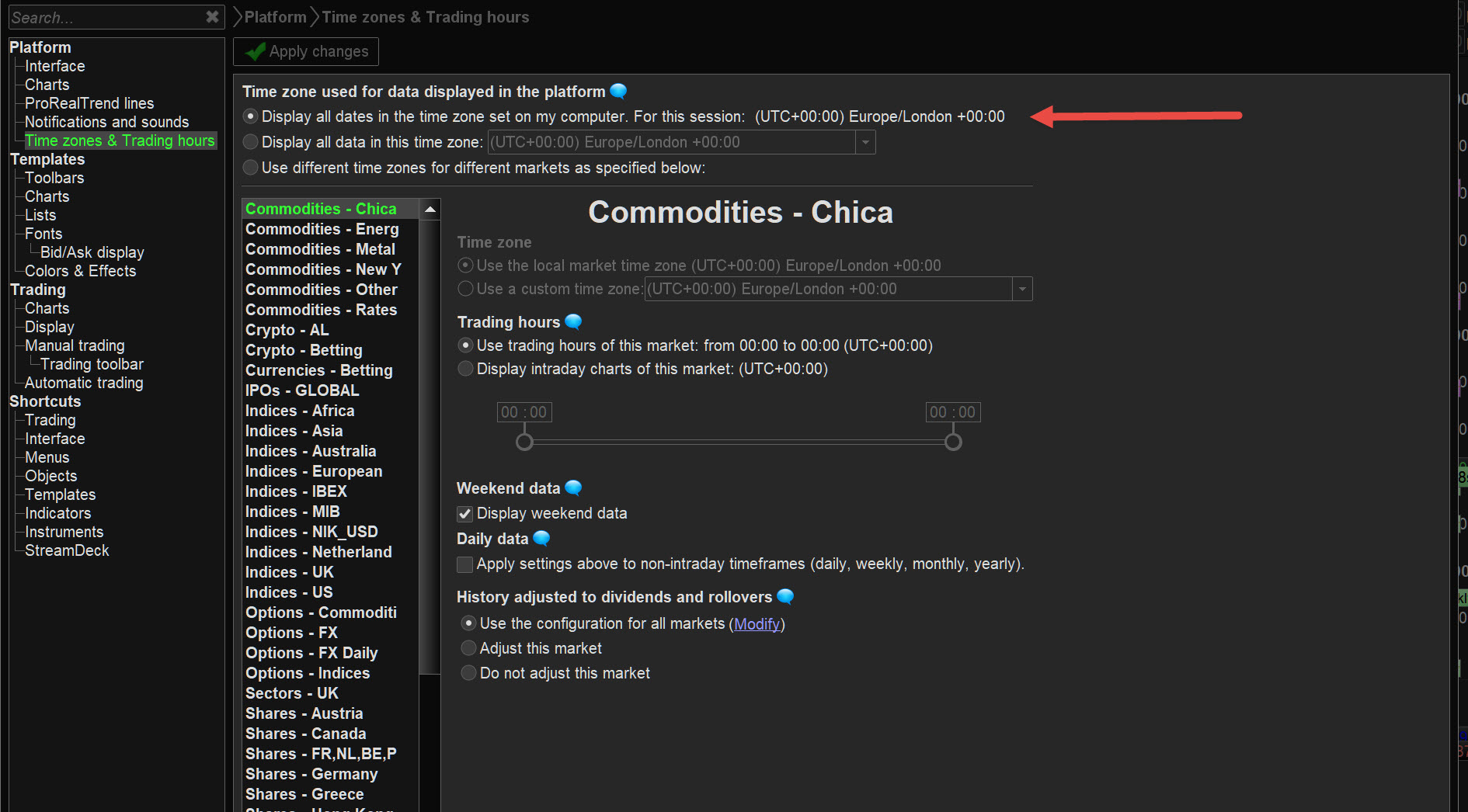
    Try selecting the option for timezone as set on my computer … same as I do (but for Denver UTC – 07:00), see attached.

    The weekend data option may appear and / or your Screener may then work correctly anyway with above settings?

    TA-3.jpg TA-3.jpg
Viewing 14 posts - 1 through 14 (of 14 total)
  • You must be logged in to reply to this topic.

What Am I Missing – Scan not working


ProScreener: Market Scanners & Detection

New Reply
Author
author-avatar
tacharts @tacharts Participant
Summary

This topic contains 13 replies,
has 2 voices, and was last updated by GraHal

4 years, 1 month ago.

Topic Details
Forum: ProScreener: Market Scanners & Detection
Language: English
Started: 01/22/2022
Status: Active
Attachments: 5 files
Logo Logo
Loading...