Volume Bear Bull Gabri 100

Viewing 12 posts - 1 through 12 (of 12 total)

  • Author
    Posts
  • #62763 quote
    supertiti
    Participant
    Master

    Bonsoir à tous

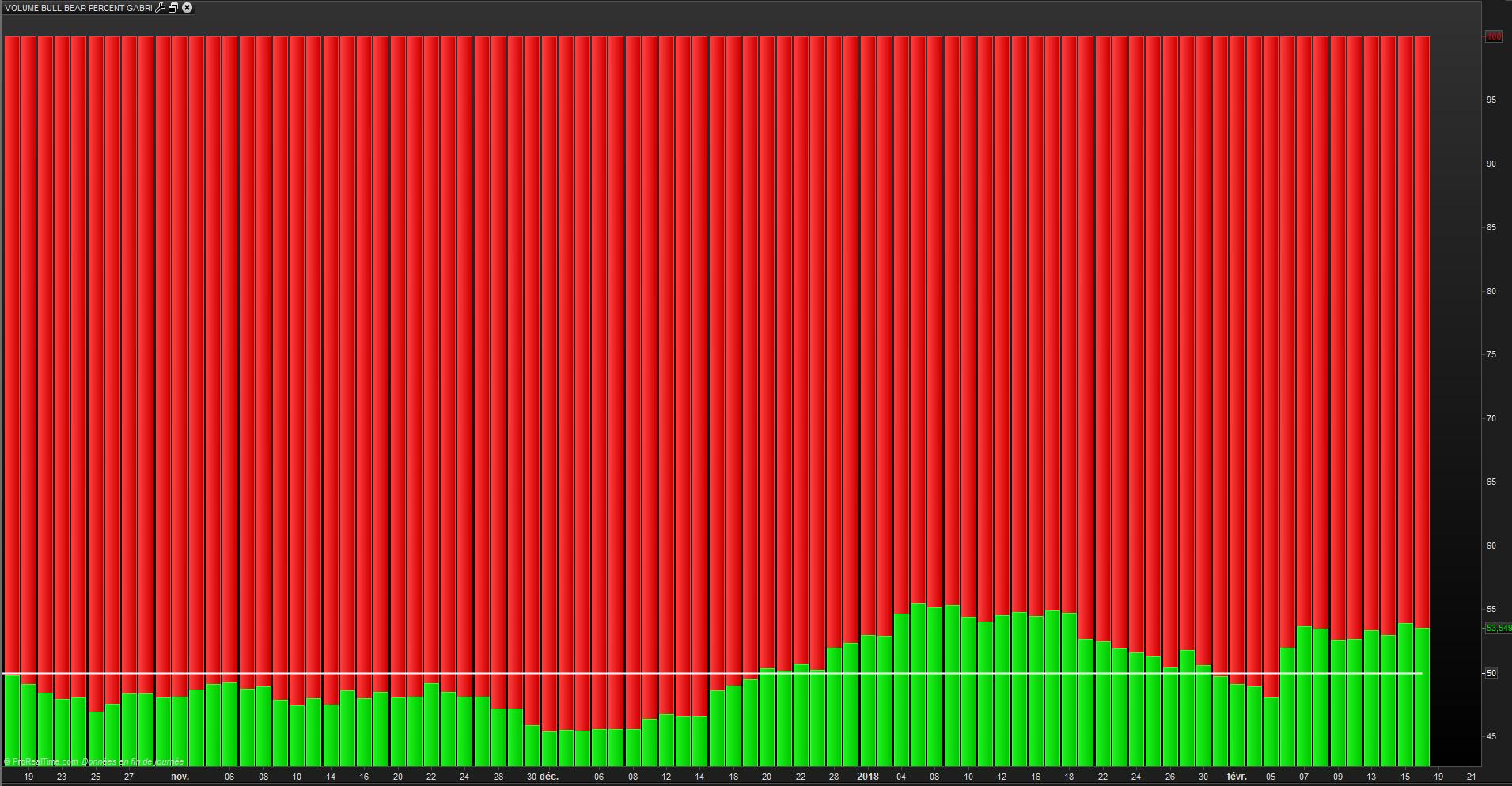
    Je met un graphe reflétant ce que je souhaiterais, c’est à dire garder les histogrammes tels quels ( couleurs ) mais les ramener sur une échelle de 0 à 100.

    Je le fais ici car dans la librairie je n’arrive pas à poster une image.

    l’idée c’est de voir la tendance en suivant le point de jonction des histogrammes verts et rouges.

    good evening everyone

    I put a graph reflecting what I would like, that is to say, keep the histograms as they are (colors) but bring them back to a scale of 0 to 100.

    I do it here because in the bookstore I can not post an image.

    the idea is to see the trend by following the junction point of the green and red histograms.

    Alai-n thanked this post
    #62768 quote
    gabri
    Participant
    Master

    Try this


    period=22


    if close>=open then
    greenbarcount=1
    greenvolume=volume
    redbarcount=0
    redvolume=0
    else
    greenbarcount=0
    greenvolume=0
    redbarcount=1
    redvolume=volume
    endif
    //media volumi rossi e verdi per media mobile semplice
    mmred=summation[period](redvolume)/summation[period](redbarcount)
    mmgreen=summation[period](greenvolume)/summation[period](greenbarcount)
    
    
    den=mmred+mmgreen
    
    if den<>0 then
    rapp=100*mmred/den
    massimo=100
    else
    rapp=0
    massimo=0
    endif
    
    return massimo coloured (0,210,0) style (histogram), rapp coloured (210,0,0) style (histogram),50
    #62829 quote
    supertiti
    Participant
    Master


    Hello Gabri

    The code corresponds to what I wanted. I took as reference period “period” = 11.

    One more thing: is it possible to have the green histograms at the bottom and the red ones at the top?

    thank you very much for your help.

    #62831 quote
    supertiti
    Participant
    Master

    Bonjour Gabri Le code correspond bien à ce que je souhaitais. J’ai pris comme période de référence “period”=11.

    Encore une chose : est-il possible d’avoir les histogrammes verts en bas et les rouges en haut ?

    merci beaucoup pour ton aide.

    Hello Gabri

    The code corresponds to what I wanted. I took as reference period “period” = 11.

    One more thing: is it possible to have the green histograms at the bottom and the red ones at the top?

    thank you very much for your help.

    #62849 quote
    gabri
    Participant
    Master
    
    
    if den<>0 then
    rapp=100*mmgreen/den
    massimo=100
    else
    rapp=0
    massimo=0
    endif
     
    return rapp coloured (0,210,0) style (histogram), massimo coloured (210,0,0) style (histogram),50

    Try this

    #62859 quote
    supertiti
    Participant
    Master

    hi Gabri

    All the histogram are red !

    #62865 quote
    gabri
    Participant
    Master

    Did you change only the lines between 23 to 31 from the original code?

    #62912 quote
    supertiti
    Participant
    Master

    Yes I only change this lines : 23 to 31

    #62915 quote
    Nicolas
    Keymaster
    Master

    @supertiti

    Please speak english in this thread, I spent a lot of time deleting all your french text … 👿

    #62946 quote
    gabri
    Participant
    Master

    My bad, it was the order of the input, sorry now it should work!!

    period=22


    if close>=open then
    greenbarcount=1
    greenvolume=volume
    redbarcount=0
    redvolume=0
    else
    greenbarcount=0
    greenvolume=0
    redbarcount=1
    redvolume=volume
    endif
    //media volumi rossi e verdi per media mobile semplice
    mmred=summation[period](redvolume)/summation[period](redbarcount)
    mmgreen=summation[period](greenvolume)/summation[period](greenbarcount)
     
     
    den=mmred+mmgreen
    
    if den<>0 then
    rapp=100*mmgreen/den
    massimo=100
    else
    rapp=0
    massimo=0
    endif
     
    return massimo coloured (210,0,0) style (histogram),rapp coloured (0,210,0) style (histogram), 50
    #62965 quote
    supertiti
    Participant
    Master

    <span id=”result_box” class=”” lang=”en”>Great ! <span class=””>exactly what I wanted</span>

    <span class=””>a big thank you Gabri</span>

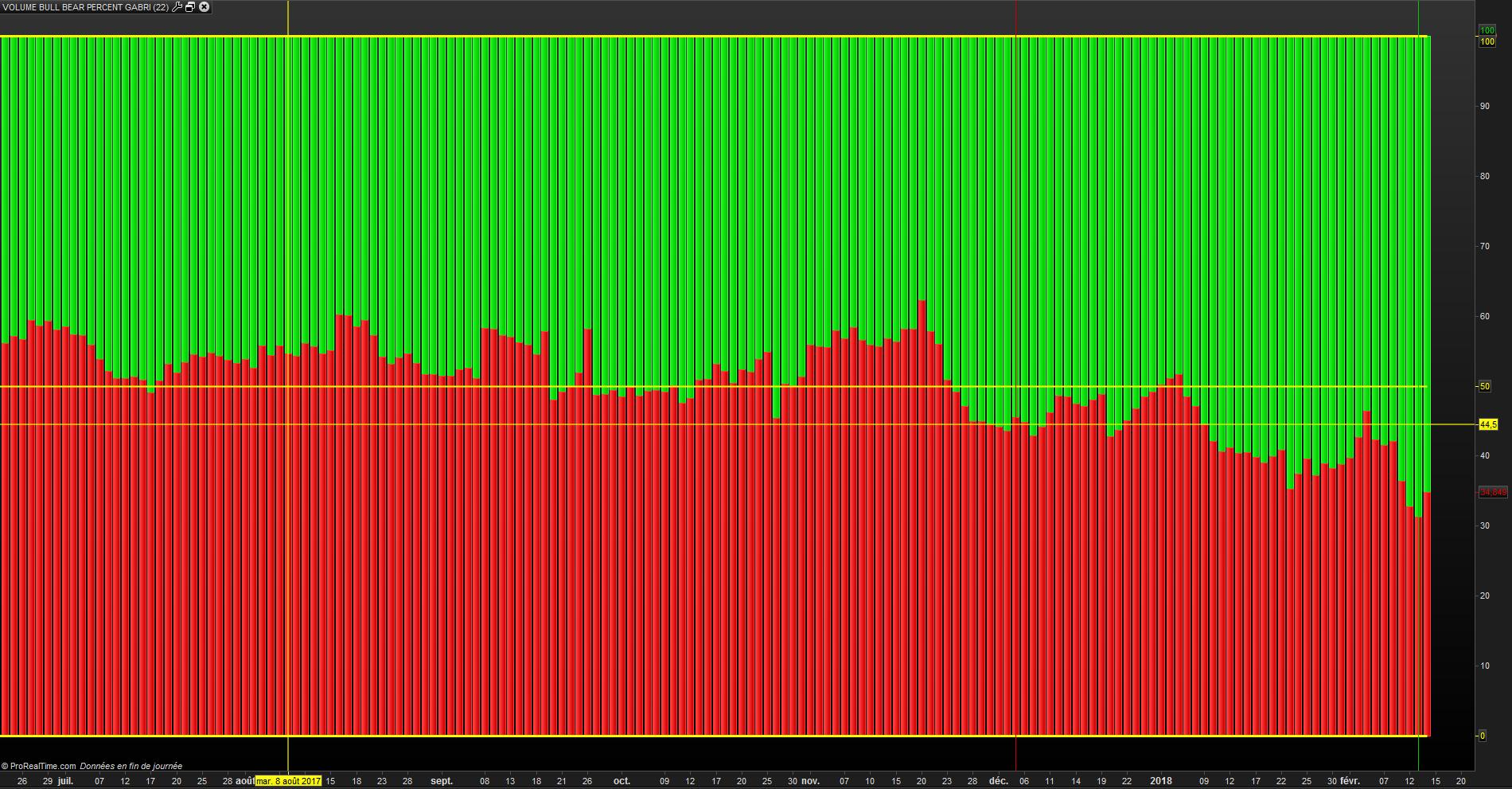
    <span class=””>I attach a graph of the CAC40</span>

    <span class=””>have a nice week end</span></span>

    #62998 quote
    gabri
    Participant
    Master

    Bullish volumes, bullish trend on the long but re-accumulation is ongoing….

Viewing 12 posts - 1 through 12 (of 12 total)
  • You must be logged in to reply to this topic.

Volume Bear Bull Gabri 100


ProBuilder: Indicators & Custom Tools

New Reply
Author
author-avatar
supertiti @supertiti Participant
Summary

This topic contains 11 replies,
has 3 voices, and was last updated by gabri

7 years, 11 months ago.

Topic Details
Forum: ProBuilder: Indicators & Custom Tools
Language: English
Started: 02/14/2018
Status: Active
Attachments: 3 files
Logo Logo
Loading...