Hello,
Please could someone direct me where to look to configure a new saved sized version of the detailed report as a template for all automated trading strategies?
Thanks in advance.
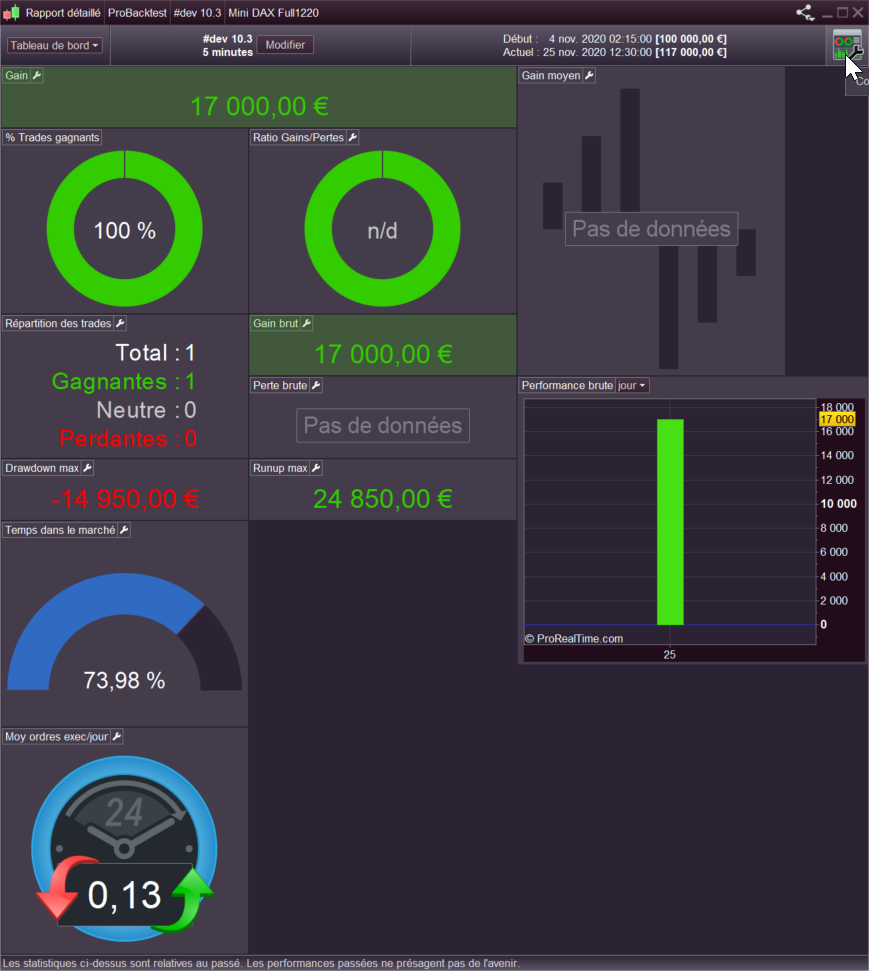
You can modify the size and move each modules of the detail report by clicking on the “dashboard configuration” button at the right upper side of the detailed report window (see attached picture). Then you will be able to save your different settings as separated templates.
Hi Nicolas
Thank you for your reply but I’ve done that bit I just wondered if there is somewhere in the settings where I can apply the newly sized template configuration to all existing autotrading strategies and any newly created ones or do I have to go in and resize each individually?
do I have to go in and resize each individually?
Yeah I want to know this asap … I have saved – with the name, Trial – my preferred layout for the Detailed Report.
However, my layout – Trial – is not available for selection after doing a backtest when I want to display my Trial settings??
It is going to be so much wasted time if this layout has to be set up and repeated over and over again!!??
My conclusion is that preferred settings for Detailed Report (Dashboard) is available only for that area of the Platform where we save it … either in ProOrder AutoTrading or in Backtest area, but not available to both areas!
I guess that is understandable as there will be different data available to each of the two areas?