Use of Indicator with timeframe 3 minutes in Wiindow with 1 minute

Viewing 6 posts - 1 through 6 (of 6 total)
  • Author
    Posts
  • #248905 quote
    roccafragius
    Participant
    Junior

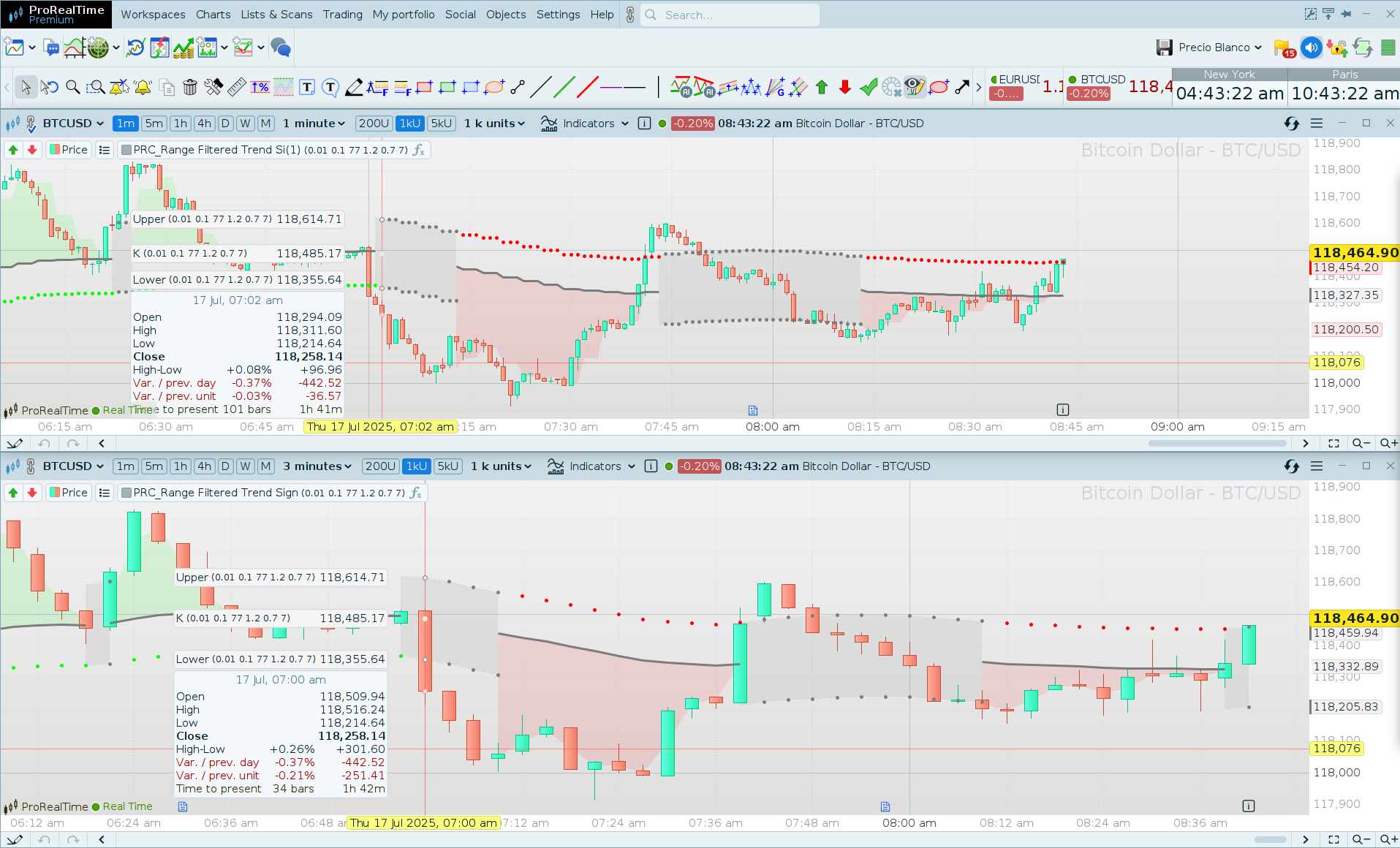
    Hi Ivan, thanks a lot for your help, I try to use very useful new indicator posted by you, “PRC_Range-Filtered-Trend-Signal” in timeframe 1 minute using as confirmation result of same indicator in timeframe 3 minutes.

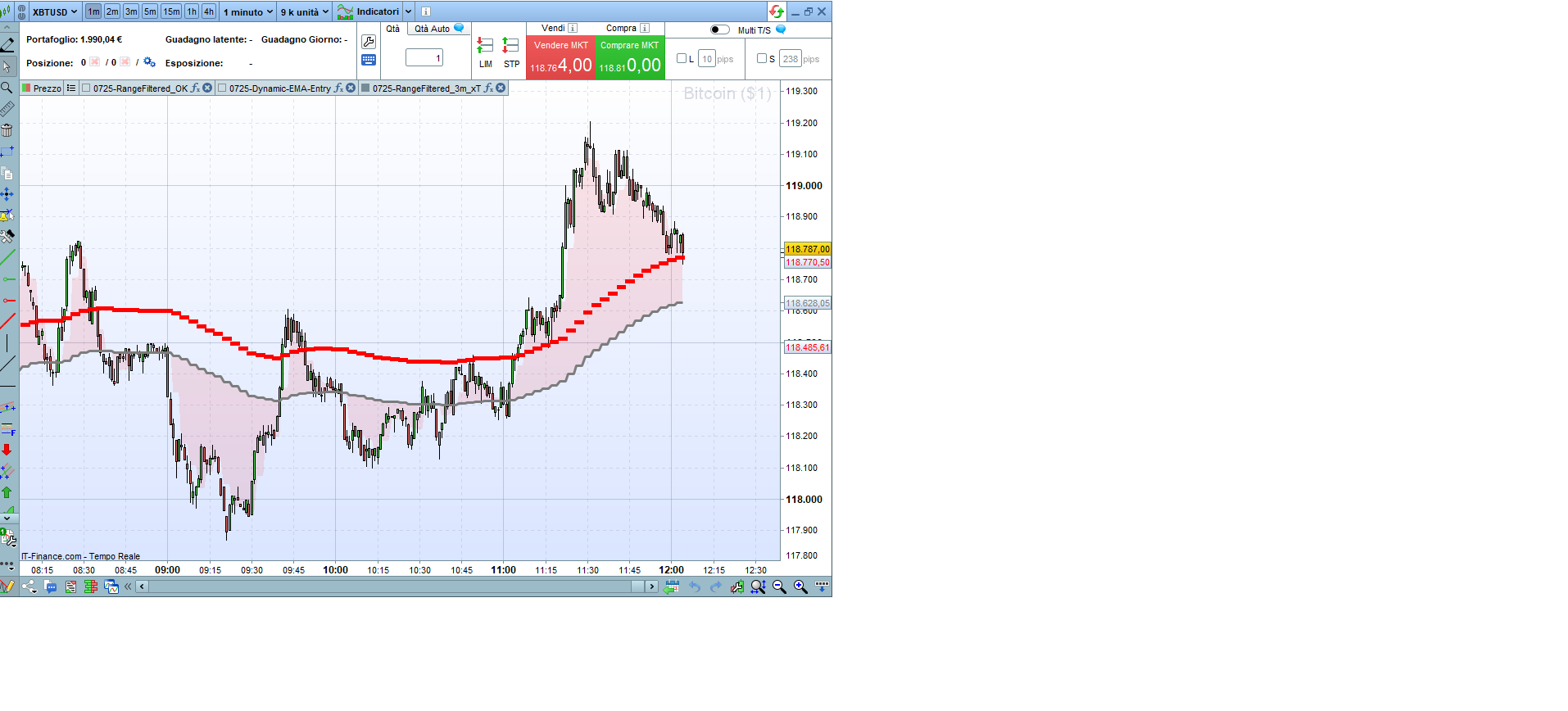
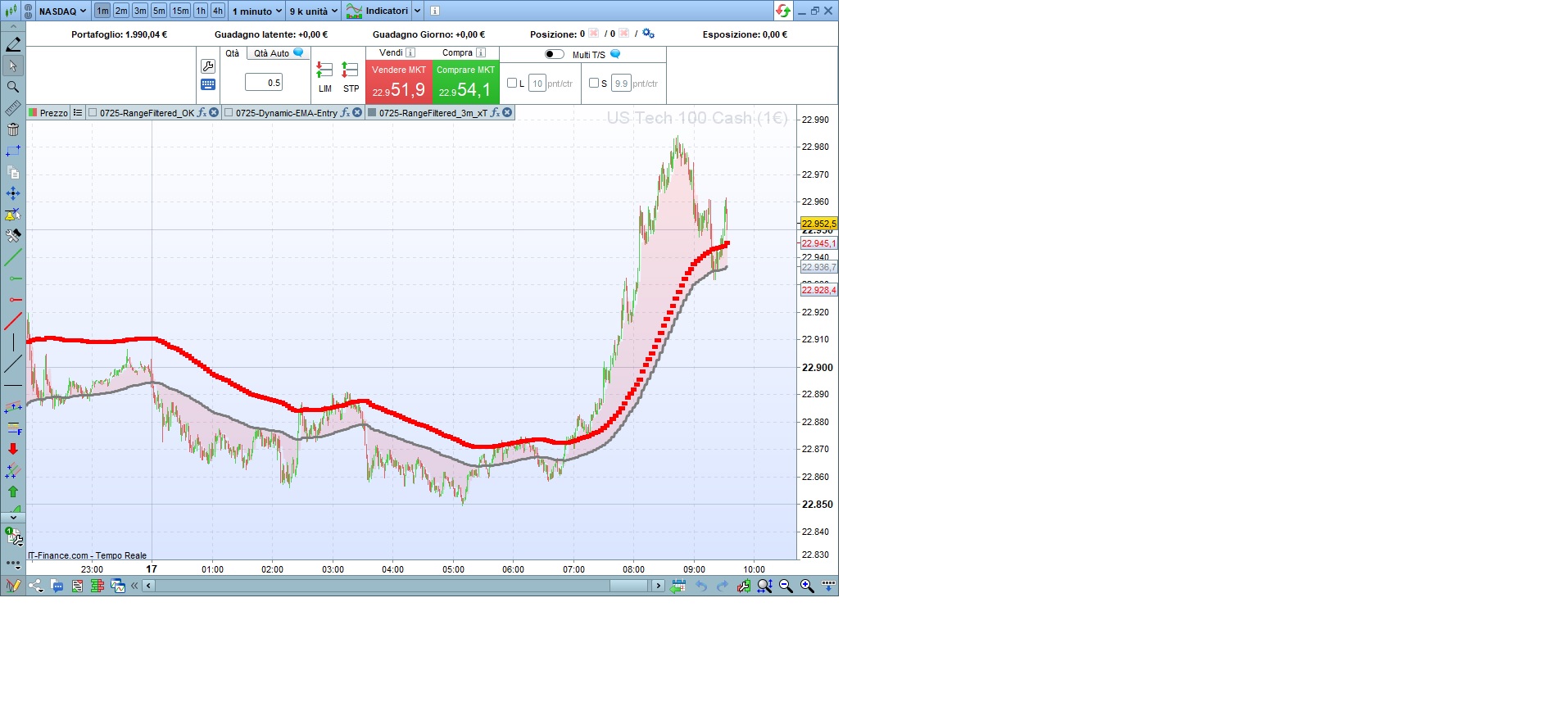
    Unfortunatelly the result in attach is not ok, I see just red trend.

    Please could you check it?  I post my code below ( just adding the timeframe 3 minutes in line 3 and default timeframe in line 133. Moreover Ivan suggested me to change line 22 with Barindex <= 2 instead <=1

    Thank you in advance!

    Franco


    //0725-RangeFiltered_3m_xT | indicator
    //16.06.2025
    //Iván González @ http://www.prorealcode.com
    //Sharing ProRealTime knowledge
    //translated from tradingview code
    //—————————————————–//
    // — Parámetros de Entrada —
    //—————————————————–//
    timeframe(3 minutes, updateonclose)
    // Grupo Filtro Kalman
    kalmanAlpha = 0.01
    kalmanBeta = 0.1
    kalmanPeriod = 77
    dev = 1.2
    // Grupo Supertrend
    supertrendFactor = 0.7
    supertrendAtrPeriod = 7
    //—————————————————–//
    // — Lógica del Filtro Kalman —
    //—————————————————–//
    ONCE v2 = 1.0
    IF BarIndex <= 2 THEN
    v1 = close[1]
    else
    v3 = kalmanAlpha * kalmanPeriod
    v5 = v1
    v4 = v2 / (v2 + v3)
    v1 = v5 + v4 * (close – v5)
    v2 = (1 – v4) * v2 + kalmanBeta / kalmanPeriod
    ENDIF
    k = v1 // Línea del Filtro Kalman
    //—————————————————–//
    // — Lógica del Supertrend —
    //—————————————————–//
    src=k
    atr=averagetruerange[supertrendAtrPeriod]

    upperband=src+supertrendFactor*atr
    lowerband=src-supertrendFactor*atr

    if barindex<=supertrendAtrPeriod then

    upperband=src
    lowerband=src
    direction=1
    isupertrend=src

    else

    if lowerband>lowerband[1] or k[1]<lowerband[1] then
    lowerband=lowerband
    else
    lowerband=lowerband[1]
    endif

    if upperband<upperband[1] or k[1]>upperband[1] then
    upperband=upperband
    else
    upperband=upperband[1]
    endif

    if isupertrend[1]=upperband[1] then
    if k>upperband then
    direction=-1
    else
    direction=1
    endif
    else
    if k<lowerband then
    direction=1
    else
    direction=-1
    endif
    endif

    if direction=-1 then
    isupertrend=lowerband
    else
    isupertrend=upperband
    endif

    endif
    //—————————————————–//
    // — Lógica Principal del Indicador —
    //—————————————————–//
    vola = WeightedAverage[200](high – low)

    // Bandas del Filtro de Rango
    upper = k + vola * dev
    lower = k – vola * dev

    midbody = (close + open) / 2
    //—————————————————–//
    // — Visualización y Dibujo —
    //—————————————————–//
    rk=124
    gk=124
    bk=124
    ak=255

    if close crosses over upper and isupertrend=isupertrend[1] then
    r=124
    g=124
    b=124
    a1=255
    a2=255
    inrange=1
    elsif close crosses under lower and isupertrend=isupertrend[1] then
    r=124
    g=124
    b=124
    a1=255
    a2=255
    inrange=1
    elsif isupertrend<>isupertrend[1] and k<isupertrend then
    r=255
    g=0
    b=0
    a1=255
    a2=0
    inrange=0
    elsif isupertrend<>isupertrend[1] and k>isupertrend then
    r=0
    g=255
    b=0
    a1=0
    a2=255
    inrange=0
    endif
    if inrange=1 then
    ak=0
    endif
    timeframe(DEFAULT , updateonclose)
    //—————————————————–//
    colorbetween(k,midbody,r,g,b,ak*0.1)
    colorbetween(lower,upper,124,124,124,30*inrange)
    //—————————————————–//
    return k as “K 3m” style(line,3)coloured(rk,gk,bk,ak), upper as “Upper 3m” coloured(r,g,b,a1)style(point,5), lower as “Lower 3m” coloured(r,g,b,a2)style(point,2)

    #248910 quote
    Iván González
    Moderator
    Master

    Hi!
    I think your code it’s working fine.
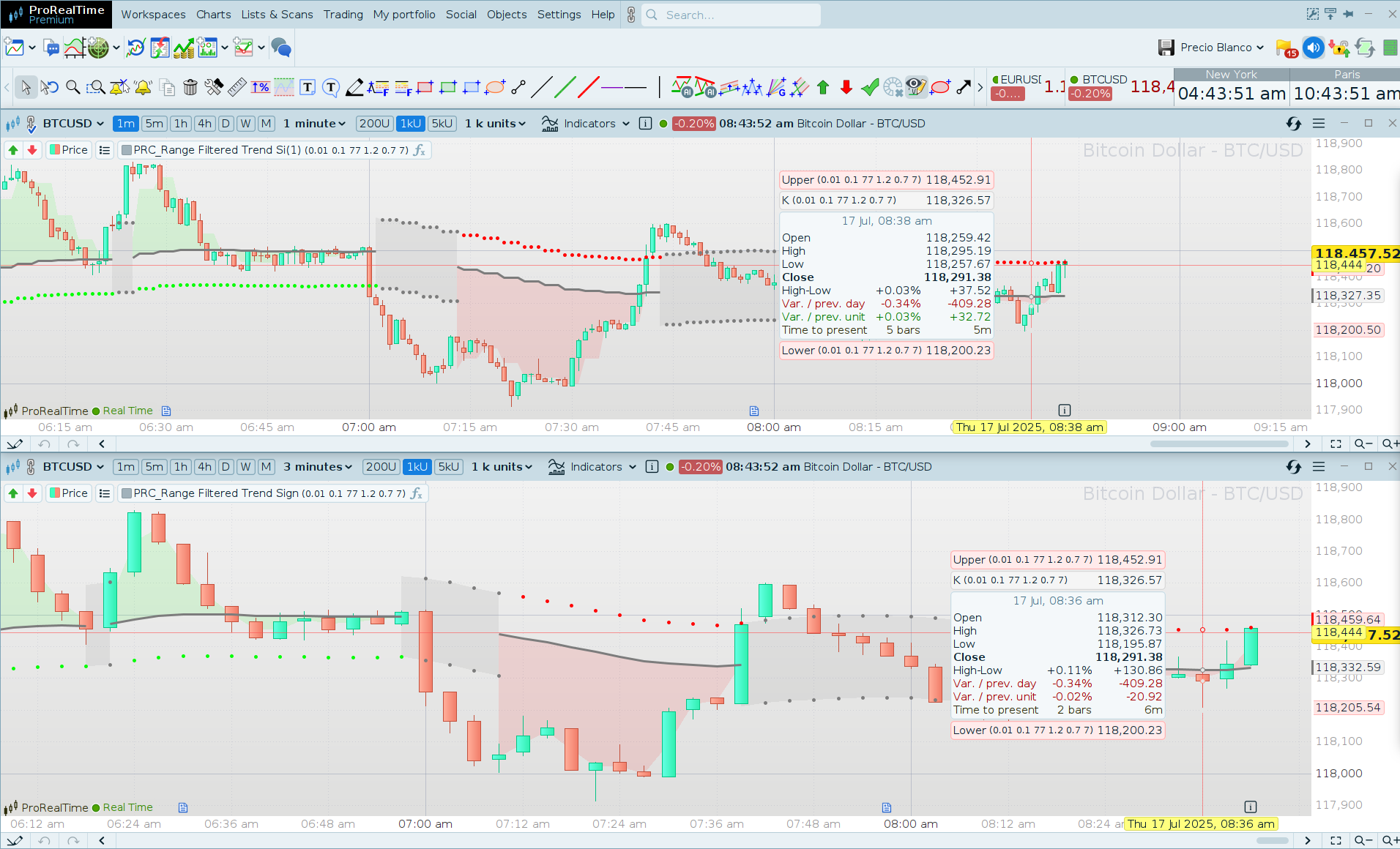
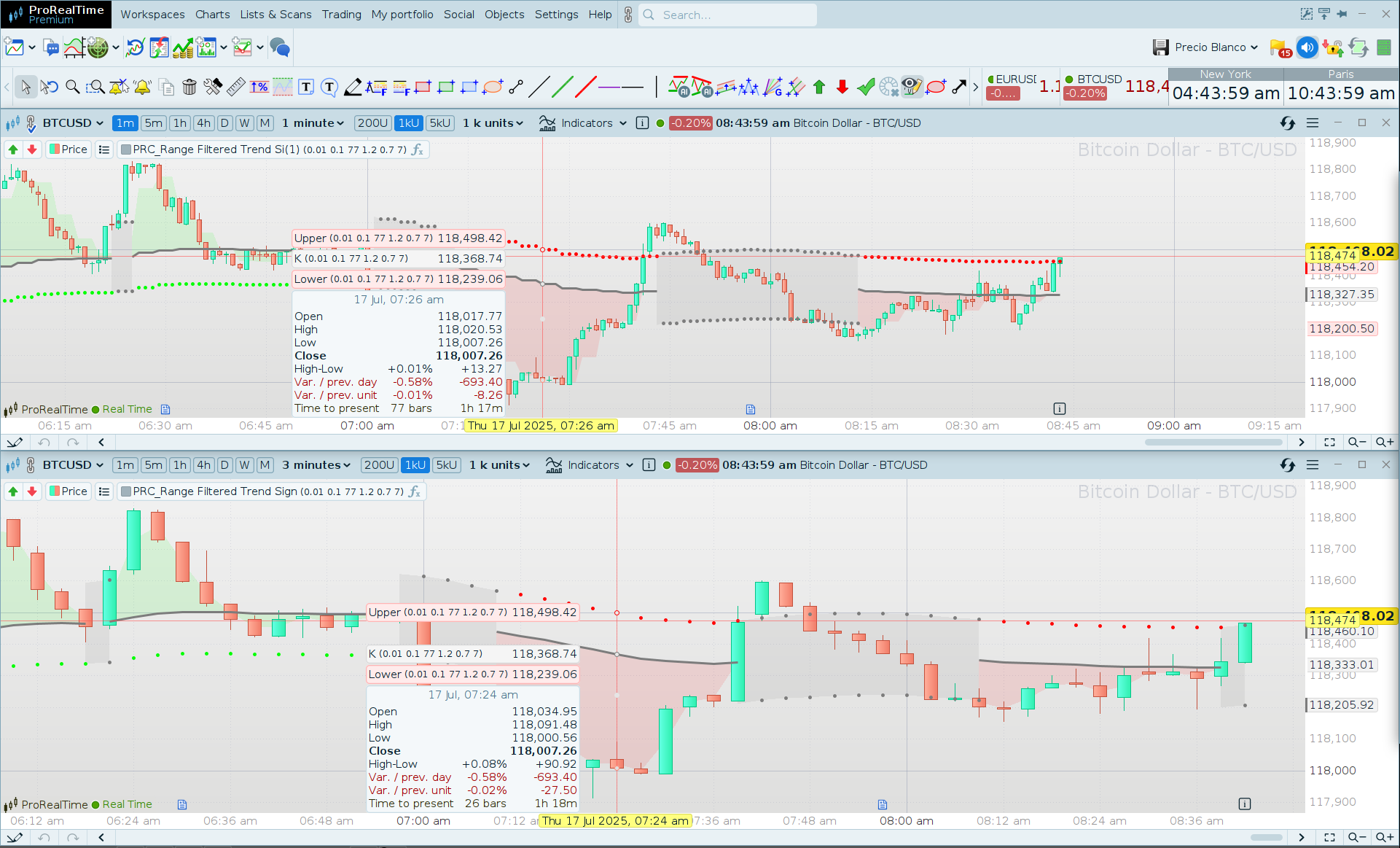
    Look at screenshots attached.
    Results will be exactly the same if your are looking to the first 1minute candle corresponding to the open of the 3minute candle.

    #248922 quote
    roccafragius
    Participant
    Junior

    Thank you so much Ivan, I have a different result but probably it is something related to me , my PRT version is 12, I will try to exit e renter again.

    Thank you for your fast answer!

    Ciao

    Franco

    #248924 quote
    roccafragius
    Participant
    Junior

    I exit from PRT and reconnected, please find in attach the current view I have, unfortunatelly is not the same you have.

    I already used the same method in the past without problem, It is strange.

    Thank you in advance Ivan.

    Ciao

    Franco

    #248937 quote
    roccafragius
    Participant
    Junior

    Hi Ivan, now it works. I exit again and now it works!

    Thank you!

    Franco

    Iván González thanked this post
    #248946 quote
    Iván González
    Moderator
    Master

    ok, great!

Viewing 6 posts - 1 through 6 (of 6 total)
  • You must be logged in to reply to this topic.

Use of Indicator with timeframe 3 minutes in Wiindow with 1 minute


ProBuilder: Indicators & Custom Tools

New Reply
Author
Summary

This topic contains 5 replies,
has 2 voices, and was last updated by Iván González

6 months, 3 weeks ago.

Topic Details
Forum: ProBuilder: Indicators & Custom Tools
Language: English
Started: 07/17/2025
Status: Active
Attachments: 5 files
Logo Logo
Loading...