Translation of Set stop ploss x ptrailing y

Viewing 11 posts - 1 through 11 (of 11 total)

  • Author
    Posts
  • #162443 quote
    GuibourseGuibourse
    Participant
    Average

    Hi all,

    Is it possible to translate this command into a manual code :

    Set stop ploss x ptrailing y

    Because it cannot run in real time.

    Thanks a lot

    #162447 quote
    NicolasNicolas
    Keymaster
    Legend

    Use

    Set stop ploss x

    and one of the soft trailing stop code available in forums and in the library.

    #162540 quote
    GuibourseGuibourse
    Participant
    Average

    Are you sure it would replace it ? This instruction is doing :  “A stop loss is placed at x points from average position price and it becomes a trailing stop of y points if the trailing stop level becomes closer to current price than the stop loss level (this occurs price varies favourably by y points – x points)”

    Because I wasn’t able to get the same results with a classic stop loss and a soft trailing stop code. I tried to do so before asking and failed.


    Could you tell me what to do in the attached code, found in https://www.prorealcode.com/blog/trading/complete-trailing-stop-code-function/

    please ?  With x = 27 and y =5 for example.

    Thanks you !

    trailing-stop.itf
    #162666 quote
    NicolasNicolas
    Keymaster
    Legend

    No, it will not do the same. The “set stop trailing” is a trailing stop attached to the order and handle by IG, not by the code, so it can move during a candle, while it is not the same with code read only once per bar.

    If you want to use the trailing stop function from the blog, just add a “set stop loss” instruction to attach a stoploss to your orders before the trailing stop can start.

    With this code, the trailing stop start when

    trailingstart is >= 20 points 

    with a moving step of

    trailingstep = 5

    #162671 quote
    GuibourseGuibourse
    Participant
    Average

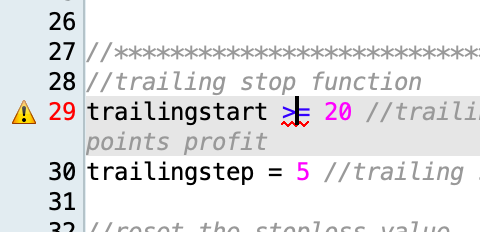
    Ok thank you very much, I am indeed with IG. I understand that the code has to during a candle. I’ve done what you told me to do, but something goes wrong …under the “>=” function a red wave appears (impossible to run). Do you know why ?

    IF c3 AND c4 THEN
    SELL AT MARKET
    ENDIF
    // Stops et objectifs
    Set stop ploss 27
    
    
    //************************************************************************
    //trailing stop function
    trailingstart => 20 //trailing will start @trailinstart points profit
    trailingstep = 5 //trailing step to move the "stoploss"
    
    Capture-decran-2021-02-26-a-10.51.39.png Capture-decran-2021-02-26-a-10.51.39.png
    #162681 quote
    VonasiVonasi
    Moderator
    Master

    => is not allowed.

    You must use >=

    #162684 quote
    GuibourseGuibourse
    Participant
    Average

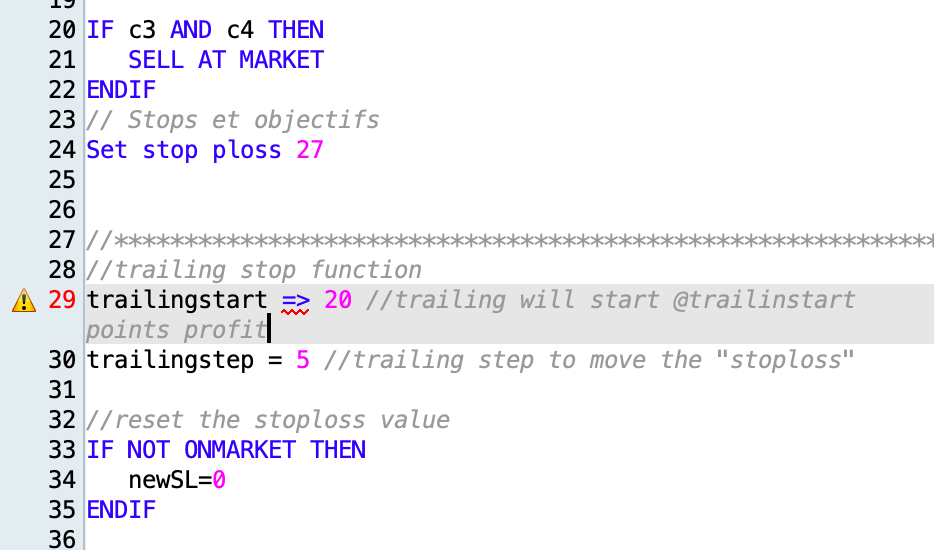
    No, unfortunately, the result is the same 🙁

    Capture-decran-2021-02-26-a-13.47.44.png Capture-decran-2021-02-26-a-13.47.44.png
    #162686 quote
    robertogozzirobertogozzi
    Moderator
    Legend

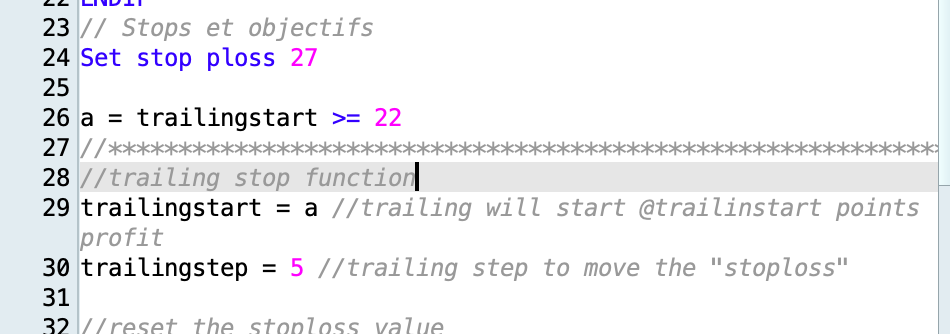
    If you want to assign a value to a variable you can only use =.
    If you want to test a logical condition you need to either assign it to a variable or use it with IF…ENDIF or WHILE…WEND.

    ProOrder wants to know what to do with TRAILINGSTART.

    #162688 quote
    GuibourseGuibourse
    Participant
    Average

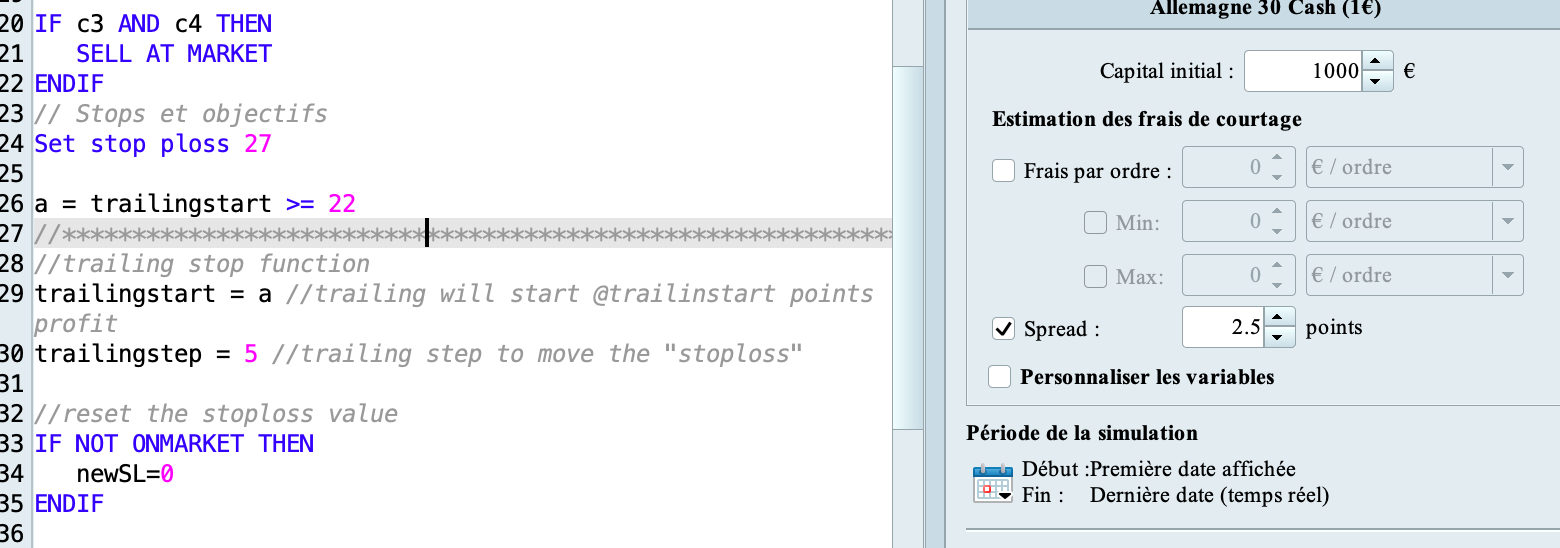
    Right, thank you, I changed that and it seems to be accepted. Since, the result is not the same as with Stop ploss 27 ptrailing 5… 🙁

    The IG spread is 2.5p on average here so I put it in both backtests, maybe this information could change the variables Nicolas told me to set ? (start : “=>22” and “step : 5”) ?

    Thank you so much for your help.

    Capture-decran-2021-02-26-a-16.18.04.png Capture-decran-2021-02-26-a-16.18.04.png Capture-decran-2021-02-26-a-16.22.40.png Capture-decran-2021-02-26-a-16.22.40.png
    #162691 quote
    robertogozzirobertogozzi
    Moderator
    Legend

    If it works well… that’s fine, but I fear it won’t most of the times, because you assign variable a a logical value, 0 or 1, so the trailing will start after 0 or 1 pip at most…. which would lead, sooner or later, to not respecting the minimum distance for stop orders required by the broker.

    Backtests may work, but when running on a demo account it is to be verified.

    #162692 quote
    robertogozzirobertogozzi
    Moderator
    Legend

    Nicolas suggested to use a value => 20, not to use “>=” as a relational operator!

Viewing 11 posts - 1 through 11 (of 11 total)
  • You must be logged in to reply to this topic.

ProRealAI ProRealAI New

Stuck on this ProBuilder code?

Describe what this topic is trying to build, in plain English, and ProRealAI writes the ProRealTime™ indicator, screener or system for you.

Available in 7 languages
Try ProRealAI

Translation of Set stop ploss x ptrailing y


ProOrder: Automated Strategies & Backtesting

New Reply
Author
author-avatar
Guibourse @guibourse Participant
Summary

This topic contains 10 replies,
has 4 voices, and was last updated by robertogozzirobertogozzi
5 years, 6 months ago.

Topic Details
Forum: ProOrder: Automated Strategies & Backtesting
Language: English
Started: 02/23/2021
Status: Active
Attachments: 5 files
ProRealCode ProRealCode
Loading...