Hi guys!
I like to share a new code with you in ProRealCode, but I cannot translate it from EasyLanguage. It’s a breakout system for shorter timeframes on the Dow, meant to be flexible in inputs and variables, but the main code comes here in a txt-file. Anyone who can help?
Cheers!
Please do not double post. I have deleted your identical post in the other older topic.
Vonasi, thanks for your advise on protocol here on this forum! Can you offer some practical help as well?
Can you offer some practical help as well?
I’m afraid that I have zero knowledge of EasyLanguage but hopefully someone else may be able to help you. It is the summer holiday season so the forums are a little quiet at the moment so you may need to allow a little extra time before finding your answer.
Any EasyLanguage gurus out there?!
This is the translation into ProOrder code format. Because I have no comparison possible, I don’t know if the results match correctly from the original version, so please be careful with the code..
defparam cumulateorders=false
//Main Timeframe: 15-minute (EXCHANGE TIME)
Second Timeframe: DAILY

//{Strategy inputs}
//inputs:
myFraction=4.7
N1higher=10
N2higher=16
N1main=4
EntryCond1long=1 //(0=false ; 1=true)
EntryCond2long=1 //(0=false ; 1=true)

//{StopLoss}
//Input:
sl=700

if onmarket then
alreadytraded=1
endif
if intradaybarindex=0 then
alreadytraded=0
endif

//Point Of Initiation
TodaysOpen = DOpen(0)

//For the calculation of the space
ATR = AverageTrueRange[40]

//The BreakoutLevel (POI + space)
myBreakoutLong = TodaysOpen + ( myFraction * ATR )

//higher timeframe filter condition (DAILY)
EntryCond1long = 0.1 * (Dclose(0) - DHigh(N1higher)) < N2higher

//main timeframe filter condition (15 minute)
EntryCond2long = dClose(1) - Lowest[N1main](high) < ATR

//Position size condition
if dclose(1) < dopen(1) then
value1 = 2
Else
Value1 = 1
endif
//Entry Condition

if not onmarket and EntryCond1long and EntryCond2long  and not alreadytraded then
buy value1 contracts at myBreakoutLong stop
endif
//Exit Condition

If time = 150000 then
sell at market
endif

//stopLoss
set stop ploss (sl)
Thank you @Mags67 for finding and @Nicolas for coding … this could be a winner?
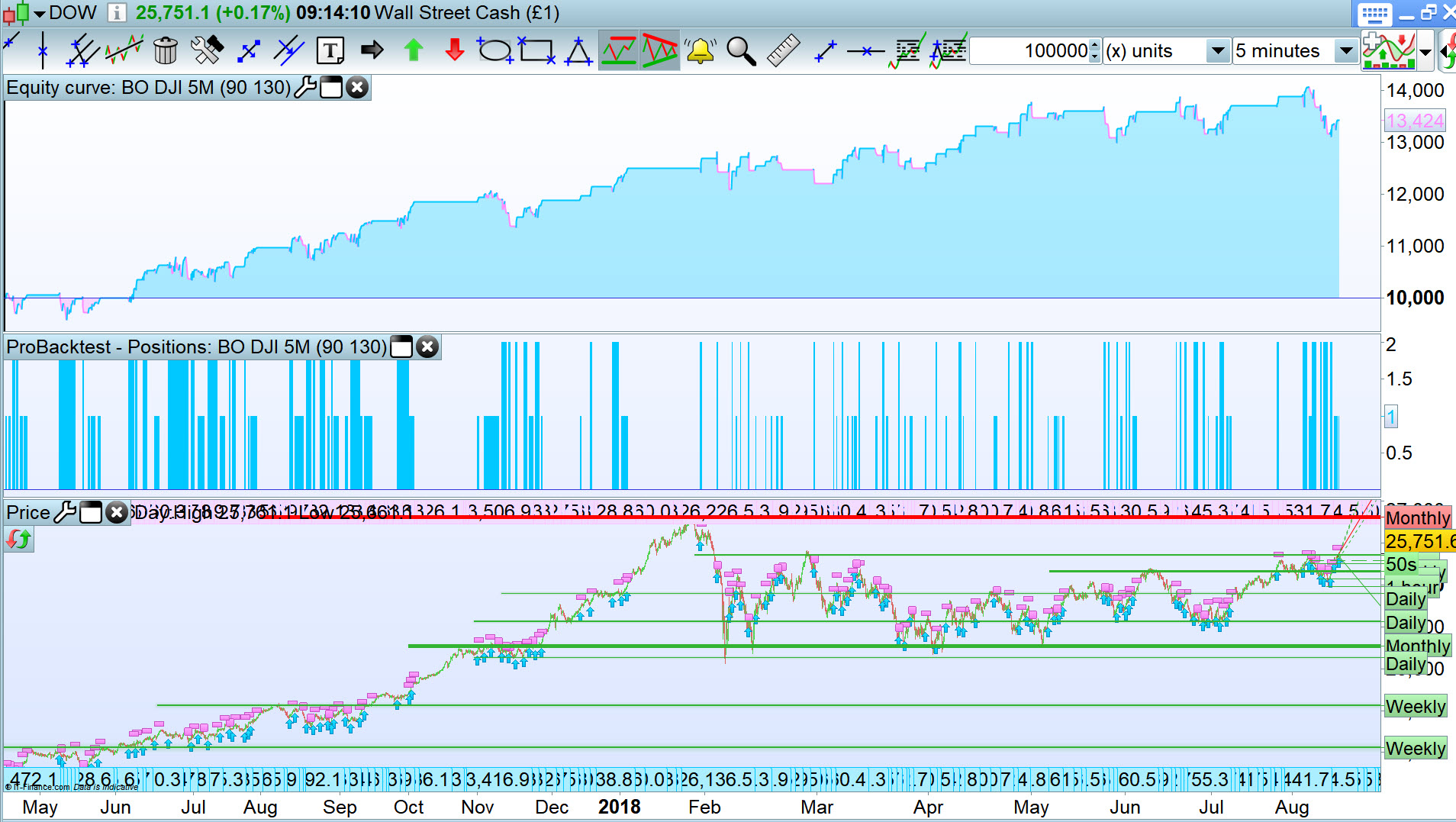
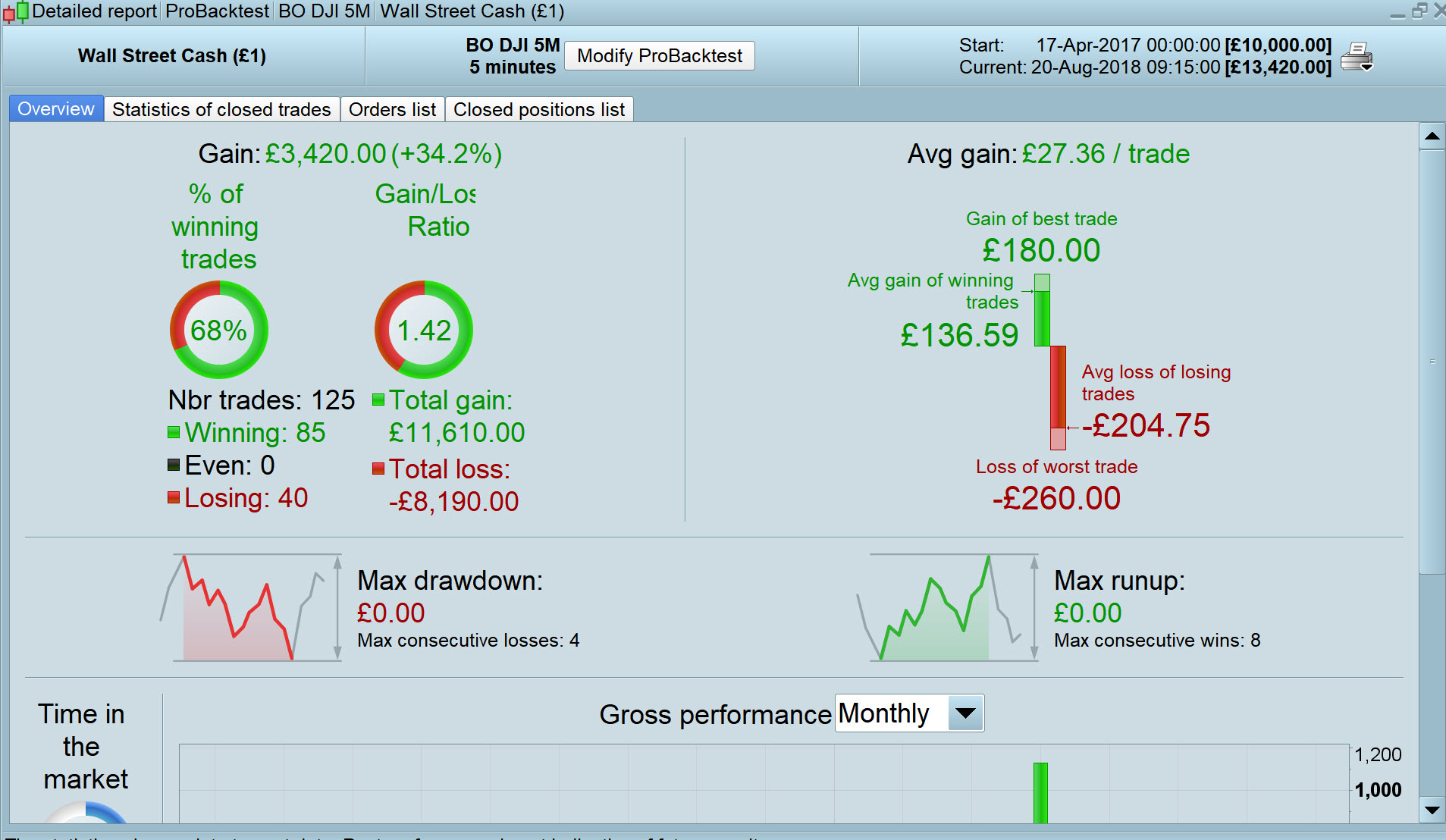
I deleted the time exit (Line 49) and added TP to get a quick feel for potential and the results look good!?
Anybody able to add a short strategy (following same logic as Long?) to this code please?
SET TARGET PPROFIT 90
set stop ploss 130
Thanks for beta testing every code posted and to give feedback, you always make a valuable work by doing this GraHal!
I feel that the main logic of the strategy was made to long only the DOW. In the original code, it was also meant to be traded on a 15-minute timeframe. Maybe @Mags67 could tell us a bit more about it?
Thank you so much @Nicolas and GraHal for your help!
You are right Nicolas, this system have been trading live with good result on a 15m timeframe and long only. However, a short only version would be great. With your translation above I’ll try to build it myself!
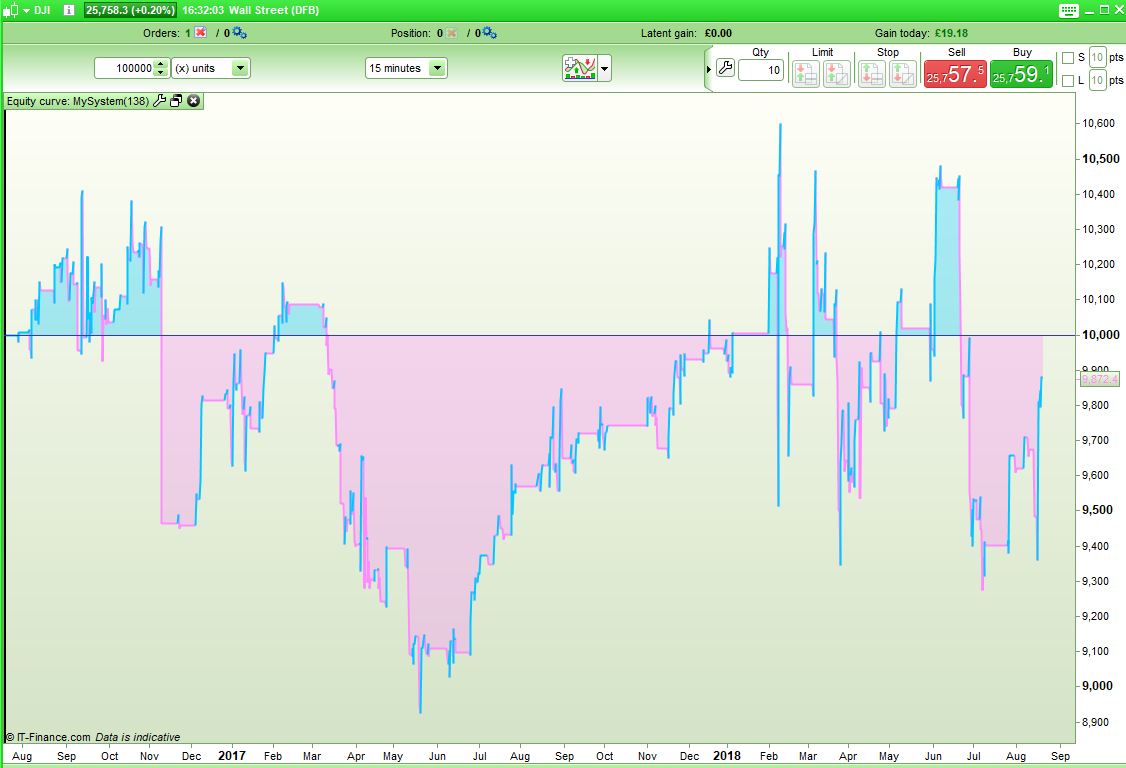
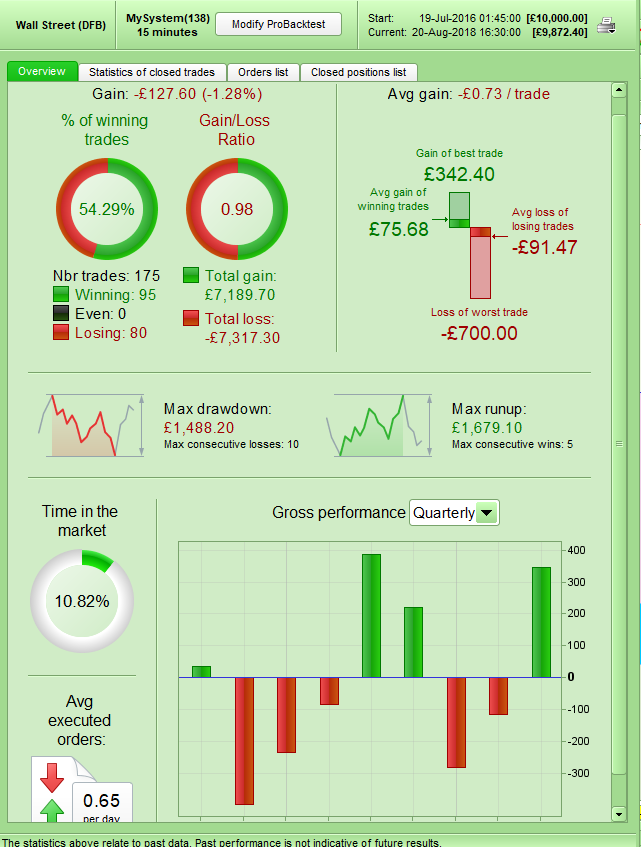
This is what I get if I run Nicolas’s version on the DJI 15 minute:
[attachment file=78670]
[attachment file=78671]
I’m not sure if that is what you call ‘good results’!
@Vonasi, I think that the inputs are optimized on a particular instrument and the original one could be not the same as the CFD you have tried. But it is only supposition, only @Mags67 could tell us! 🙂
It does say DJI in the .txt file in Mags original post.
I noted the (poor) results at 15 mins and that’s why I went for 5 mins.
I did not change at all any of the variables from Nicolas code apart from TP and SL and getting rid of the exit at 15:00 … as I couldn’t see any logic in exit at 15:00 (21:00 maybe?) but I could have missed some finer point in the code? 🙂
Getting rid of the timed exit is sensible (I think everyone knows my feelings on using time as the reason to exit trade!) bit I fear GraHal that you may just have tuned (curve fitted) your TP and SL to recent market activity. What do the results look like if you adjust them a little each way?
What do the results look like if you adjust them a little each way?
It looked good for values either side of what I chose. Do you (or anybody) have 200k bars you can test on??
I have two versions on Demo Fwd Test with different values for TB and SL … I’ll report back on here how it goes.
Hopefully @Mags67 will be back with a short version by then.
What do the results look like if you adjust them a little each way?
It looked good for plenty of values either side of what I chose.
Do you (or anybody) have 200k bars you can test on??
I have two versions on Demo Fwd Test with different values for TB and SL … I’ll report back on here how it goes.
Hopefully @Mags67 will be back with a short version by then.