Darvas Box Translation

Viewing 10 posts - 1 through 10 (of 10 total)

  • Author
    Posts
  • #59885 quote
    odinodin
    Participant
    Veteran

    Dear Friends of Prorealtime,

    if found a Darvas Box Code for Prorealtime and for Amibroker.

    I think the Amibroker Code is much more powerful.

    Please can you compare the Code and translate the Amibroker Darvas Box Code for ProRealtime.

    I wanna be glad if you can help me.


    This is the Powerful Amibroker Code:
    _SECTION_BEGIN(“Darvas Box”);

    Periods= Param(“Darvas Periods”,5,5,260);

    boxHigh = Ref(H,-3)>=Ref(HHV(H,Periods),-4) AND
    Ref(H,-3)>Ref(H,-2) AND Ref(H,-3)>Ref(H,-1) AND Ref(H,-3)>H;

    Topbox=ValueWhen(boxHigh, Ref(H,-3));
    Botbox=ValueWhen(boxHigh,LLV(L,4));

    /*=========================
    – Allow color change
    – Style change
    ==========================*/
    Plot(TopBox, “Top”, ParamColor(“Box Top Color”, colorRed), ParamStyle(“Box Top Style”));
    Plot(Botbox, “Bot”, ParamColor(“Box Bottom Color”,colorBlue), ParamStyle(“Box Bottom Style”));

    _SECTION_END();


    And this is the much longer Darvas PRT Code.

    k=50
    once tth=undefined
    once ttl=undefined
    n=(k*2)-4
    p=(n/2)-1
    h1=dpo[n](high)
    moyh=high-h1
    hi=(moyh-moyh[1]+(high[p])/n)*n
    hi=(round(hi*100))/100
    l1=dpo[n](low)
    moyl=low-l1
    lo=(moyl-moyl[1]+(low[p])/n)*n
    lo=(round(lo*100))/100
    low1=(round(low*100))/100
    high1=(round(high*100))/100
    if barindex > 100 then
    if box=1 and (high1>tth or low1<ttl) then
    box=0
    flag=0
    endif
    if box=0 and flag=0 and low1<=lo[46] and low1<=lo[45] and low1<=lo[44] then
    th=low1
    flag=1
    endif
    if box=0 and flag=1 then
    for zz=0 to 44
    if lo[47-zz-1]<th or lo[47-zz-2]<th or lo[47-zz-3]<th then
    flag=0
    break
    endif
    if hi[47-zz]>hi[47-zz-1] and hi[47-zz]>hi[47-zz-2] and hi[47-zz]>hi[47-zz-3] then
    box=1
    ttl=th
    tth=hi[47-zz]
    break
    endif
    next
    endif
    else
    tth=undefined
    ttl=undefined
    endif
    if box=1 then
    ba=ttl
    else
    ba=tth
    endif
    
    return ba coloured by box-1, tth coloured by box-1, ttl coloured by box-1


    So please, can you translate the Amibroker Code, to use is in PRT.

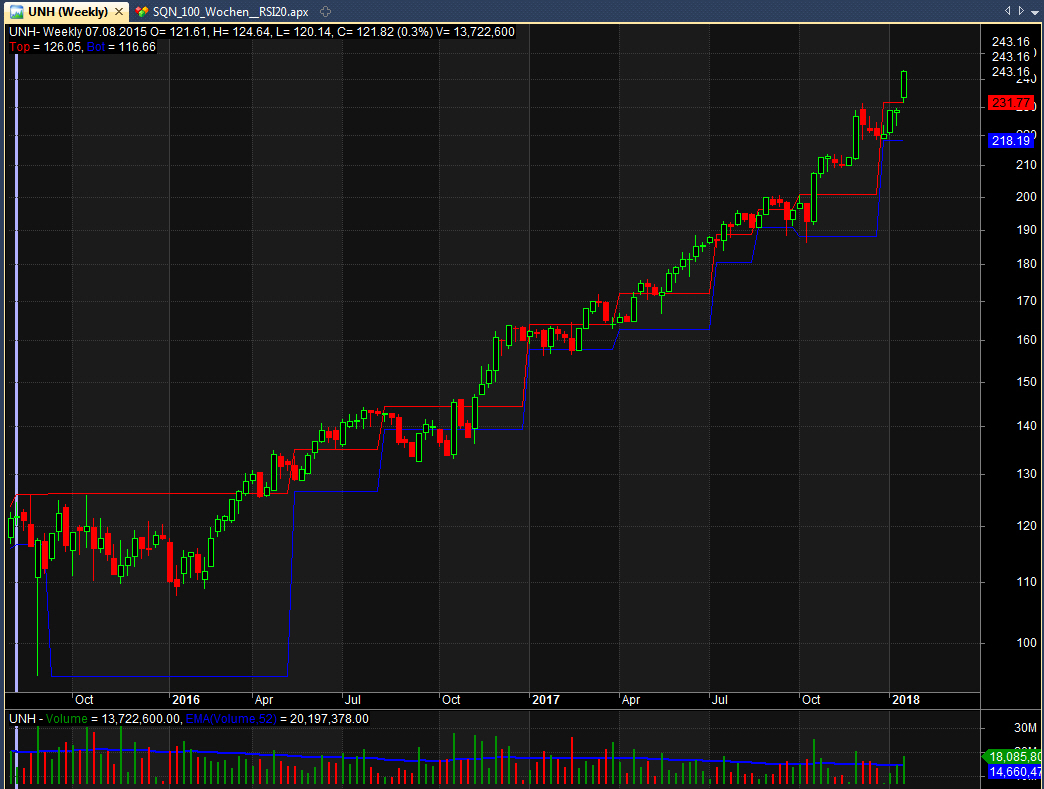
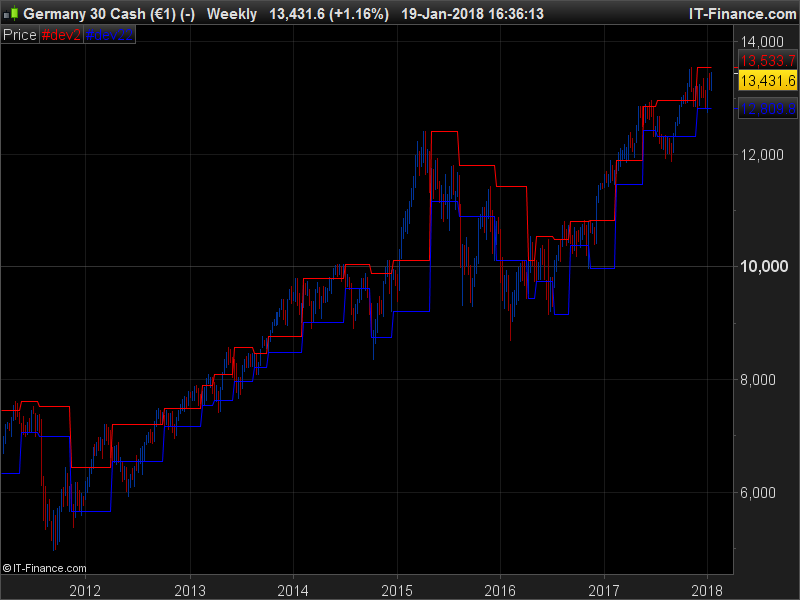
    See the tow Pictures of United Heath! The Amibroker Code is much more better for Stop Loss 🙂

    unh2.png unh2.png unh1.jpg unh1.jpg
    #59910 quote
    NicolasNicolas
    Keymaster
    Legend

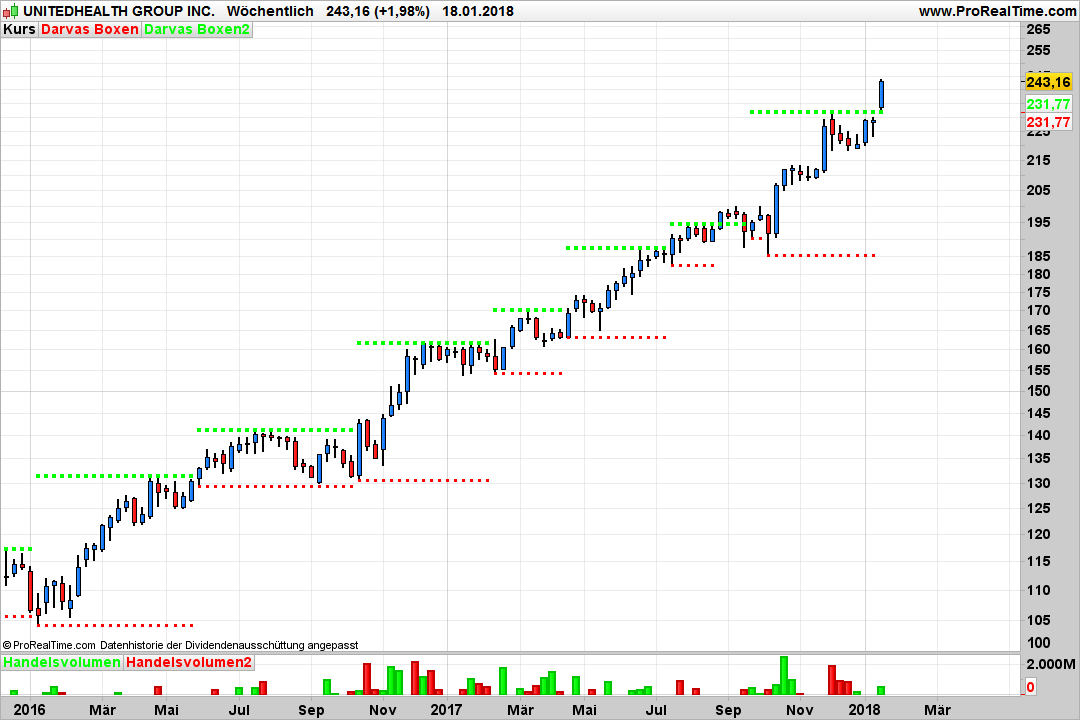
    Here is the translated code for the Darvas Boxes, do you have the possibility to compare with the original code?

    Periods = 5
    
    boxHigh = high[3]>=highest[Periods](high)[4] and high[3]>high[2] and high[3]>high[1] and high[3]>high
    
    if boxHigh then 
     topbox = high[3]
     botbox = lowest[4](low)
    endif
    
    return topbox coloured(255,0,0) ,botbox coloured(0,0,255)
    darvas-boxes.png darvas-boxes.png
    #60158 quote
    odinodin
    Participant
    Veteran

    thank you nicolas for fast and great answer!

    the darvs boxes work gerat!


    thank you1

    #82385 quote
    odinodin
    Participant
    Veteran

    hi nicolas,

    what you think of this indicator? i think he works better?


    k=50
    once tth=undefined
    once ttl=undefined
    n=(k*2)-4
    p=(n/2)-1
    h1=dpo[n](high)
    moyh=high-h1
    hi=(moyh-moyh[1]+(high[p])/n)*n
    hi=(round(hi*100))/100
    l1=dpo[n](low)
    moyl=low-l1
    lo=(moyl-moyl[1]+(low[p])/n)*n
    lo=(round(lo*100))/100
    low1=(round(low*100))/100
    high1=(round(high*100))/100
    if barindex > 100 then
    if box=1 and (high1>tth or low1<ttl) then
    box=0
    flag=0
    endif
    if box=0 and flag=0 and low1<=lo[46] and low1<=lo[45] and low1<=lo[44] then
    th=low1
    flag=1
    endif
    if box=0 and flag=1 then
    for zz=0 to 44
    if lo[47-zz-1]<th or lo[47-zz-2]<th or lo[47-zz-3]<th then
    flag=0
    break
    endif
    if hi[47-zz]>hi[47-zz-1] and hi[47-zz]>hi[47-zz-2] and hi[47-zz]>hi[47-zz-3] then
    box=1
    ttl=th
    tth=hi[47-zz]
    break
    endif
    next
    endif
    else
    tth=undefined
    ttl=undefined
    endif
    if box=1 then
    ba=ttl
    else
    ba=tth
    endif
     
    return ba coloured by box-1, tth coloured by box-1, ttl coloured by box-1

    can you code a proscreener which searches for a darvas box long breakout out of the top of the box?

    i tried it with that code but nothing happens 🙁

    thank you

    marcus

    #82427 quote
    NicolasNicolas
    Keymaster
    Legend

    This one uses DPO internal indicator which know the future of the price, so I don’t think it is better than the other one. This one is not reliable for live trading, in my opinion.

    #82459 quote
    odinodin
    Participant
    Veteran

    okay, thank you nicolas for your eplination.

    can you code the darvas box breakout for your darvas box indicator.

    i need onldy the bullish breakout on the upside to screen.

    it would be be great. thank you marcus

    #82464 quote
    NicolasNicolas
    Keymaster
    Legend

    The last variable named “breakout” should return 1 when a breakout of the current top box occur:

    Periods = 5
    
    boxHigh = high[3]>=highest[Periods](high)[4] and high[3]>high[2] and high[3]>high[1] and high[3]>high
    
    if boxHigh then
    topbox = high[3]
    botbox = lowest[4](low)
    endif
    
    breakout = close crosses over topbox
    
    return topbox coloured(255,0,0) ,botbox coloured(0,0,255), breakout
    #82962 quote
    odinodin
    Participant
    Veteran

    thank you. i wann test it today.

    thank you! 🙂

    #198903 quote
    pablo26pablo26
    Participant
    New

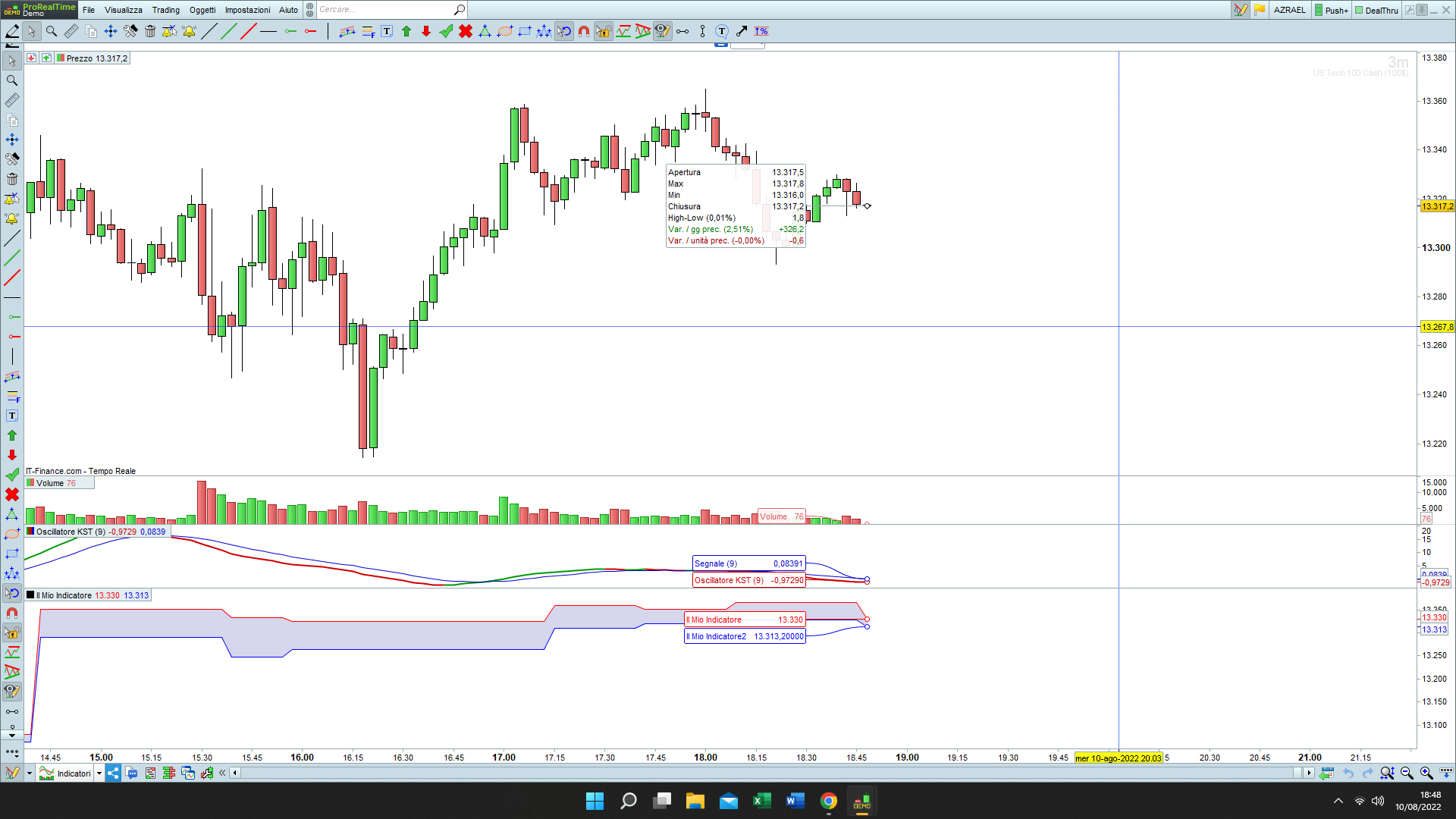
    why this script dont go the the chart but to the down side of the chart?

    Screenshot-187.png Screenshot-187.png
    #198907 quote
    PeterStPeterSt
    Participant
    Master

    Rightclick on the chart and from there choose “Add Indicator”.

Viewing 10 posts - 1 through 10 (of 10 total)
  • You must be logged in to reply to this topic.

ProRealAI ProRealAI New

Stuck on this ProBuilder code?

Describe what this topic is trying to build, in plain English, and ProRealAI writes the ProRealTime™ indicator, screener or system for you.

Available in 7 languages
Try ProRealAI

Darvas Box Translation


ProBuilder: Indicators & Custom Tools

New Reply
Author
author-avatar
odin @odin Participant
Summary

This topic contains 9 replies,
has 2 voices, and was last updated by PeterStPeterSt

4 years, 1 month ago.

Topic Details
Forum: ProBuilder: Indicators & Custom Tools
Language: English
Started: 01/19/2018
Status: Active
Attachments: 4 files
ProRealCode ProRealCode
Loading...