Use
Set stop ploss x
and one of the soft trailing stop code available in forums and in the library.
Are you sure it would replace it ? This instruction is doing : “A stop loss is placed at x points from average position price and it becomes a trailing stop of y points if the trailing stop level becomes closer to current price than the stop loss level (this occurs price varies favourably by y points – x points)”
Because I wasn’t able to get the same results with a classic stop loss and a soft trailing stop code. I tried to do so before asking and failed.
Could you tell me what to do in the attached code, found in https://www.prorealcode.com/blog/trading/complete-trailing-stop-code-function/
please ? With x = 27 and y =5 for example.
Thanks you !
No, it will not do the same. The “set stop trailing” is a trailing stop attached to the order and handle by IG, not by the code, so it can move during a candle, while it is not the same with code read only once per bar.
If you want to use the trailing stop function from the blog, just add a “set stop loss” instruction to attach a stoploss to your orders before the trailing stop can start.
With this code, the trailing stop start when
trailingstart is >= 20 points
with a moving step of
trailingstep = 5
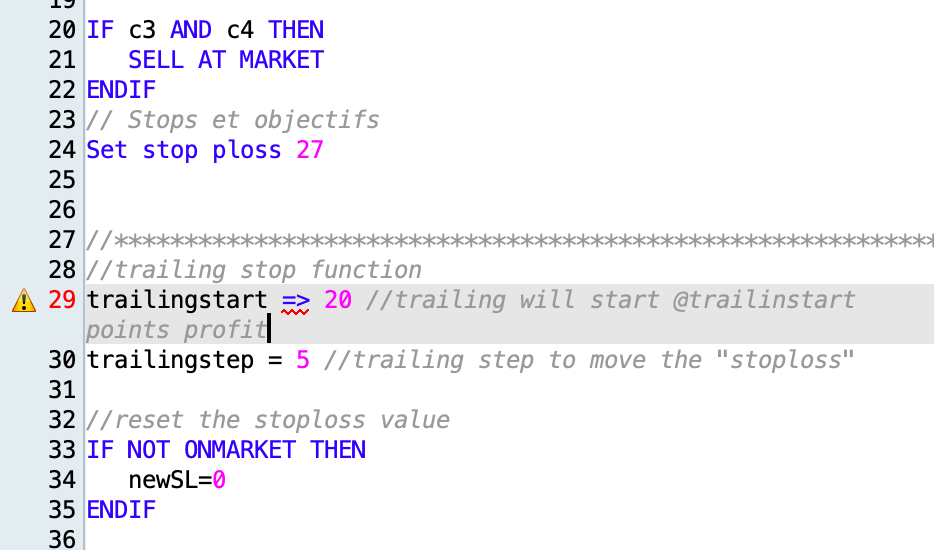
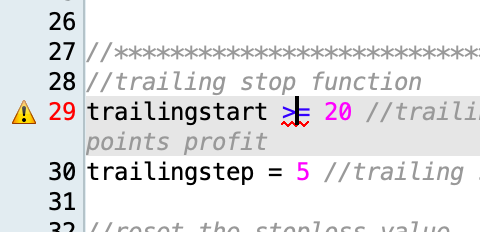
Ok thank you very much, I am indeed with IG. I understand that the code has to during a candle. I’ve done what you told me to do, but something goes wrong …under the “>=” function a red wave appears (impossible to run). Do you know why ?
IF c3 AND c4 THEN
SELL AT MARKET
ENDIF
// Stops et objectifs
Set stop ploss 27
//************************************************************************
//trailing stop function
trailingstart => 20 //trailing will start @trailinstart points profit
trailingstep = 5 //trailing step to move the "stoploss"
No, unfortunately, the result is the same 🙁
If you want to assign a value to a variable you can only use =.
If you want to test a logical condition you need to either assign it to a variable or use it with IF…ENDIF or WHILE…WEND.
ProOrder wants to know what to do with TRAILINGSTART.
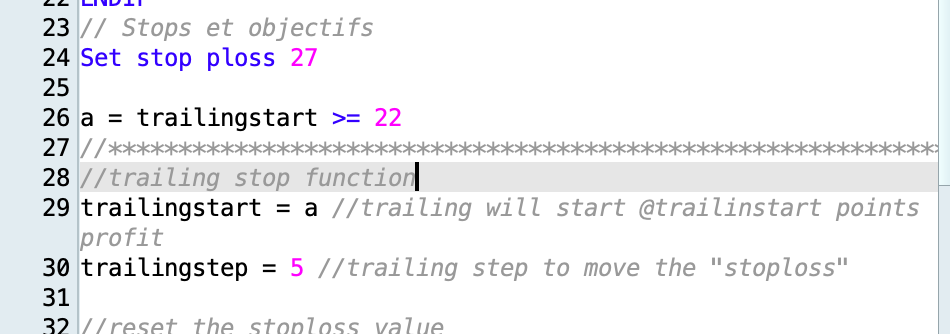
Right, thank you, I changed that and it seems to be accepted. Since, the result is not the same as with Stop ploss 27 ptrailing 5… 🙁
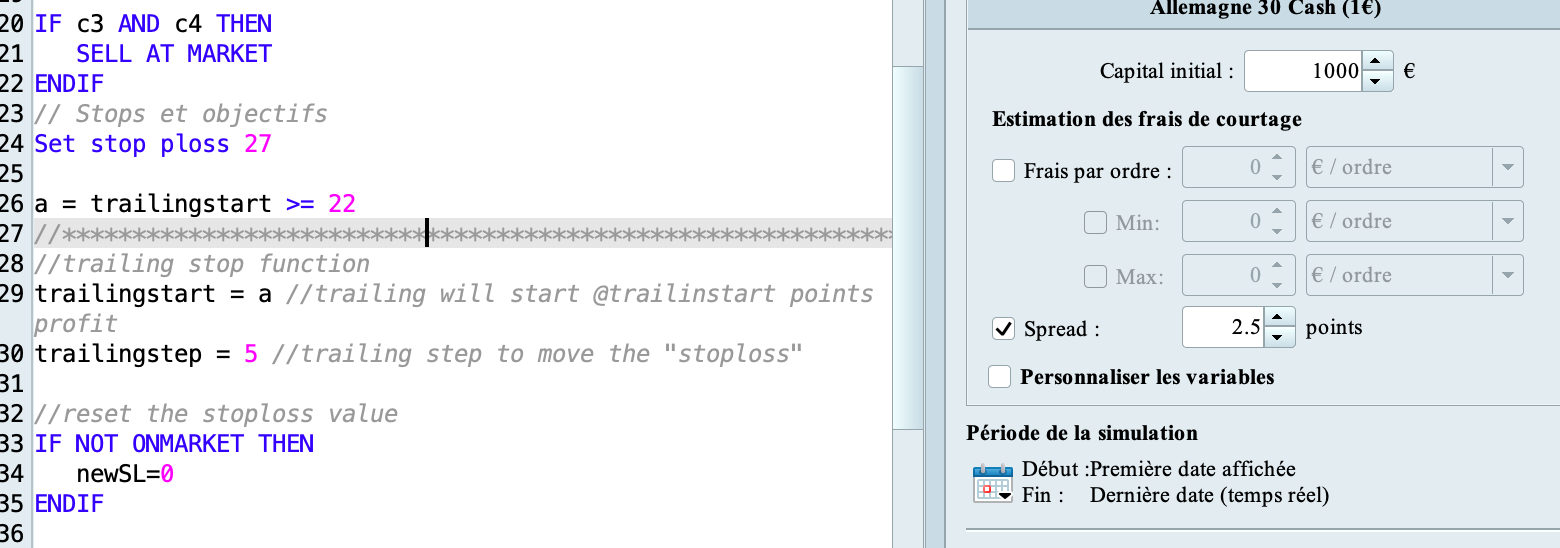
The IG spread is 2.5p on average here so I put it in both backtests, maybe this information could change the variables Nicolas told me to set ? (start : “=>22” and “step : 5”) ?
Thank you so much for your help.
If it works well… that’s fine, but I fear it won’t most of the times, because you assign variable a a logical value, 0 or 1, so the trailing will start after 0 or 1 pip at most…. which would lead, sooner or later, to not respecting the minimum distance for stop orders required by the broker.
Backtests may work, but when running on a demo account it is to be verified.
Nicolas suggested to use a value => 20, not to use “>=” as a relational operator!
Thanks a lot