Bonjour Pourriez vous traduire ce code de déséquilibre de marché Cordialement
// This source code is subject to the terms of the Mozilla Public License 2.0 at https://mozilla.org/MPL/2.0/
// © Travelling_Trader

//@version=5
indicator('Imbalance Finder', overlay=true, max_lines_count=500)

color yellow0 = color.new(color.yellow,0)
color gray0 = color.new(color.gray,0)
bool showgreydiamond = input(defval=false, title='Show Diamond For Back Testing' ,group='=== Information ===')

Imbcol = input.color(yellow0, 'Imbalance Colour', inline="1" ,group='=== Information ===')
Dimcol = input.color(gray0, 'Imbalance Colour', inline="1" ,group='=== Information ===')
TopImbalance = low[2] <= open[1] and high[0] >= close[1]
TopImbalancesize = low[2] - high[0]
if TopImbalance and TopImbalancesize > 0
BOX1 = box.new(left=bar_index[1], top=low[2], right=bar_index[0], bottom=high[0])
box.set_bgcolor(BOX1, Imbcol )
box.set_border_color(BOX1, Imbcol )

BottomInbalance = high[2] >= open[1] and low[0] <= close[1] Bonjour Pourriez vous traduire ce code de déséquilibre de marché Cordialement BottomInbalancesize = low[0] - high[2] if BottomInbalance and BottomInbalancesize > 0
BOX2 = box.new(left=bar_index[1], top=low[0], right=bar_index[0], bottom=high[2])
box.set_bgcolor(BOX2, Imbcol )
box.set_border_color(BOX2, Imbcol )

DownImbalance = TopImbalance and TopImbalancesize > 0
plotshape(DownImbalance[0] and showgreydiamond, style=shape.diamond, location=location.abovebar, color=Dimcol, size=size.tiny)

UpImbalance = BottomInbalance and BottomInbalancesize > 0
plotshape(UpImbalance[0] and showgreydiamond, style=shape.diamond, location=location.belowbar, color=Dimcol, size=size.tiny)
Bonjour, merci, au revoir.
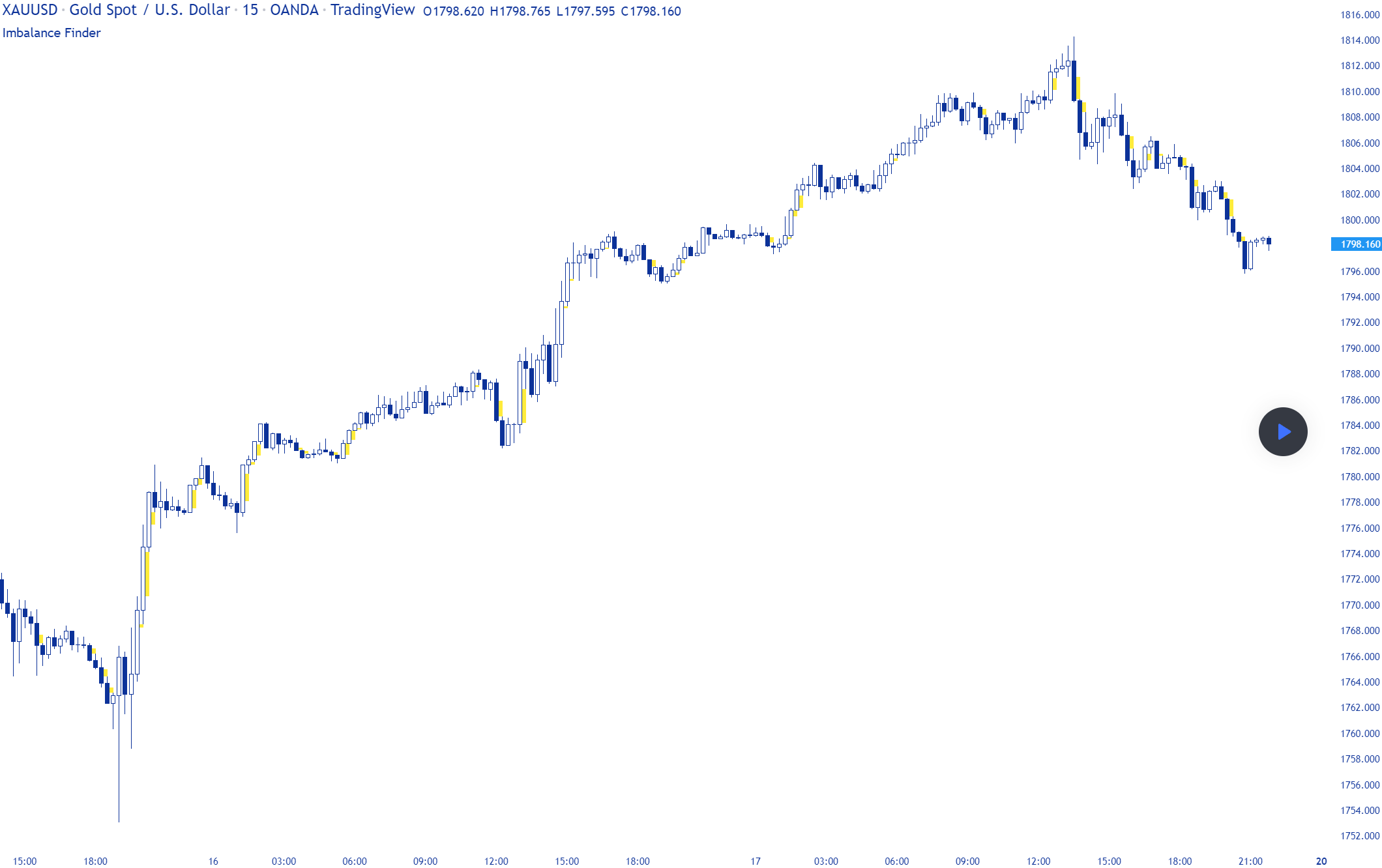
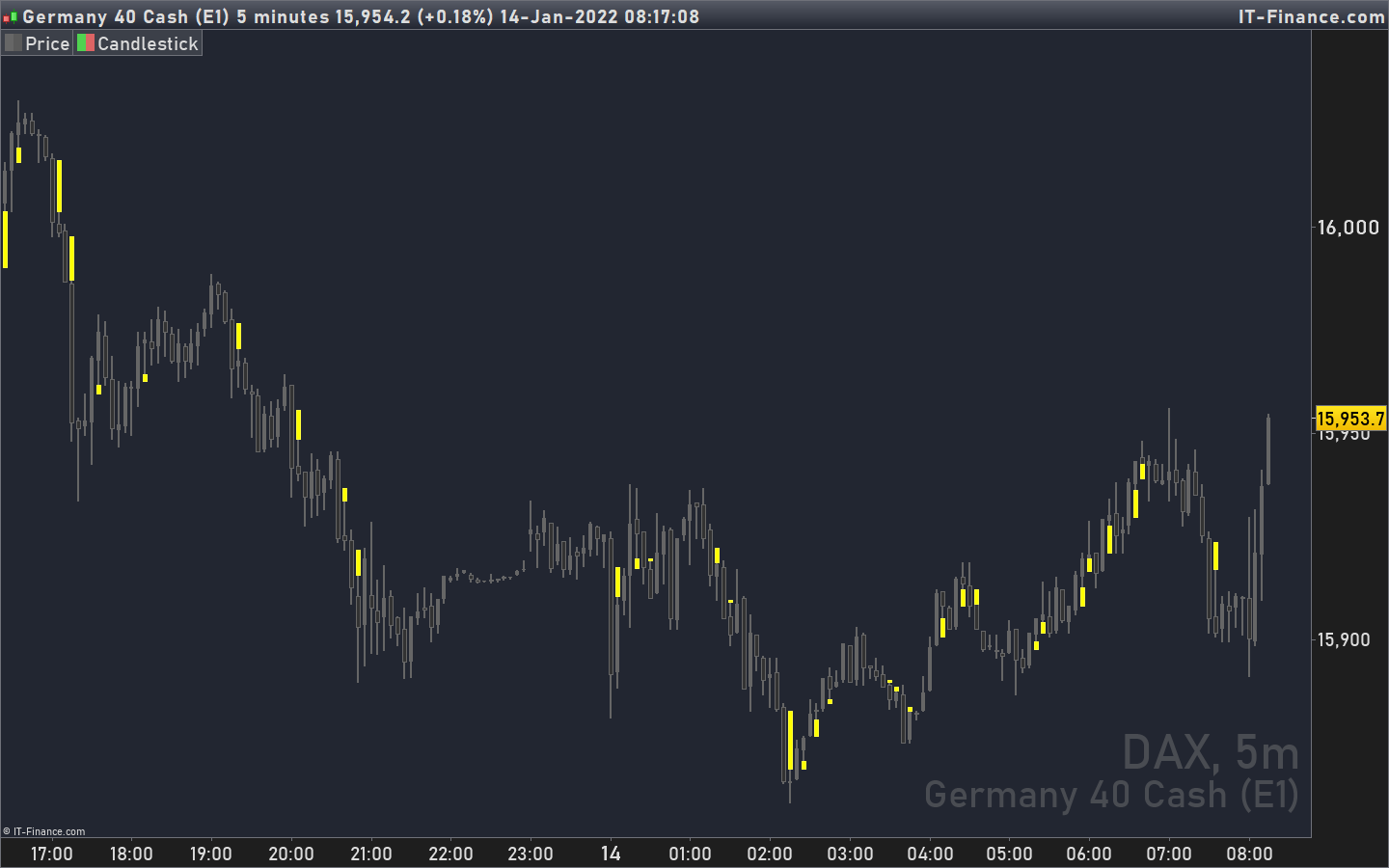
J’ai ajouté une image à ta demande, j’ai fait une recherche pour trouver à quoi ressemble l’indicateur sur un graphique.
Ci-joint la traduction du code imbalance :
TopImbalance = low[2] <= open[1] and high[0] >= close[1]
TopImbalancesize = low[2] - high[0]
if TopImbalance and TopImbalancesize > 0 then
drawcandle(low[2], low[2], high[0], high[0]) coloured(255,255,0)
endif

BottomInbalance = high[2] >= open[1] and low[0] <= close[1]
BottomInbalancesize = low[0] - high[2]
if BottomInbalance and BottomInbalancesize > 0 then
drawcandle(low[0], low[0], high[2], high[2]) coloured(255,255,0)
endif

return
Ci-joint la traduction du code imbalance :
1
2
3
4
5
6
7
8
9
10
11
12
13
|
TopImbalance = low[2] <= open[1] and high[0] >= close[1]
TopImbalancesize = low[2] – high[0]
if TopImbalance and TopImbalancesize > 0 then
drawcandle(low[2], low[2], high[0], high[0]) coloured(255,255,0)
endif
BottomInbalance = high[2] >= open[1] and low[0] <= close[1]
BottomInbalancesize = low[0] – high[2]
if BottomInbalance and BottomInbalancesize > 0 then
drawcandle(low[0], low[0], high[2], high[2]) coloured(255,255,0)
endif
return
|
J’aurai une question pour cet indicateur:est-il possible de prolonger la bougie jaune, pour que ça devienne une zone qui se dessine a droite sur le graphique, et quand le prix traverse cette zone, la zone s’arrête ?
Ce serait vraiment top
Merci par avance
J’ai essayé de tracer des segments à partir des bougies mais je n’arrive toujours pas à faire une coloration entre les deuw segments, peut être quelqu’un pourrait nous aider avec ça ou bien même tracer un Drawrectangle à la place?
Merci
//https://www.prorealcode.com/topic/traduction-code-inbalance-tradingview/


TopImbalance = low[2] <= open[1] and high[0] >= close[1]
TopImbalancesize = low[2] - high[0]
if TopImbalance and TopImbalancesize > 0 then
drawcandle(low[2], low[2], high[0], high[0]) coloured(255,255,0)
DrawSegment(BarIndex[2],low[2],BarIndex + 10,low[2]) coloured(5,5,0)
DrawSegment(BarIndex[2],high[0],BarIndex + 10,high[0]) coloured(5,5,0)
endif

BottomInbalance = high[2] >= open[1] and low[0] <= close[1]
BottomInbalancesize = low[0] - high[2]
if BottomInbalance and BottomInbalancesize > 0 then
drawcandle(low[0], low[0], high[2], high[2]) coloured(255,255,0)
DrawSegment(BarIndex[2],high[2],BarIndex + 10,high[2]) coloured(0,0,255)
DrawSegment(BarIndex[2],low[0],BarIndex + 10,low[0]) coloured(0,0,255)
endif

return
//COLORBETWEEN(open,close,"RED")
Bonjour,
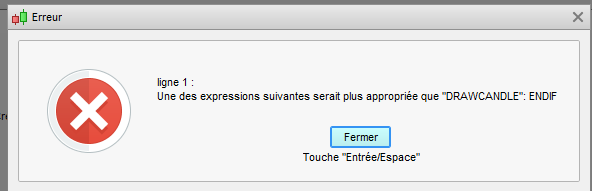
J’ai une erreur quand je fait un copier coller du code > Ligne 1 : Une des expressions suivantes serait plus approprié que “DRAWCADLE” . ENDIF
J’ai essayé plusieurs code et modif, mais j’ai toujours une erreur
Merci
Bonjour,
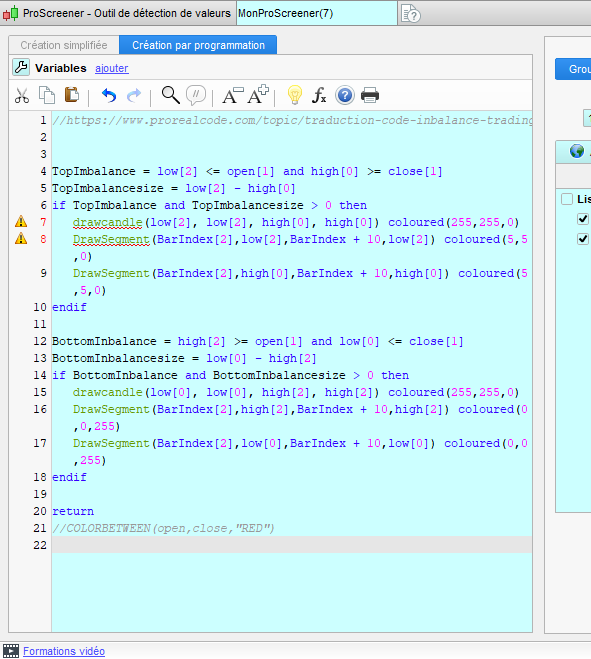
c’est parce que d’après la capture écran, le code semble être essayé dans une fenêtre proscreener (qui n’accepte pas les instructions graphiques telles que drawcandle) au lieu d’une fenêtre probuilder pour indicateurs. Il faut cliquer sur le bouton “indicateurs” pour y obtenir la bonne fenêtre.