 Abz
AbzParticipant
Veteran
hello i got an answear from pro realtime regarding the issue above:
the tick-by-tick data is available on our serves for several years and the backtests will use this data, even if you cannot have it displayed on your platform.
In the case that your backtest exceeds the amount of available data, you will receive an error message informing you that the data is not available.
Hi Nicolas,
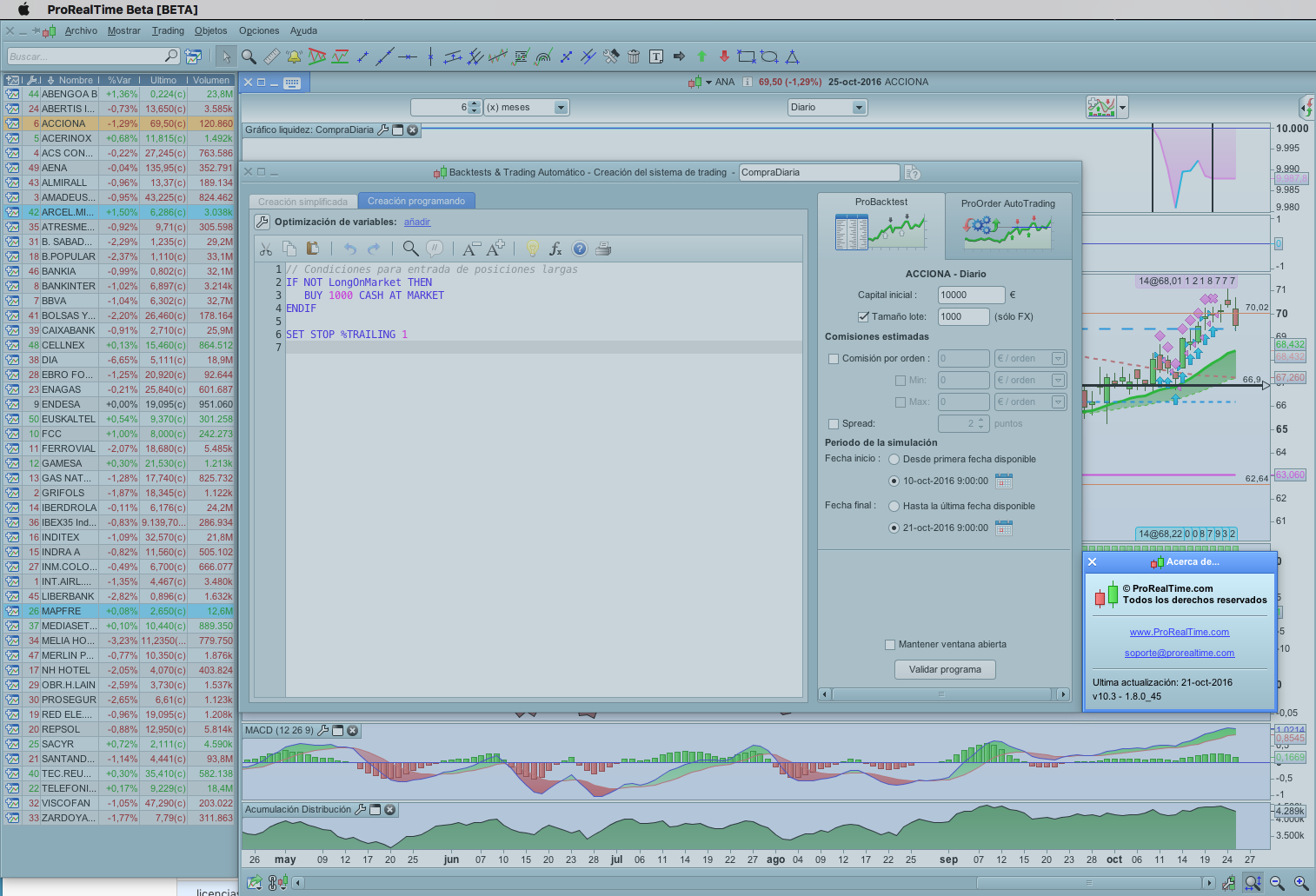
Congratulations for your video. I have download the new beta 10.3 version, but I can´t see the check box “Probacktest in tick by tick mode”.
As you can see in the attached screenshot I’m using the spanish versión for Mac.
Any suggestion??
Thanks!!
@jjferrer
Because you don’t have real time data feed for this instrument. Try a one you are sure you have.
Bonjour
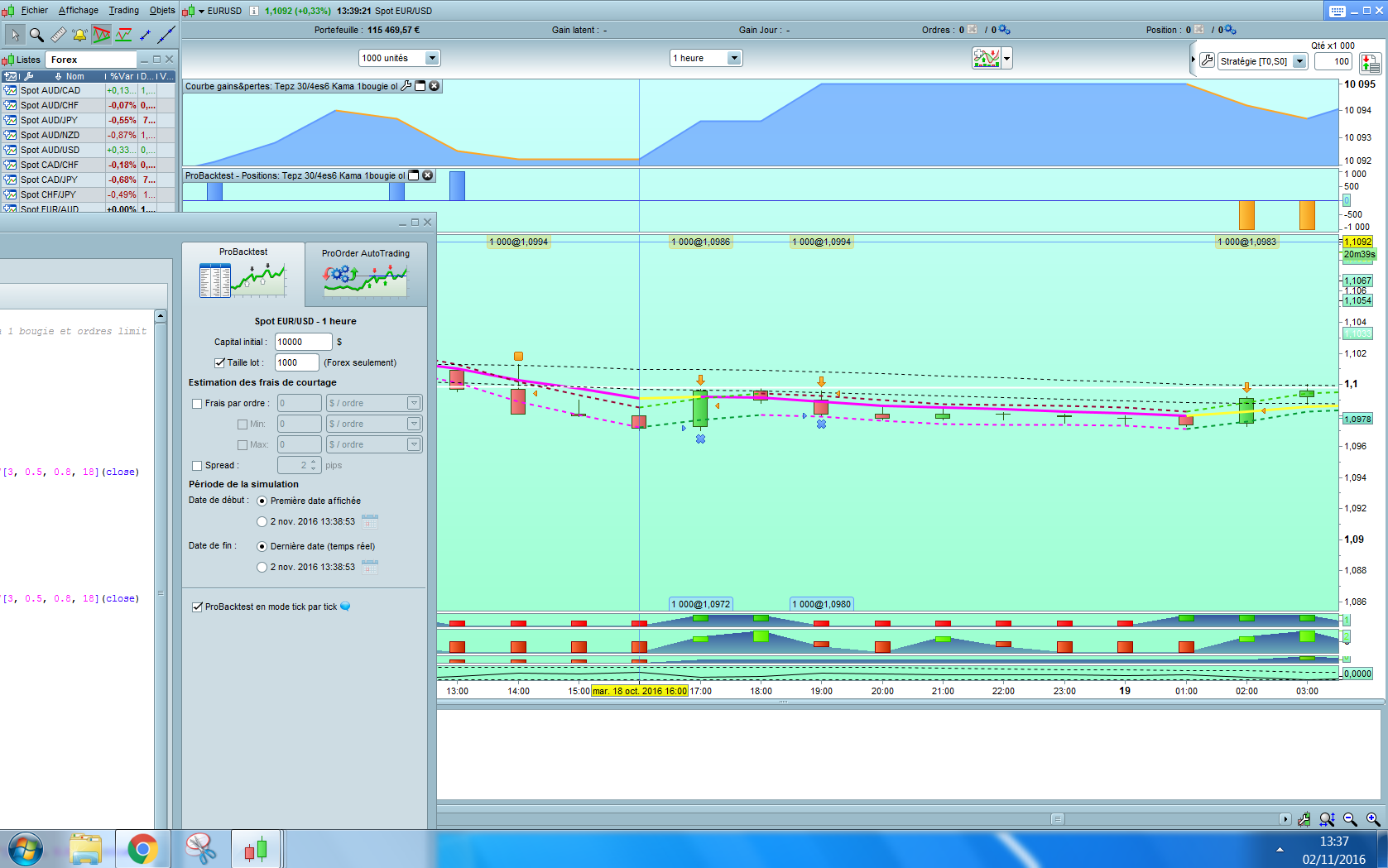
Pour le moment ça ne fonctionne pas bien la preuve sur ce graphique!!!
Le trade est donné gagnant sur la grande bougie verte alors qu’il ne l’est pas?? ou je n’y comprends rien??
Madrosat
@Madrosat
Désolé, je ne vois aucune image ? 🙂
ci joint capture d’écran est ce visible???
Madrosat
Oui je vois bien ta grand bougie verte, mais difficile à exploiter. Quel est le point d’entrée et de sortie? Une croix signifie une sortie de position par le code.
From IG Live Chat
‘Our IT developers have not given us an exact timeframe for the introduction of PRT V10.3 through IG… They have only said that this should be completed next year within the first quarter’
Bonjour
Suite à ma constatation que le backtest tick par tick ne fonctionnait pas et en réponse à ma question
voici ce que m’a répondu Prorealtime:
“Merci pour vos codes.
Le backtest tick par tick est utilisé seulement lorsque deux conditions de vente avec des prix différents sont obtenues sur le même chandelier, et non pour vérifier si le prix de la vente est bien arrivé après le prix d’achat.
Cependant, une prochaine version backtest tick par tick l’intégrera.
Cordialement,
Ingrid
Support ProRealTime”
C’eusse été bien Nicolas que tu le sus?? et nous en informer
Bonne journée
Madrosat
So, where can I download the 10.3 beta. Can I use it (for backtesting only) with an IG Market account?
@Pfeiler
Only available at https://www.prorealtime.com/en/
IG customers will have 10.3 next year.
Ah ok .. parallel installation (IG-PRT 10.2 and PRT 10.3) works without a problem.
But 10.3 usage is limited with a PRT free account. So, have to wait for IG-PRT 10.3.
 JvdG
JvdGParticipant
Average
Hi Nicolas,
will the backtest of the 10.3 version also deal correctly with the set trailstop?
regards, Jerke
It will effectively test the trailstop behaviour inside the bar, that’s what you can see in the video.
Hi Nicolas. Great video. Many thanks for that.
Can you confirm something: can you also optimize in tick-by-tick mode? I’ve been doing it this way but want to check whether it is accurate or not. I notice that you didn’t in your example. Is the reason because of the length of time it would have taken to grind through the analysis for the video? I notice you optimized without it ticked and then re-ran the backtest with the new variable (in your example with a t-stop of 25) in tick-by-tick mode.
One other thing: the new “Tick Mode” column in the optimization report. I understand that this is the number of times a trades open and closes within the first bar (right?). Is it correct to say that although it may be a warning signal (ie the lower this number is the better), if you run the back test in tick-by-tick mode and it is still profitable it is less of a concern?
Thanks again,